
What is Sim
Sim is an open-source AI Agent workflow building tool. Through its lightweight, drag-and-drop Figma-style interface, Sim enables developers to quickly build and deploy AI workflows without complex coding. Sim supports seamless integration with mainstream large language models (LLMs) and a variety of tools (such as Slack, GitHub, etc.), and can automate tasks such as code review, customer support, data analysis, and more. Sim supports real-time collaboration and modular design, making it suitable for team shared editing and adaptation to a variety of business scenarios.
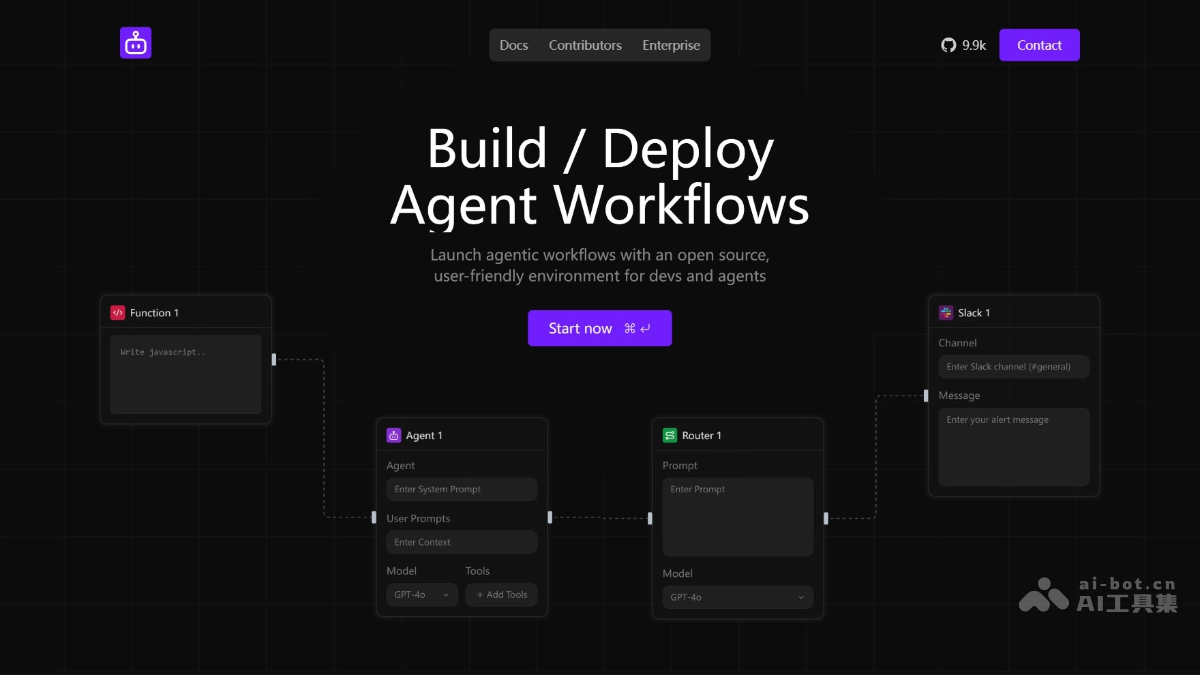
Sim's main features
- Drag-and-drop workflow building: Based on a Figma-like drag-and-drop interface, users can intuitively design and build AI Agent workflows without complex coding.
- Seamless tool integration: Supports seamless connections with a variety of tools (such as Slack, GitHub, Supabase, etc.), making it easy for users to integrate AI capabilities into their existing work environments.
- Automated task execution: Can automate the execution of various tasks, such as code review, customer support, data analysis, and content creation.
- Real-time collaboration feature: Supports real-time shared editing for teams, similar to Google Sheets, facilitating multi-person collaborative development and workflow optimization.
- Modular design: Users can freely piece together and combine different functional modules, flexibly adapting to a variety of business scenarios.
- Knowledge base synchronization: Quickly import data into the AI Agent's knowledge base without manual uploading, improving work efficiency.
- Local and cloud deployment: Provides a cloud-hosted version and a local deployment option, allowing users to choose the deployment method that suits their needs.
Sim's project address
- Project official website:https://simstudio.ai
- GitHub repository:https://github.com/simstudioai/sim
How to use Sim
- Cloud-hosted version: Visit the Sim official website https://simstudio.ai No installation required, use it directly.
- Local run: Use the NPM package
npx simstudio-
- Visit http://localhost:3000。
- Specified port:
npx simstudio -p 8080- Skip pulling the latest Docker image:
npx simstudio --no-pull
- Skip pulling the latest Docker image:
Sim's application scenarios
- Code review: Quickly generate code optimization suggestions, helping developers improve code quality and review efficiency.
- Customer support: Build intelligent Slack bots that answer user questions in real time, provide instant customer support, and improve customer experience and satisfaction.
- Data analysis: Extract data from data sources such as Supabase and call large language models (LLMs) to generate detailed analysis reports, supporting data-driven decision-making.
- Content creation: Automatically generate Gmail drafts or social media posts, producing high-quality content based on users' needs and style, and improving the efficiency of content creation.
- Research assistance: Build a "person research Agent" that automatically searches for and summarizes relevant information, helping researchers quickly collect and organize materials and accelerating the research process.