
What is Sidekick
Sidekick is an AI process automation platform that helps users simplify daily repetitive work. Through preset automation templates, the platform can quickly implement actions such as syncing Gmail emails to Google Sheets, generating meeting summaries from the calendar and sending them to Slack, and storing potential customer information in Notion. Sidekick integrates AI technology to automatically draft emails, analyze sales leads, generate meeting documents, and more. It supports many commonly used tools such as Gmail, Google Calendar, Slack, Notion, and HubSpot, allowing users to customize dedicated workflows simply by chatting, greatly improving work efficiency.
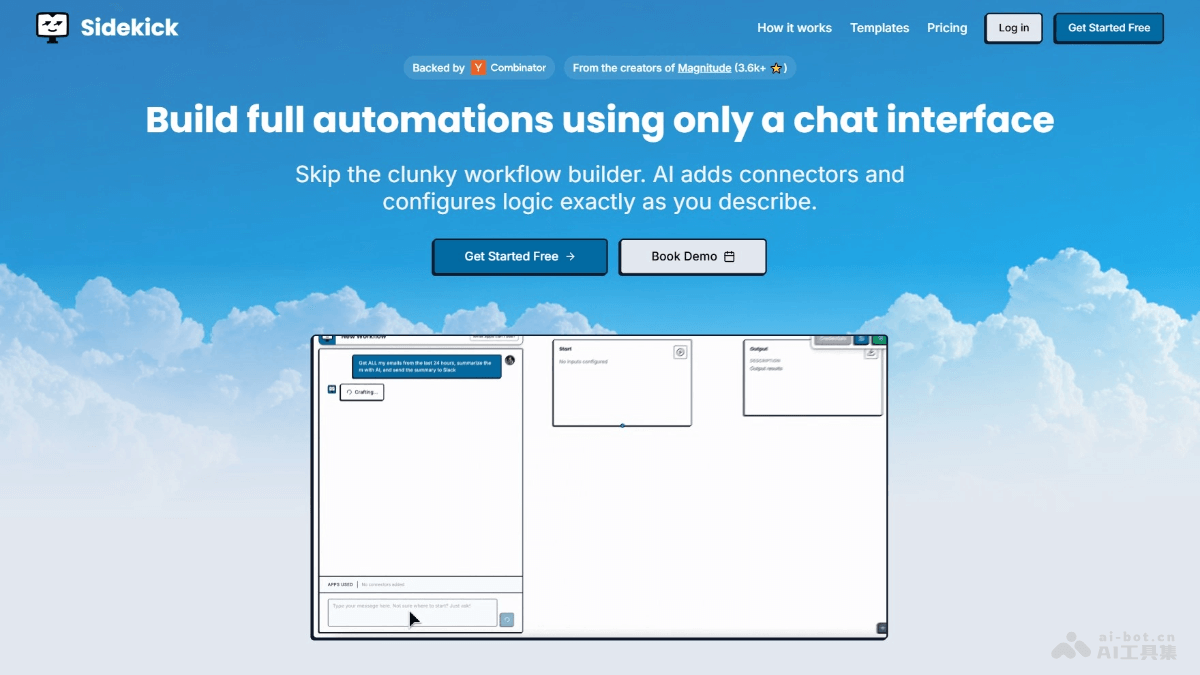
Sidekick's main features
-
Automated workflows: Provides a variety of preset templates, such as syncing Gmail emails to Google Sheets, generating meeting summaries from the calendar and sending them to Slack, and storing potential customer information in Notion, helping users quickly automate common tasks.
-
AI-driven intelligent operations: Based on AI technology, it automatically drafts emails, analyzes sales leads, generates meeting documents, and more, improving work efficiency and quality.
-
Multi-platform integration: Supports seamless integration with many commonly used tools such as Gmail, Google Calendar, Slack, Notion, and HubSpot, making it convenient for users to use in their existing work environment.
-
Customized workflows: Users can easily customize automation templates through a simple chat interface to adapt to specific work needs and processes.
-
Data synchronization and management: Automatically synchronizes and manages data, such as organizing email information, meeting records, sales leads, and more into the corresponding tools, reducing manual operations.
-
Intelligent reports and analysis: Supports generating intelligent reports, such as weekly sales pipeline reviews and summaries of important emails, helping users better understand business conditions and make decisions.
-
Real-time notifications and reminders: Sends real-time notifications and reminders through tools such as Slack to ensure users do not miss important information.
Sidekick's official website address
- Official website address:https://joinsidekick.com/
Sidekick's product pricing
-
Free: Suitable for individual users, with 200 free runs per month, providing unlimited workflow creation.
-
Pro: Suitable for advanced users, at $19 per month, including 1,000 runs, then $0.02 per run, providing unlimited workflow creation.
-
Growth: Suitable for small teams, at $49 per month, including 5,000 runs, then $0.01 per run, providing unlimited workflow creation, 5 team members, and a dedicated Slack channel.
-
Enterprise: Suitable for organizations, providing customized run counts, including unlimited workflow creation, unlimited team members, dedicated support, and more.
Sidekick's application scenarios
- Sales teams: Automatically sync potential customer information from Gmail to Notion or HubSpot, simplifying sales lead management and improving follow-up efficiency.
- Customer service work: Automatically categorize customer emails and generate reply drafts, sending them to the team for review through Slack, speeding up response times.
- Project management: Extract task information from Google Sheets to generate Linear tasks, simplifying the project management process and ensuring tasks are completed on time.
- Personal office work: Automatically generate summaries of important emails every day and send them to Slack, helping quickly understand key information and improving time management efficiency.
- Team collaboration: Automatically sync meeting notes and project updates to Slack, ensuring team members receive the latest information in a timely manner and enhancing collaboration efficiency.