
AI short dramas and comic dramas are a hot track this year, with eye-catching visuals, fast fan growth, and a clear monetization path. Later on, you can take on novel adaptations, commercial materials, courses, and more. Many people want to get in on the action and grab a piece of the pie.
Many people have a story in their heads, or have even already written a novel, but get stuck at the first step: How do you break down the script? How do you write the storyboard? How do you keep the characters consistent? Switching back and forth between image and video models is really exhausting.
These past few days I saw Seko launched an infinite canvas, which can integrate planning, storyboarding, asset generation, and video editing into the same canvas-style workflow. I hurried to try it out.。
For this 1-minute short film, from entering the idea to exporting the video, it took me less than 20 minutes.
Seko is really very smooth and efficient, and even beginners can get started directly, with pretty good output quality. But the visual details still need manual review, especially the video pacing and complex actions.
01. AI automatically creates a canvas workflow
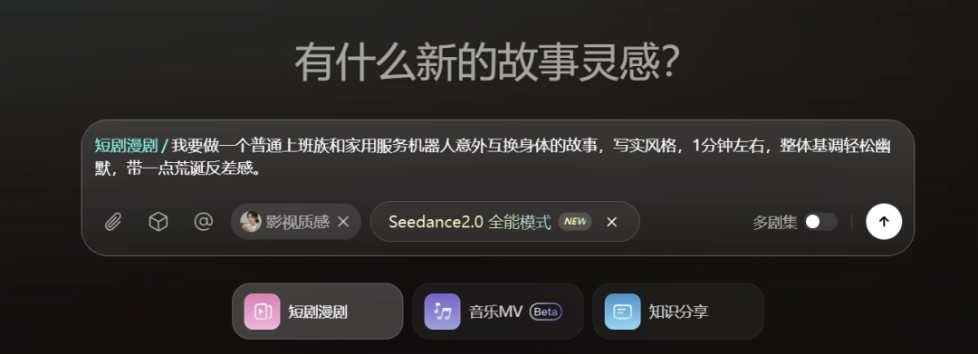
After entering Seko, in the input box on the homepage, we select short drama comic drama and enter our production requirements:
Prompt: I want to make a story about an ordinary office worker and a household service robot accidentally swapping bodies, realistic style, about 1 minute, overall tone light and humorous, with a bit of absurd contrast.
If we already have a finished script on hand, we can also upload it directly.
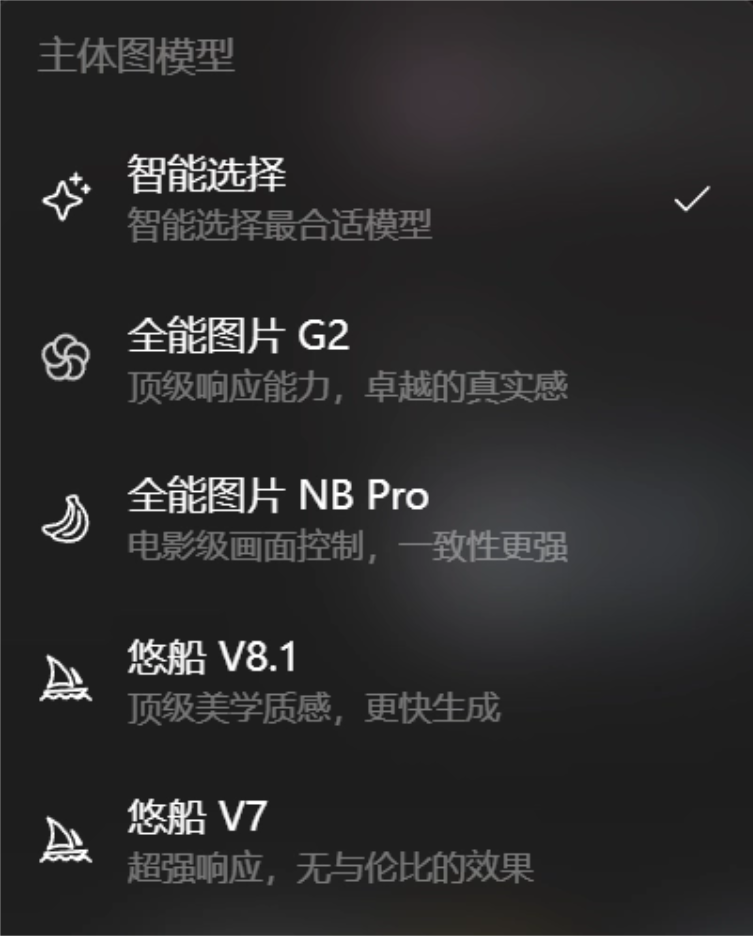
Next, we continue by selecting the main subject image model. Seko has more than ten mainstream image models built in, such as Youchuan V8.1, which focuses on aesthetic quality, All-Around Image NB Pro, which performs relatively well in consistency, and Wan 2.7 Pro with ultra-high image quality, and so on.
If you do not know how to choose or do not want to agonize over parameters, just choose Smart Selection like I did. Seko will automatically match the most suitable model according to our needs.
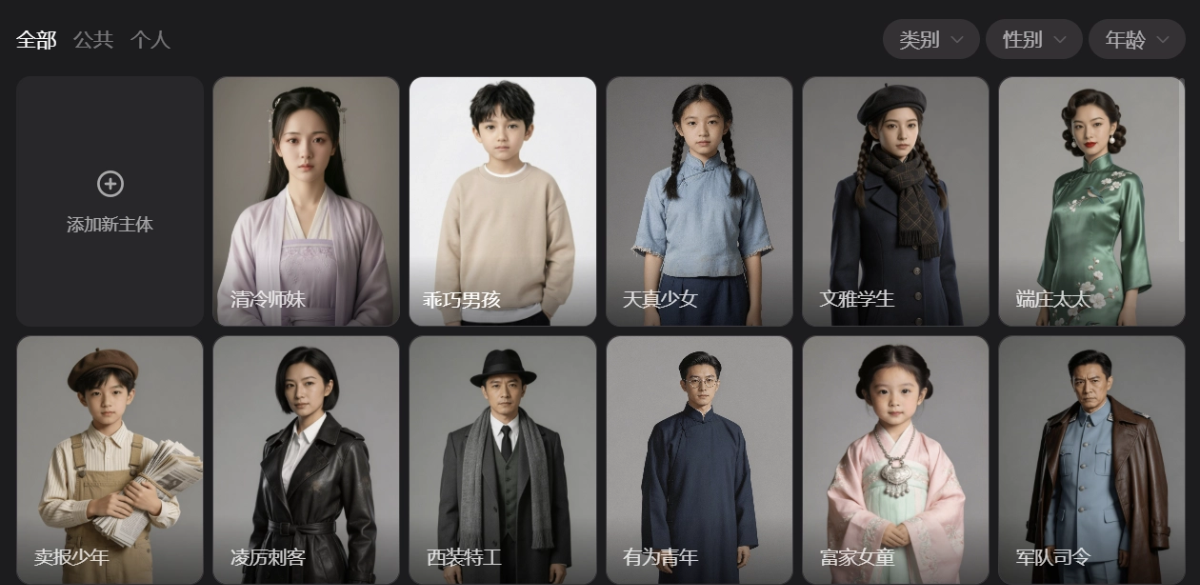
Characters can be selected from the Seko subject library, or AI can directly generate them based on our content.
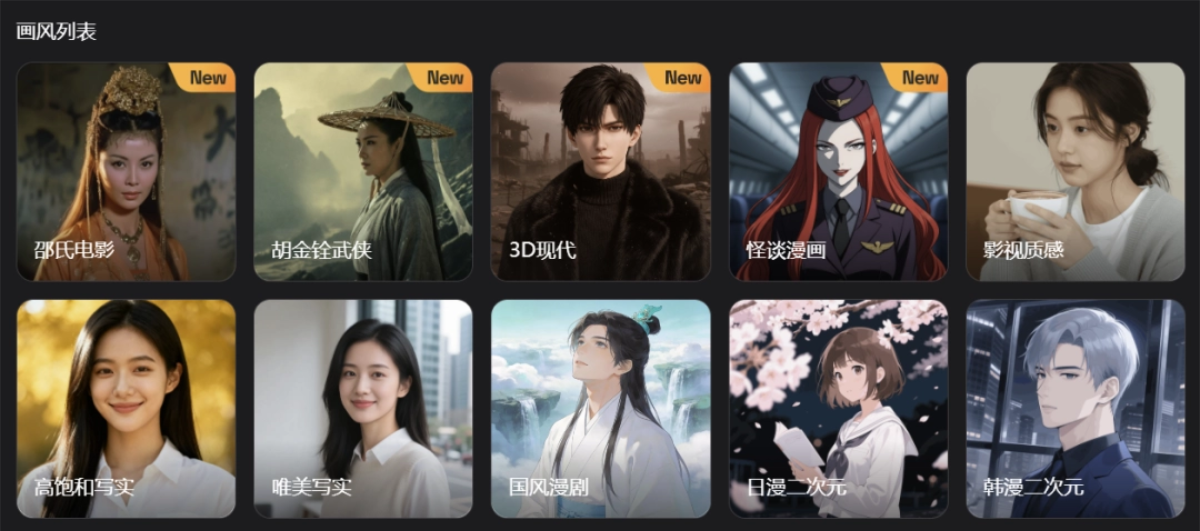
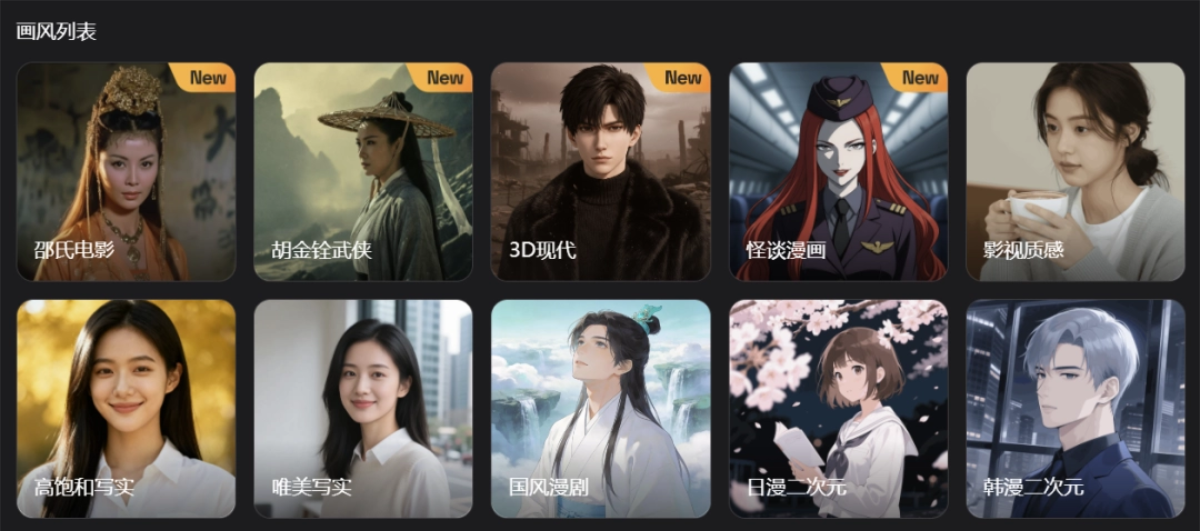
Seko provides 30+ different styles, including classic Shaw Brothers films, King Hu wuxia, modern anime, and more. This short film is mainly urban realism, so we choose Cinematic Texture.
After confirmation, Seko begins to structurally break down our requirements, generating the script, visual tone, color scheme, character designs, and scene details in sequence, and finally produces a detailed storyboard table containing camera language, actions, and dialogue.
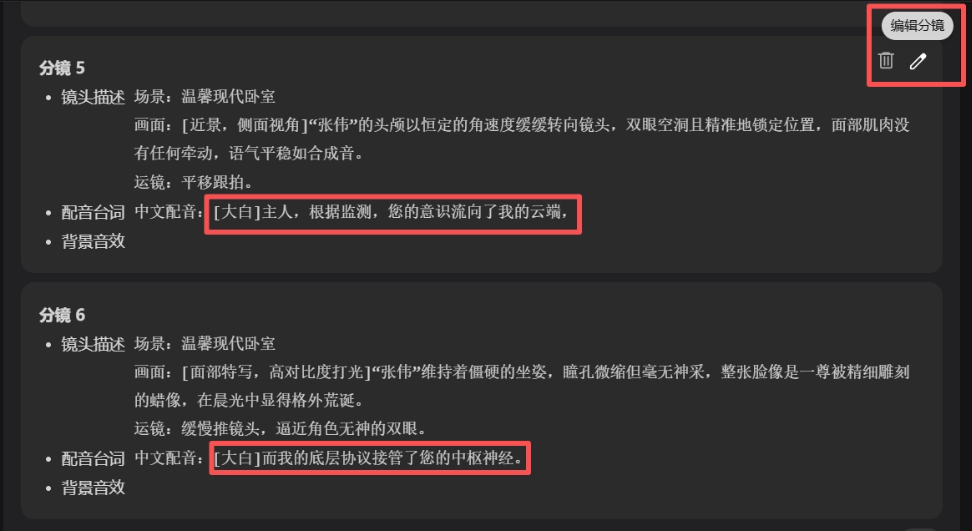
Let us focus on the storyboard script:
It already includes scene, shot size, composition, camera movement, character status, lines, sound effects, and. Seko completely walks us through the process according to short-film production standards, which is very friendly for beginners.
But some dialogue is slightly obscure, and we can edit it directly on the page. Lines, actions, and camera descriptions can all be adjusted manually.
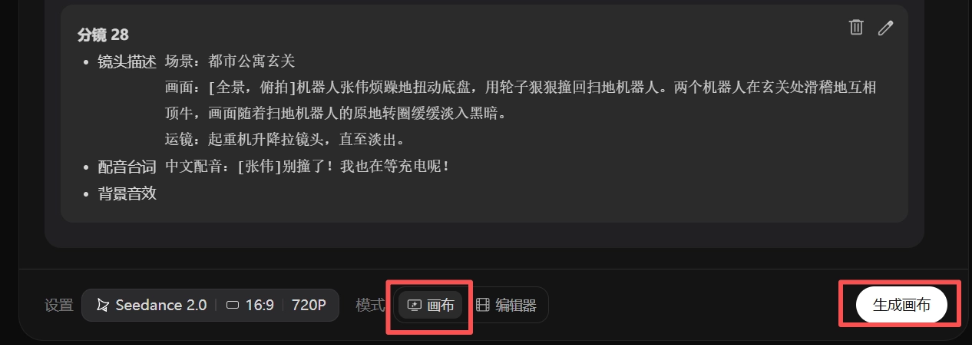
After the planning proposal is finished, the real main event arrives. Click Generate Canvas at the bottom of the page. Seko's recently launched AI automatic canvas workflow creation is the most worry-free design I have experienced so far.
With traditional AI video tools, to generate storyboards, we need to manually copy and paste character reference images, scene images, and prompts one by one, and then run them individually. Not only is it tedious, but the logic is also easy to get messy. But in Seko, we only need to click generate once:
In less than 2 minutes, Seko creates a visual canvas for us, like a mind map, linking character nodes, scene nodes, and storyboard nodes with logical lines. Which shot uses which character image and scene image is clear at a glance, allowing us to very intuitively control the overall structure of the entire short film.。
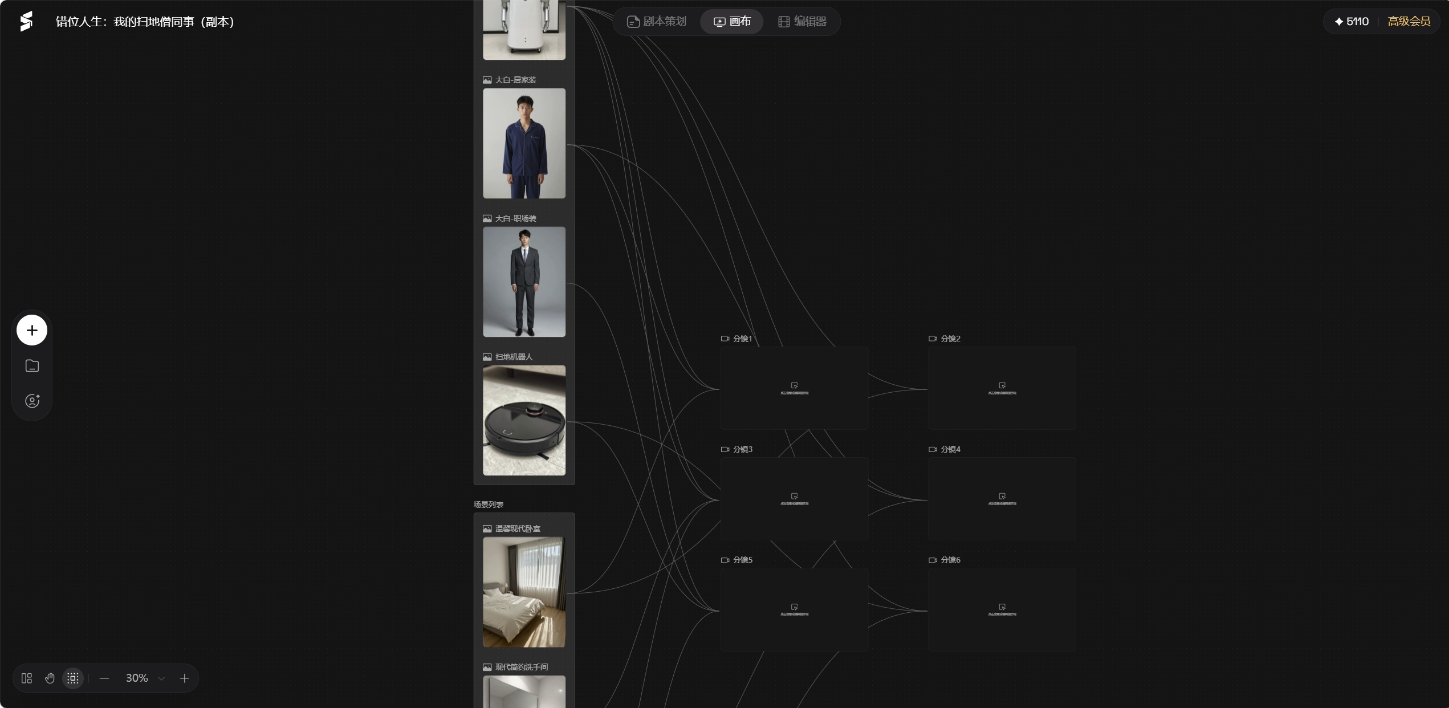
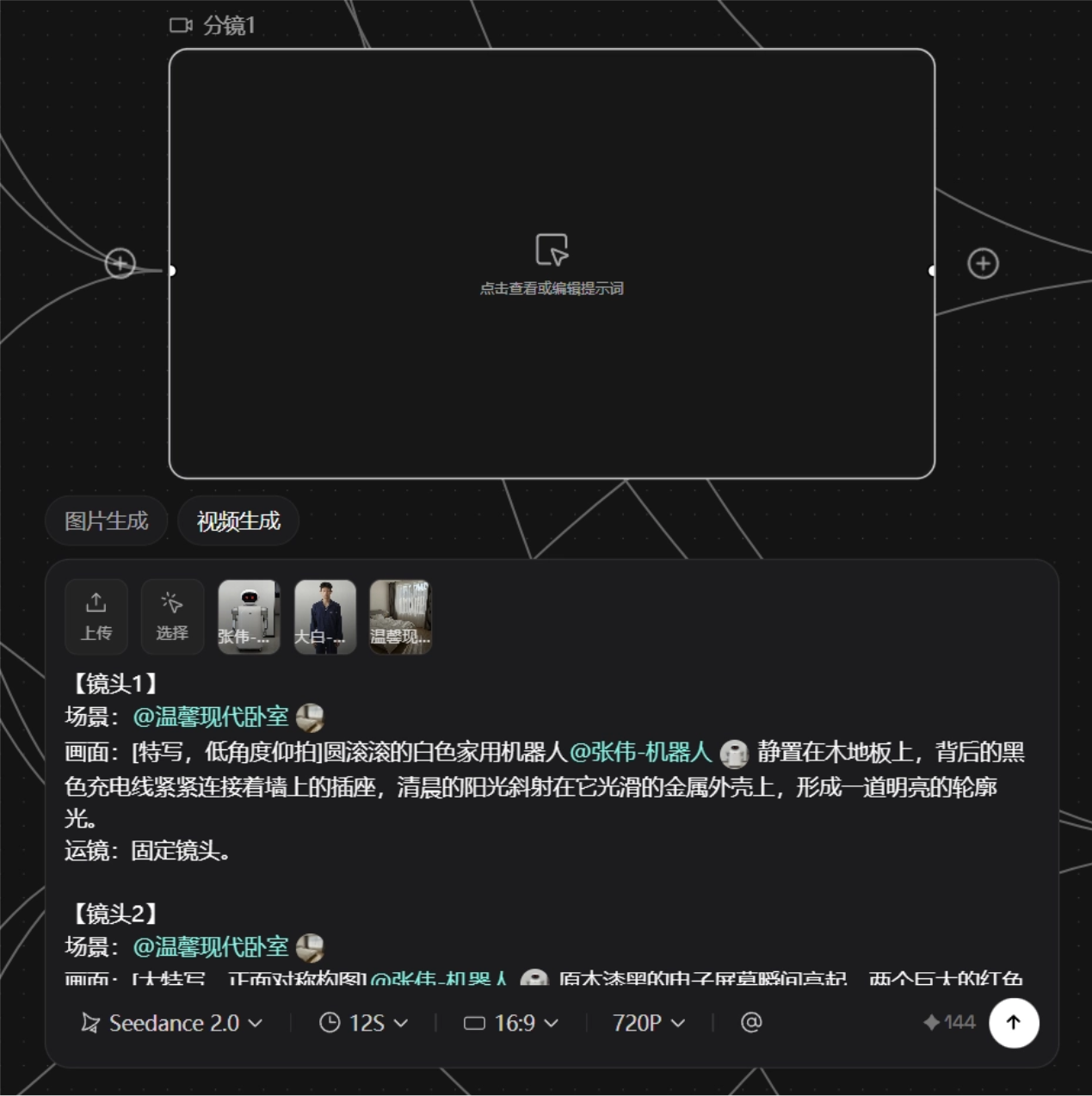
The most worry-free part is that,for every storyboard video Prompt, Seko has already automatically pre-filled everything based on the earlier planning document. We don't need to write complex prompts ourselves; we just click to generate, and the node automatically calls the associated character and scene data for rendering.
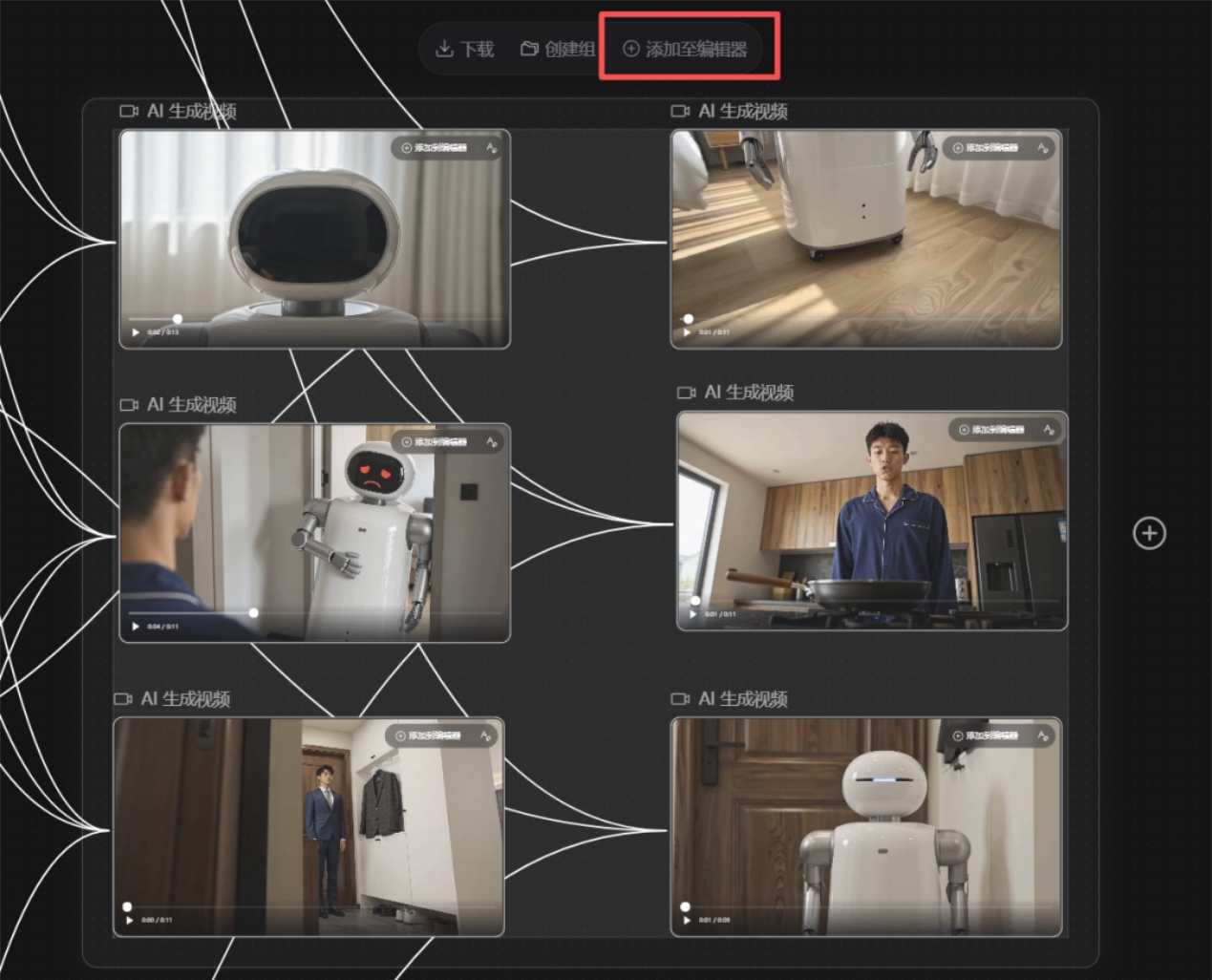
After generation is complete, box-select all assets, add them to the editor with one click, and then click Apply.
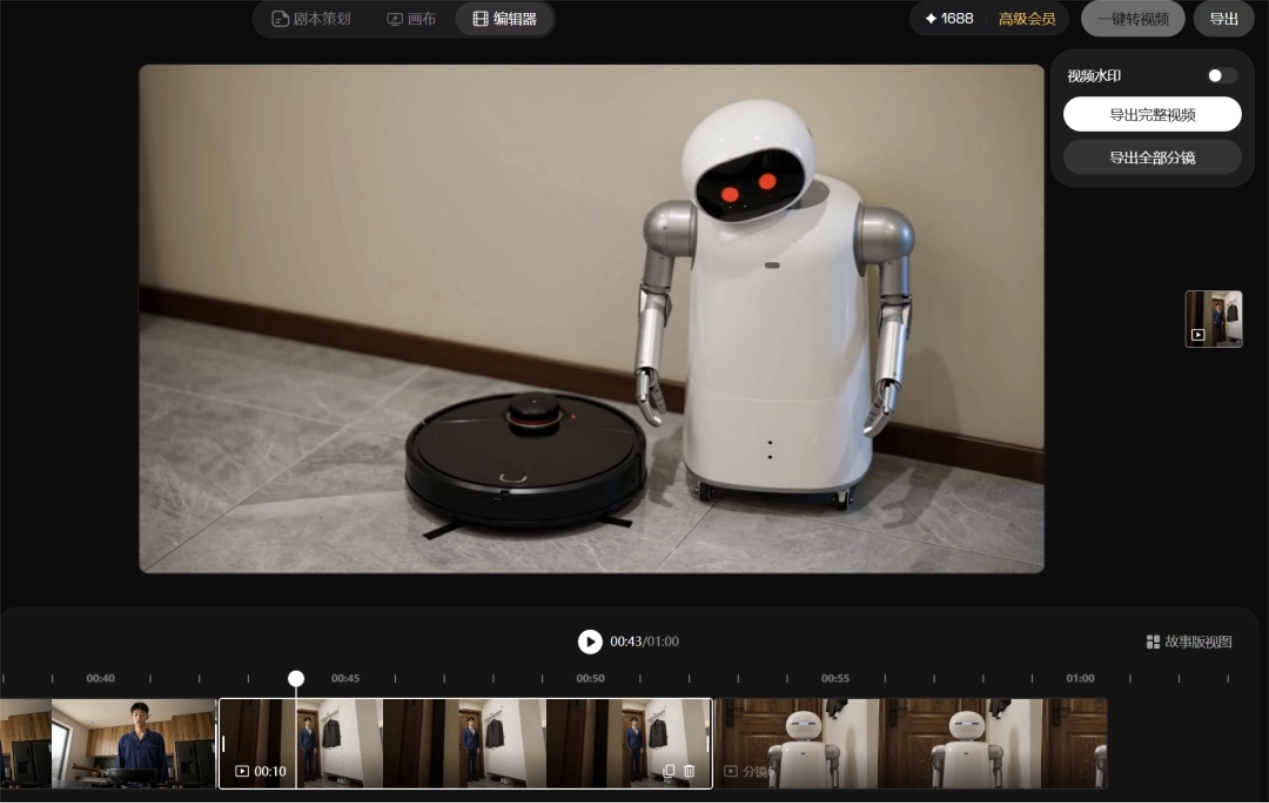
On the editor's timeline, we can freely drag to adjust the order of shots just like using editing software, preview the complete video, and after confirming everything is correct, export the complete video with one click.
This is how we got the short film from the beginning.
The consistency of the main characters is handled quite well, but some inconspicuous small props without reference images may be less stable; for example, the toothbrush in the protagonist's hand occasionally becomes distorted across consecutive shots.
If you have extremely high requirements for visual consistency, it is recommended to lock down key props as reference images in the asset library from the very beginning.
02. Multi-episode Creation
For serialized short dramas and comic dramas, generating a single episode is only the first step.
How to keep characters from changing across episodes and scenes from breaking continuity is the real pain point, and it would be best if the previous episode's assets could continue to be used.
We tried entering a new request:
Prompt: Chinese-style dark fantasy 3D anime comic drama, the first meeting of Nie Xiaoqian and Ning Caichen at Lanruo Temple. Art style: Chinese-style comic drama
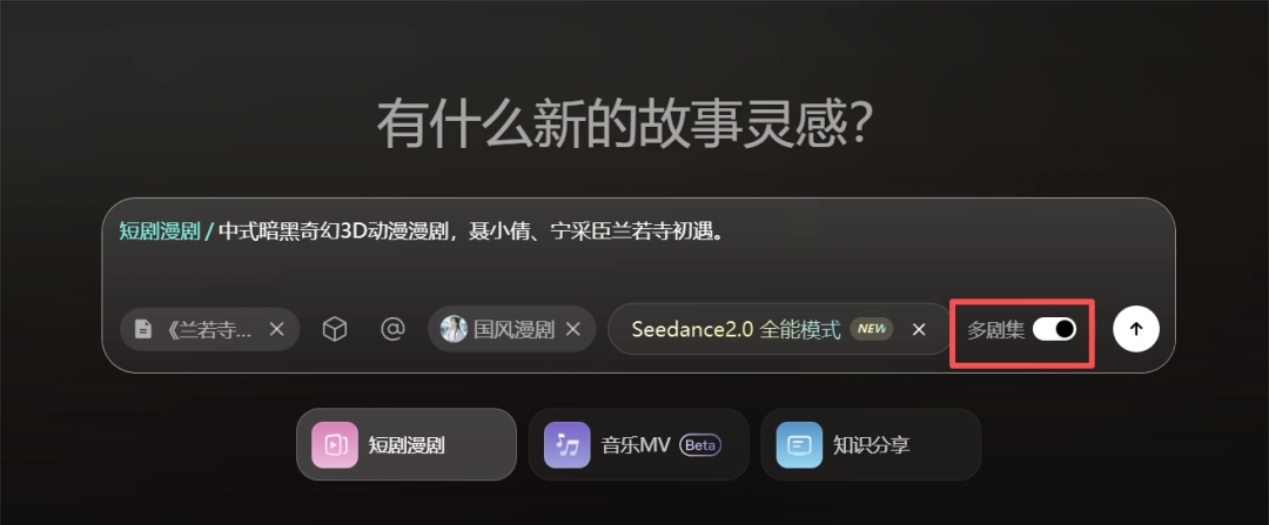
At the same time, upload the script:

Seko will first generate an overall outline.
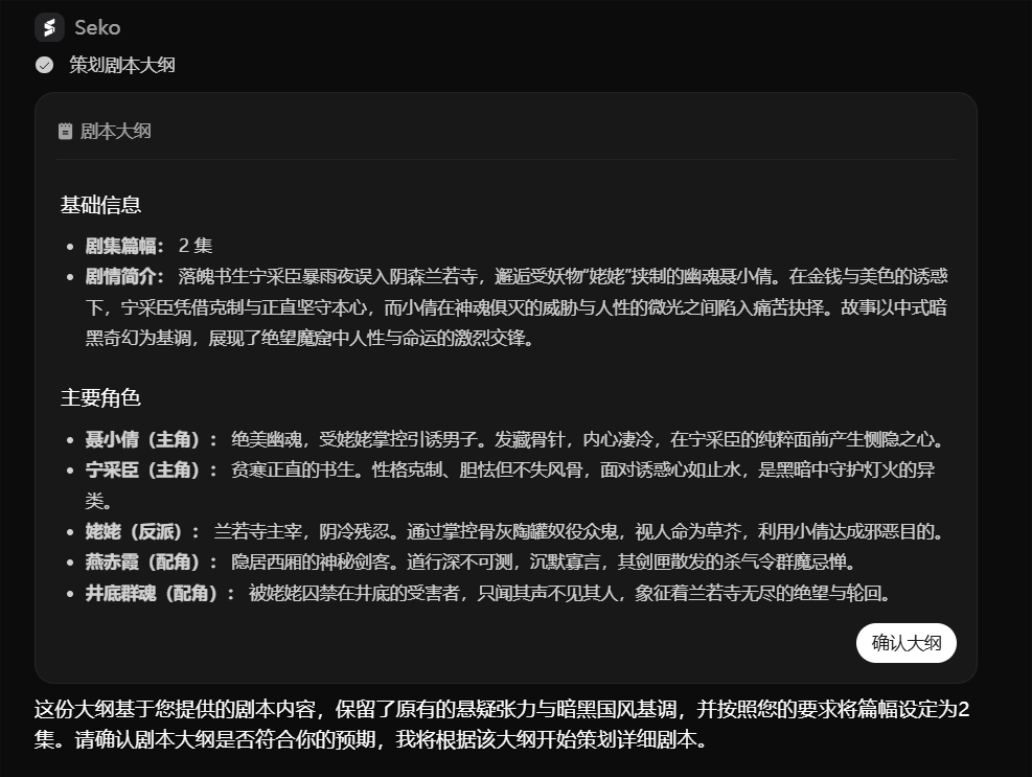
After confirming the outline, we can directly click the plus sign on the left side of the page to create the next episode.
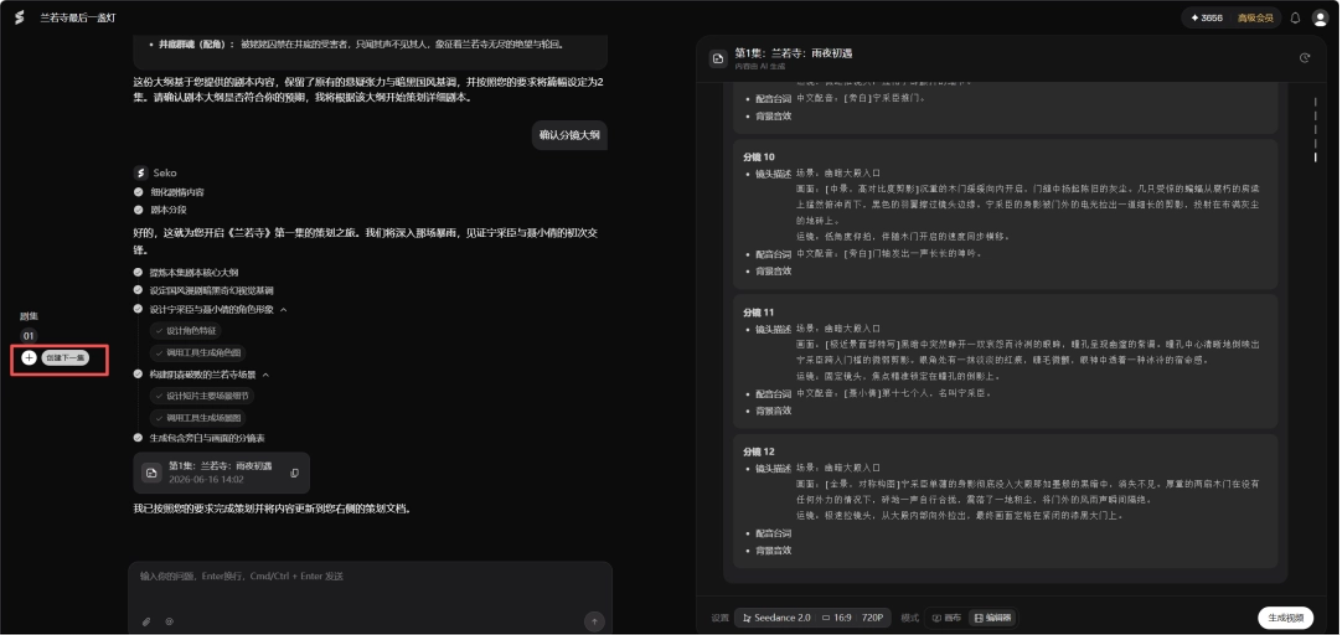
In multi-episode mode, the second episode automatically inherits the main subjects and scene assets of the first episode, such as the appearance parameters of Ning Caichen and Nie Xiaoqian, as well as the scenes related to Lanruo Temple.
For new subjects and new scenes that appear in subsequent episodes, Seko will also automatically reference images.
We continue by choosing to generate a canvas:
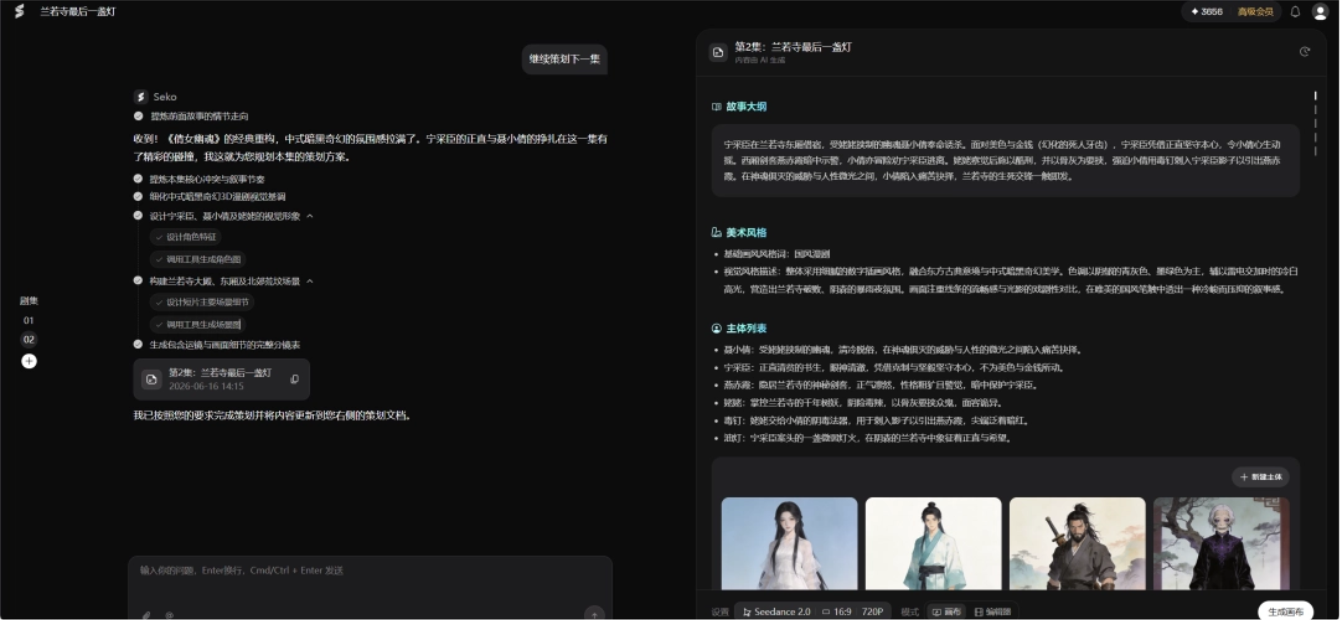
The same script can use the same set of assets to generate a canvas.Characters made in the previous episode can continue to be used in the next episode. They can also be called across projects, reducing repeated generation. This is very practical for making serialized short dramas and comic dramas, and it can save a lot of time and computing power.
Seko also supports the reverse operation: first enter the editor to generate a storyboard preview, and then import some of the assets into the canvas for fine-tuning. This workflow is more suitable for people who already have a rough editing rhythm。
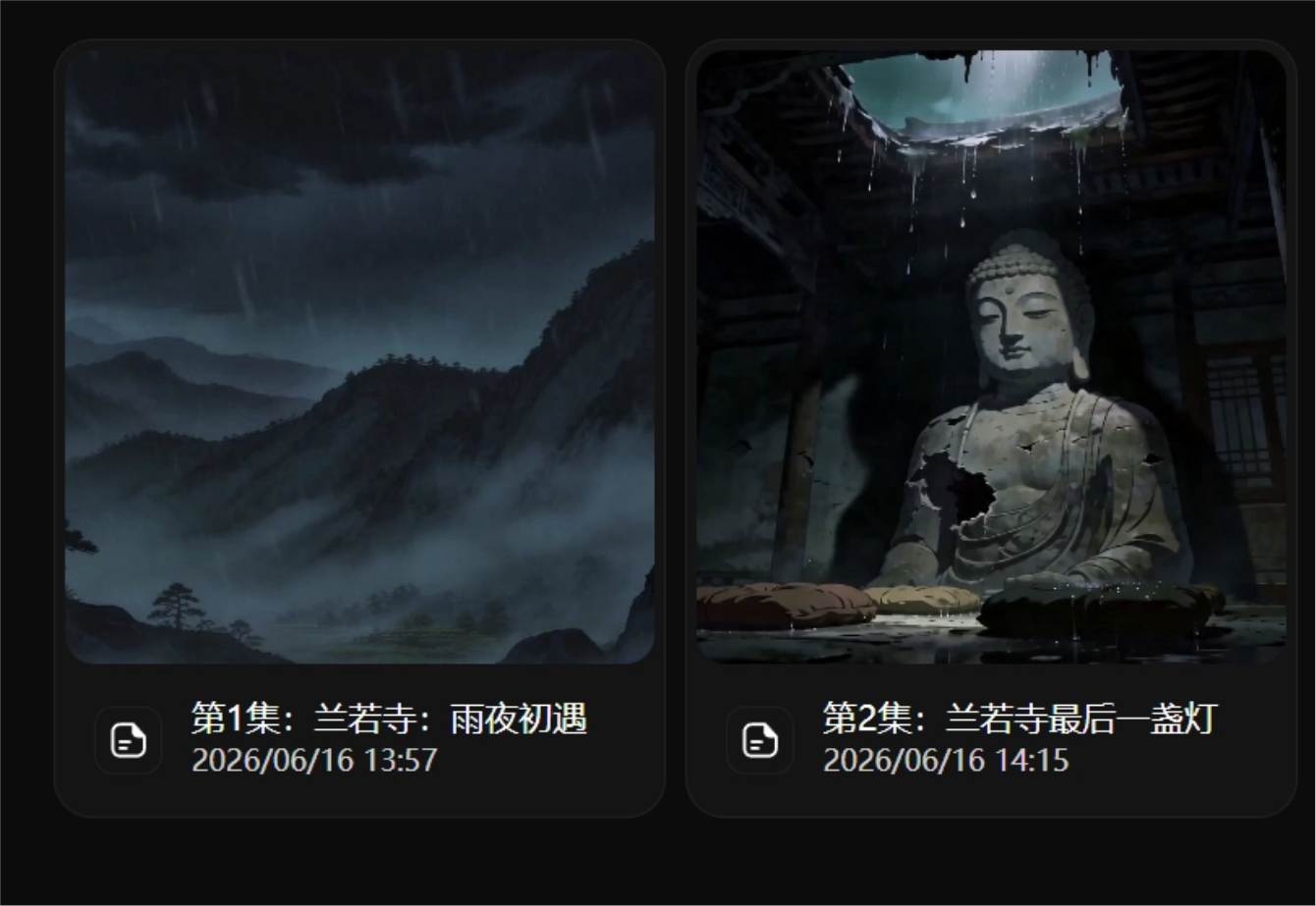
Let's take a look at the final generated comic drama, Episode 1, First Meeting on a Rainy Night:
The broken stone walls, the plaque covered with moss, and the dilapidated ancient temple instantly fill the scene with the cold, bleak atmosphere of Chinese-style dark fantasy. The gloomy feel and sense of story delivered directly by the shots are very strong, making it very suitable as an opening.
Episode 2, The Lonely Lamp of Lanruo Temple:
The two characters and the overall art style remain highly consistent with Episode 1.
03. Long-term Asset Management
In Seko's infinite canvas mode, there are also several small features suitable for long-term projects.
Asset Interoperability
In the material library and subject library on the left side of the canvas, assets from different episodes and different projects can all be imported and used.
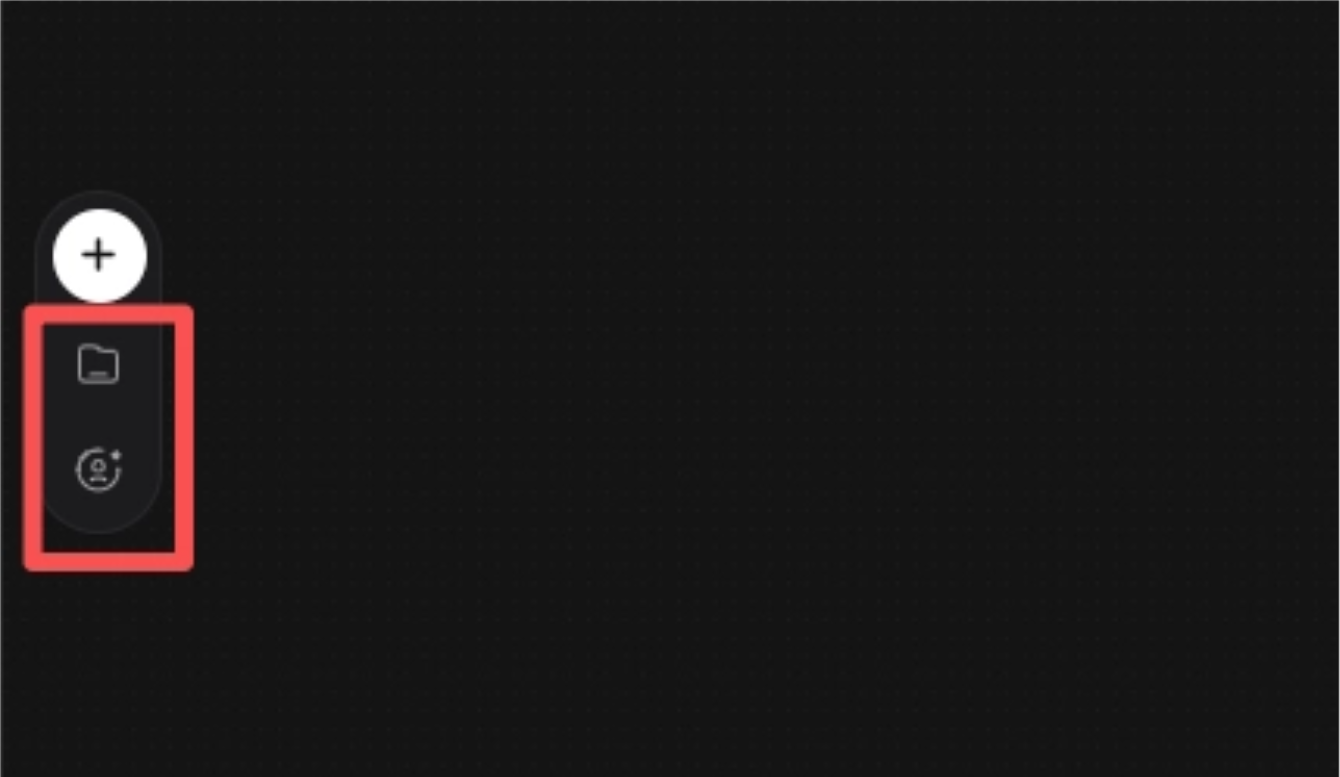
For example, the protagonist generated in the previous episode can be used directly in this episode. When making a series account, this feature is very convenient.
720° Panorama
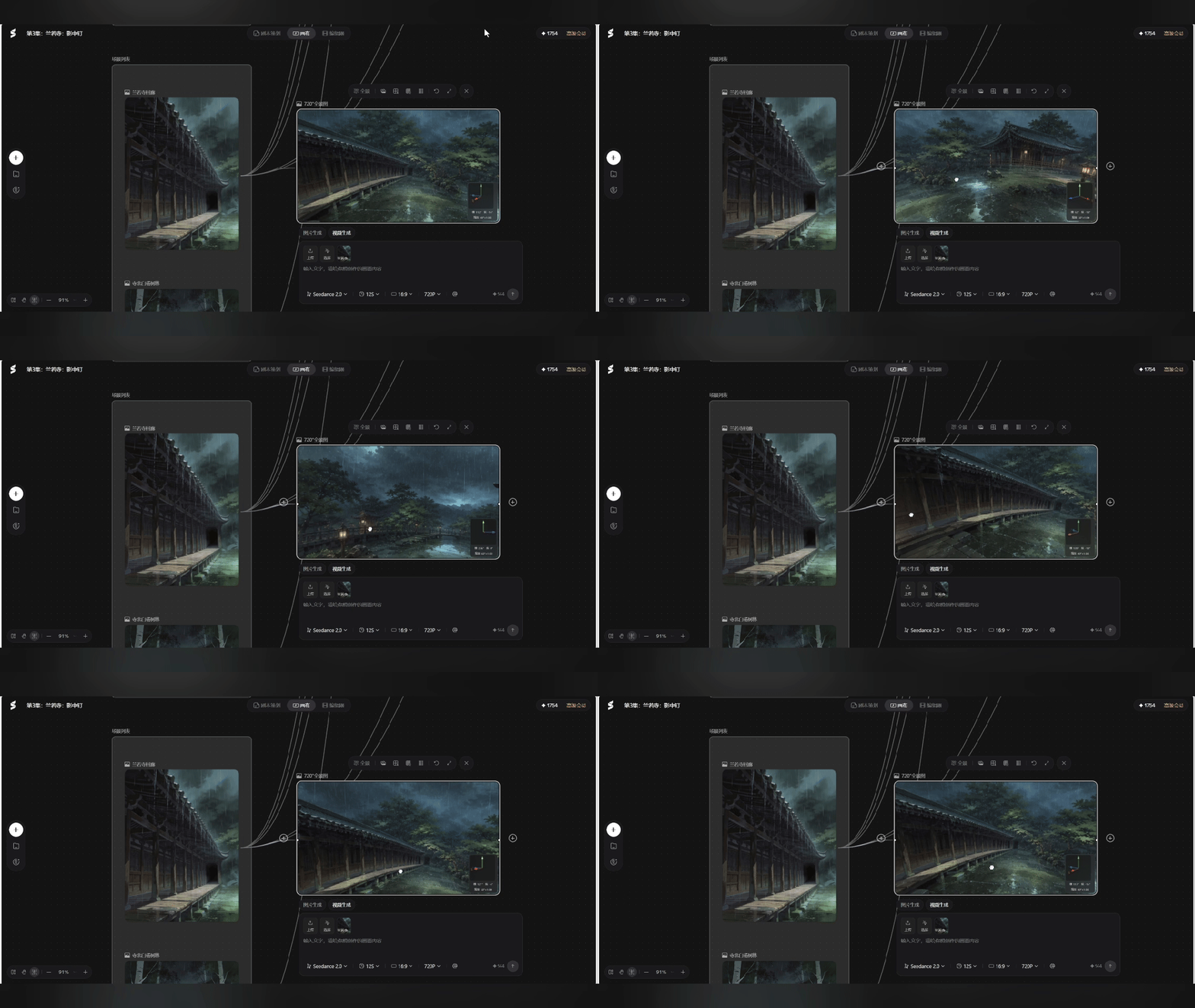
In film, television, and anime creation, scene spaces can easily become chaotic. In the same room, the door is on the left in the previous shot, and then the window suddenly appears behind in the next shot; this kind of continuity error is very common.
We can use the panorama feature to create a 720° panoramic image, and then switch between different shots in the same scene later; the visual consistency will be much better.
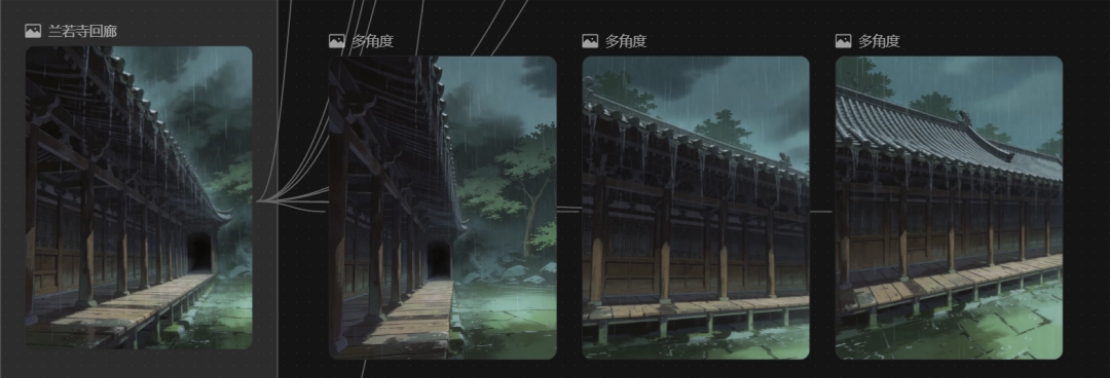
Multi-angle
Storyboard production requires characters to appear in different shots. In the past, when making this kind of image, we often had to rely on ControlNet or multi-image prompts to slowly generate variations.
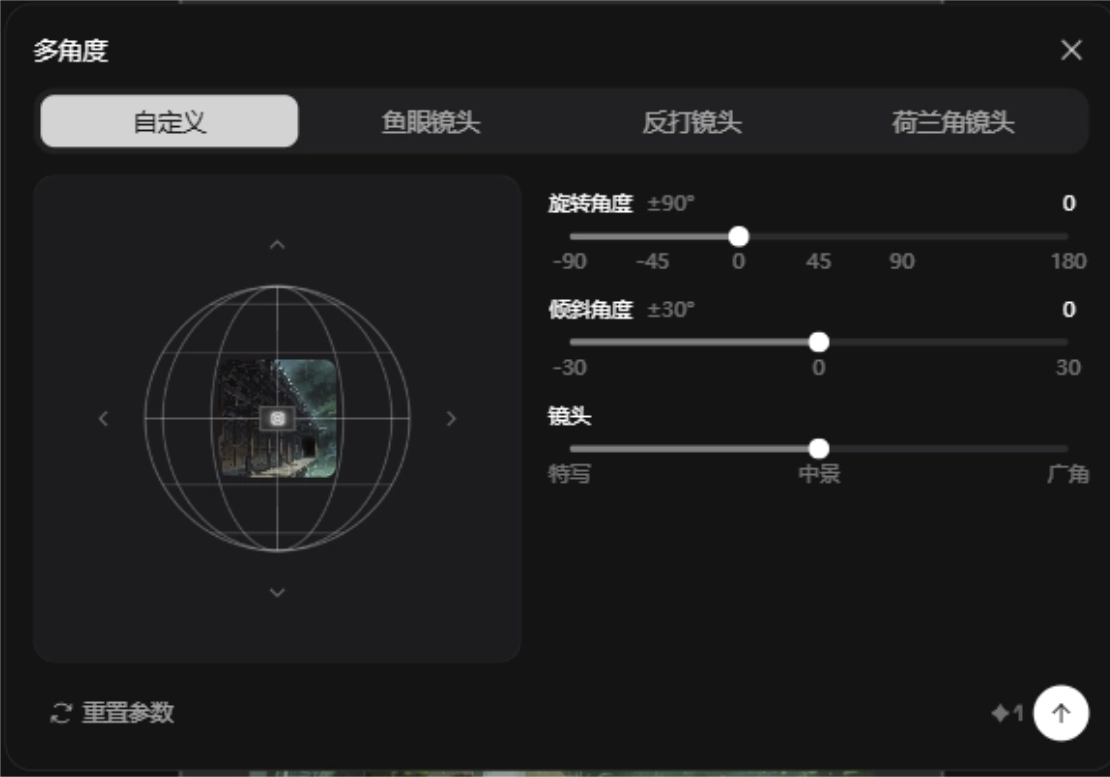
In Seko, after we select an image asset, we can use the multi-angle tool to output images from different viewpoints relatively stably, with support for freely adjusting rotation, tilt angle, and camera distance.
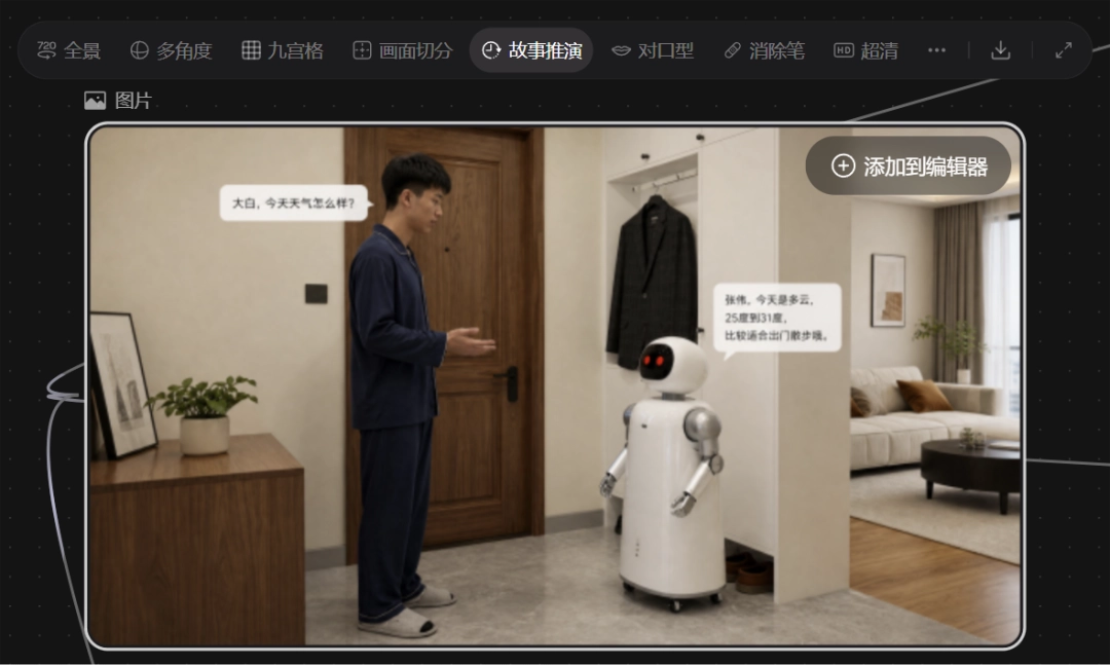
Story continuation
When we get stuck on a certain storyboard and do not know how the previous/next image should transition, we can choose the story continuation feature.
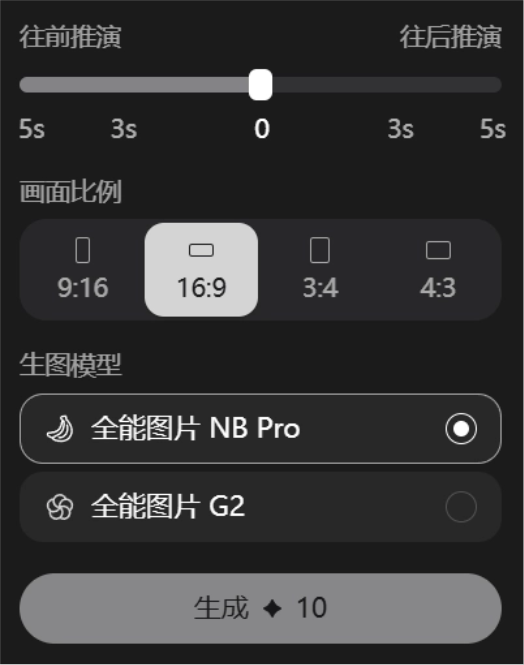
Choose to continue the story 5 seconds forward or backward.
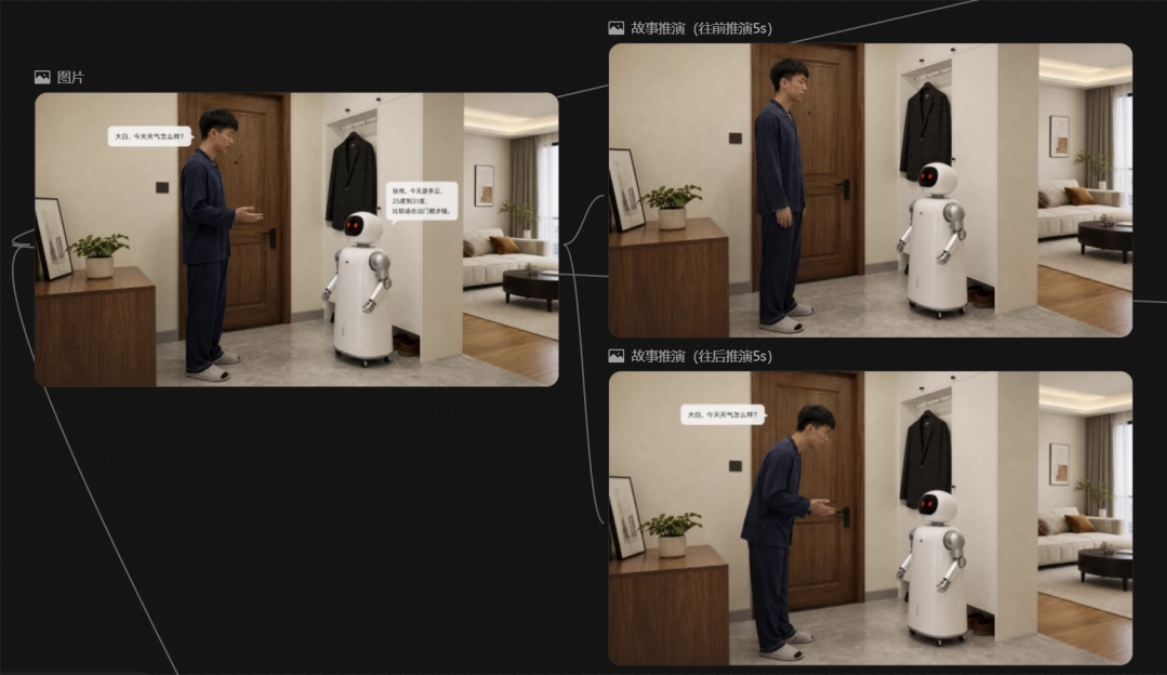
Based on the existing storyboard images on the current canvas and the contextual logic, Seko will automatically predict and generate several possible subsequent visual development directions. The results may not be directly usable, but they are very suitable for finding inspiration.
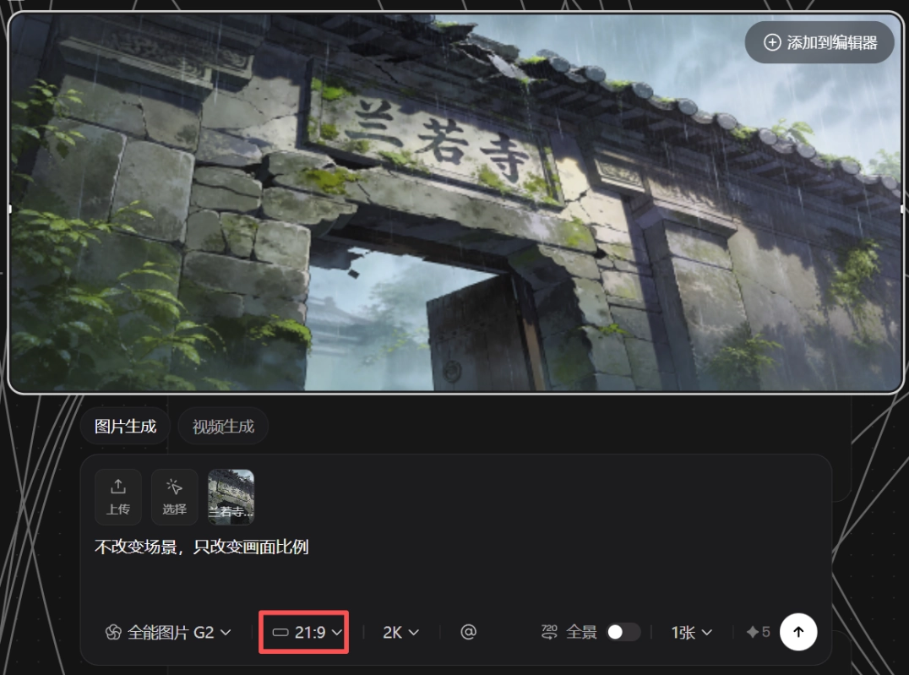
21:9 aspect ratio
Seko has newly launched a 21:9 aspect ratio, which is very suitable for horizontal-screen content with a more cinematic feel.
04. Some sharing
Over the past year or two, we have witnessed too many excellent single-point AI tools, for generating text, generating images, and generating videos, but for creators, the stitching cost of cross-tool collaboration is extremely high. We may need to manually break down a script written by GPT into image-generation prompts, then upload the generated images to Jimeng, and finally import them into CapCut.
Seko connects script-storyboard-assets-canvas-editing in the same canvas, greatly reducing information loss in the process.
The storyboards broken down by AI are professionally acceptable, but in controlling the blank space, metaphors, or specific comedic rhythm unique to literary works, they still appear relatively mechanical and require us to manually fine-tune them in the canvas or editor.
At this stage, the most effective way to use Seko for short drama comic dramas may be:Use AI to run through the skeleton of batch generation, then refine it based on your own aesthetics。
For a long time, previsualization in film and television or high-quality short drama production has been a high-cost task. The emergence of tools like Seko has actually brought the cost of previsualization and draft production close to zero.
We can turn an idea into a visualized storyboard video in an extremely short time, to verify whether the story works and whether it is attractive enough. This improvement in efficiency may further stimulate competition in the content market at the early creative stage, allowing more small and beautiful projects that win through creativity to take root and sprout.
Original link:I used Seko to make a 1-minute short drama; from idea to video in less than 20 minutes