
AI video is evolving too fast.
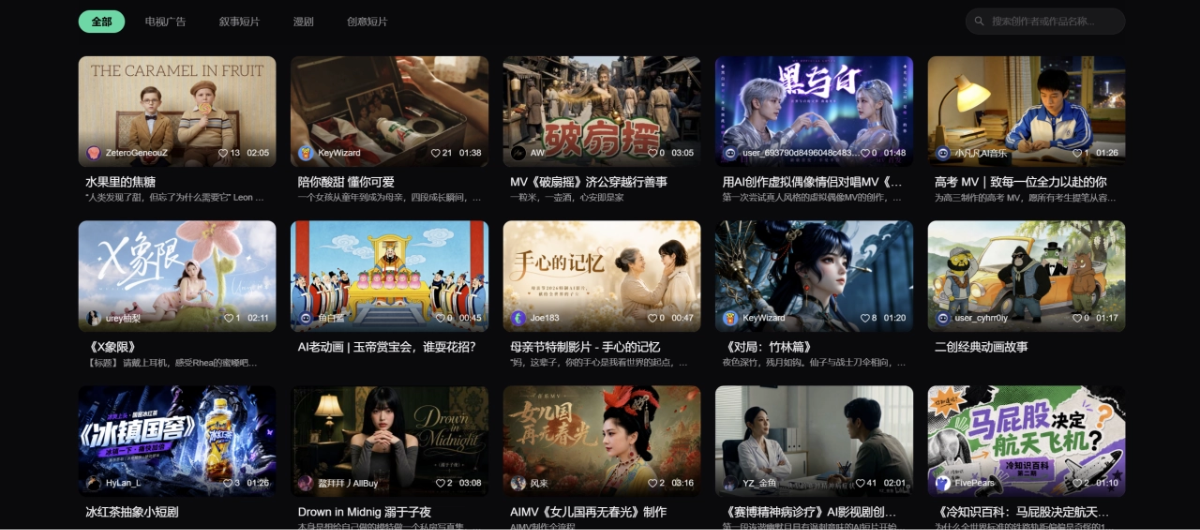
At the beginning of the year, Seedance 2.0 emerged, the AI short film "Paper Phone" generated by Kling went viral across the internet, and Alibaba's HappyHorse topped the Artificial Analysis video arena leaderboard.
Hit AI video formats are iterating crazily almost on a weekly or even daily basis. Now, casually scrolling through your phone, it's all kinds of AI comic dramas, AI concerts, and AI真人带货 videos.
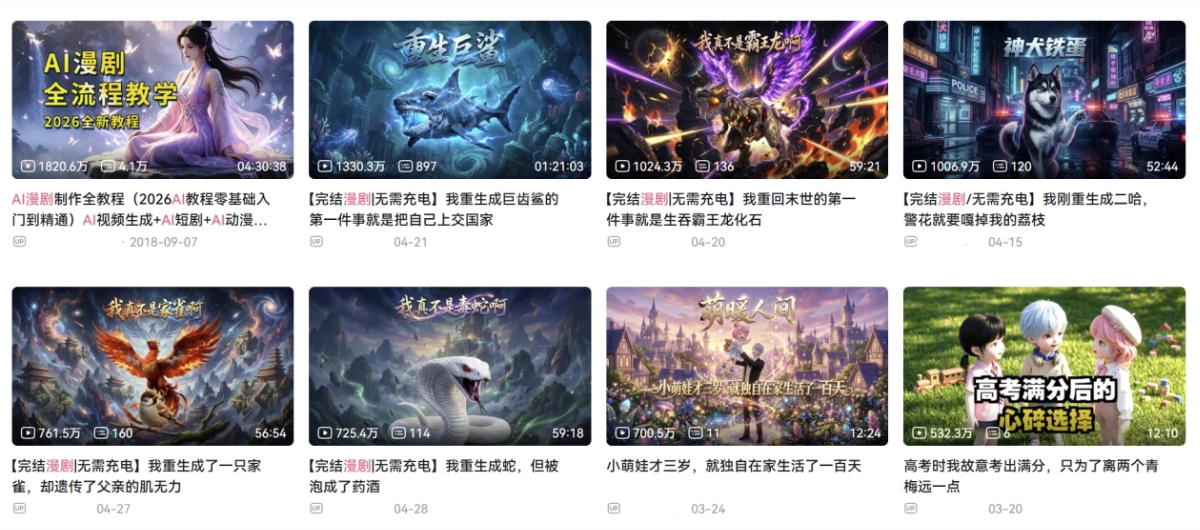
Seeing the风口 for content creation right in front of you, what do you do if you want to make AI videos but don't know how to write scripts, prompts, or edit? What if you want to run matrix accounts but one person simply can't handle it all?
I've also used quite a few AI content creation platforms. Some platforms have designed dual entry points for humans and Agents. It seems convenient, but when actually using them, you need to switch out of the canvas and switch to third-party systems, making creation less smooth.
We input a prompt, the AI does a bunch of mysterious operations in the background, and finally "pop" throws a result at me. What happened in between? No idea. If a part needs adjustment, then you can only change the prompt and start over. Getting the final output still depends on drawing cards.
All of this, after I used the RHTVlaunched by RunningHub, vanished into thin air. I truly experienced what cross-era industrial-grade AI productivity means.
The canvas provides a native AI agent,which not only eliminates all the cumbersome switching to third parties, but also directly and seamlessly connects to RunningHub's full-blooded ecosystem of over 100,000 community AI applications and more than 13,000 open-source nodes.And during the creation process, every step is clear and controllable, completely returning the initiative of creation to humans, truly ending the blind-box era of judging by looks and drawing cards.
Just looking at parameters isn't interesting. Today let's test it out together and see what a true dimensional strike actually looks like.
01. Canvas-Native AI Agent
Friends who often use AI for image and video generation have mostly heard of or used RunningHub, China's largest ComfyUI platform.RHTV is an all-around content creation platform with a native AI agent produced by RunningHub.
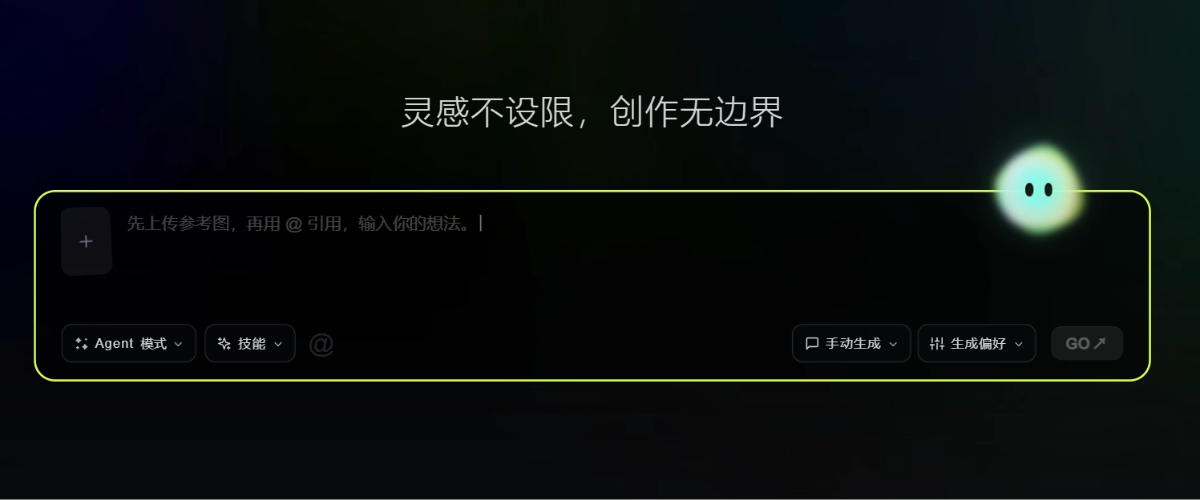
Official Website:https://rhtv.ai/
What is a native Agent? It means the Agent grows directly in our canvas, available on call。
We input any idea, for example:
I want to make a street-style short video of an Asian beauty, with the feel of being shot on an iPhone.
Ordinary AI tools will directly start generating the video with their heads down. The RH agent will first think automatically, match the path according to the complexity of the task, and analyze that the street-style short video is a single-shot requirement that can directly produce a result. So the RH agent will immediately ask for my specific requirements and provide a set of default options.
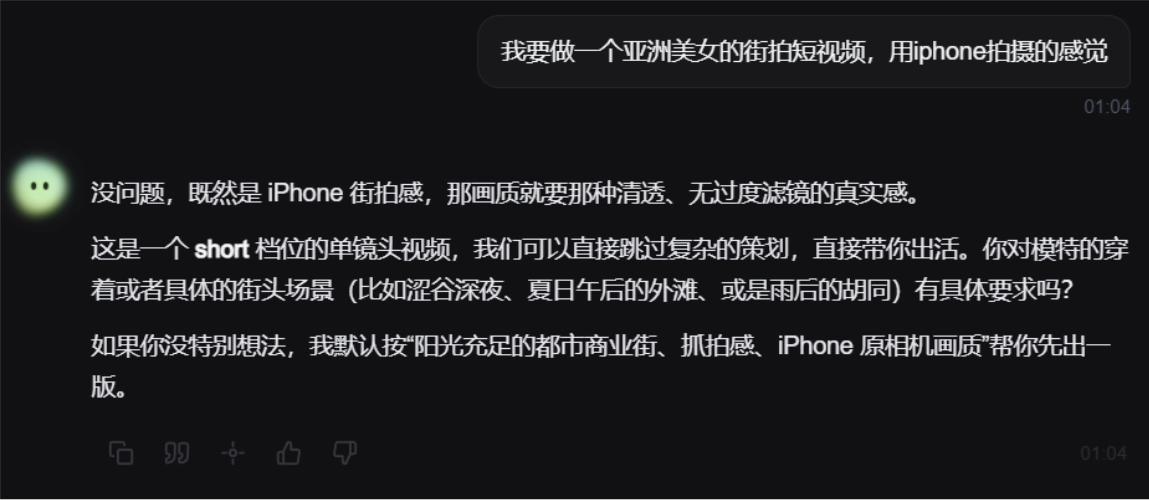
After we confirm the plan, the canvas will synchronously create a video node. RHTV has thoughtfully filled in the prompt and parameters. We only need to check once and click confirm. RHTV can then directly deliver the result.
Look at this texture. The slight shaking feel of handheld shooting is very natural, and the quality is quite good.
The key point is that throughout the entire creation process, I only chatted a few sentences with the RH agent.For the entire production flow, RHTV provided a clear plan and executed it only after I confirmed. I can intervene and adjust at any step. Content creation is no longer black-box card drawing。
Just making a single shot doesn't show much difference. Let's continue to increase the intensity and try a more complex commercial-grade task.
RHTV's Agent comes with multiple top-tier industry Skill libraries built in. I only need to briefly describe my requirements, and the Agent will automatically build the most professional workflow.
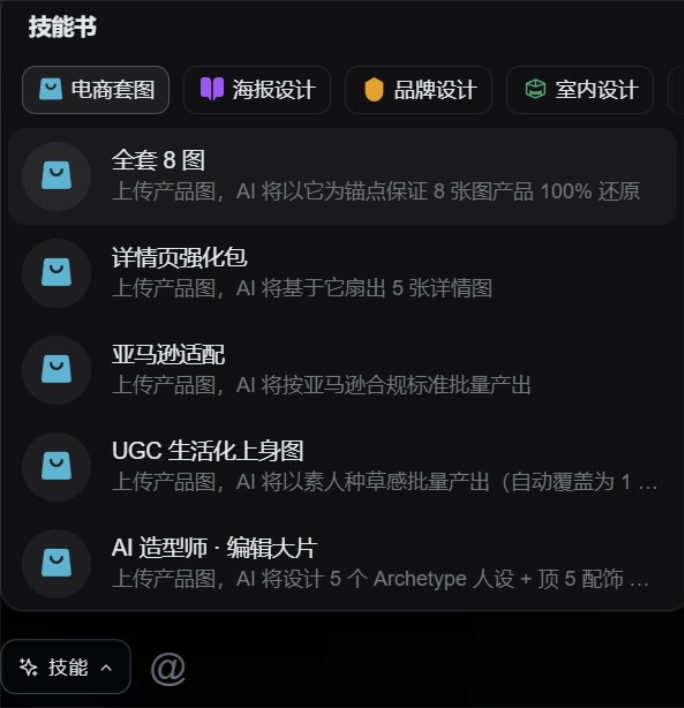
For example, let's make a TVC advertising video.
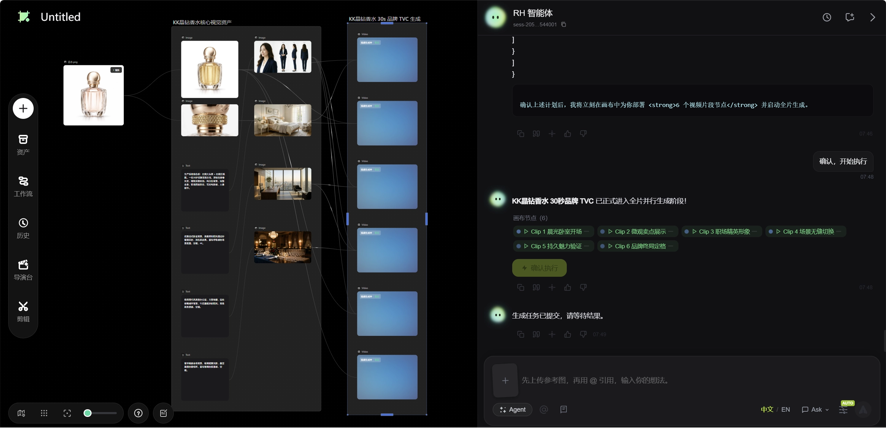
Create a standard 30-second brand TVC ad for the perfume in the image.

The marketing video director Agent will act like a real producer and immediately confirm key information with us, such as: what is the product name? What are the core selling points? Which platform will it be shown on? What kind of ad type do you want?
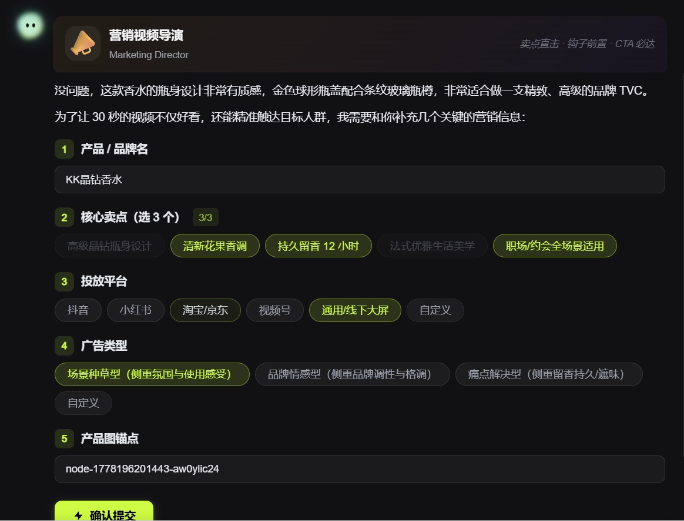
After filling in this information, the RH Agent produces a TVC plan almost instantly. The creative work is extremely top-tier, and it still asks for our thoughts at every step and provides default options for confirmation.
The content framework is designed quite well, with clear selling points and good narrative logic.
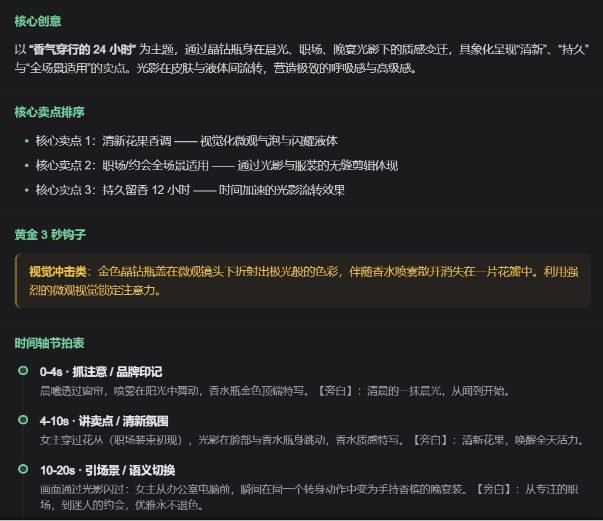
We directly confirm and continue to the next step.
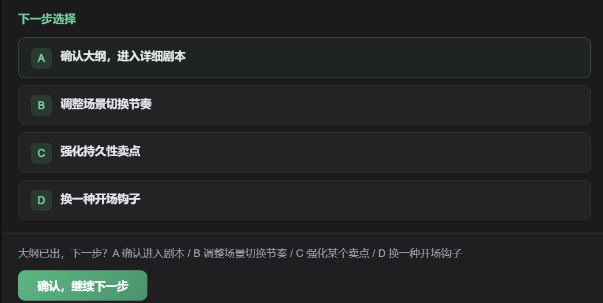
The RH Agent will confirm the detailed script, reference materials, scene images, and video prompts with me one by one. With each step confirmed, the RH Agent will automatically connect lines on the canvas, create new nodes, and run automatically.!
This is really beginner-friendly! The whole process is completely transparent, and if there is anything unsatisfactory, it can be modified directly.
02. Exclusive Features
In addition to the powerful native Agent and node ecosystem, RHTV also includes extremely useful exclusive features that help us connect the last mile from inspiration to finished video.
Built-in Editing
We select the editing feature on the left side of the canvas, and then we can directly use the built-in editing feature of the canvas.
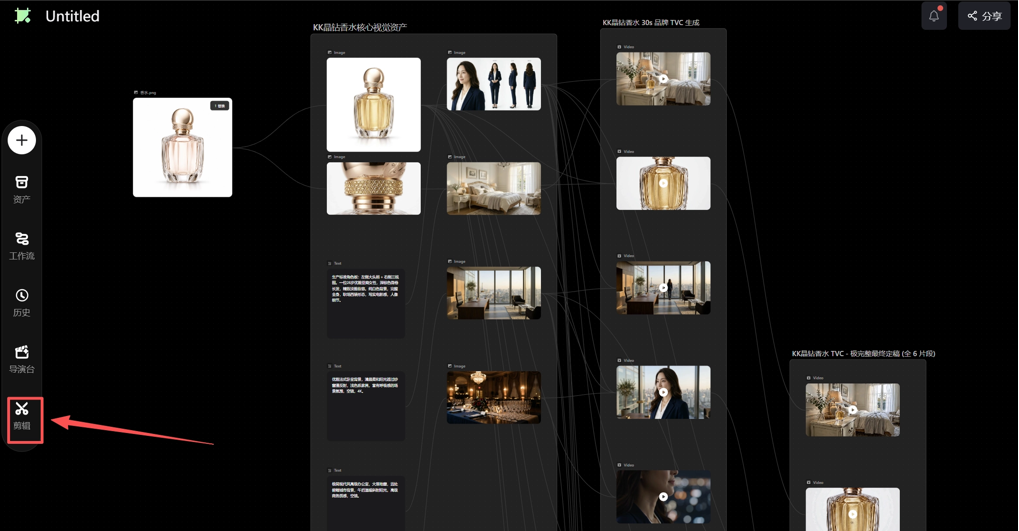
All materials on the canvas can be used directly, and it also supports uploading your own materials. The editor's features are quite complete. After the Agent creates content clips, we can edit directly here and finally export the finished video in one step. Very smooth.
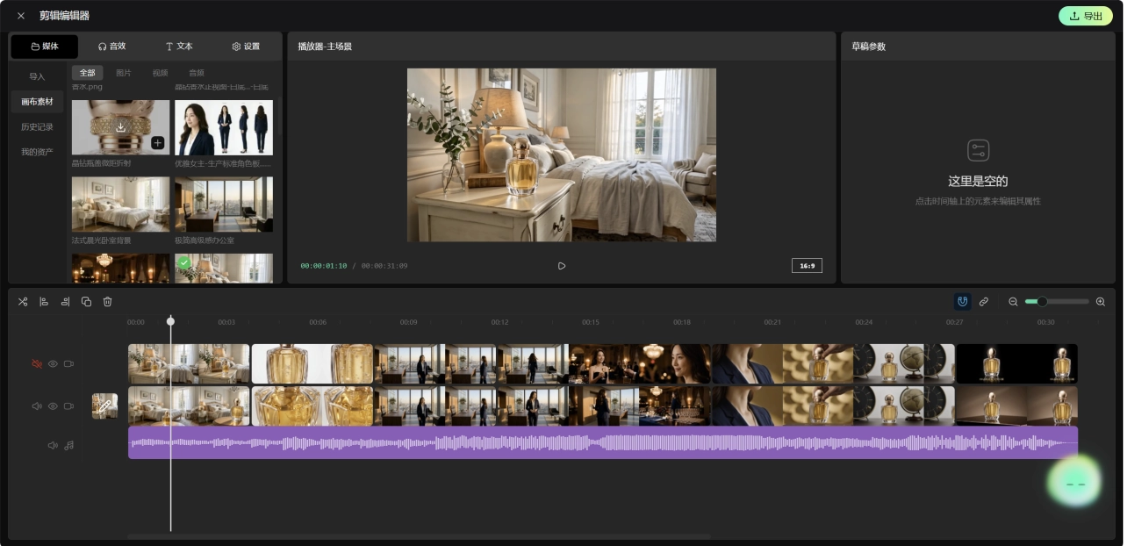
Let's take a look at the final video together:
Storyboard Master
Storyboard Master integrates multiple Hollywood-level features such as composition, camera language, and color tone presets. Click and you get a blockbuster.
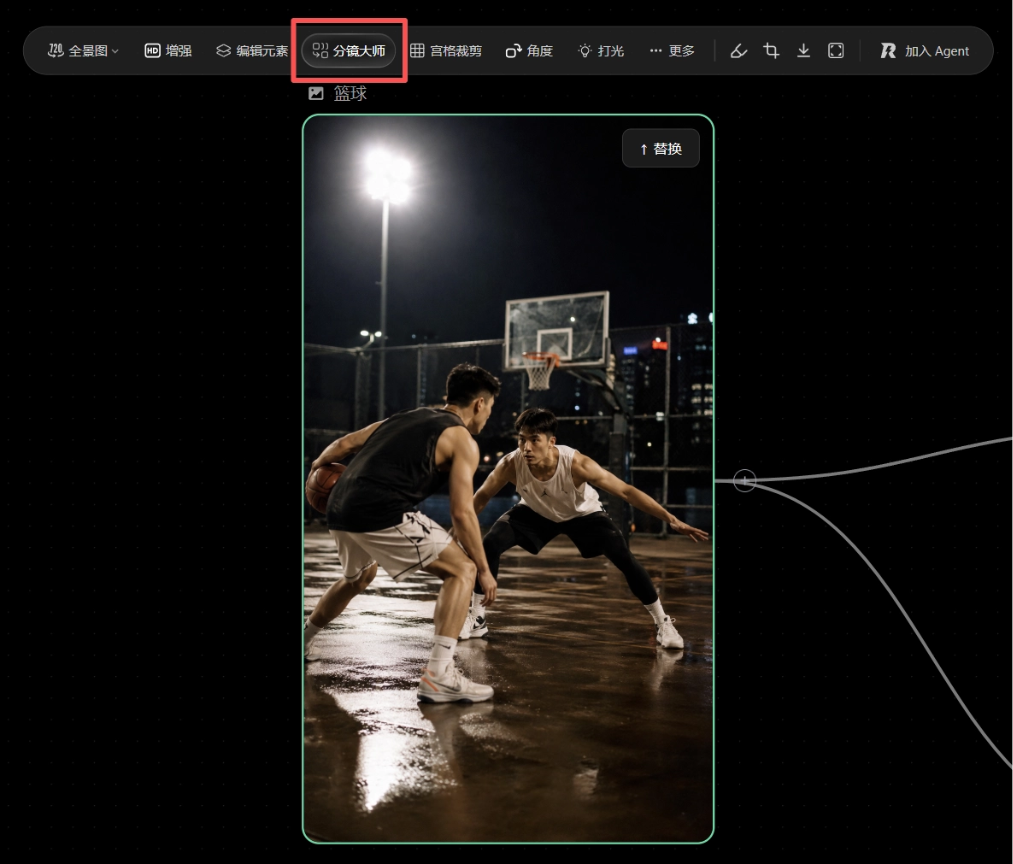
We can generate multi-camera shots based on one image, or derive a coherent storyboard from an image.
I want to generate a basketball 1V1 confrontation video. I can first use Storyboard Master to generate a 9-grid storyboard, and each grid can freely define the camera angle, shot size, movement direction, and various details.
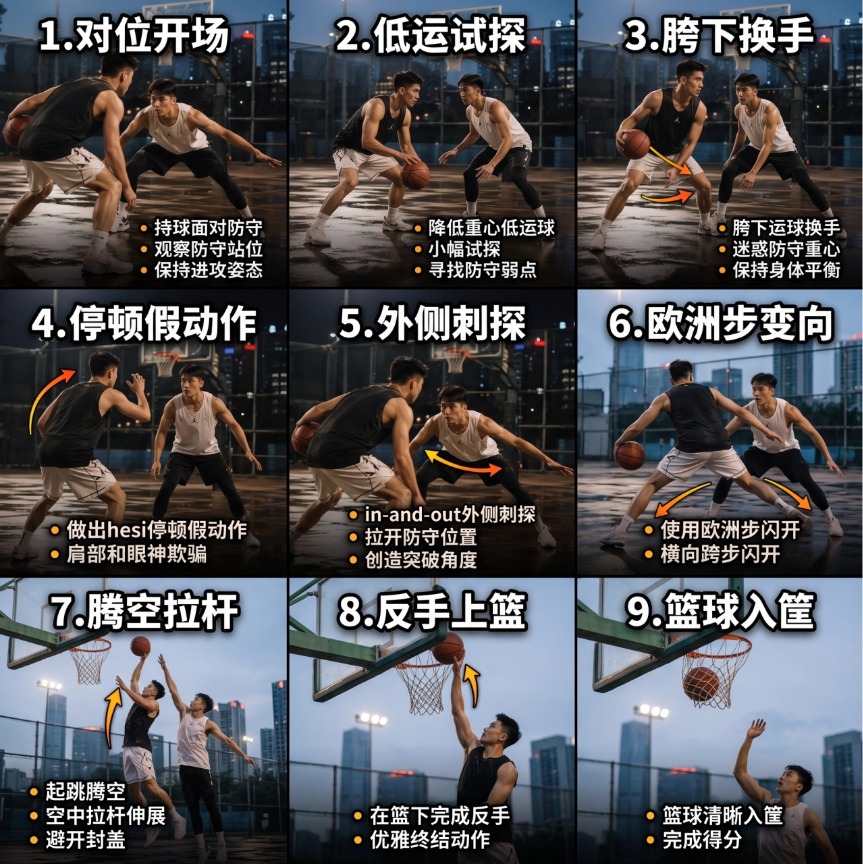
This feature is simply a dimensionality-reduction-level divine tool when deducing complex plots, making comic dramas, or showing products from multiple camera angles.
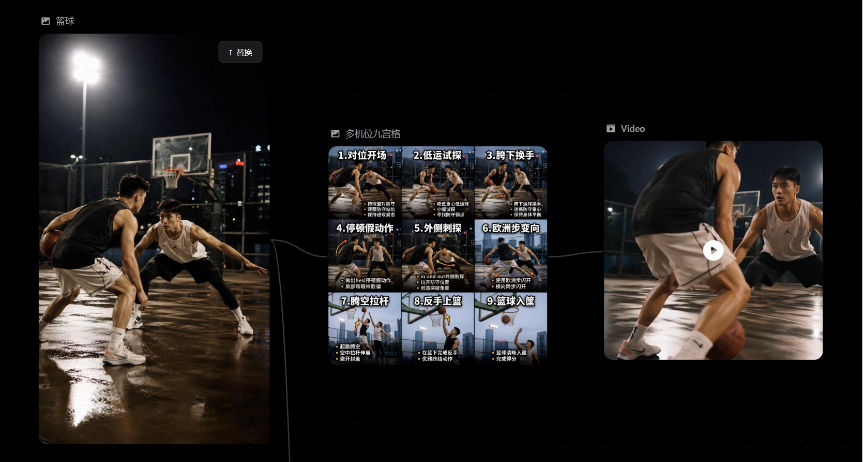
Let's take a look at the final generated video together. The image details and the way the characters move perfectly match the prompt.
Virtual Camera
When generating images, in addition to prompt and reference image control, RHTV also adds a virtual camera feature.
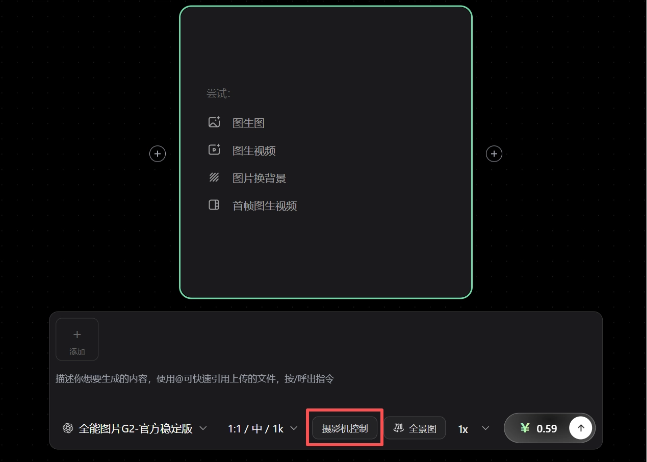
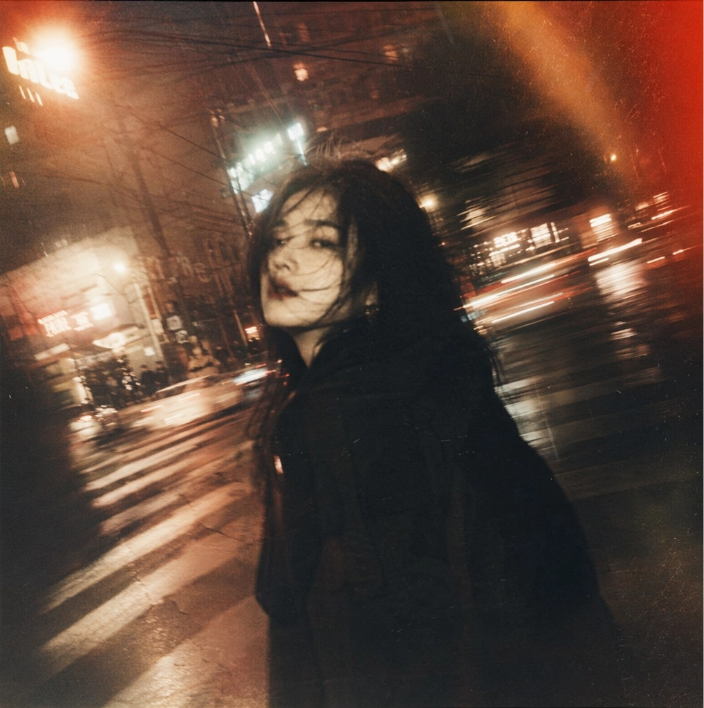
You can freely choose film cameras, digital cameras, still cameras, or phones, and switch lenses, focal lengths, apertures, etc., freely using photography equipment worth hundreds of thousands in real life to make the image easier to control.
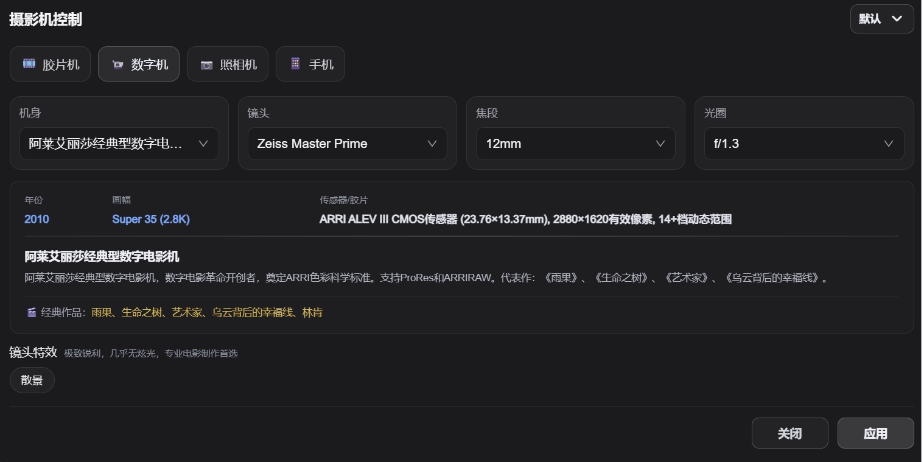
For example, if you want a cinematic feel, we can directly switch the camera to a film camera. The image has stronger grain, richer colors, and a bit of a vintage feel.
For high-end visual effects, digital cameras are more suitable. The image is clean and the light and shadow layers are better.

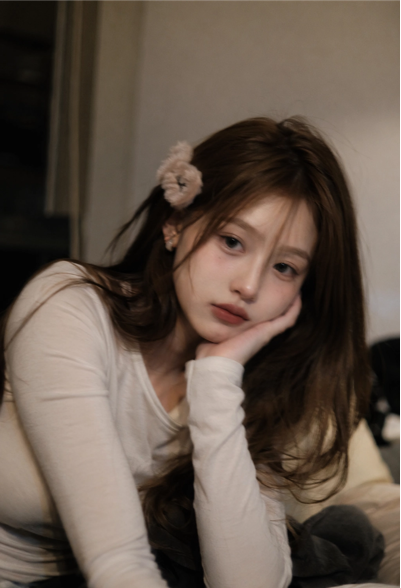
For a casual snapshot style, you can even directly specify the phone model~ Who can refuse generating an iPhone 4 selfie with AI~
03. Some Sharing
The biggest problem with AI creation is not that there aren't enough models or that they aren't powerful enough, but that the process is too fragmented. To make a video, you may first have to choose a model, then tweak the prompt, then roll the gacha to generate images, then switch platforms to make the video, then export it to editing software for processing. If any step fails, you have to start over.
RHTV has a built-in Agent in the canvas that can be summoned at any time during creation, like an assistant director who understands workflows and is always there to help us complete content creation. All creation needs can be handled in one stop.。
Many text-to-video tools make it sound great, saying a single sentence can produce a finished video. The problem is that when we're not satisfied with the result, we often don't know what to change, so we can only roll the gacha again.
RHTV's process is transparent. Every step can be seen, every node can be adjusted, controllability is stronger, and the cost of trial and error is lower. In terms of cost, it easily pulls ahead of ordinary video generation platforms.
Of course, RHTV's competitiveness also comes from the depth of its ecosystem. As a product under the RunningHub ecosystem, its foundation is "alive." Models, nodes, and workflows are updated every day. What creators get is not a fixed feature menu, but a continuously expanding creation foundation.
Newbies who don't understand ComfyUI nodes can also use natural language to guide the Agent in building complex, professional workflows. Advanced creators also won't be limited by the platform's ceiling. In the canvas, they can see nodes, modify parameters, and adjust workflows.
RHTV's value lies in packaging professional capabilities while leaving absolute control to users. It moves AI creation from tool stitching formally into a platform-level closed loop.
Original link:Once you've used RHTV, you can't go back. A couple of chats with the Agent and you can build a professional workflow.