
What is RedInk
RedInk is an open-source AI Xiaohongshu image-text generation tool that simplifies the content creation process. After users input a topic, the tool can quickly generate eye-catching titles, high-quality body text, and beautiful accompanying images, achieving "one sentence generates a complete set of image-text content." RedInk supports multiple styles and high-concurrency generation, adapting to different creative needs. RedInk uses a tech stack including Python and Vue, and supports one-click Docker deployment, making it convenient and fast. RedInk makes Xiaohongshu creation simple and efficient, and is a powerful assistant for creators.
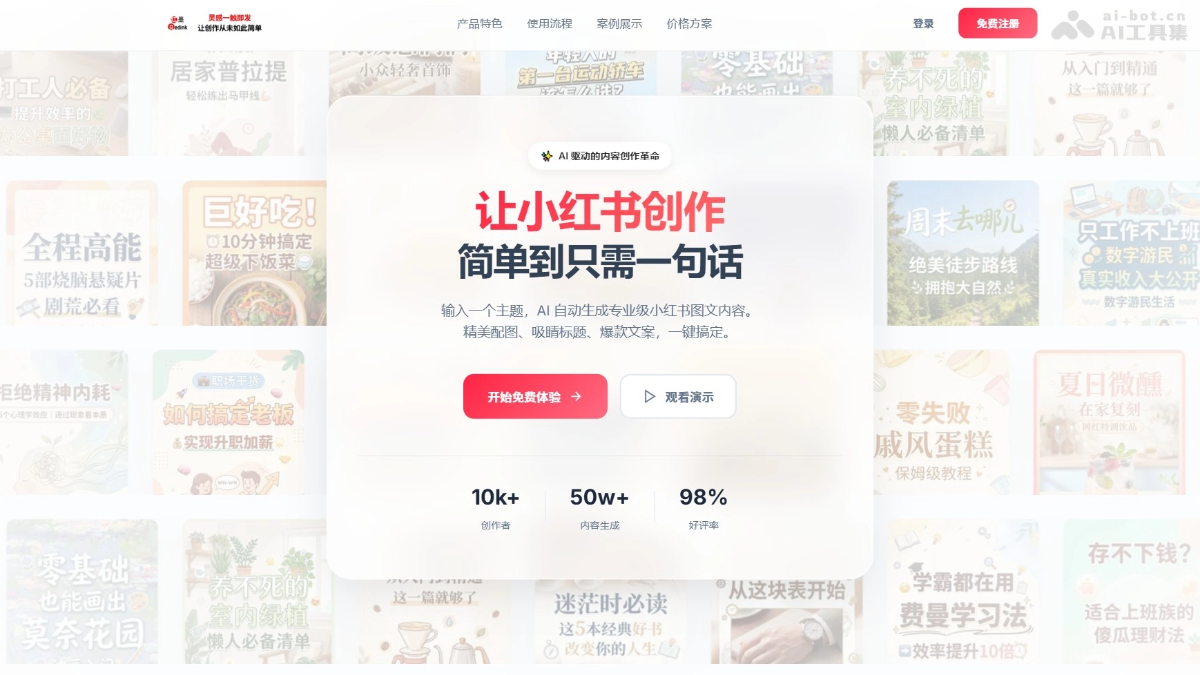
RedInk's main features
-
One-click image-text content generation: After users input a topic, AI automatically generates the title, body text, and accompanying images, enabling rapid content creation.
-
Intelligent outline generation: Automatically generates a content outline to help users organize their creative ideas.
-
Cover page generation: Generates cover images that match the Xiaohongshu style based on the input, ensuring visual appeal.
-
Batch generation of content pages: Supports batch generation of content pages, with up to 15 images generated concurrently, improving creation efficiency.
-
Custom configuration: Supports configuring API services through the Web interface or YAML files, flexibly adapting to different needs.
-
High-concurrency mode: Supports enabling high-concurrency mode to accelerate image generation, suitable for APIs that support high concurrency.
-
Persistent history records: Supports saving historical generation records, making it convenient for users to view and re-edit at any time.
How to use RedInk
- Online experience: Directly visit the RedInk official website https://redink.top/,只需输入主题或描述,点击生成按钮,即可快速生成图文内容。
- Docker deployment (recommended)
-
Install Docker: Ensure Docker is installed on the system.
-
Run Docker command: Use Docker to pull the RedInk image and start the service.
-
Access the Web interface: Access in the browser
http://localhost:12398, and configure the API Key on the settings page.
-
- Use Docker Compose
-
Download files: Download from RedInk's GitHub repository
docker-compose.ymlfiles. -
Run command: Use Docker Compose to start the service.
-
Access the Web interface: Access
http://localhost:12398。
-
- Local development deployment
-
Clone the project: Clone the RedInk project from GitHub to your local machine.
-
Configure services: Copy and edit the configuration template file, and fill in the API Key and service configuration.
-
Install dependencies: Install the dependencies required by the backend and frontend.
-
Start services: The one-click startup script will automatically install dependencies and start the frontend and backend services.
-
Manual startup: Or manually start the backend and frontend services, and access different ports respectively.
-
RedInk's project address
- Project official website:https://redink.top/
- GitHub repository:https://github.com/HisMax/RedInk
RedInk's application scenarios
- Xiaohongshu content creation: Creators can quickly generate image-text content that matches the Xiaohongshu style, including titles, body text, and accompanying images.
- Marketing and Brand Promotion: Brands can quickly generate content such as brand promotion and product marketing to help increase brand awareness and product exposure.
- Education and Knowledge Sharing: Educational creators can generate illustrated content such as popular science articles and study notes to help knowledge dissemination and educational promotion.
- Film, Television, Entertainment, and Culture: Film and television creators can generate content such as film and television analysis, reviews, and series recaps to attract the attention of film and television enthusiasts.
- E-commerce and Product Promotion: E-commerce creators can generate content such as product reviews, usage insights, and promotional campaigns to help promote products and improve sales conversion rates.