

QwenThe Qwen voice input method is now available on the PC version!
As a self-media creator, my hands hurt from typing all day.
I've used quite a few voice input methods before. Either the recognition wasn't very accurate, or they required a membership... After trying them for a while, I eventually went back to typing by hand.

This time I was among the first to get hands-on with the newly launched voice input method on the Qwen PC version, and I clearly felt that it wasn't just helping me convert speech to text—it truly understands what I want to express.
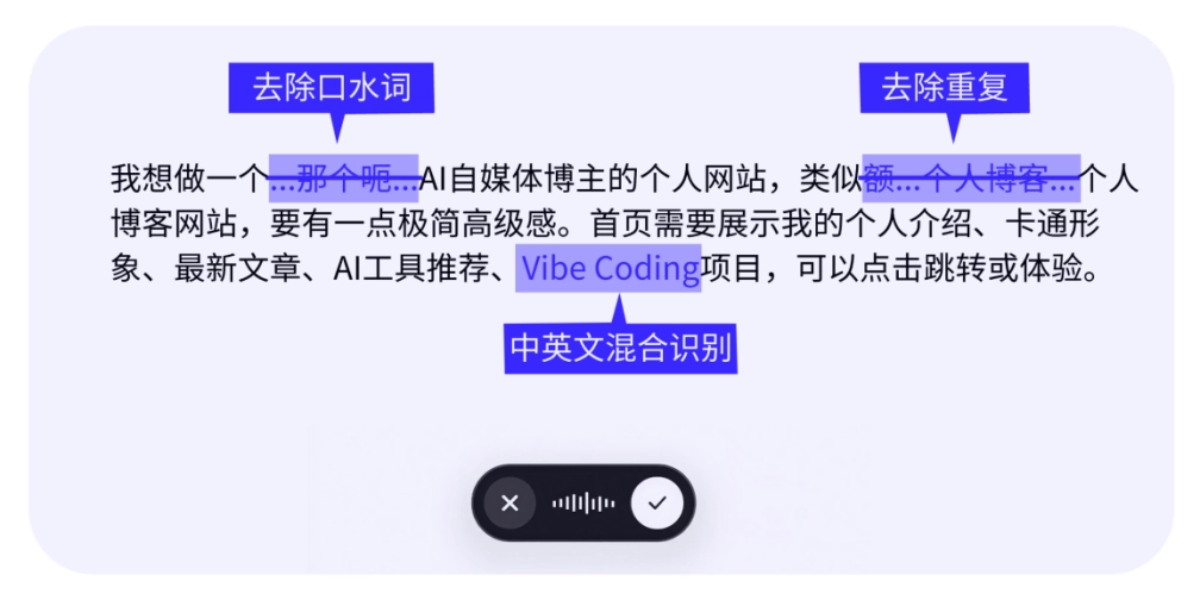
When we speak, we might stumble or misspeak. Ordinary voice input methods type out every word of my filler verbatim, and I still have to edit it manually afterward. But the Qwen voice input method accurately understands my thoughts and directly converts them into fluent written language.。
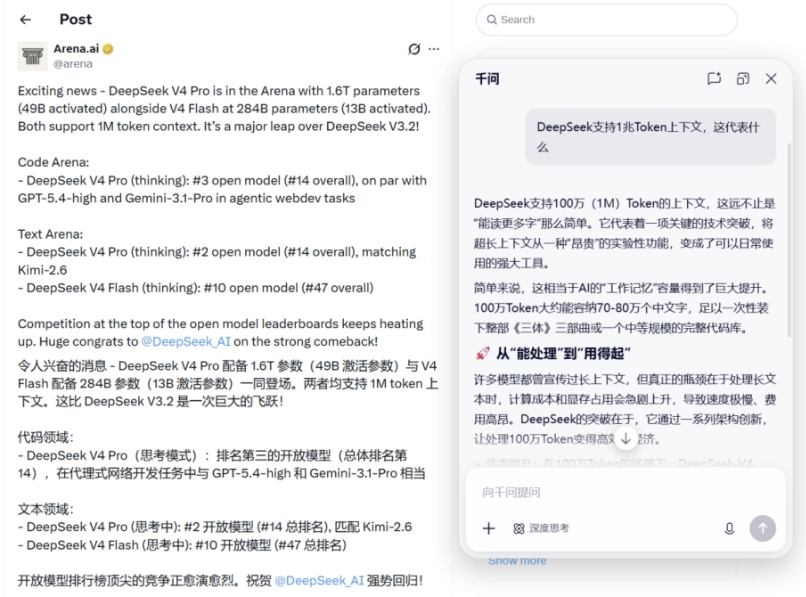
The Qwen PC version was already like an AI assistant permanently residing in your computer—you don't need to specifically open a browser, and you can summon Qwen globally on your computer. Now with voice input added, the barrier to use is even lower.
In the past, to get AI to do work, you first had to organize your words, then type them, deleting and revising back and forth before sending the instruction.
Now Qwen has been upgraded into a super desktop AI assistant that understands human speech and is always at your beck and call.Replying to messages, replying to emails, organizing spreadsheets, making PPTs, looking up information—I can get it all done just by talking.。
01. How to use it? Very simple.
Remember to update the Qwen PC version to the latest version, and you can experience the voice input method.
Qwen client:https://www.qianwen.com/download
You can also directly visit the web version:https://www.qianwen.com/
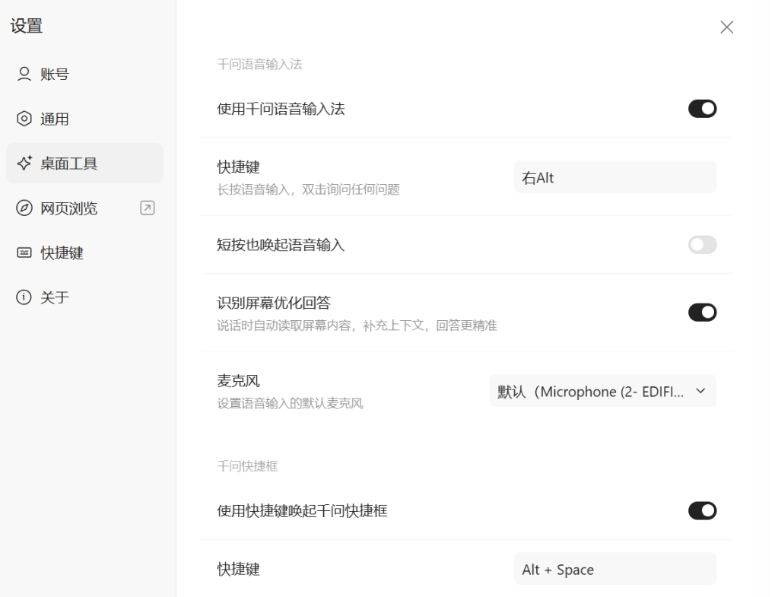
First, go to the avatar in the lower left corner of the Qwen homepage, enter "Desktop Tools" in [Settings], and make sure the Qwen voice input method is enabled;
Second, the operation is very simple: 2 shortcut keys (right Alt on Windows, right command on Mac). Press and hold for voice input, double-click to get work done. For example, asking Qwen to help you search for information, make a PPT, or organize a spreadsheet is all very convenient.
02. Hands-on test
Smart voice input: You just speak, and it helps you express yourself
In daily speech, we often use filler words like "uh" and "um." The Qwen voice input method automatically filters them out for us, and the output is coherent and smooth copy. You don't have to worry about typing not keeping up with your brain.
Don't panic if you misspeak or use the wrong word. The Qwen voice input method automatically recognizes it and can accurately understand what we want to express, keeping only the intended information.
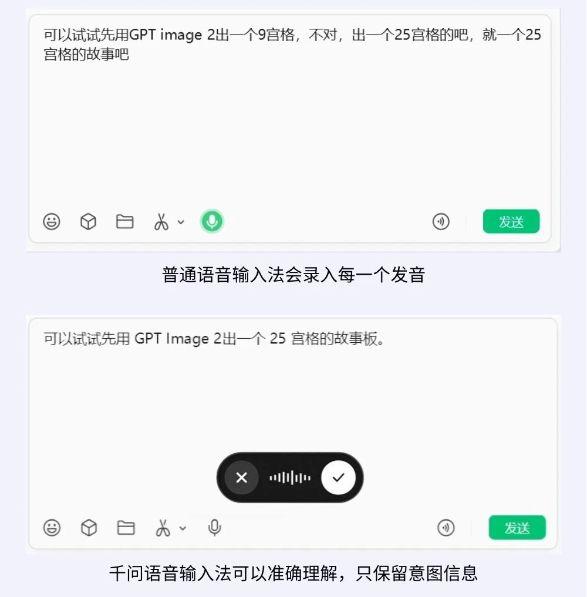
Not only is the accuracy high, but it can also accurately recognize speech in relatively noisy environments.
When we're doing daily office work or using AI tools, the conversation may contain some English. The Qwen voice input method can recognize it well and spell it correctly.
For example, this passage:
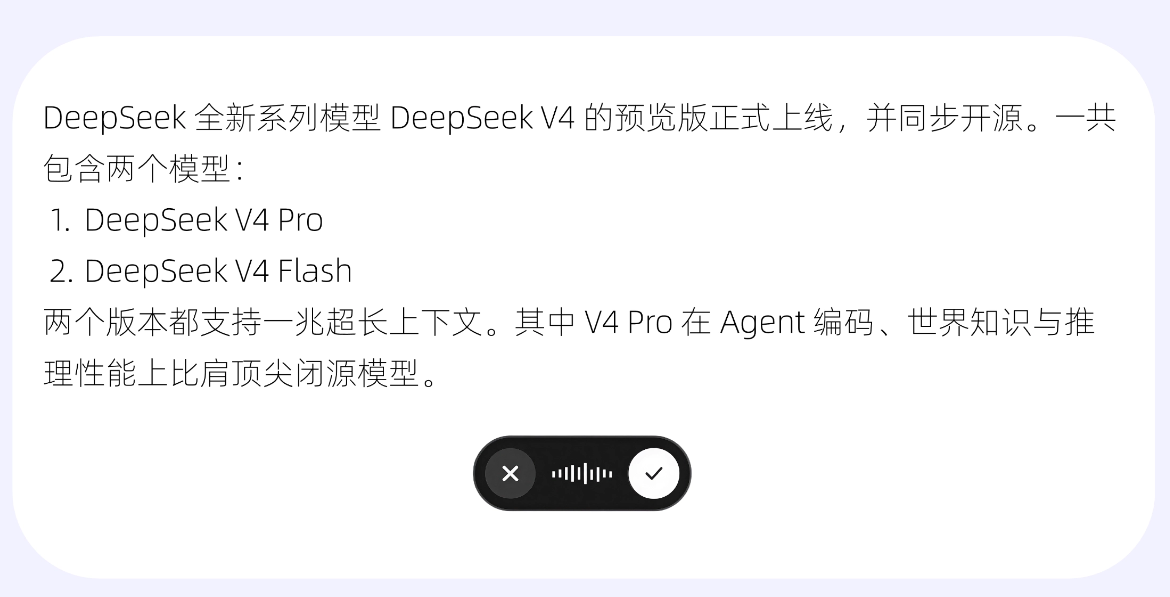
Qwen not only correctly recognized the English parts, but also automatically formatted it for me. This input efficiency is maxed out.
It's not only usable within the Qwen PC version—it can be summoned at any time in any interface on your computer. For example, when I'm usually replying to work messages or emails, I no longer need to huff and puff typing on the keyboard.
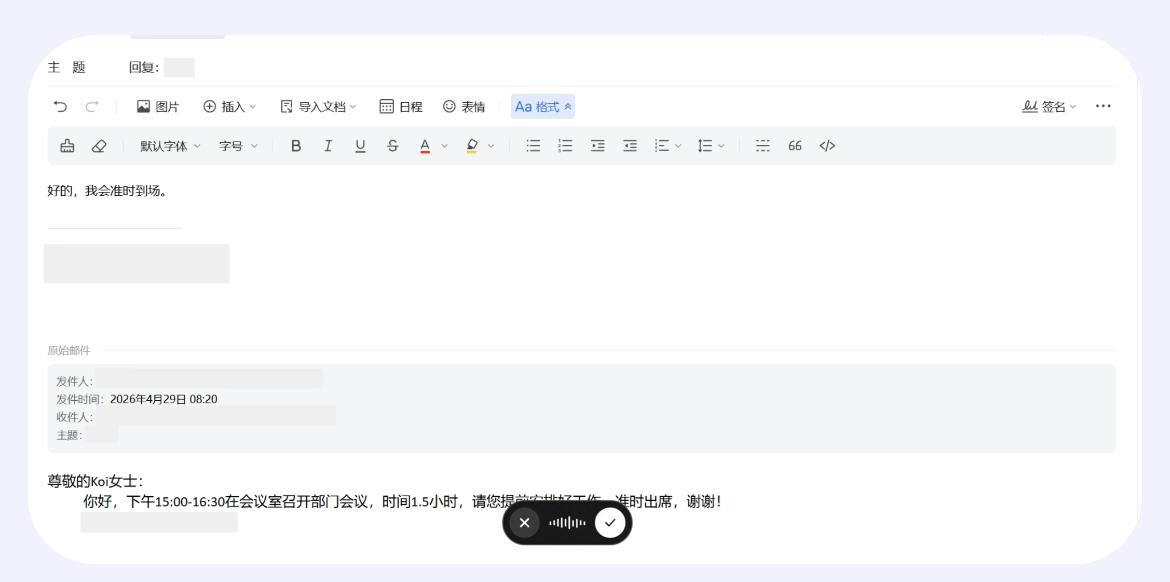
For jotting down daily inspiration, I can speak the thoughts in my head just like in everyday conversation, and the Qwen voice input method will turn my spoken content into structured written language.
Smart voice commands: Just talk, and the work gets done
Just double-tap the shortcut key (double-tap the right Alt key on Windows, double-tap the right Command key on Mac), and Qwen can work for me anywhere on my computer desktop, seamlessly integrating into my workflow, without interruption, only boosting efficiency! We can select any part of the page and use voice to have Qwen polish the copy for us at any time.
For example, select the content you're interested in and say by voice, "Help me save this as a note."
For content you want to learn more about, you can summon Qwen by voice at any time to help us look up information.
At work, just use your voice, and it can also help you make PPTs, organize spreadsheets, reply to emails, craft high-EQ responses, take meeting minutes—it can do anything.
We continue with voice input:
Based on this information, make it into a PPT for me.
Qwen will immediately process it in context, and the PPT is ready in less than five minutes—very efficient.
Let's take a look at the generated content together:
The layout is simple, the content is clear, and it looks quite good.
Generating Excel spreadsheet files is no problem either.
03. Some Sharing
Frankly speaking, my expectations for voice input methods are not high: accurate recognition and fewer typo corrections are enough. But the Qwen desktop voice input method doesn't just help us type, it also helps us organize.
Filler words are automatically filtered out, slips of the tongue are automatically corrected, and scattered thoughts you speak directly become usable text. More importantly, Qwen can work in any interface and any software.
Ultra-low latency and natural language understanding make voice no longer limited to chatting, but truly enables control!
What was the biggest friction in office work before? It wasn't that you couldn't think clearly, but that between thinking and doing there was a pile of operations: typing, switching windows, searching for information, adjusting formatting. Each step consumed attention, and the train of thought just broke.
What the Qwen voice input method does is directly eliminate these intermediate steps. Say whatever you think of, and it helps you organize it into text, convert it into a table, and make it into a PPT. You just make judgments, and leave the rest to it.
How smart the model is determines the upper limit of AI; but how natural the input is determines whether you can actually use AI.
The Qwen desktop voice input method lowers the barrier to using AI to the point of just speaking.
Original link:Hands-on test of the Qwen desktop voice input method: you can get office work done on a computer just by speaking