
What is Quik
Quik is a video editing app launched by GoPro that can automatically select highlights, sync to music, add movie transitions, and quickly create shareable videos. Users can use editing tools for manual control, such as adjusting video speed, adding filters, and syncing to the rhythm of music, etc. Quik offers a variety of video styles and themes, as well as a rich music library, allowing users to easily create professional-level video content. Videos can be shared directly from Quik to social media platforms.
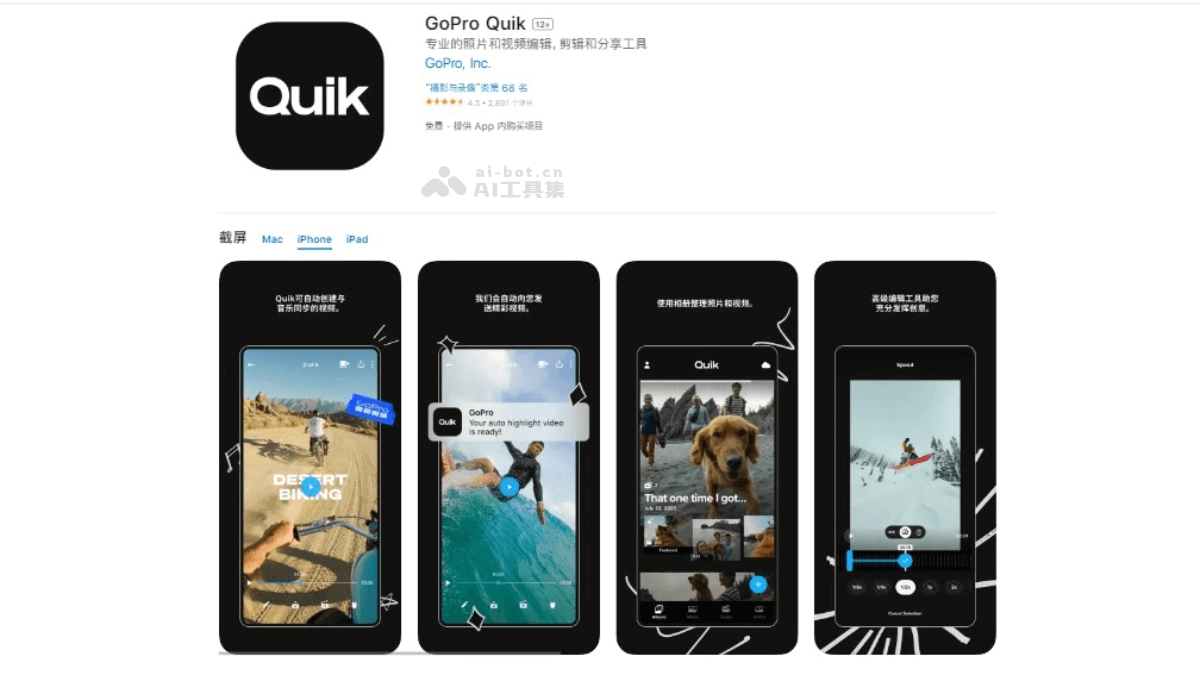
Quik's main features
- Automatic video editing: Quik can automatically analyze videos, find the most exciting moments, sync them with music, and quickly create shareable videos.
- Manual editing: Users can manually adjust the order of video clips, crop, zoom, and rotate, and add text overlays, emoji icons, and title slides to make videos more personalized.
- Themes and filters: A variety of themes and filters are provided, and users can adjust fonts, filters, and patterns according to the video style.
- Music sync: Quik provides a large number of free songs, and users can choose any starting point in a song as the audio track, while the app automatically syncs transitions to match the rhythm of the music.
- Sharing features: After editing is complete, users can directly share videos to social platforms such as Instagram and Facebook, or send private Quik links via text message or email.
- Cloud storage: For GoPro users, subscribing to Quik provides unlimited cloud storage, making it convenient for users to back up and edit videos.
- 360-degree panoramic video editing: For 360-degree panoramic videos shot with GoPro MAX, Quik supports users in adjusting the frame and automatically creating transitions between keyframes.
- QuikStories: Quik can be used with the GoPro app to provide users with the QuikStories feature, automatically generating videos based on media shot in the past 72 hours.
- Flashbacks: With the Flashbacks feature, users can rediscover previous exciting moments and create fun videos from footage from the past 24 hours.
How to use Quik
- Download and open the app: Log inOfficial app storeGet the Quik download for the corresponding phone model, orLog in to the official websitedownload. After downloading, launch the Quik app.
- Create a new video: Tap "Create New Video" to start editing.
- Select media files: Find videos in the gallery, camera, GoPro Plus, or SD card and select them.
- Choose a video style: Choose a video style and apply it to your video.
- Choose music: Choose a song from the music library provided by Quik, or add local music.
- Edit the video: You can trim video clips, adjust video speed, add filters, and adjust the composition of the video.
- Add text and titles: If needed, you can add text overlays and titles to the video.
- Adjust video length: Adjust the duration of the video as needed.
- Save and share: After editing is complete, tap Save. You can choose to share directly to social media platforms, or save to your phone's storage.
Quik's Product Pricing
- Free Version: Download the app to use basic video editing features.
- Subscribe to GoPro Service: Includes Quik's advanced features: ¥40 per month; ¥50 per year.
- Advanced Editing Tools: The subscription service includes advanced editing tools, supporting users in performing more complex video editing.
- Automatic Upload and Cross-Device Sync: After subscribing, users' photos, videos, and edited works are automatically uploaded to the cloud for backup and synced across multiple devices.
- Beat Sync: Sync clips, transitions, and effects with the music rhythm.
- Frame Capture: Capture high-resolution photos from videos.
- Themes and Filters: Provides a variety of themes and filters, allowing users to adjust fonts, filters, and patterns according to the video style.
Quik's Use Cases
- Outdoor Sports and Adventure: Quik is ideal for recording and sharing exciting moments from hiking, skiing, surfing, and other outdoor sports.
- Family and Daily Life: Users can use Quik to record family gatherings, vacation memories, or fun moments in daily life.
- Social Media Content Creation: The editing features provided by Quik are suitable for quickly producing social media video content, such as Instagram and Facebook video posts.
- Events and Parties: Videos shot at events or parties can be quickly edited and shared with friends or posted on social media.
- Travel Records: Videos shot during travel can be quickly edited with Quik, with music and special effects added, and then the travel story can be shared.