
What is Quick Mock
Quick Mock is an AI-driven tool developed by MirWork AI forinterview preparation, helping job seekers prepare for interviews more effectively. Its core feature is transforming any job description into a customized mock interview experience, allowing users to practice industry-specific questions and receive detailed feedback. As a Chrome extension, Quick Mock integrates seamlessly with job platforms like LinkedIn, making it easy to select a job from a job listing and start a mock interview session with the click of a button. During the mock interview, users engage in real-time voice conversations with an AI interviewer. The AI generates relevant questions based on the job description, and after the session, provides detailed scoring and feedback to help users improve their communication skills and interview performance.
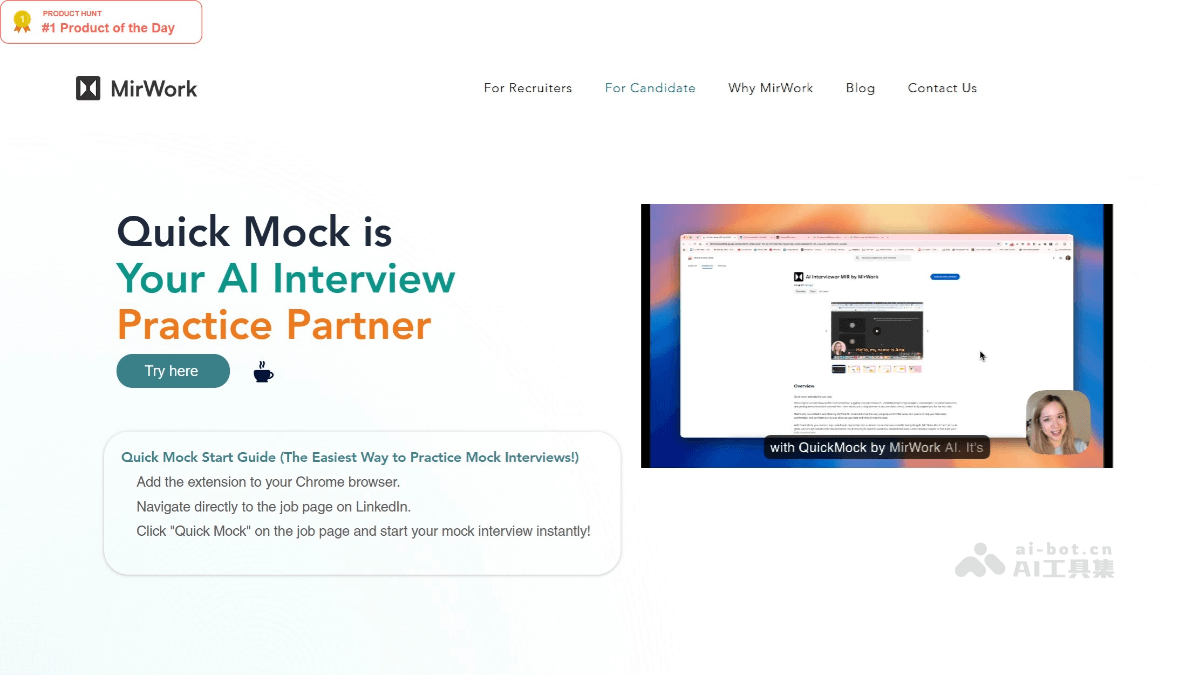
Main Features of Quick Mock
- Job Description Transformation: Can transform any job description into a customized mock interview experience, enabling users to practice industry-specific questions.
- Real-time Voice AI Interaction: Users engage in real-time voice conversations with an AI interviewer, simulating real interview scenarios.
- Comprehensive Performance Analysis: After each session, the platform provides detailed scorecards and interview records, analyzing the user's performance in various aspects such as communication skills, answer content, and expression style.
- Quick Setup Process: Instantly start practicing interviews for any job posting.
- Integration with Job Platforms: As a Chrome extension, it integrates seamlessly with job platforms like LinkedIn, making it easy for users to select a job from a job listing and start a mock interview.
How to Use Quick Mock
- Install the Chrome Extension: VisitQuick Mock's official website, click the Chrome extension link to install.
- Navigate to Job Listings: Open a job platform like LinkedIn. Browse job listings on the platform, find a job you're interested in, and click to enter the details page.
- Extract Job Description: The Quick Mock tool automatically extracts the job description information from the job details page, without the need for manual copy-pasting.
- Start Mock Interview: On the job details page, click the Quick Mock extension icon at the top of the browser. In the pop-up options, select 'Start Mock Interview', and the system will generate a mock interview scenario based on the extracted job description.
- Participate in Voice Interview: Engage in a real-time voice conversation with the AI interviewer, just like in a real interview. The AI interviewer will ask job-related questions based on the job description, and you need to answer these questions naturally.
- Provide Your Answers: When answering questions, try to express your thoughts and experiences in detail and accurately, demonstrating your professional abilities and communication skills.
- Receive Real-time Feedback: During the interview, the AI interviewer will provide real-time feedback based on your answers, pointing out your strengths and areas for improvement.
- Review Detailed Analysis: After the mock interview ends, the system will provide a detailed analysis report, including performance scores, strengths, areas for improvement, and interview records. Read this report carefully to understand your performance in the interview and identify areas that need strengthening.
Application Scenarios of Quick Mock
- Simulate Real Interviews: Quick Mock transforms any job description into a customized mock interview experience, allowing job seekers to practice industry-specific questions and receive detailed feedback.
- Improve interview skills: Through real-time voice conversations with an AI interviewer, job seekers can hone their communication skills, expression, and adaptability.
- Targeted training: For internal corporate employees or vocational training institutions, Quick Mock can provide personalized mock interview training for employees or trainees based on different job requirements.
- Teaching aid tool: In employment guidance courses at universities or vocational colleges, teachers can use Quick Mock as a teaching aid tool. Through the practice of mock interviews, students can better understand the connection between theoretical knowledge and practical application, improving their initiative and participation in learning.
- Academic research: Researchers can use Quick Mock to collect large amounts of mock interview data, analyze the characteristics and patterns of interview questions across different positions and industries, and provide empirical support for research on interview skills, exploration of career development theories, and more.