
What is Quick BI
Quick BI is an intelligent business analysis tool launched by Alibaba Cloud. Features such as conversational report building, one-click intelligent beautification, and intelligent insight attribution make data analysis more efficient. It has a built-in Quick acceleration engine that achieves millisecond-level query response, with 1 billion data queries + calculations taking only 0.3 seconds. Drag-and-drop report building and an ETL engine complete data preparation with 0 code, lowering the usage threshold. It adapts to PC, mobile, and large-screen endpoints and can be integrated into office IM applications, covering various enterprise data analysis scenarios. Quick BI has core Agents such as the XiaoQ Report Agent, XiaoQ Ask Data Agent, XiaoQ Interpretation Agent, and XiaoQ Build Agent, helping enterprises quickly build data analysis systems. Quick BI supports access to multiple data sources and provides a secure and efficient data processing architecture, helping enterprises build a top-down decision analysis system and achieve direct collaboration between business processes and data analysis.
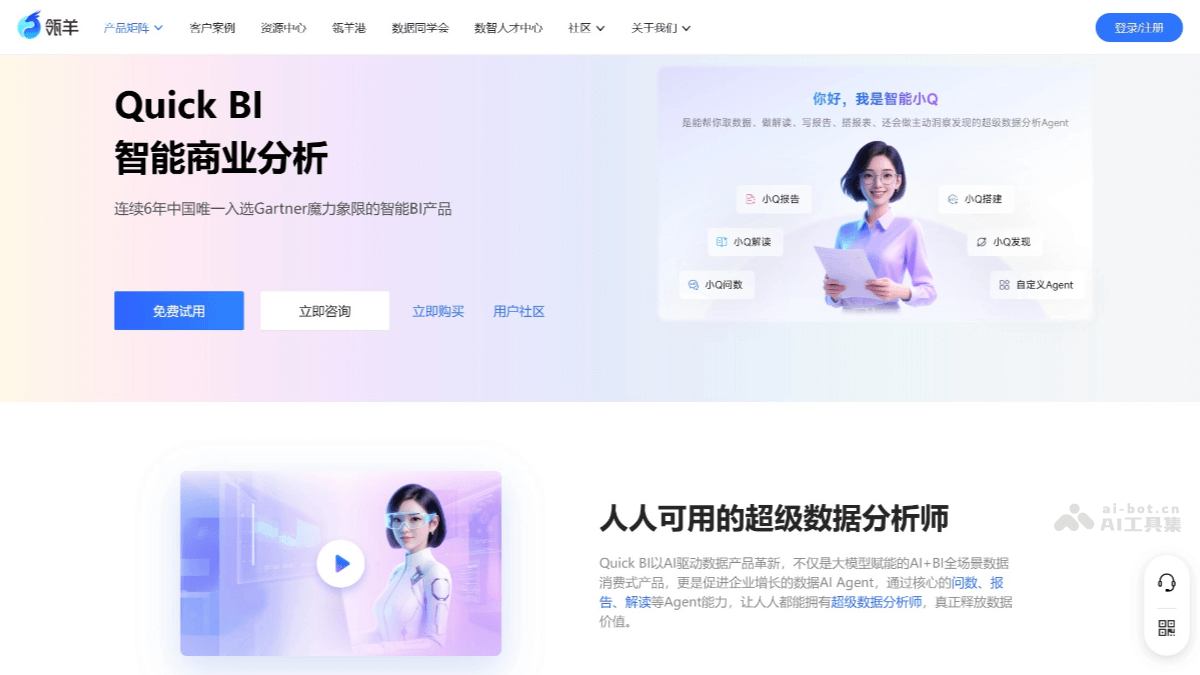
Main features of Quick BI
-
Intelligent data analysis: Through the three core Agents of Ask Data, Interpretation, and Report, it enables rapid data acquisition, in-depth interpretation, and professional report generation. Users can efficiently obtain accurate data results through natural language interaction, achieving instant answers to data questions.
-
XiaoQ Build Agent: Supports one-click report generation, conversational chart creation and configuration, one-click intelligent beautification, and intelligent insight attribution, helping with efficient report building and data analysis.
-
XiaoQ Ask Data Agent: Users can efficiently obtain accurate data results through natural language interaction, achieving instant answers to data questions.
-
XiaoQ Report Agent: Transforms the traditional report production process into an AI data report generation experience with intelligent data acquisition, automated insights, and dynamic data introduction.
-
XiaoQ Interpretation Agent: Relies on a variety of mainstream large models to intelligently parse dashboard data, uncover key information behind the data, and help with in-depth business insights.
-
-
Efficient report building: Supports one-click report generation, conversational chart creation and configuration, one-click intelligent beautification, and intelligent insight attribution, helping users build reports and analyze data more efficiently.
-
Multi-end adaptation and integration: Adapts to PC, mobile, and large-screen endpoints, and can be integrated into office IM applications (such as DingTalk, WeCom, and Feishu), enabling data analysis and presentation on different devices and covering all scenarios of enterprise data consumption.
-
Data entry and collection: Supports multiple data collection scenarios, such as employee health check-ins, new employee onboarding information entry, and warehouse product purchase-sale-inventory information entry, making it convenient for enterprises to collect and manage data.
-
Ad hoc analysis: Aimed at frontline business personnel, it provides flexible data analysis capabilities, allows assembly and combination of different dimensions, enables more multidimensional analysis scenarios, and has an extremely low operational threshold.
-
Data visualization: Through more than 40 visualization components (such as tables and trend charts), it builds dashboards and reports with interactive analysis capabilities, helping users visually display and analyze data.
-
Enterprise-grade data processing: Built in with a high-performance underlying engine, it supports access to multiple data sources and provides a secure and efficient data processing architecture to meet enterprise-level data analysis needs.
How to use Quick BI
-
Connect to a data source: Visit the Quick BI official website console:https://www.lydaas.com/quickbi,连接所需的数据源,如数据库、文件等。
-
Data modeling: If the analysis data is stored in different tables, data association can be used to connect multiple tables to form a model for data analysis.
-
Data visualization analysis: Create a dashboard, add different charts to display data, and perform visualization analysis through features such as linkage.
-
Publish and share: After analysis is complete, the dashboard can be built into a data portal, exported for archiving, or shared with others for collaborative editing
Application scenarios of Quick BI
-
Full-scenario coverage of enterprise data analysis: From management decision analysis and cockpits, to business-themed analysis portals, and then to self-service analysis and reports for frontline personnel, it meets various scenarios of enterprise data analysis.
-
Business management analysis: Business managers can build data analysis cockpits to break down data barriers between business domains such as production, sales, and after-sales, achieve overall control and decision analysis of the enterprise, and formulate the enterprise's strategic planning.
-
Sales analysis: Easily complete data analysis on sales themes, quickly drill down to data in dimensions such as region, time, and product, helping sales managers grasp enterprise sales targets, understand sales status, and formulate sales strategies.
-
Financial analysis: Finance teams can use Quick BI to perform visual analysis of financial data, view dynamic changes in indicators such as revenue, expenditure, and profit in real time, and promptly identify financial risks.
-
Operations monitoring and decision support: An enterprise's operations team can use Quick BI to monitor operational data in real time, such as production progress, logistics status, and equipment operation, helping make timely adjustments and decisions.
-
Marketing analysis: Marketing teams can use Quick BI to analyze advertising delivery results, marketing campaign outcomes, and user behavior data, optimizing marketing strategies and budget allocation.