
What is Qingyou Menggongfang
Qingyou Menggongfang is a no-code programming game editor launched by Tencent, helping developers easily create games in a visual way without needing to master complex programming skills. Qingyou Menggongfang integrates a rich free resource library and pre-made logic modules, provides multiplayer frame synchronization and AIGC capabilities, greatly lowering the development threshold and improving R&D efficiency. Developers can use the built-in resources and tools to quickly build game prototypes and realize creative ideas. Qingyou Menggongfang cooperates with the Tencent Game Creation Contest, setting up a dedicated competition zone and providing prize support to encourage developers to create excellent game works.
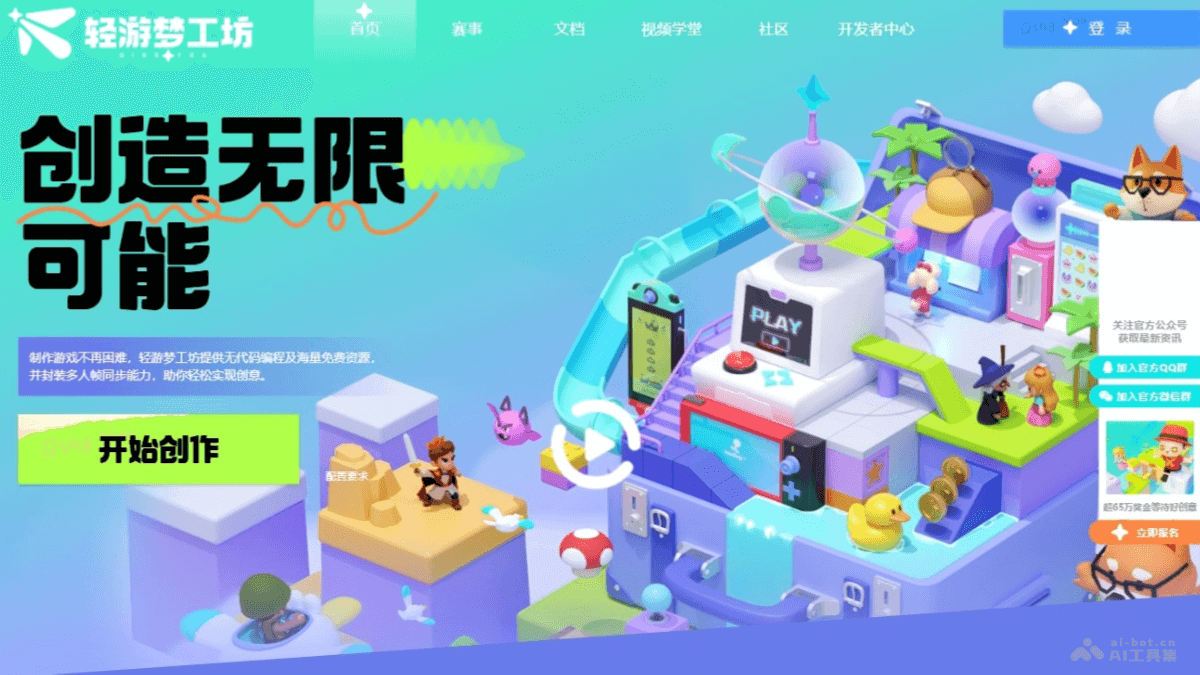
Main Features of Qingyou Menggongfang
- No-Code Programming: Based on a graphical interface, allowing developers to create games without writing code.
- Rich Resource Library: Provides a large number of free audio and art resources, supports independent resource uploads, making it convenient for developers to create personalized games.
- Pre-Made Logic Modules: Built-in multiple game logic modules, simplifying the game development process.
- Multiplayer Frame Synchronization: Supports multiplayer online game development, simplifying network synchronization issues.
- AIGC Capabilities: Based on AI technology, provides features such as one-click color change and resource search, improving development efficiency.
- Visual Programming: Use drag-and-drop components and set properties to implement game logic and interface design.
How to Use Qingyou Menggongfang
- Register and Log In: Visit theofficial websiteof Qingyou Menggongfang. Register a Tencent account or log in with an existing account.
- Understand the Interface and Features:
- After logging in, familiarize yourself with the editor's interface layout and various features.
- Browse the provided tutorials and documentation to learn how to use the editor's various tools and features.
- Select or Create a Project:
- Choose an existing project to continue development, or create a new project.
- If it is a new project, choose an appropriate game template to start.
- Utilize the Resource Library: Browse and select materials from the free resource library provided by Qingyou Menggongfang. Upload custom resources such as characters, backgrounds, sound effects, etc.
- Build Game Scenes: Use the editor's drag-and-drop function to place resources into the game world. Set the properties of characters, objects, and the environment.
- Set Up Game Logic: Use pre-made logic modules or custom logic to build game rules and interactions. Set up event triggers and conditions based on visual programming.
- Multiplayer Game Setup(If needed): If the game requires multiplayer online functionality, use the multiplayer frame synchronization feature provided by the editor.
- Test and Debug: Run the game in the editor to test all aspects of the game. Make adjustments and optimizations based on test results.
- Use AI Tools: Use Qingyou Menggongfang's AI tools, such as one-click color change and resource search, to improve development efficiency.
- Complete and Publish:
- After completing game development, use the publishing tools provided by Qingyou Menggongfang to publish the game to the corresponding platform.
- If participating in the Tencent Game Creation Contest, submit the game work according to the requirements.
Product Pricing of Qingyou Menggongfang
- Currently, Qingyou Dream Workshop is free for game enthusiasts and developers to use.
Application scenarios of Qingyou Dream Workshop
- Personal game development: Individual developers can quickly realize game ideas without a programming background.
- Education and learning: Teachers and students learn the basics of game design and development, using it as a teaching tool. Cultivate students' logical thinking and creativity.
- Game design prototyping: Game designers quickly build game prototypes for concept validation. Used in the early stages of game development to quickly iterate and test gameplay.
- Independent game development: Independent game developers or small teams use Qingyou Dream Workshop to reduce development costs and quickly make games.
- Game enthusiasts: Game enthusiasts realize their game dreams and make games of their own.