
QAnything is a RAG (Retrieval-Augmented Generation) engine developed by NetEase Youdao based on its self-developed Ziyue education large model. It provides enterprises or individuals with a free and open-source local knowledge base question-answering solution, supports various file formats and databases, and allows offline installation and use. With QAnything, users only need to simply drag and drop locally stored files or documents in any format and ask questions to quickly obtain accurate, efficient, and reliable information feedback. AI paper reading assistantYoudao Quick ReadingThe underlying technology is built on QAnything.

QAnything's features
- Multi-file format compatibility: supports PDF, Word, PPT, Markdown, Eml, TXT, images, web links, etc.
- Data security assurance: supports fully offline installation and operation, ensuring the privacy and security of user data
- Cross-language question answering: regardless of the language of the file, you can freely switch between Chinese and English question answering
- Massive data question answering: uses two-stage vector ranking technology to effectively solve the performance degradation problem in large-scale data retrieval. The larger the data volume, the better the retrieval performance
- Efficient production-grade system: designed specifically for enterprise-level applications, can be deployed directly, and meets high-performance requirements
- Simple deployment: no complex configuration steps required, one-click installation and deployment, ready for immediate use
- Multi-knowledge base integration: supports connecting multiple knowledge bases at the same time, enabling broader and more selectable question answering
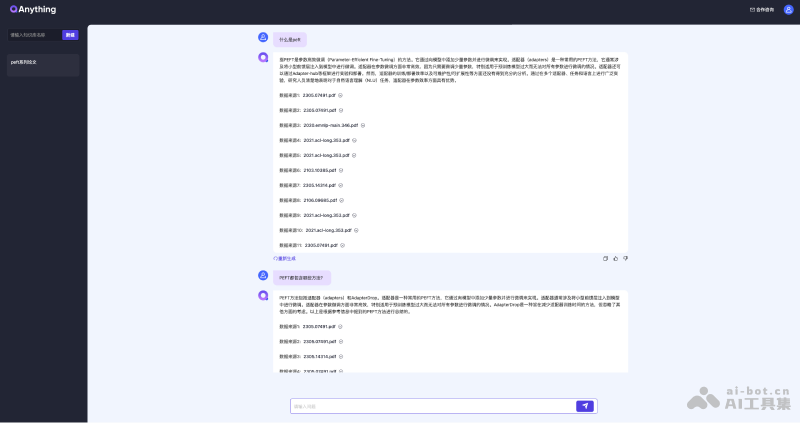
QAnything official website entry
- Official website:https://qanything.ai/
- GitHub project:https://github.com/netease-youdao/QAnything
How to install QAnything locally
- Clone the QAnything GitHub repository locally:
git clone git@gitlab.corp.youdao.com:ai/qanything.git - Download the model and extract it to the root directory of the current project:
cd qanything
git clone https://www.modelscope.cn/renrenren/qanything_models.git
unzip models.zip ./ - Start the server and run it to upload files and ask questions:
docker-compose up -d
QAnything application scenarios
- Personal knowledge base construction: helps individual users build a comprehensive and easy-to-manage personal knowledge base, such as academic papers, lesson preparation notes, travel guides, etc. Users can organize and store this content in QAnything to achieve efficient knowledge retrieval and management
- Marketing: quickly retrieve and organize market analysis reports, competitor information, customer feedback, etc., so as to formulate more precise marketing strategies. By integrating various market research documents, QAnything helps marketers respond quickly to market changes and improve decision-making efficiency
- Human resource management: as a powerful tool for employee training and knowledge management, it stores and retrieves employee handbooks, policy documents, training materials, etc., making it convenient for HR teams and employees to consult relevant policies and processes at any time, improving internal communication efficiency and employee satisfaction
- Customer service support: the customer service department can use QAnything to build a comprehensive FAQ knowledge base, including product information, answers to common questions, service processes, etc., making it convenient to quickly find accurate answers when handling customer inquiries, shortening response time, and improving customer service quality
- R&D support: with QAnything, manage technical documents, project materials, patent information, etc., accelerate information retrieval, help R&D personnel quickly find the materials they need, promote knowledge sharing, and thereby improve R&D efficiency and innovation capability