
What is Pretext
Pretext is an open-source pure JavaScript/TypeScript multiline text measurement and layout library by Cheng Lou, former React core member, used to precisely measure multiline text dimensions in a purely arithmetic way, completely bypassing DOM reflow. Pretext uses a two-phase mechanism: prepare() preprocess text (tokenization, Canvas measurement, caching), layout() pure mathematical layout calculation. Pretext supports mixed text across all languages, RTL, and emoji; preprocessing 500 text segments takes 19ms, and layout calculation takes only 0.09ms. The tool is suitable for virtual scrolling, chat bubbles, magazine layout, and AI-generated UI scenarios, allowing AI to obtain precise layout data without needing to understand CSS.
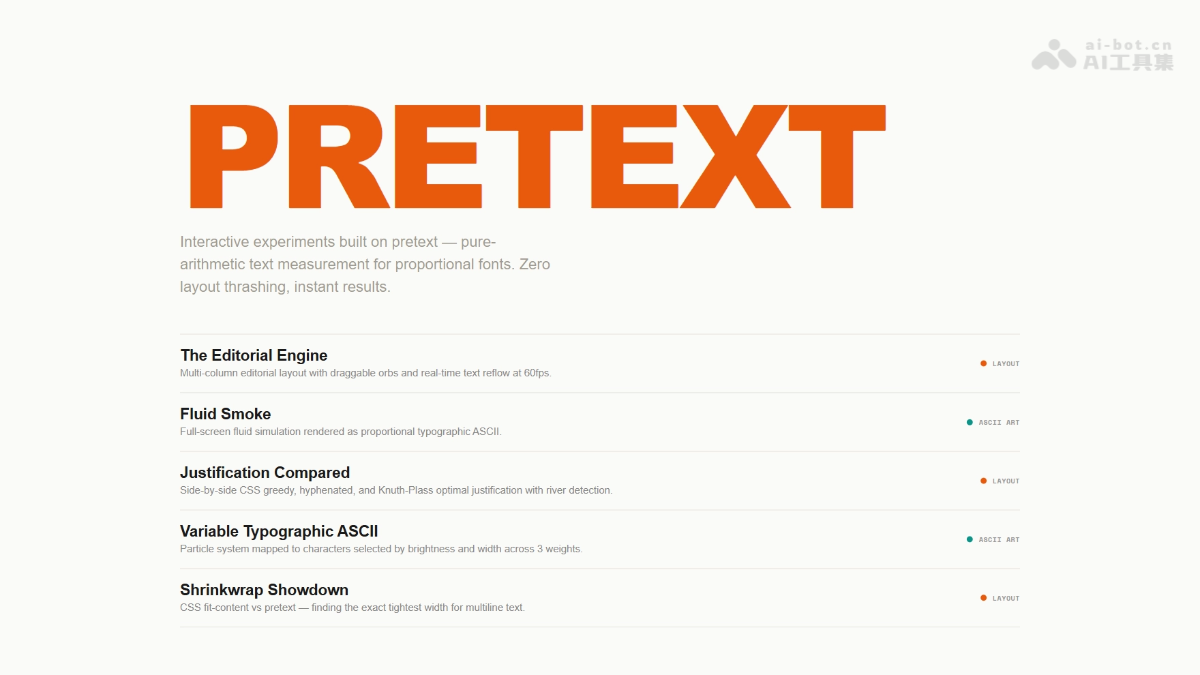
Pretext's main features
-
Zero DOM reflow text measurement: bypasses
getBoundingClientRectand other APIs that trigger reflow, obtaining text height and line count through pure mathematical calculation. -
Two-phase architecture:
prepare()one-time preprocessing (tokenization + Canvas measurement + caching),layout()pure arithmetic layout calculation, improving performance hundreds of times. -
Full language support : supports complex typography scenarios such as Chinese, Japanese, Arabic RTL, emoji mixed text, and soft hyphens.
-
Browser difference adaptation: identifies special rendering behavior of browsers such as Safari, using real rendering as the "ground truth" for reverse fitting algorithms.
-
Multi-scenario layout API : provides advanced features such as fixed-width line wrapping, line-by-line routing (supporting dynamic widths), and shrinkwrap.
-
Cross-platform rendering support: can output to DOM, Canvas, and SVG, with server-side rendering support coming soon.
How to use Pretext
- Install and import: install via npm
@chenglou/pretextpackage, and import the required functions into your project. - Two-phase invocation: use
prepareto perform one-time preprocessing of the text (including tokenization, Canvas measurement, and result caching), then uselayoutto perform pure arithmetic layout calculation; pass in the container width and line height to obtain the text height and line count. - Window adaptation: when the container width changes (such as on window resize), just call
layoutagain; there is no need to repeatedly executeprepare, fully using the cache to improve performance. - Whitespace preservation: when handling textarea-like content, set the
prepareoption inwhiteSpace: 'pre-wrap'to preserve ordinary spaces, tabs, and line breaks. - Fine-grained layout control: switch to
prepareWithSegmentsto obtain segment data, combine withlayoutWithLinesto obtain the specific content of each line for Canvas/SVG rendering, or uselayoutNextLinefor line-by-line processing, supporting dynamic width scenarios such as mixed text and images. - Cache management: when the application switches between many fonts or text variants, call
clearCacheto release accumulated memory cache.
Pretext's key information and usage requirements
- Core positioning: A pure JavaScript/TypeScript text measurement library that bypasses DOM reflow and calculates multi-line text height and layout using pure arithmetic
- Performance Metrics: Batch preprocessing of 500 text segments takes about 19ms, and subsequent layout calculations take only 0.09ms, hundreds of times faster than traditional DOM measurement
- Language Support: Mixed typesetting for all languages (Chinese, Japanese, Arabic RTL, emoji), bidirectional text, soft hyphens, and browser difference adaptation
- Development Background: Developed by Cheng Lou, a former React core member, completed over several weeks of iteration with the help of Claude Code and Codex
- Use Cases: Virtual scrolling, chat bubbles, masonry/magazine layout, AI-generated UI (provides a pure function interface, so AI does not need to understand CSS)
- Environment Requirements: Supports the browser side (DOM/Canvas/SVG rendering), with server-side rendering coming soon
- Font Synchronization: The passed-in
fontparameter must be consistent with the CSSfontdeclaration (font size, font weight, style) - Avoid using
system-ui: on macOS, fonts may cause inaccurate measurement; it is recommended to use specific font names
Pretext's Core Advantages
- Zero DOM Reflow: Completely bypasses APIs such as
getBoundingClientRectthat trigger reflow. Layout calculations do not block the main thread, avoiding performance bottlenecks. - Extremely Fast Performance: Preprocessing 500 text segments takes 19ms, and subsequent layout takes only 0.09ms, hundreds of times faster than traditional DOM measurement, supporting 120fps scrolling and real-time adjustments.
- Pure Arithmetic Calculation: Converts text layout into a pure function: input content, font, width → output height and line positions. AI can call it directly without understanding CSS.
- Full Language Compatibility: Supports Chinese, Arabic RTL, emoji mixed typesetting, bidirectional text, and soft hyphens, and automatically adapts to browser differences (especially Safari).
- Flexible Output: Calculation results can be rendered to DOM, Canvas, and SVG, supporting complex scenarios such as virtual scrolling, chat bubbles, magazine layout, and mixed text-image layout.
Pretext's Project Address
- GitHub Repository:https://github.com/chenglou/pretext
Comparison of Pretext with Similar Competitors
| Dimension | Pretext | Canvas measureText | DOM Measurement |
|---|---|---|---|
| Core Mechanism | Canvas measurement + pure arithmetic line-breaking algorithm + caching | Browser-native Canvas API | Read dimensions after actual rendering |
| Whether It Triggers Reflow | ❌ Zero DOM reflow | ❌ No DOM operations | ✅ Triggers reflow |
| Performance | Extremely fast (layout 0.09ms) | Moderate (line breaking must be implemented manually) | Extremely slow (batch measurement causes lag) |
| Multi-line Text Support | ✅ Built-in complete line-breaking algorithm | ❌ Must be implemented yourself | ✅ Handled automatically by the browser |
| Language Support | ✅ All languages (including RTL and emoji) | ⚠️ Basic support | ✅ Browser-native support |
| Difficulty of Use | Low (fully encapsulated) | High (requires building your own layout system) | Low (simple API) |
| Use cases | Virtual scrolling, chat, AI-generated UI | Canvas games, simple text | Static pages, low-frequency measurement |
Pretext use cases
- Virtual scrolling/list optimization: The tool knows the exact height of each line of text in advance, allowing scroll position and visible area to be calculated without rendering, achieving smooth 120fps scrolling.
- Chat/messaging apps: The tool can dynamically calculate the height of multiline message bubbles, enabling "tight multiline bubbles" layout and reducing wasted whitespace.
- Masonry/magazine layout: Card height prediction, multi-column text flow, mixed text-and-image layout with obstacle wrapping, enabling Pinterest-style layouts or complex editing pages.
- AI streaming output: When a large model generates text character by character, text height is calculated in real time, avoiding content jumps and scroll position misalignment.