
What is PPT Master
PPT Master is open-sourceAI-driven PPT generationstandardized workflow (Skill), which can run in AI IDEs with Agent capabilities, enabling end-to-end conversion from any format of documents such as PDF, DOCX, XLSX, URLs, Markdown, PPTX, etc., tonative editable PPTX files. The project is developed based on Python 3.10+, fully open-source under the MIT license, and all generated elements are native PowerPoint objects (real shapes, text boxes, charts), which can be directly modified element by element in Office or WPS, rather than image collages or webpage screenshots.
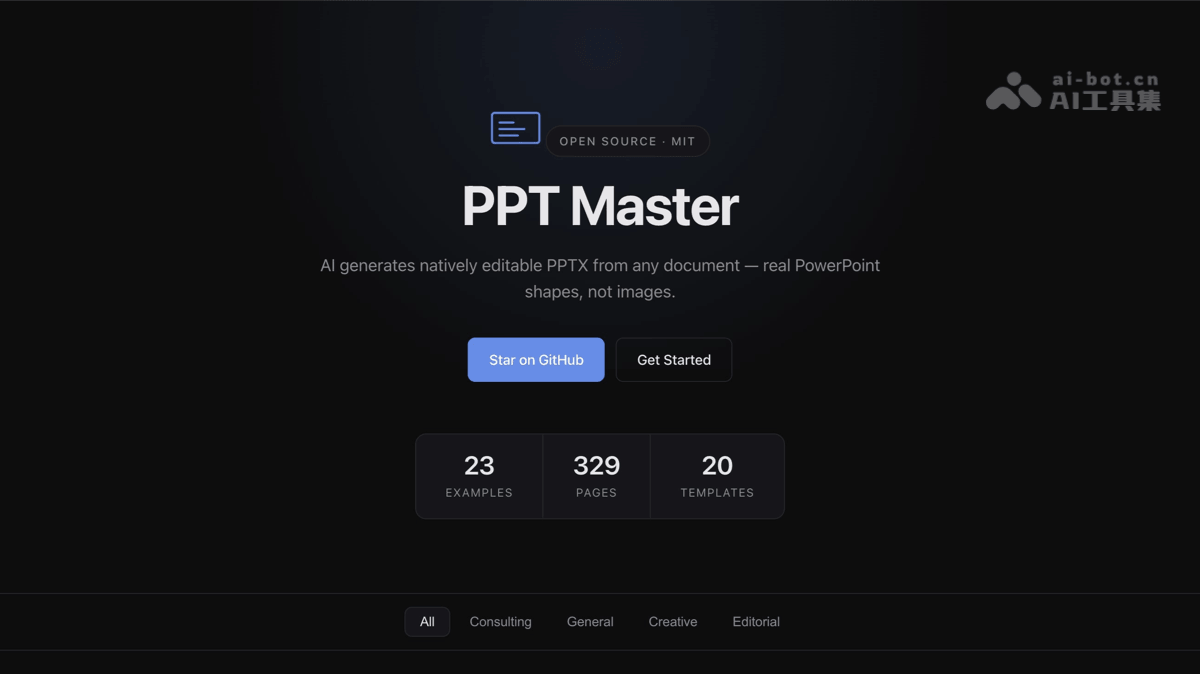
Main Features of PPT Master
-
All-round document parsing: Supports PDF, DOCX, XLSX/XLSM, EPUB, HTML, LaTeX, RST, web links (including WeChat official account articles), Markdown, and even directly pasted text can be used as material input.
-
AI intelligent outline extraction: With the underlying large model, it automatically divides chapter structures, extracts core Bullet Points, and generates high-quality presentation drafts with clear speech logic.
-
Native PPTX rendering: Outputs standard Office Open XML format PPTX, where all shapes, text boxes, charts, and vector graphics are native objects and can be directly modified element by element in PowerPoint or WPS.
-
Multi-style template adaptation: Built-in 20+ mature templates, covering top consulting (MBB level), academic, technology, brand, government, creative, and other styles.
-
Multi-canvas format support: Adapts to 10+ canvas sizes such as 16:9, 4:3, Xiaohongshu, Douyin vertical, etc., meeting publishing needs on different platforms.
-
AI image generation integration: Supports configuration of
gpt-image-2and other AI image generation capabilities, automatically generating matching images based on content. -
Custom brand templates: Supports full-process customization, including custom templates, design specifications, and workflows, achieving 100% brand style adaptation.
-
Localized secure processing: Source files are converted locally, SVG is generated locally, PPTX is exported locally, and the entire process is completed locally except for conversations with AI models.
-
Multi-AI IDE compatibility: Not bound to a single platform, compatible with any AI IDE such as Claude Code, Cursor, VS Code Copilot, Trae, Windsurf, Aider, etc.
-
Multi-model driven: Supports multiple large models such as Claude, GPT, Gemini, Kimi, MiniMax, etc., as the underlying driving engine.
How to Use PPT Master
-
Environment preparation: Install Python 3.10+, download the ZIP package or Git clone the project repository (AtomGit mirror recommended for domestic use)
-
Install dependencies: Enter the project root directory, create a virtual environment, and install the dependency libraries in requirements.txt
-
Configure AI Agent: Open the project in AI IDEs such as Cursor, Claude Code, etc., and configure the working directory to the project root directory
-
Load workflow: Load to AI
SKILL.mdcore workflow rules to ensure the AI masters the generation specifications -
Input materials: Prepare source documents (PDF/Word/link/Markdown, etc.) and send generation instructions
-
AI executes generation: AI automatically executes the serial process of Source Document → Create Project → Template Option → Strategist → Executor → Post-processing → Export
-
Export and Secondary Editing: Get the native PPTX file and fine-tune fonts, colors, and animations as needed in PowerPoint
PPT Master's project address
-
GitHub Repository:https://github.com/hugohe3/ppt-master
-
Online Live Preview:https://hugohe3.github.io/ppt-master/
PPT Master's Core Advantages
-
Truly Native and Editable: No "image-pasted" fake PPT; what it outputs are real DrawingML shapes, text boxes, and charts, and every element can be clicked open and modified.
-
Transparent and Controllable Costs: The tool itself is permanently free and open source; the only cost is the AI model invocation fee, with the minimum cost per PPT as low as about $0.08, and no additional subscription fees.
-
Data Stays Local: Source files are converted locally, SVG is generated locally, and PPTX is exported locally; except for conversations with the AI model, the entire process is completed locally, with no upload to third-party servers.
-
No Platform Lock-In: It is not tied to a single vendor and is compatible with any AI IDE such as Claude Code, Cursor, VS Code Copilot, Trae, Windsurf, and Aider; it can be driven by models such as Claude, GPT, Gemini, Kimi, and MiniMax.
-
Unlimited Commercial Use: Under the MIT license, the copyright of generated content belongs entirely to the user, and it can be used in any scenario such as personal, commercial, and academic.
Comparison of PPT Master with Similar Competing Products
| Comparison Item | PPT Master | Gamma | WPS AI | Microsoft Copilot |
|---|---|---|---|---|
| Output Format | Native editable PPTX, all elements modifiable | Mainly web export, PPT is often embedded as images | Native PPT, but with low styling freedom | Basic text framework, charts are mostly images |
| Open Source Status | Fully open source, MIT license | Closed-source SaaS | Closed-source commercial software | Closed-source commercial service |
| Data Security | Runs locally, source files are not uploaded to third parties | Must be uploaded to platform servers | Must be uploaded to WPS Cloud | Must be uploaded to Microsoft servers |
| Cost Model | Free and open source, only pay model invocation fees | $8-20/month subscription | Membership subscription system | Bundled with Copilot subscription |
| Customization Capability | The entire workflow is customizable, with support for custom templates | Fixed templates, only basic color schemes can be changed | Many style restrictions, workflow cannot be customized | Only basic content generation |
| Commercial Licensing | Copyright of generated content belongs entirely to the user | The free version cannot be used commercially | Has platform constraints | Copyright belongs to the user |
PPT Master's Application Scenarios
-
Corporate Reporting and Performance Reviews: Quickly transform long documents such as quarterly/annual work summaries, project retrospective reports, and financial analyses into clearly structured and logically rigorous presentation drafts, greatly reducing production time.
-
Academic Defenses and Classroom Presentations: Students can generate defense PPTs or classroom report courseware from graduation theses, literature reviews, survey data, and more with one click, automatically extracting core arguments and chapter structures.
-
Consulting and Investment Research Roadshows: Meets MBB-level professional layout requirements, transforming industry research reports, data analyses, and business plans into high-information-density data visualization presentations, suitable for client roadshow scenarios.
-
Self-media and Content Operations: Supports 10+ canvas formats such as Xiaohongshu and Douyin vertical, and can quickly transform WeChat official account articles and web content into image-and-text presentations or knowledge cards adapted to different platforms.
-
Brand Standardized Output: Enterprises can import their own VI templates and design specifications to achieve standardized production of brand PPTs such as external proposals, product launches, and investment manuals across the entire workforce.
-
Internal Automated Office Integration: Developers can embed PPT Master into enterprise internal workflows to achieve automated batch conversion of contracts, bids, and technical documents into presentation materials.