
Playground AI is a popular AI drawing and photo editing tool. In addition to providing AI image generation, it also offers image editing functions such as image erasing, local replacement, and background removal. Compared with other AI image generation tools on the market, the free version of Playground AI offers extremely generous benefits, allowing users to generate up to 500 images for free per day. It is the preferred artificial intelligence image tool for many creative workers and AI enthusiasts.
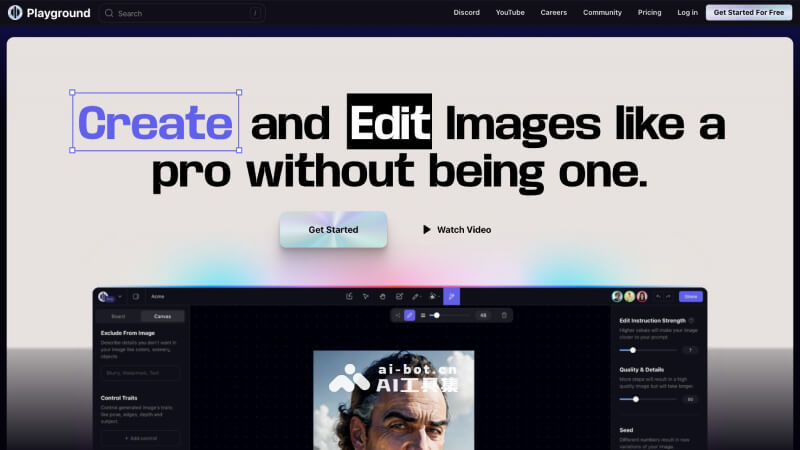
Main features of Playground AI
- AI text-to-image generation: Simply enter a description, and AI can intelligently parse the creative intent and generate stunning images, allowing every one of your ideas to be presented in the form of a picture
- Creative community work sharing: A rich UGC creation community where you can discover images shared by other users in various styles such as food, animation, fashion, scenery, and science fiction, and view the prompts to create the same style with one click
- Intelligent prompt optimization: AI automatically expands and optimizes your short prompts, providing style ideas and inspiration references, making the creation process smoother
- Flexible creation modes: Provides two modes, Board and Canvas. Board mode is for regular image generation, while the Canvas board provides more image editing and supports inviting others to collaborate and co-create
- Image-to-image conversion: Upload an existing image or draw a sketch, and AI will generate a brand-new artwork for you, making creativity infinitely possible
How to use Playground AI
- Visit the official Playground AI website (playgroundai.com), and click the Get Started button to log in/register
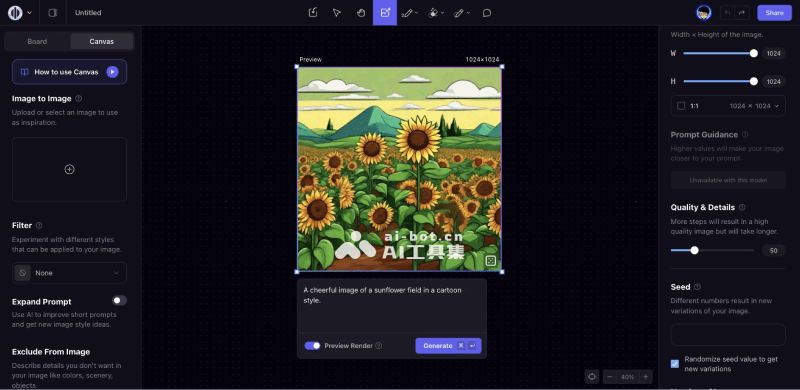
- After successful login, you will be automatically redirected to the creation interface in the backend. Playground will automatically create a canvas with a default size of 1024*1024
- Click the canvas and enter the prompt in the input box at the bottom. On the right side, you can select the model, adjust the image size and ratio, as well as parameters such as quality, detail, and sampling
- You can enable Preview Render to quickly preview the generated image, and finally click the Generate button to generate it. The image will be generated after a few seconds
Playground AI product pricing
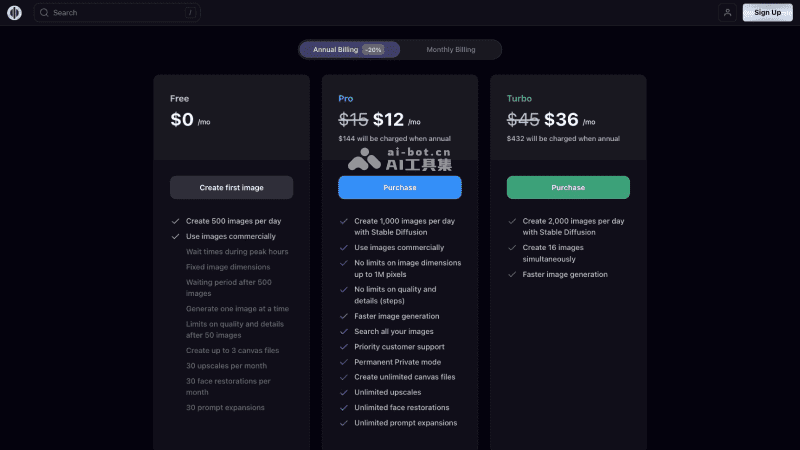
- Free version: $0, generate 500 images for free per day, images can be used commercially, and each month it provides 30 image upscales, 30 face restorations, and 30 prompt expansions
- Pro professional version: $15 per month (equivalent to $12 per month with annual payment), generate 1,000 images per day, and provides benefits such as faster generation speed, unlimited image size and quality, and unlimited image upscaling and face restoration
- Turbo advanced version: $45 per month (equivalent to $36 per month with annual payment), generate 2,000 images per day, and supports generating 16 images at the same time
Frequently asked questions
Does Playground AI provide a free version?
Playground AI used to provide 1,000 free image generations per day, but it has now changed the free benefit to 500 images per day.
What large model is Playground AI based on?
Playground AI's image generation capability is based on Stable Diffusion XL and the self-developed Playground V2 model.
Can images generated by Playground AI be used commercially?
Playground AI allows users' generated images to be used for commercial purposes, and even the free version can be used commercially.