
What is PinMe
PinMe is an open-source one-click deployment tool that lets static websites or frontend projects go live quickly. The tool uses IPFS distributed storage and ENS domains to generate permanent links, without requiring servers or DNS. PinMe deployment is free and extremely fast (completed in 30 seconds), and supports drag-and-drop upload and command-line operation. PinMe can integrate with GitHub Actions for automated deployment, supports multi-environment management, and is suitable for quickly sharing demos, resumes, or portfolios. It is an efficient tool for frontend developers and open-source project maintainers.
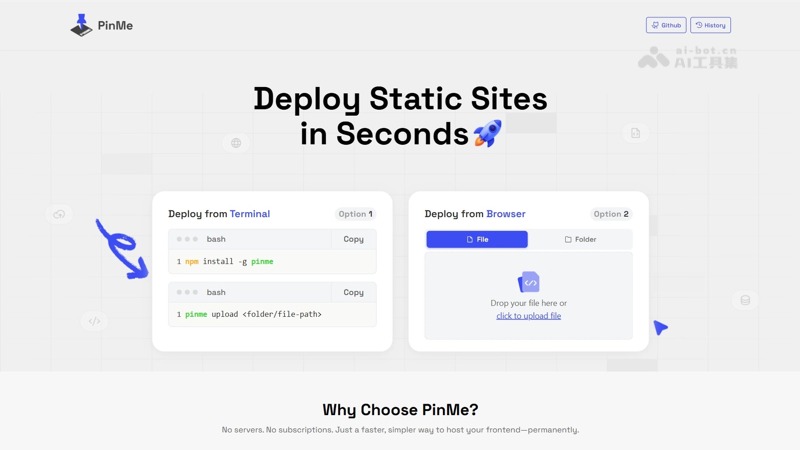
PinMe's main features
- Fast deployment: Through simple drag-and-drop or command-line operation, static websites or frontend projects can be quickly deployed to the IPFS network, generating permanent links and going live within 30 seconds.
- Free to use: No need to purchase domains and servers; use IPFS and ENS domains to achieve zero-cost deployment.
- Distributed storage: Relying on the IPFS network, content is stored in a distributed manner, with high stability and less prone to downtime.
- Multi-environment management: Supports deploying different links for testing, preview, and production environments, facilitating project management and version control.
- Automated deployment: Supports integration into GitHub Actions to enable automatic build and deployment after code push.
- Upload and management: Supports viewing upload history and deleting old versions, making it easy to manage and maintain deployed content.
- Convenient operation: Provides two upload methods: web drag-and-drop and command line; the operation is simple and easy to get started with.
How to use PinMe
- Visit the PinMe official website: Visit the PinMe official website https://pinme.eth.limo/。
- Drag and drop files or folders: Drag and drop HTML files or the packaged folder of a frontend project (such as a web page generated with AI or the Vue, React
distfolder) directly into the web upload area. - Wait for upload to complete: The web page automatically handles the upload. After the upload is complete, the page will display a link.
- Copy the link and share: Click the copy button to save the generated link. The link is permanent and can be shared with others via WeChat, email, etc.
PinMe's project address
- Project official website:https://pinme.eth.limo/
- GitHub repository:https://github.com/glitternetwork/pinme
PinMe's application scenarios
-
Personal portfolio display: Quickly deploy personal projects, portfolios, or resumes, making it easy to share with employers or clients.
-
Project demo: Create demo pages for open-source projects or new features, and quickly generate links for others to view.
-
Temporary sharing: When users need to quickly share a web page or document, there is no need to set up a server; deploy and share the link instantly.
-
Educational use: Teachers or students can quickly deploy course materials or project presentation pages, facilitating online learning and communication.
-
Marketing promotion: Brands or enterprises can quickly deploy event pages or product introduction pages for promotion and publicity.