
What is Pineapple Builder
Pineapple Builder is an AI-powered website builder designed for businesses, allowing users to generate personalized websites through simple descriptions. It supports over 99 languages and provides an all-in-one service across all platforms. Users can customize the website style, including fonts and colors, to match their brand. Pineapple Builder features SEO optimization, integrated analytics, and third-party services, helping businesses quickly launch and grow their online presence. Pineapple Builder offers 24/7 customer support and a wealth of educational resources to ensure users can fully utilize the platform's features.
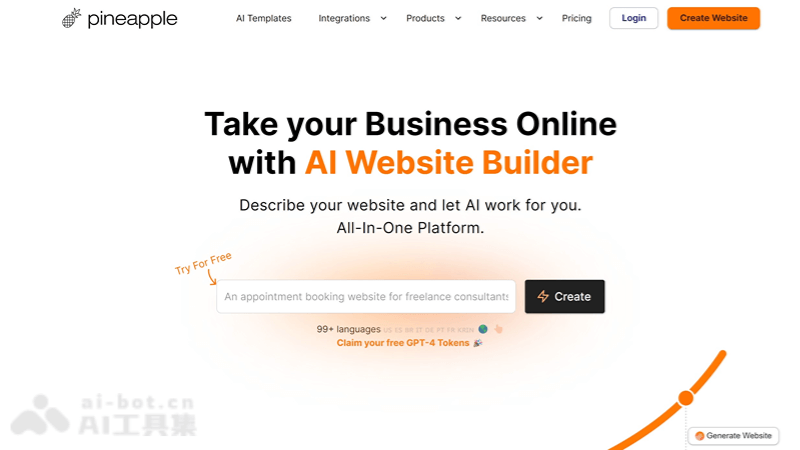
Pineapple Builder's main features
- AI website generation: Users describe their business needs, and the AI automatically creates a customized website.
- Multilingual support: The platform supports over 99 languages, making it convenient for global users.
- Personalized AI assistant: The AI can generate content and design based on the user's business characteristics, target audience, and brand tone.
- Custom editor: Provides an intuitive editor where users can easily customize website elements, such as dragging and dropping components, adding new sections, etc.
- AI blog feature: Simplifies the blog post creation process and improves content generation efficiency.
- SEO optimization: The AI SEO assistant helps optimize the website's search engine ranking and provides the best SEO titles and meta descriptions.
How to use Pineapple Builder
- Sign up and log in:Visit the Pineapple Builder official website (pineapplebuilder),Click the "Start Free Trial" or "Sign Up" button.Complete the registration process.
- Describe your business:In the website creation interface, describe your business, target audience, unique selling points, etc.The AI will generate an initial website design based on the information.
- Choose and customize a template:Choose one from the provided templates,Use the editor to customize the website's design elements, such as colors, fonts, layout, etc.
- Add content:Use AI-assisted features to generate website content, such as text, images, etc.Manually edit or add more content, such as product information, service descriptions, blog posts, etc.
- SEO optimization: Based onThe AI SEO assistant optimizes the website's metadata and content.Ensure the website achieves better rankings in search engines.
- Integrate third-party services:Integrate various third-party services based on business needs, such as social media, payment gateways, email marketing tools, etc.
- Publish the website:After completing all settings, preview the website and make final adjustments. Publish when done.
Who Pineapple Builder is for
-
Small business owners: Need to quickly establish an online business presence but lack website design or programming skills.
-
Freelancers: Want to showcase their professional skills and portfolio, and attract potential clients.
-
E-commerce entrepreneurs: Want to sell products online, need an easy-to-manage online store.
-
Nonprofit organizations: Need a platform to promote their mission, events, and fundraising information.
-
Event planners: Need to quickly create event websites, provide event information and ticketing services.
-
Digital product creators: Need a platform to showcase and sell their digital products, such as e-books, software, or online courses.