
What is PiGaiBang
PiGaiBang is a domestic AI homework grading and teaching research guidance tool. It mainly targets teachers, using artificial intelligence technology to help teachers efficiently grade student homework, including Chinese and English essays. It can analyze essays paragraph by paragraph, provide detailed comments and revision suggestions, generate polished and optimized versions, and generate comments for teachers. PiGaiBang supports teaching research guidance functions such as lesson plan generation and teaching research planning, helping teachers improve their teaching level.
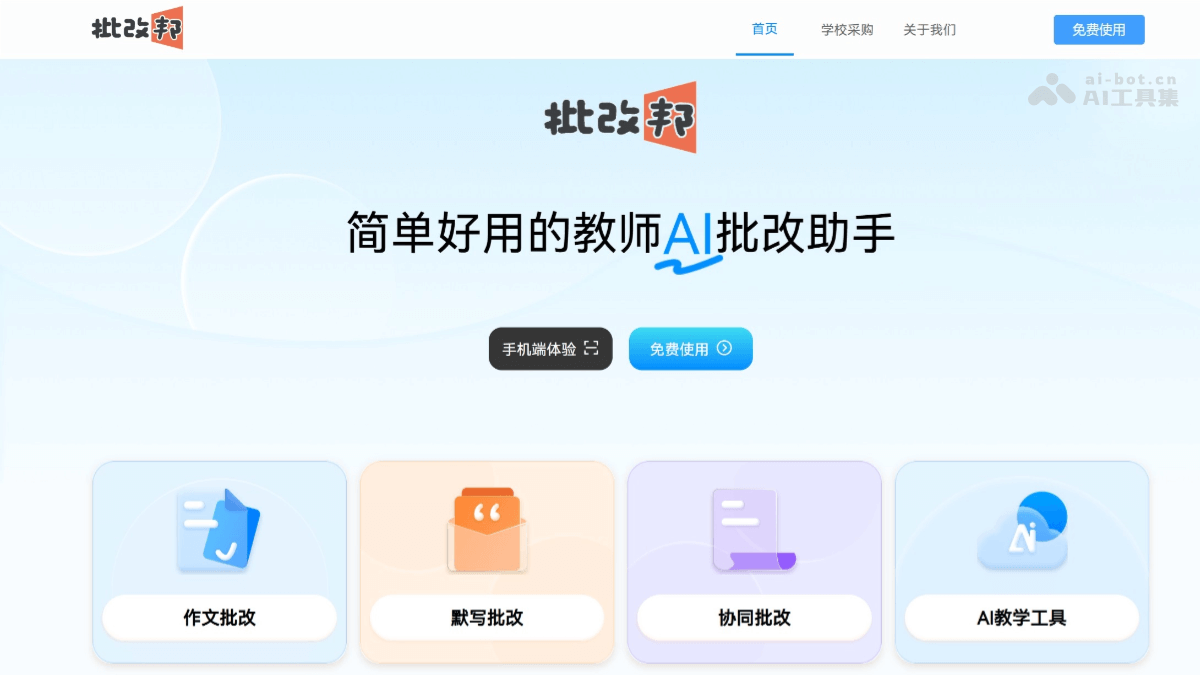
Main Functions of PiGaiBang
- AI Essay Grading: PiGaiBang can deeply analyze students' Chinese and English essays, provide detailed comments and revision suggestions paragraph by paragraph, and generate polished and optimized versions. It can combine recommended good words, good sentences, and good materials to provide students with specific writing guidance. PiGaiBang will generate comments for teachers, and teachers can conduct collaborative grading on the basis of AI grading, incorporating their own insights and viewpoints.
- Multi-Disciplinary Support: PiGaiBang supports the grading of Chinese and English essays, and supports the grading of dictation homework.
- Class Batch Grading: Teachers can batch upload student homework for batch grading and export.
- Custom Grading Format: Users can set grading formats and scoring rules according to their own teaching needs.
- Teaching Research Auxiliary Functions: PiGaiBang provides functions such as lesson plan generation and teaching research planning to help teachers better prepare teaching content.
- Personalized Feedback: PiGaiBang's grading results include multiple modules such as marginal comments, structural grading, teacher's overall comments, essay polishing, and original text comparison, forming a comprehensive feedback system.
How to Use PiGaiBang
- Registration and Login: Visit the official website of "PiGaiBang" https://www.pigaibang.com/,注册或登录使用服务。
- Upload Homework
-
Photo Upload: Click "Photo Grading", aim at the essay to take a photo (ensure sufficient light and clear text), select the essay area, and automatically recognize text (supports handwriting).
-
Document Upload: You can also directly upload the essay document.
-
- Grade Homework: Select the homework or questions to be graded, supplement clear question requirements, write specific scoring rules (itemized is best), and it is recommended to enable "Intelligent Comments". Click "Grading Test" to check whether the test grading results given by AI meet expectations, and adjust and optimize the scoring items and standards according to the test results until satisfied. After the test passes, click "Start Scoring" and wait for the AI backend to complete the grading of all students' homework for that question.
- View and Modify Grading Results: If you need to modify scores or comments, you need to enter the homework/exam details page and operate manually. Find the corresponding homework, click "Review", and on the homework details page, click "Re-review" to revise scores and comments one by one.
-
Teaching Research Guidance: PiGaiBang provides teaching research guidance functions such as lesson plan generation and teaching research planning.
-
Collaborative Grading: Teachers can conduct collaborative grading on the basis of AI grading, incorporating their own insights and viewpoints.
Application Scenarios of PiGaiBang
- Essay Teaching and Grading: Teachers can take photos of students' essays or upload documents, and 批改邦 will grade them according to the set grading rules and requirements and generate comments. Teachers can supplement or modify the AI grading to further improve the grading content.
-
Daily homework grading: Teachers can take photos of students' homework and upload them, and 批改邦 will automatically recognize the text and grade it. For dictation homework, 批改邦 can quickly check for typos and omissions, reducing teachers' grading burden.
-
Exam marking and analysis: Teachers can take photos of exam papers and upload them, and 批改邦 will grade the subjective questions and generate scores. Teachers can compile and analyze scores based on the grading results to understand students' learning situations.
-
Teaching research and lesson preparation: Teachers can use 批改邦's lesson plan generation function to generate a preliminary lesson plan based on teaching objectives and content. 批改邦 can help teachers formulate teaching research plans and provide suggestions for teaching methods and resources.
-
Parent tutoring: Parents can take photos of their children's homework and upload them to 批改邦, refer to the AI's grading results and suggestions, help their children correct mistakes, and provide learning guidance.