
What is Piczoo
Piczoo is a multi-functional photo editing app launched by Xi'an Niukou Software Technology Co., Ltd. It integrates multiple editing features such as collage, long image stitching, retouching templates, filters and stickers, and fancy text, providing users with a comprehensive image processing platform. Use the smart collage feature to quickly create personalized photo layouts, use the filter camera to directly shoot and add filter effects, or use artistic fonts and stickers to add fun to photos. Piczoo supports one-click sharing to major social platforms, meeting users' needs for sharing beautiful photos on social media.
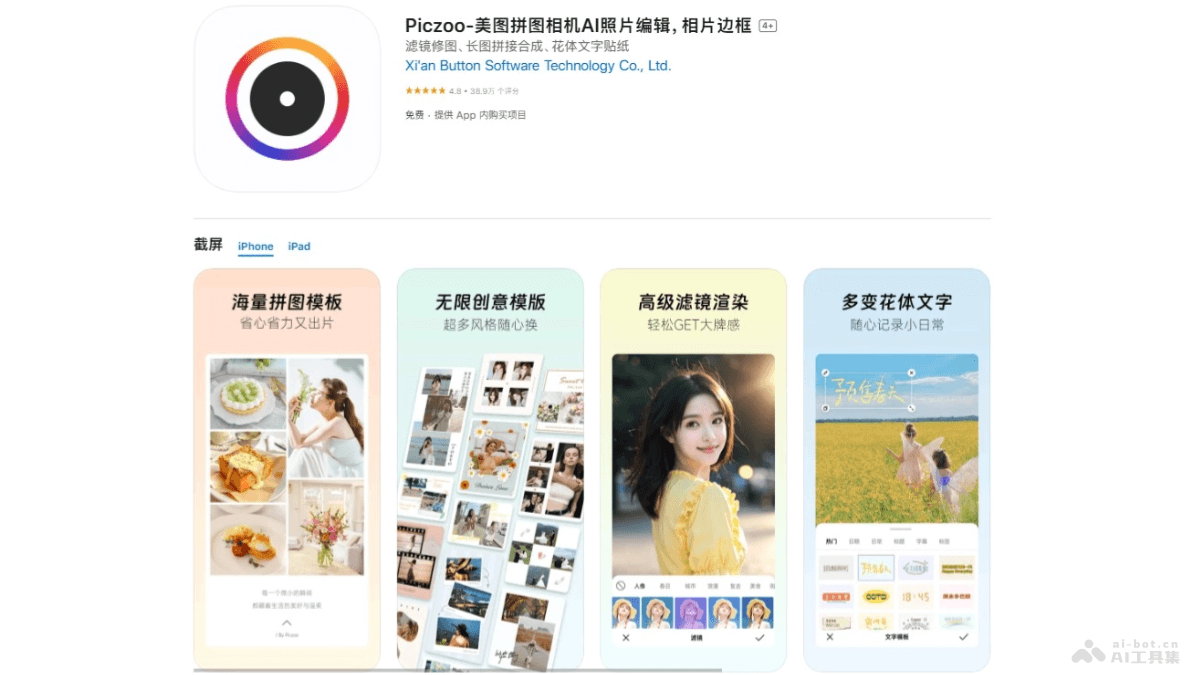
Main Features of Piczoo
- Smart Collage: Provides multiple layouts with automatic matching, generating massive collage layouts in one click to meet personalized collage needs.
- Filter Camera: Directly capture photos with filter effects, providing multiple "light effect" filters to add natural light and shadow effects to photos.
- Collage and Pasting: Features rich template styles, with built-in solid color gradient background palettes and background images in different styles, making photo layouts more interesting.
- Artistic Fonts: Provides a variety of font styles, compatible with multiple languages such as English, Japanese, and Chinese, enhancing the visual effect of photos.
- Stickers: Provides stickers in various styles such as pixel style, hand-drawn style, graphics, and Emoji for decorating photos.
How to Use Piczoo
- Download and Install: For iOS devices, visitthe Apple App Store, download and install.
- Open the App: After installation is complete, tap the app icon to open Piczoo.
- Select a Feature: The main interface displays different feature modules, such as collage, filter camera, artistic fonts, etc. Select the feature you need.
- Import Photos: Based on the selected feature, choose to import photos from the album or use Piczoo's camera feature to take a new photo.
- Edit Photos: Use the tools provided by Piczoo to edit, such as applying filters, adding stickers, adjusting photo layout, etc.
- Apply Filters and Stickers: Choose your favorite filters to enhance the photo effect, or add fun stickers to personalize the photo.
- Adjust and Optimize: Adjust the size, position, and angle of the photo to ensure it looks just right in the collage.
- Use Artistic Fonts: If needed, add artistic fonts to the photo to enhance the visual effect.
- Add Graphic Frames: Choose a graphic frame to decorate the photo, making it more attractive.
- Save and Share: After editing is complete, save the photo to your device, or directly share it with Piczoo to social platforms such as WeChat, Weibo, and Instagram.
Application Scenarios of Piczoo
- Social Media Sharing: Users edit and beautify photos and share them to social platforms such as WeChat Moments, Weibo, Instagram, and Facebook to attract more attention and likes.
- Travel Records: During travel, stitch multiple landscape photos into a long image, or apply filters and stickers to make travel photos more vivid and interesting.
- Food Sharing: Food enthusiasts take photos of food, apply food filters and stickers to make the food look more appetizing, and share them with friends or display them in food communities.
- Recording Everyday Moments: Users record the little moments of daily life, such as pets, children's growth, gatherings with friends, etc.
- Festivals and Events: During festivals or special events, users create festival-themed images, such as for Christmas, New Year, birthdays, etc., adding festive elements and greetings, and send them to family and friends.