
What is PicMenu
PicMenu is an AI-based menu visualization tool that can transform paper menus into digital displays by taking photos. Users only need to upload menu images, and the system can automatically extract dish information to generate corresponding display images. The tool integrates multiple AI algorithms, supports rapid menu visualization, and can export dish images in multiple formats, suitable for social media, websites, or printing. PicMenu plans to display detailed dish information in future versions, such as ingredients, calories, flavors, etc., to enhance the user experience. It supports tag filtering functions, such as vegetarian, spicy, etc., making it convenient for customers to filter. PicMenu is currently an open-source project, and users can use the basic functions for free.
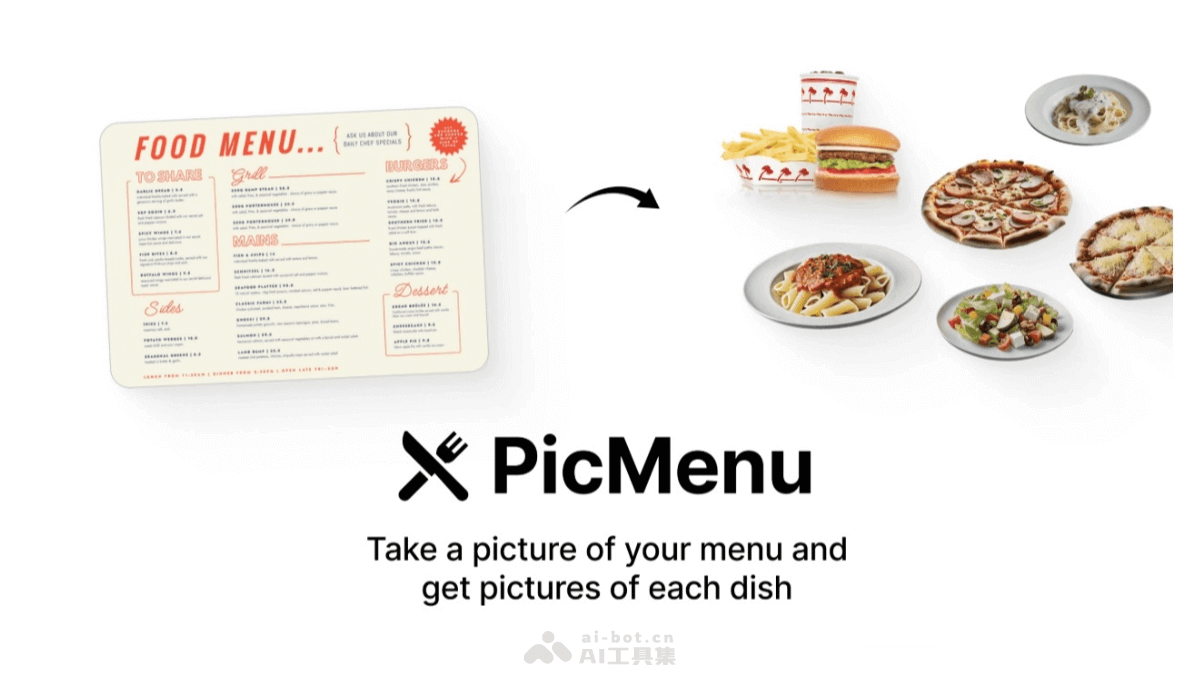
Main features of PicMenu
- Rapid menu visualization: Users only need to upload menu images, and the system can extract dishes and generate corresponding display images.
- Multiple output formats: Supports exporting the generated dish images in multiple formats, convenient for social media, websites, or printing.
- Detailed information display: Future versions will support displaying detailed dish information, such as ingredients, calories, flavors, etc., to enhance the user experience.
- User-friendly interface: A concise and intuitive operation interface, allowing every user to get started easily without professional skills.
- Tag filtering function: Supports tagging and categorizing dishes, such as vegetarian, spicy, etc., making it convenient for customers to filter.
- Menu parsing and image generation: Extracts text from menu images and converts it into visual dish displays.
- Dish descriptions: Provides concise additional information for each dish, such as ingredients or taste (feature under development).
Technical principles of PicMenu
- AI models: PicMenu uses the Llama 3.2 Vision 90B model provided by Together AI to extract menu information, the Llama 3.18B model to generate structured data (JSON format), and the Flux Schnell model to create realistic dish images.
- Technical architecture: In terms of technical architecture, PicMenu chose Next.js and TypeScript as the development framework, and combined Tailwind CSS and Shadcn to design the user interface.
- File storage: PicMenu uses AWS S3 as the file storage solution to store uploaded and generated content.
- Data analytics and performance monitoring: Integrates Plausible and Helicone for data analytics and performance monitoring, optimizing user experience and system performance.
Project address of PicMenu
- Github repository:https://github.com/Nutlope/picMenu
- Online experience Demo:https://www.picmenu.co/
Application scenarios of PicMenu
- Restaurant menu digitization: Restaurants can use PicMenu to quickly digitize paper menus and generate intuitive dish displays, enhancing the dining experience for customers.
- Online food platforms: Online food platforms can use PicMenu to provide users with richer visual information about dishes, attract users, and enhance the platform's aesthetics and user experience.
- Food blogs and social media: Food bloggers and social media users can use PicMenu to display their dishes, enhancing the visual effects of articles and posts, and attracting more attention and interaction.
- Cooking courses: Cooking instructors can use PicMenu to display course content, allowing students to more intuitively understand the preparation method and ingredients of each dish.
- Food delivery platforms: On food delivery platforms, users can upload electronic menus and use PicMenu to assist decision-making, choosing dishes that better suit their taste.