
What is PicHero
PicHero is an AI photo editing and image quality restoration app launched by Tianjin Qingsong Yidian Technology Co., Ltd. Based on advanced AI technology, it transforms pictures and photos into gorgeous, clear high-definition quality with one click. PicHero is especially suitable for processing grainy, pixelated, damaged, and low-resolution photos, giving them a new lease on life. The app's main features include HD face photos, elevating everyday portraits and selfies to stunning styles, and restoring old, blurry, or scratched photos.
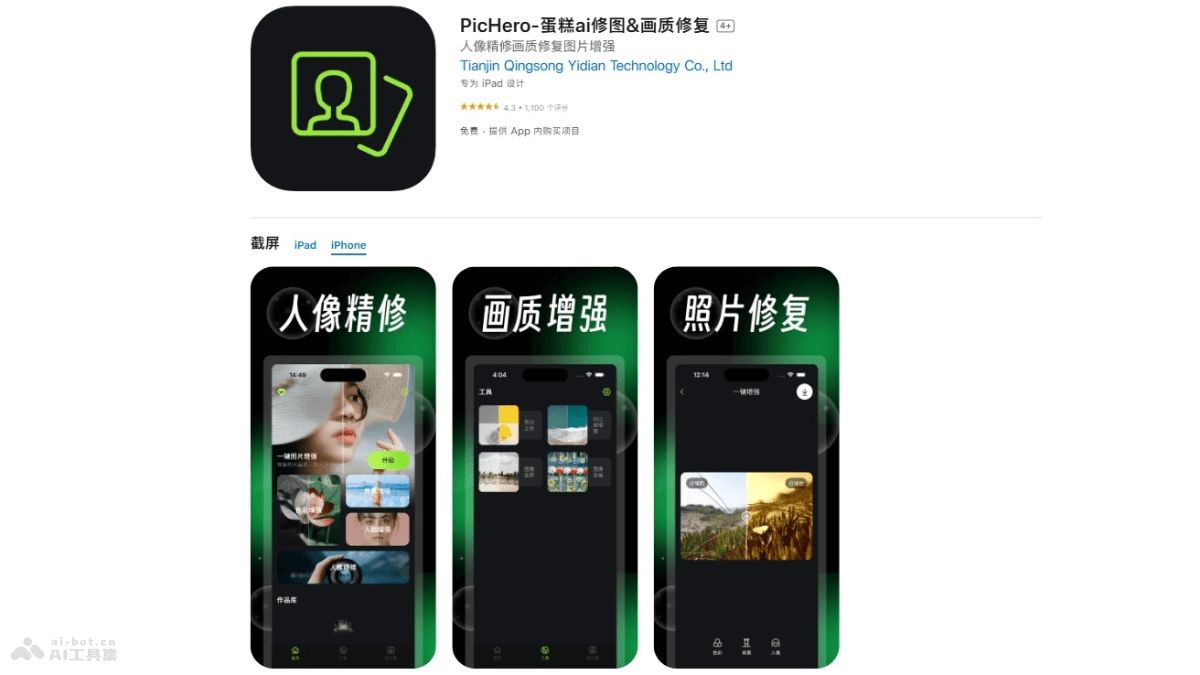
PicHero's Main Features
- HD Face Photos: Process blurry face photos based on AI technology and convert them into high-definition facial images.
- Enhance Everyday Portraits and Selfies: Elevate ordinary everyday portraits and selfies to stunning styles, making the photos more impactful.
- Restore Old/Blurry/Scratched Photos: Based on advanced AI technology, restore photos damaged by age, blur, or scratches, giving them a new lease on life.
- Create Shareable Content: Users create viral content with before-and-after comparisons using PicHero, which has high sharing value on social media.
- Multi-Language Support: PicHero supports multiple languages, including English, Hindi, Japanese, Korean, Portuguese, Russian, Simplified Chinese and Traditional Chinese, Spanish, Thai, and more.
How to Use PicHero
- Download and Install: Visit your smartphone's app store; iOS users visit theApple App Store, and Android users visit the mobile app store. Tap Install and wait for the app download and installation to complete.
- Register or Log In: Register an account and log in.
- Upload a Picture: On the app's main interface, select the "Upload Picture" or "Choose Picture" option. Select the picture you want to restore or enhance from your album.
- Select a Feature: Choose a feature according to your needs, such as HD face photos, enhancing everyday portraits, etc.
- Edit the Picture: Use the tools and features provided by PicHero to edit the picture. Adjust the picture's clarity, contrast, brightness, etc.
- Preview the Result: Preview the edited result in the app to make sure you are satisfied with the outcome.
- Save and Share: If you are satisfied with the edited result, save the picture to your local device, or choose to share the picture directly to social media or other platforms.
PicHero's Use Cases
- Photography Enthusiasts: Photography enthusiasts post-process the photos they take. PicHero can quickly improve photo quality and fix common photography problems, such as blur and noise.
- Social Media Users:Social media users often need to share high-quality images. PicHero can improve image clarity and visual effects, making the shared content more attractive.
- Professional Photographers: Professional photographers encounter unavoidable problems during shooting, such as insufficient light or equipment limitations. PicHero can repair and improve the professionalism of their work.
- Designers and Creative Workers: Designers and creative workers need to perform high-quality editing and processing on images when creating graphics and visual content. PicHero provides rich features to meet their needs.
- Historical photo restorer: For those who need to repair and restore old photos, PicHero can restore the clarity and color of old photos, preserving precious memories.