
What is Perplexity Labs
Perplexity Labs is a powerful AI tool launched byPerplexity AI to help users efficiently complete complex tasks. It is designed for work that requires longer time and multiple steps, such as generating reports, creating data dashboards, designing web applications, and more. Labs can integrate multiple tools, such as web search, code execution, file creation, and design tools, supporting users to complete multiple tasks on one platform. Users can create and save files in Labs, including documents, spreadsheets, charts, and code files, and all results are automatically stored in the "Assets" tab for easy viewing and downloading at any time. Labs supports creating interactive applications, such as dashboards, slides, or small websites, to meet the needs of different scenarios. Perplexity Labs is only available to Pro subscribers and can be used on the web version, iOS, and Android apps.
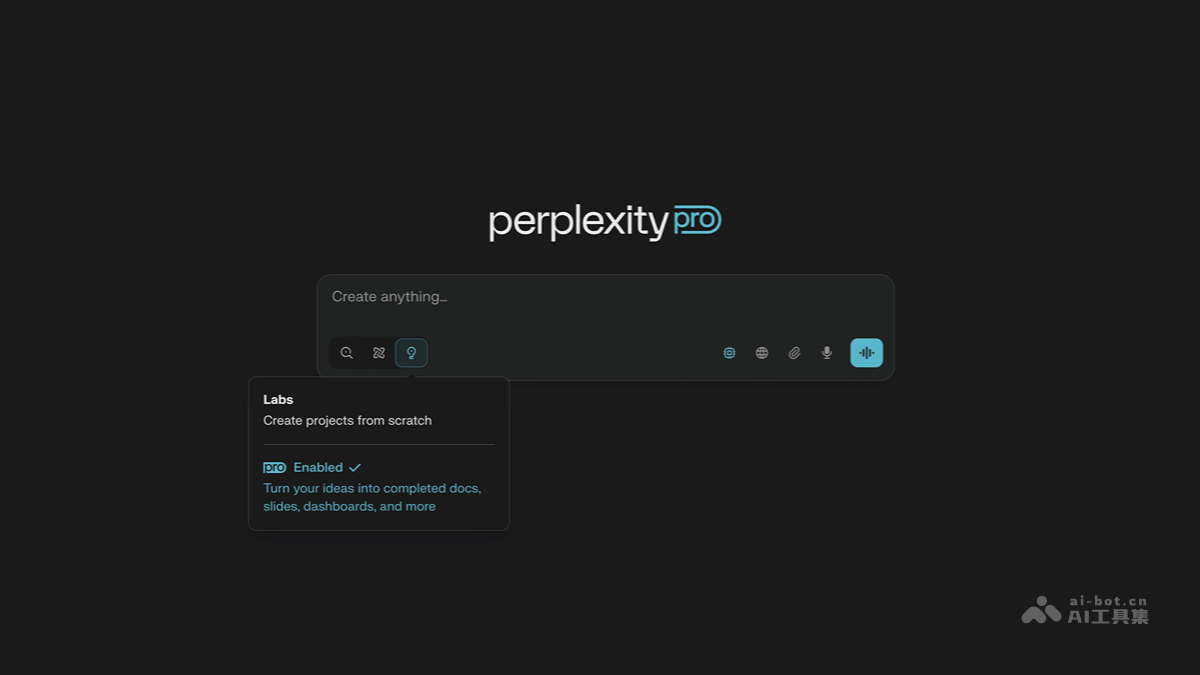
Main features of Perplexity Labs
-
Complex project handling: Labs can handle complex multi-step tasks, such as generating reports, data analysis, writing and executing code, building lightweight web applications, and more. It can run independently for more than ten minutes, making it suitable for complex projects that require longer processing time.
-
Multi-functional integration: Labs integrates multiple technologies such as deep web browsing, code execution, CSV processing, chart generation, and static asset hosting. Users do not need a programming background or local development environment to complete the entire process from data cleaning to report generation.
-
Diverse outputs: Supports generating multiple types of results, including Excel spreadsheets, PNG images, Markdown reports, interactive dashboards, and basic web applications. All generated files are automatically saved in the "Assets" tab for easy viewing and downloading by users.
-
Project management and visualization: Labs provides an "App" tab that can directly render basic web applications in the project environment to implement simple interactive functions.
-
Automation and efficiency improvement: Through automated processes, Labs can complete work that originally took hours or even days in a short time, improving efficiency.
-
Examples and template support: Perplexity provides a rich set of example templates to help users get started quickly.
How to use Perplexity Labs
- VisitPerplexity: Visit Perplexity's official website.
- Subscribe to Perplexity Pro: Perplexity Labs is only available to Pro subscribers. Users need to subscribe to the Pro version, which costs $20 per month. After subscribing, users can get 50 Labs query credits per month.
- Open the mode selector: On the web version or mobile app, click the mode selector next to the input field.
- Select "Labs" mode: Select "Labs" mode in the mode selector to launch the AI project builder.
- Enter requirement description: Describe your needs in natural language, for example, "Based on the sales data I uploaded, generate a financial report containing a profitability analysis chart," or "Create a dashboard."
- Control the workflow: While Labs is running, you can pause or cancel the task at any time by clicking the pause button or pressing the Esc key on the keyboard.
- View output results: All generated content (such as code, charts, images, documents, etc.) is automatically organized under the "Assets" tab, where you can view or download the files. If the project includes an interactive application, you can view it directly in the "App" tab.
- Use example templates: Perplexity provides a rich set of example templates to help users get started quickly. You can refer to these templates to describe your needs and get better results.
- Notes
-
Task complexity: Labs is suitable for handling complex multi-step tasks, which usually take more than 10 minutes to complete.
-
File management: All generated files are saved in the "Assets" tab for easy later viewing and reuse.
-
Technical support: If you encounter problems during use, you can refer to the official example templates or contact technical support.
-
Perplexity Labs official website address
- Official website address:https://www.perplexity.ai/hub/blog/introducing-perplexity-labs
Perplexity Labs application scenarios
-
Financial report generation: Users can upload sales data or financial statements, and let Perplexity Labs automatically generate financial reports containing profitability analysis charts.
-
Chart generation: Based on the data files provided by the user, Labs can generate various visualization charts, such as bar charts, line charts, pie charts, etc.
- Project management: Helps users quickly generate project plans, progress tracking tools, etc., and generates the material catalog required for the project, making it easy to manage and find.
-
Report writing: Supports generating various types of reports, such as academic research reports, business proposals, etc.
-
Code generation and execution: Supports writing and running Python, R, or JavaScript code to process data and generate visualizations.