
What is Penpot
Penpot is an open-source design and code collaboration platform built on open standards such as SVG, CSS, and HTML, enabling UI design and interactive prototyping in the browser. The platform supports real-time multi-user collaboration, W3C Design Tokens management, and MCP Server integration, allowing AI to directly read the real components, Tokens, and layer structure of design files rather than just screenshots. Through Inspect mode, native code can be copied with one click, achieving design-as-code.
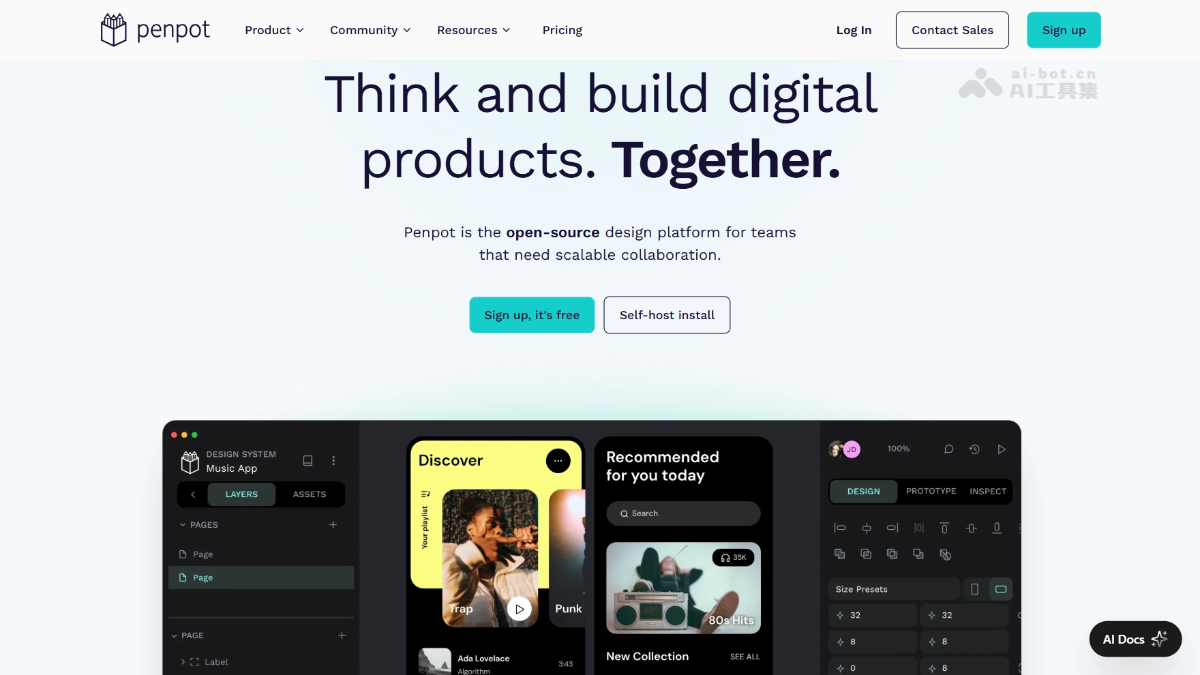
Penpot's main features
-
UI design and prototyping: Complete interface design, interactive prototyping, and visual editing in the browser, with multi-page management support.
-
Real-time collaboration: Multiple people edit the same design file simultaneously, with support for comments, annotations, and version synchronization.
-
Inspect mode: Select any element to directly view and copy the corresponding SVG, CSS, or HTML code, so developers do not need to manually recreate it.
-
Native CSS Grid and Flex layout: Designs are rendered according to real web layout rules, what you see is what you get, and the exported code matches the visuals exactly.
-
Design Tokens management: The industry's first design tool with full support for the W3C Design Tokens standard, centrally managing variables such as colors, font sizes, and spacing.
-
Components and variants system: Supports creating reusable components and multi-state variants to build scalable design systems.
-
MCP Server integration: Built-in MCP service allows AI Agents to directly read the structure, components, and Tokens of design files, enabling a bidirectional design-to-code workflow.

Follow on WeChat and reply “open source” to join theAI Open Source Project Exchange Group
How to use Penpot
- Method 1: SaaS online use
-
Register an account: Visit
design.penpot.appand register a free account with your email. -
Create a project: After logging in, create a new team or project and enter the design canvas to start creating.
-
Design interface: Use the left toolbar to draw shapes, text, and components, and the right panel to adjust properties and layout.
-
Manage Tokens: Define design variables such as colors, fonts, and spacing in the Tokens panel, and bind them to elements.
-
Start collaborating: Invite team members to join the project and edit the same file in real time.
-
Export code: Select an element, open the Inspect panel, and copy SVG, CSS, or HTML code with one click for development use.
-
- Method 2: Docker self-hosting
-
Download configuration: On the server, run
curlto obtain the officialdocker-compose.yamlfile. -
Start the service: Run
docker compose up -dto deploy the Penpot service. -
Access configuration: Access port 9001 of the server IP through a browser and complete the initialization setup by following the wizard.
-
Register an administrator: Create an administrator account on first access, and then all features can be used independently in an intranet environment.
-
Penpot's Core Advantages
-
Design as Code: Express designs using Web standards from the very beginning of creation; Inspect directly outputs usable code, eliminating the translation loss between design and development.
-
Fully Open Source and Self-Hosted: MPL-2.0 license, supports private deployment, meeting the compliance and data sovereignty needs of sensitive industries such as finance, government, and healthcare.
-
AI-Native Readability: Through MCP Server, AI Agents directly read the design structure rather than screenshots, enabling precise generation, automatic adjustments, and bidirectional synchronization.
-
No Vendor Lock-In: Based on open standards SVG/CSS/HTML/JSON, with universal file formats, allowing migration to other tools at any time.
-
Design Tokens Industry Standard: Native support for W3C standards; change a design variable in one place and it updates globally, building a design system that can be maintained at scale.
Penpot's Project Address
- Project Website:https://penpot.app/
- GitHub Repository:https://github.com/penpot/penpot
Comparison of Penpot with Similar Competitors
| Comparison Dimension | Penpot | Figma |
|---|---|---|
| Open Source License | MPL-2.0, fully open source | Closed-source commercial software |
| Deployment Method | SaaS + Docker self-hosted | SaaS only (cloud) |
| Data Ownership | Fully autonomous, can be privatized | Stored in Figma cloud |
| Design File Format | SVG, CSS, HTML, JSON open standards | Proprietary format .fig |
| Code Export | Inspect directly copies native code | Dev Mode exports code, requires adaptation |
| Design Tokens | Native support for W3C standards | Supported through plugins or third-party tools |
| AI Integration | Built-in MCP Server, bidirectional read/write | Relies on Figma AI features, closed ecosystem |
| Collaboration Capabilities | Real-time multi-user collaboration | Real-time multi-user collaboration (industry benchmark) |
| Community Ecosystem | 53.5k+ Stars, active open source community | Huge commercial user ecosystem, rich plugins |
| Applicable Scenarios | Focus on privacy compliance, design system construction, AI workflows | Rapid prototyping, large commercial design teams |
Penpot's Application Scenarios
-
Enterprise-Level Design System Construction: Build consistent design specifications across products and platforms through Design Tokens and component libraries.
-
Financial and Government UI Development: Private deployment meets data security and compliance requirements; design files never leave the intranet.
-
AI-Driven Front-End Development: Combined with MCP, AI reads design files and directly generates code, shortening the cycle from design to launch.
-
Open Source Communities and Educational Institutions: Use a full-featured design tool at zero cost, supporting teaching, open source project collaboration, and skill development.
-
Seamless Design-Development Collaboration: Designers create in Penpot, developers directly obtain usable code through Inspect, reducing communication costs.