
What is Voiceover Master Pro
Voiceover Master Pro is a powerfulAI voiceoversoftware designed specifically for short video creators, self-media professionals, and audio content producers. Through advanced AI technology, it quickly converts text into natural and smooth speech, supports a variety of voice options, including male and female voices, child voices, and distinctive voices in different styles, meeting voiceover needs for different scenarios. The software features real-time voice conversion, audio editing, background music addition, and other functions. Users can easily adjust parameters such as speech rate, pitch, and volume to achieve personalized voiceover effects. Intelligent emotion recognition technology can endow voiceovers with more natural emotional expression based on text content, making works more engaging.
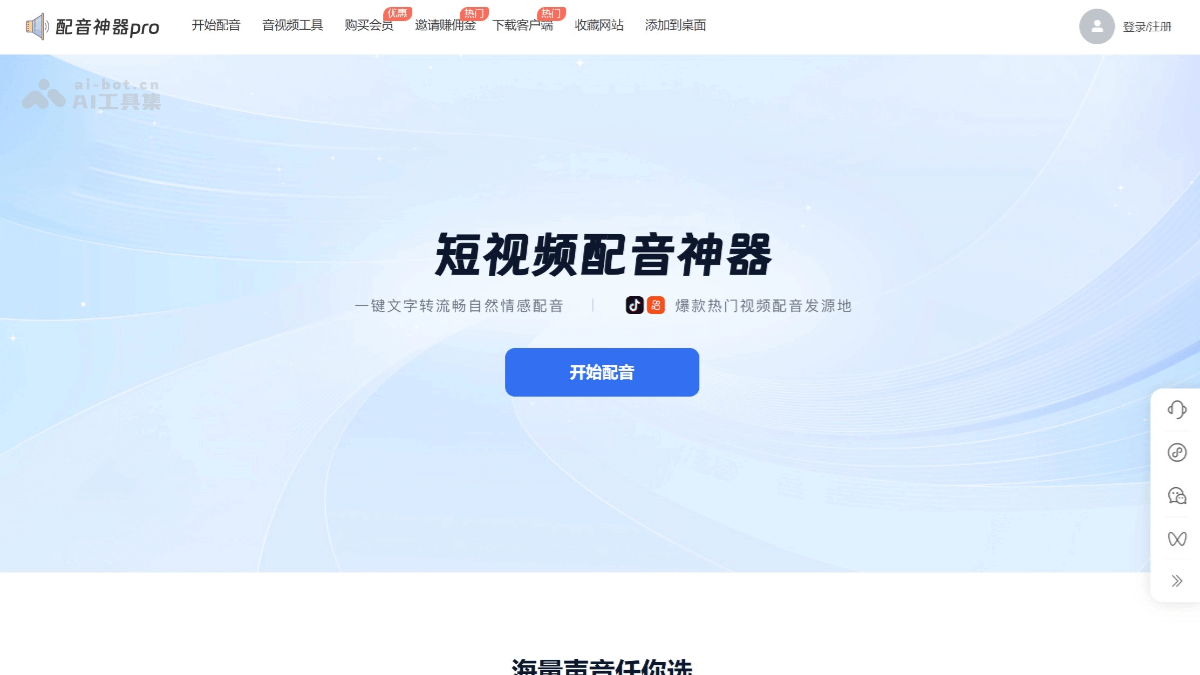
Main Features of Voiceover Master Pro
- Text-to-Speech: After users input text, the software can quickly convert it into speech, supporting multiple languages and dialects to meet the needs of different scenarios.
- Rich Voice Library: Provides a variety of voice options, including male voices, female voices, child voices, loli voices, uncle voices, etc. Each voice can also adjust speech rate, pitch, and volume to achieve personalized voiceovers.
- Audio Editing Function: Supports audio clipping, splicing, noise reduction, adding sound effects, and other operations. Users can finely adjust generated voiceovers to improve audio quality.
- Background Music Addition: Background music can be added to voiceovers, with support for adjusting the volume ratio, making works more engaging.
- Real-Time Preview and Adjustment: During the voiceover process, users can preview the effect in real time and adjust parameters such as voice and speech rate at any time to ensure the final effect meets expectations.
- Intelligent Emotion Recognition: Recognizes emotion tags based on text content and automatically adjusts the intonation and rhythm of the voiceover, making it more natural and engaging.
- Multi-Format Export: Supports export in multiple audio formats, such as MP3, WAV, etc., making it convenient for users to use on different platforms.
- Cloud Storage and Sharing: Users can store works in the cloud for convenient viewing, editing, and sharing at any time.
- Batch Voiceover: Supports batch importing text and generating voiceovers, greatly improving creation efficiency.
- Multi-Scenario Adaptation: Suitable for multiple scenarios such as short videos, film and television commentary, advertising voiceovers, audiobooks, etc., meeting the needs of different users.
How to Use Voiceover Master Pro
- Download and Installation: Voiceover Master Pro'sofficial website, choose the corresponding version to download according to your device type (Windows, Mac, Android, iOS).
- Registration and Login: First-time use requires registering an account; existing accounts can log in directly.
- Create a Project: After logging in, create a new project and enter the project name (optional).
- Input Text: Enter or paste text in the text box, or batch import text files.
- Batch Import: If batch voiceovers are needed, click the "Batch Import" button and select multiple text files (such as TXT, Word documents, etc.); the software will automatically read the content.
- Select Voice and Parameters: Select a suitable voice from the voice library, and adjust parameters such as speech rate, pitch, volume, and emotion.
- Add background music (optional): Choose built-in or upload background music, and adjust the volume ratio.
- Preview and adjust: Click "Preview" to listen to the dubbing effect. If you are not satisfied, you can go back and adjust. You can use the software's audio editing features, such as cutting, splicing, and noise reduction.
- Export and save: After you are satisfied with the preview, click "Export", choose the format and path to save the audio, and you can also store it in the cloud.
- Share your work: Upload the dubbing work to social media or share it through other means.
Application scenarios of Dubbing Master Pro
- Short video creation: Suitable for self-media platforms such as Douyin and Kuaishou, it can quickly add vivid and interesting dubbing to videos, enhancing the appeal and viewing experience of the videos.
- Advertising production: Used for advertising promotional videos, product promotion videos, etc., providing high-quality dubbing services and enhancing advertising effects.
- Audiobooks: It can convert texts such as novels, fairy tales, magazines, and textbooks into audiobooks, meeting users' personalized listening needs.
- Corporate publicity: Suitable for corporate feature films, advertising promotion, engineering bid explanations, etc., providing professional dubbing support for corporate promotional content.
- Education and training: Used for recording teaching resources such as textbook content, electronic dictionaries, and e-books, helping to improve teaching effectiveness.
- Broadcasting and announcing: Suitable for broadcasting and announcements in places such as subways, stations, shopping malls, and schools, providing clear and natural voice announcements.