
What is PDFtoPDF
PDFtoPDF is a PDF conversion tool based on AI algorithms. It uses OCR technology to convert PDF scans or image files into editable text formats. PDFtoPDF's high-precision OCR technology can achieve recognition accuracy of up to 99.5%, preserving the formatting of the original document. Users do not need to manually enter or format text, improving document processing efficiency. PDFtoPDF is suitable for academic research, office automation, and many other scenarios, and can quickly convert paper documents or images into electronic documents for further editing and use.
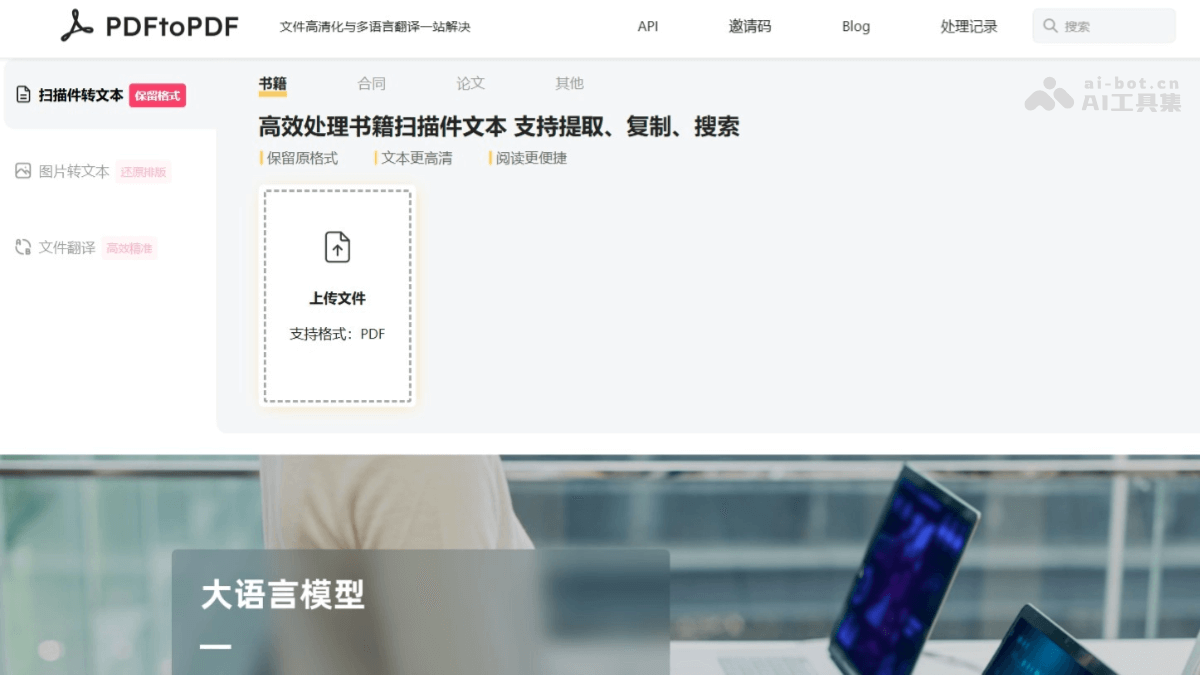
Main features of PDFtoPDF
- OCR text recognition:
- High-precision recognition: Uses high-precision OCR technology, with text recognition accuracy of up to 99.5%, and can quickly extract text from scans or images, saving 90% of wasted time.
- Multilingual support: Currently supports Simplified Chinese and English.
- Preserves the original file layout: While extracting text, it fully restores the layout of the original file, so users do not need to type and proofread character by character.
- Multi-platform support: Cross-platform use, supports mobile phones and computers, no need to download any software, convenient and fast, and allows file processing anytime, anywhere.
- File compression: While extracting text, PDF files are highly compressed, saving storage space.
- Multilingual translation: Supports file translation, including but not limited to Chinese, English, and Japanese.
PDFtoPDF official website address
- Official website address:pdftopdf.ai
PDFtoPDF application scenarios
- Academic research: Researchers can quickly convert scanned literature into editable text formats, making it convenient for literature reviews, data analysis, and paper writing‘’
- Corporate office work: Business professionals can efficiently convert scanned paper contracts, reports, and other documents into electronic documents, making them easy to archive, edit, and share, improving office efficiency.
- Education field: Teachers can convert scanned teaching materials, exam papers, and other documents into electronic versions, making it convenient to create courseware, edit exam papers, and conduct online teaching.
- Language learning: Language learners can convert scanned foreign-language texts into electronic documents and use the translation function to quickly translate them into the target language, helping them understand the content and improving learning efficiency.
- Personal document management: Individual users can scan various paper documents (such as invoices, certificates, notes, etc.) and convert them into electronic documents for easy storage, search, and backup, saving physical storage space.