
What is PDF2Audio
PDF2Audio is an open-source tool that can convert PDF documents into audio content, suitable for creating podcasts, lectures, or summaries. It generates podcast scripts based on OpenAI's GPT models and converts them into audio through text-to-speech technology. Users can deploy it locally or on cloud services, or experience it through an online Demo. It supports multiple languages and customization options, including text generation models and voice styles. The project can be found on GitHub, and the online Demo can be accessed on the Hugging Face platform.
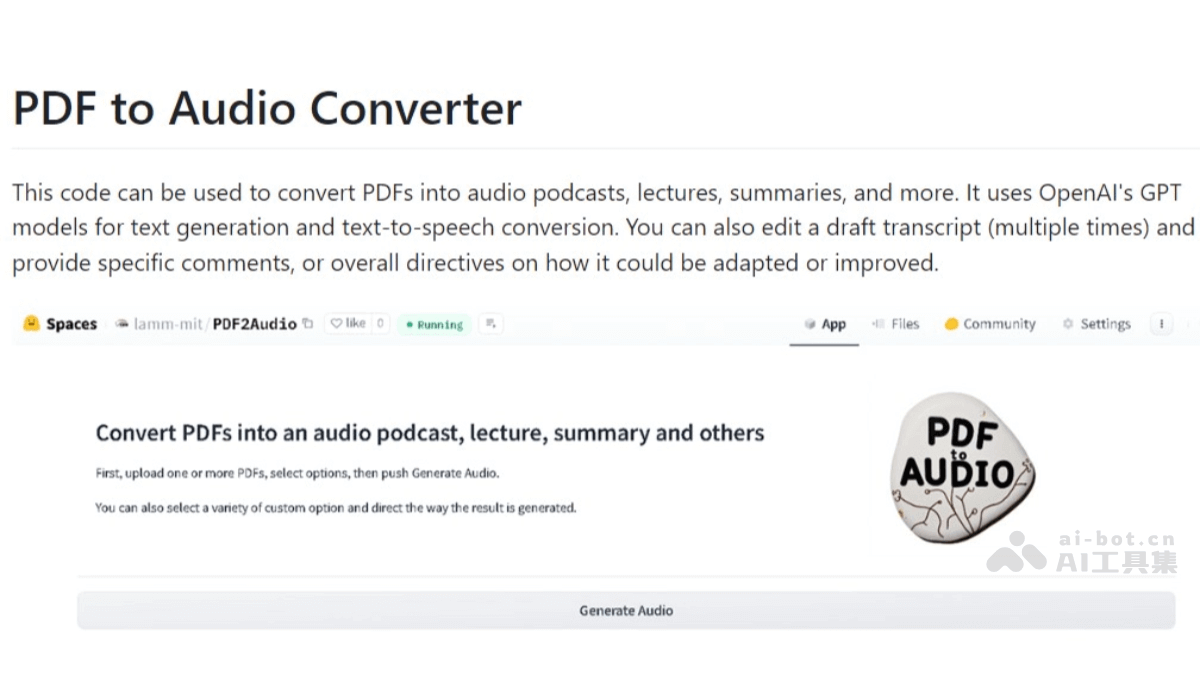
Main features of PDF2Audio
- PDF to text: Converts PDF documents into a processable text format.
- Generate podcast scripts: Uses GPT models to generate dialogue-style scripts suitable for podcasts based on text content.
- Text-to-speech conversion: Converts the generated podcast scripts into audio files through TTS technology.
- Multiple language support: Supports generating audio content in multiple target languages from the source language.
- Advanced editing features: Allows users to annotate, add comments to, and make specific modifications to the generated text.
- Batch processing: Supports uploading multiple PDF files at the same time for batch audio conversion.
- Content templates: Provides a variety of content templates, such as podcasts, lectures, summaries, etc., to suit different scenarios.
- Personalization options: Users can choose different GPT text generation models and TTS models, as well as multiple voice styles and timbres.
PDF2Audio project address
- Github repository:https://github.com/lamm-mit/PDF2Audio
- Online Demo experience address:https://huggingface.co/spaces/lamm-mit/PDF2Audio
How to install and deploy PDF2Audio
To install and deploy PDF2Audio, you can follow these steps:
- Clone the repository: Use Git to clone the PDF2Audio GitHub repository to your local machine.
git clone https://github.com/lamm-mit/PDF2Audio.git cd PDF2Audio - Install the Python environment: It is recommended to use Python 3.9 or later, and use the conda environment manager to create a new virtual environment.
conda create -n pdf2audio python=3.9 conda activate pdf2audio - Install dependencies: Install the Python third-party libraries required by the project.
pip install -r requirements.txt - Configure API KEY: Create a
.envfile in the project root directory, and configure your OpenAI API KEY.OPENAI_API_KEY=your_api_key_here - Run the project: Use the following command to start the Gradio interface. After starting, visit
http://127.0.0.1:7860in your browser to use it.python app.py
How to use PDF2Audio
- Access the application:For local deployment, open your browser and visit
http://127.0.0.1:7860。You can also use the online Demo experience - Upload PDF files:In the application interface, find the upload button and select the PDF file you want to convert.You can upload one or more PDF files.
- Select a template:Choose an appropriate template according to the type of audio content you want to generate. Templates may include podcasts, lectures, summaries, etc.
- Custom settings(optional):If needed, you can customize the text generation and audio models.Choose different voice options to meet different listening experiences.
- Generate audio:Click the "Generate audio" button.The application will process the uploaded PDF file and generate audio content based on the selected template and settings.
- Download or play the audio:Audio generation is complete; you can play or download the audio file.
Use cases of PDF2Audio
- Education and Learning: Teachers can convert lecture notes or textbooks into audio, making it convenient for students to study while commuting or relaxing.
- Podcast Production: Content creators can use PDF2Audio to convert scripts or articles into podcasts, expanding content formats.
- Business and Product Presentations: Convert product manuals or business reports into audio, making it convenient for clients to learn information while driving or doing other things.
- Audiobooks: Convert e-books or articles into audiobooks and provide them to readers who enjoy listening to books.
- Language Learning: Language learners can use it to dictate textbooks or articles to improve listening and pronunciation.
- Information Consumption: For those who prefer listening over reading, PDF2Audio allows various document contents to be consumed in audio form.
- Accessibility: For visually impaired individuals, PDF2Audio can provide a more accessible way to obtain document information.