
What is Page Agent
Page Agent is an open-source pure front-end JavaScript agent library from Alibaba. By embedding it into a web page with a single line of code, it lets users control page DOM elements using natural language. The client library uses DOM dehydration technology to compress complex pages into a streamlined text tree, supports any OpenAI-compatible model, and enables interactions such as clicking, form filling, and scrolling without a backend, screenshots, or browser extensions. It is ideal for quickly adding AI copilot functionality to your own web applications.
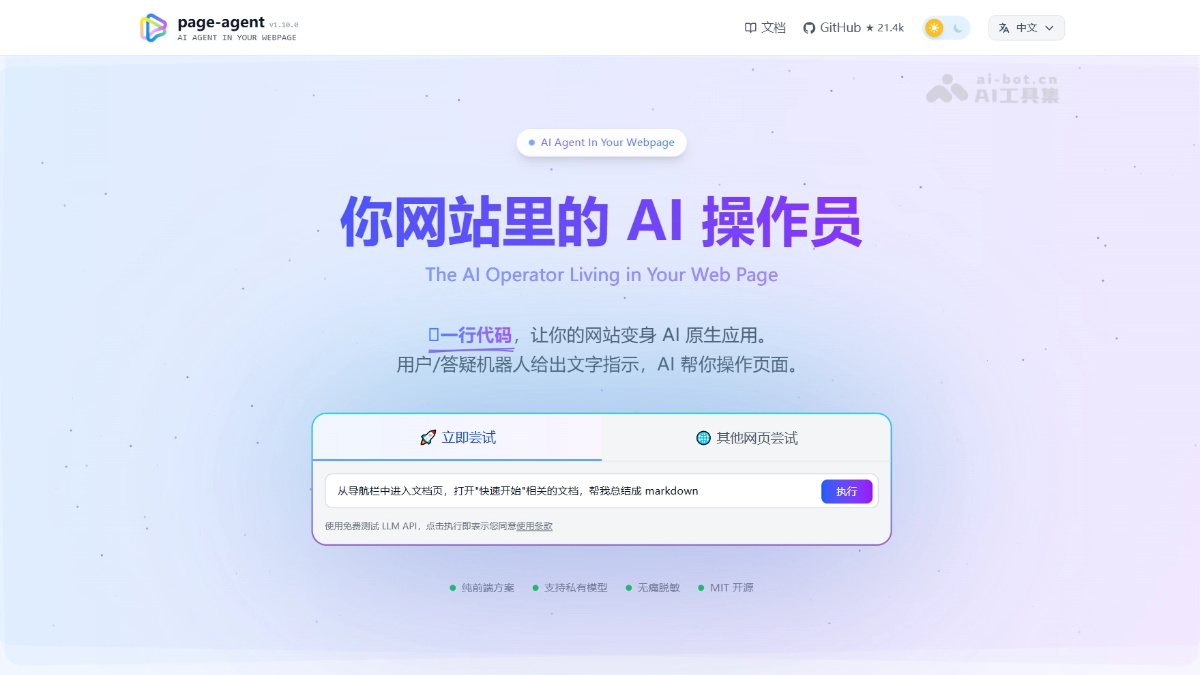
Page Agent's main features
- Natural language page control: Users input instructions such as click the login button or fill out the form, and the AI automatically locates and performs DOM operations
- DOM dehydration compression: Compresses complex page structures into a FlatDomTree text tree, extracting only interactive elements to reduce model input costs
- Model-agnostic architecture: Supports any OpenAI-compatible endpoint (such as Qwen, GPT, etc.); only baseURL and API Key need to be configured
- Built-in security controls: Supports operation whitelists, data masking for sensitive fields, manual confirmation for critical operations, and custom domain knowledge injection
- Single-page interaction loop: Completes operations such as clicking, inputting, and scrolling within a single page, with no backend service or browser extension required
Page Agent's technical principles
- DOM Dehydration: Scans the page DOM, assigns an index, role, and label to each interactive element, strips redundant markup, and generates a compact text representation for the model to understand.
- PageController architecture: The core controller is responsible for updating the DOM tree and performing atomic operations such as element clicks, text input, and page scrolling.
- Monorepo package design:
@page-agent/coreis responsible for headless agent logic,page-agentprovides the complete UI panel,@page-agent/page-controllerhandles DOM extraction and indexing. - Client-side sandbox execution: Runs directly in the user's browser session, inheriting Cookies, Sessions, and authentication state, with no additional backend required.

Follow WeChat and reply “open source” to join theAI open-source project communication group
How to use Page Agent
- Quick trial: Insert one line of
<script>tag into the web page to import Page Agent's IIFE demo script and activate the AI control panel on the page. - Install dependencies: In a production environment, use
npm install page-agentto install the dependency package and import it into your front-end project. - Create an instance: Use
new PageAgent()to create an instance and configure parameters such as model, baseURL, and apiKey to point to your OpenAI-compatible model endpoint. - Execute instructions: Call
agent.execute('你的自然语言指令')to let the AI parse the instruction and automatically locate elements in the page DOM and perform operations such as clicking or inputting. - Security Configuration: Optional configuration of an operation whitelist, data masking rules, and critical operation confirmations to ensure AI behavior meets security and business requirements.
Core Advantages of Page Agent
- Zero Backend Modification: Embed a single line of script, with no need to rewrite the backend or distribute a browser extension.
- Low-Cost Operation: Only the textual DOM structure is transmitted, with no need for multimodal vision models, significantly reducing token consumption.
- Native Security Inheritance: The page's existing UI validation and permission rules remain in effect, and sensitive data can be masked.
- Model Agnostic: Supports any OpenAI-compatible endpoint; switching models only requires changing the baseURL.
- MIT Open Source: Written in TypeScript, with fully open code that can be freely customized.
Page Agent Project Address
- Project Website:https://alibaba.github.io/page-agent/
- GitHub Repository:https://github.com/alibaba/page-agent
Comparison of Page Agent with Similar Competing Products
| Dimension | Page Agent | Playwright |
|---|---|---|
| Running Location | Inside the page (client-side JavaScript) | External process (Node.js/Python/.NET) |
| Page Reading | Dehydrated text DOM (FlatDomTree) | Direct browser DOM access via the CDP protocol |
| Interaction Method | Driven by natural language instructions | Precise control via code scripts |
| Model Dependency | Requires an LLM to parse instructions | No AI model required; pure rule-based execution |
| Deployment Method | Embed a single line of <script> or npm installation |
Install browser driver + runtime environment |
| Authentication State | Automatically inherits the user's browser Cookie/Session | Requires manual context configuration or login process |
| Visual Capabilities | None; pure text DOM | Supports screenshots, visual comparison, and screen recording |
| Cross-Page Capabilities | Mainly single-page; cross-tab requires a Chrome extension | Native support for multiple tabs, multiple windows, and multiple browsers |
| Applicable Scenarios | Adding an AI copilot to an existing web application | End-to-end automated testing, cross-site crawlers |
| Learning Cost | Low; users can use natural language | Medium; requires writing selectors and scripts |
Application Scenarios of Page Agent
- SaaS Product AI Copilot: Embed an assistant in your own product to directly help users perform operations rather than only providing text guidance.
- Smart Form Filling: Compress multi-step ERP/CRM forms into a single instruction, such as "submit yesterday's 50 yuan lunch travel reimbursement".
- Accessibility: Combine with the Web Speech API to implement voice-controlled web pages, improving the operating experience for visually impaired users.
- Legacy System Modernization: Add a natural language command bar to old systems without APIs, with no need to modify the original code.