
What is opera-browser-cli
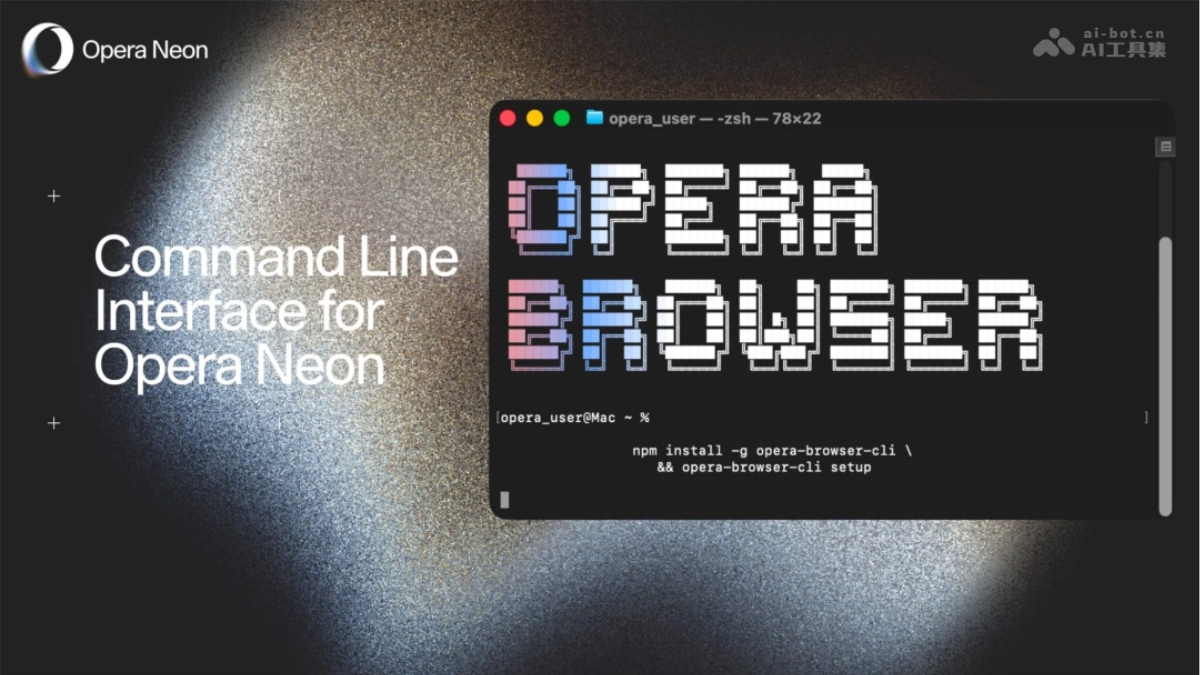
opera-browser-cli is Opera Neon an open-source command-line tool launched by, built on a wrapper around opera-devtools, supporting local AI agents (such as Claude Code) to directly control the browser through the terminal. opera-browser-cli requires no cloud relay or complex authentication, and installation can be completed with two commands, allowing AI to evolve from a "question-and-answer tool" into a digital assistant capable of running web tests, scraping data, and generating web applications, marking the browser's formal entry into the AI Agent era.
Main features of opera-browser-cli
-
Terminal-driven browser: Open web pages, capture page snapshots, and execute automated operations via the command line.
-
AI agent commands: Supports Opera Neon-exclusive AI features such as Do, Make, and Research, and can directly generate web applications.
-
Web testing and data scraping: Local AI agents can automatically run tests, scrape web data, and handle online forms.
-
Automated integration: Automatically configures SKILLs for Claude Code, ready to use out of the box.
-
Comprehensive browser control: Provides 38 commands, covering scenarios such as navigation, screenshots, element operations, and AI generation.
How to use opera-browser-cli
- Environment preparation: Ensure the system has Node.js ≥ 20 and npm installed; Windows users need to confirm PowerShell version 7.0 or above.
- Installation and configuration: Run in the terminal
npm install -g opera-browser-cli && opera-browser-cli setupto complete global installation and initialization. - Launch the browser: Run
opera-browser-cli open https://operaneon.comto drive Opera Neon to open the target web page. - Execute operations:
- Use
opera-browser-cli snapshotto capture a snapshot of the current page for AI to analyze the page content. - Via
opera-browser-cli make "create a web app..."to call AI to directly generate a web application.
- Use
Core advantages of opera-browser-cli
-
Local direct connection, zero cloud relay: Directly binds to local port 9224 to run, requiring no cloud authentication or complex MCP configuration, greatly reducing latency and token consumption.
-
No OAuth authentication required: Unlike other solutions, you can use it directly after logging in to Opera Neon, eliminating the cumbersome authorization process.
-
Tool-agnostic, platform-unrestricted: Any AI agent or tool that supports CLI can call it, and it is not tied to specific platforms such as Claude Code.
-
More comprehensive features: Fully covers the chrome-devtools-mcp interface, while also exclusively supporting Opera Neon's three major AI agent commands: Do, Make, and Research.
-
Open-source, lightweight, one-click start: Fully open-source on GitHub; installation is completed with two commands in a Node.js environment, and the script automatically configures SKILLs.
opera-browser-cli project address
- GitHub repository:
- https://github.com/operasoftware/opera-browser-cli
- https://github.com/operasoftware/opera-devtools-mcp
Comparison of opera-browser-cli with similar competing products
| Comparison dimension | opera-browser-cli | Vercel Agent Browser | chrome-devtools-mcp | Playwright / Puppeteer |
|---|---|---|---|---|
| Positioning | Opera Neon-exclusive, AI Agent directly controls the browser | General-purpose AI Agent browser control CLI | MCP wrapper for Chrome DevTools | Developer automated testing framework |
| Technical architecture | Based on opera-devtools, direct local connection via port 9224 | Built with Rust, Client-Daemon architecture | Standard MCP based on the CDP protocol | Node.js library, requires writing scripts to call |
| AI-specific optimizations | ✅ Built-in Do/Make/Research AI agent commands | ✅ Accessibility ref system, 82.5% reduction in tokens | ❌ Standard DevTools interface only | ❌ Requires wrapping your own AI calling layer |
| Installation method | npm install -g opera-browser-cli |
npm install -g agent-browser |
Requires MCP server configuration | npm install playwright |
| Authentication requirements | No OAuth required, ready to use once logged into Opera Neon | No authentication required | Requires MCP server authentication configuration | No authentication required |
| Number of commands | 38 (including Neon-exclusive AI commands) | Core navigation/interaction/snapshot commands | Covers standard DevTools interfaces | Complete browser API, requires code to call |
| Session persistence | Supported | Automatically managed by the Daemon | Depends on the MCP server | Requires manual management of BrowserContext |
| Open-source license | Open source (GitHub) | Apache 2.0 | Open source | MIT(Playwright)/ Apache(Puppeteer) |
| Use cases | Local AI agent + Opera Neon browser automation | General browser control for multilingual AI Agents | Browser tools compatible with standard MCP | Automated testing, web scraping, RPA |
Use cases for opera-browser-cli
-
AI automated testing: Let a local AI agent automatically run web functionality tests, with no need for manual page-by-page operation.
-
Intelligent data scraping: AI directly controls the browser to scrape dynamic web data and generate structured reports.
-
Rapid prototyping: Through the
makecommand, let AI directly generate a runnable web application based on a natural language description. -
Online form processing: Automatically fill out and submit complex forms, completing repetitive tasks such as ticket booking and registration.
-
Browser automation workflows: Combine with tools such as Claude Code to build end-to-end automated development workflows.