
What is OpenUtau
OpenUtau is an open-source singing synthesis tool compatible with UTAU voicebanks and resamplers, supporting VSQX import, multilingual interface, and pre-rendering features, helping creators quickly preview their work and save time. OpenUtau's modern interface and rich editing features, such as phonemizer, vibrato editor, etc., make music creation more intuitive and efficient. OpenUtau supports Windows, macOS, and Linux systems, ready to use out of the box, suitable for music creators and singing synthesis enthusiasts.
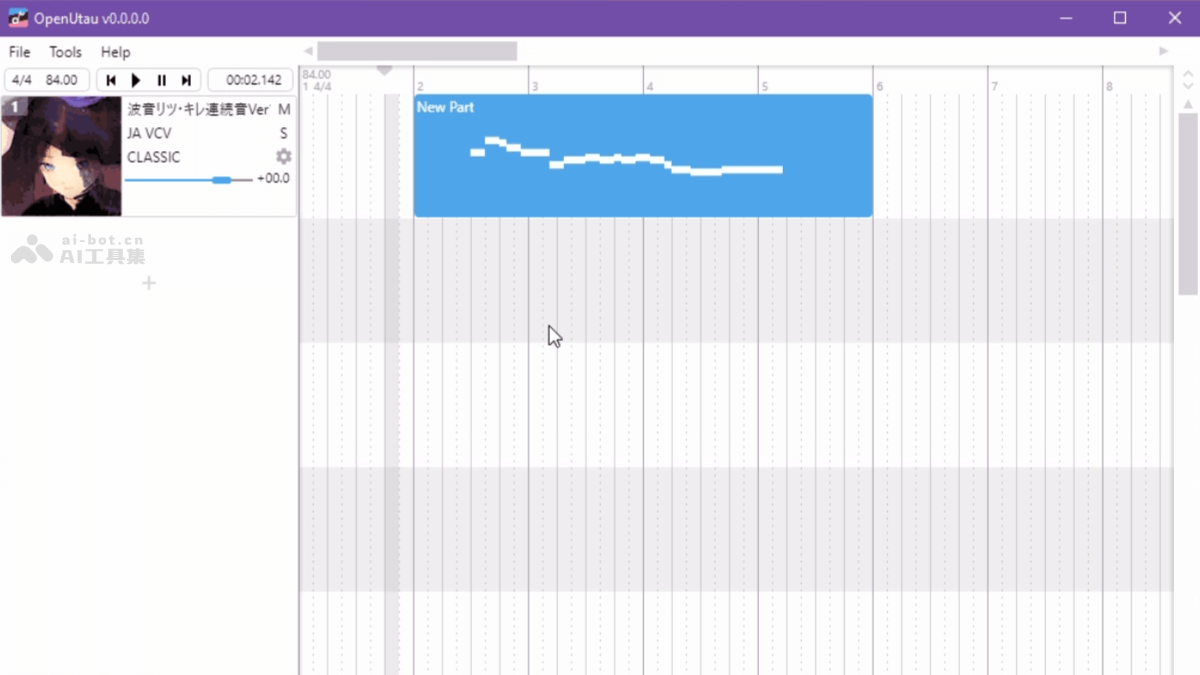
Main features of OpenUtau
- Modern interface: Supports mouse, scroll wheel, and keyboard shortcuts, providing a smooth MIDI editing experience.
- Strong compatibility: Supports UTAU voicebanks, resamplers, and VSQX format import.
- Advanced editing: Features phonemizer, vibrato editor, and expression panel, supporting multiple languages and various phoneme systems.
- Pre-rendering and real-time preview: Background rendering saves time, making the creative process more efficient.
- Multilingual support: Automatically adapts to system language, no need to change settings.
- AI voicebank support: Compatible with AI singers such as ENUNU, expanding creative possibilities.
- Cross-platform operation: Supports Windows, macOS, and Linux, ready to use out of the box.
- Plugin system: Flexible plugin interface for easy feature expansion.
How to use OpenUtau
- Visit the GitHub Releases page: Go to the OpenUtau GitHub Release page.
- Download the latest version:
- Windows: Download the .zip file, extract it, and run OpenUtau.exe.
- macOS: Download the .dmg file, drag it to the Applications folder.
- Linux: Download the .AppImage file, grant execute permission, and run it.
- Configure voicebanks: Download UTAU voicebanks (usually in .zip format) from reliable sources.
- Import voicebanks: Open OpenUtau, click Tools > Singers in the menu bar. Click Add, select the downloaded voicebank folder, and complete the import.
- Install resamplers:
- Download resamplers: Common resamplers include Moresampler or WORLDLINE-R (built-in).
- Configure resamplers: Copy the downloaded resampler files (such as wavtool.exe and resamp.exe) to OpenUtau's Resamplers folder. In OpenUtau, configure the default resampler based on Tools > Resamplers.
- Create a new project: Open OpenUtau, click File > New, and create a new project. Select the voicebank and resampler, and set the project's basic parameters (such as key, tempo, etc.).
- Edit the song:
- Enter lyrics: In the editing interface, click the Lyrics column to enter the lyrics content.
- Adjust pitch: In the piano roll, adjust the pitch by dragging notes with the mouse.
- Edit phonemes: Use the phonemizer to convert lyrics into a phoneme sequence, and adjust the pronunciation and transitions of phonemes with the phoneme editor.
- Add vibrato: Use the vibrato editor to add vibrato effects to the singing, enhancing expressiveness.
- Adjust Expression: Use the expression panel to adjust parameters such as pitch and intensity based on curves to optimize the singing effect.
- Preview and Rendering:
- Real-time Preview: During editing, click the play button, and OpenUtau previews the rendered singing voice in real time.
- Full Rendering: After editing is complete, click the Render button to render the project as an audio file (such as WAV or MP3).
- Export and Share: After rendering is complete, click File > Export, and select the export format and save path. Share the exported audio file on social media, music platforms, or with friends.
OpenUtau Project Address
- Project Official Website:https://www.openutau.com/
- GitHub Repository:https://github.com/stakira/OpenUtau
OpenUtau Application Scenarios
- Personal Music Creation: Suitable for independent musicians and enthusiasts to quickly create songs, synthesize virtual singing voices, and realize musical ideas.
- Community Creation and Sharing: Compatible with the UTAU and VOCALOID ecosystems, convenient for community creators to use, and supports sharing voicebanks and resamplers.
- Animation and Video Soundtracks: Create background music or theme songs for animations, short videos, advertisements, etc., to enhance the appeal of the work.
- Audio Experimentation and Education: Used for audio experiments to explore the impact of different parameters on singing voice synthesis.