
What is OpenCreator
OpenCreator is a one-stop AI video creationcanvas designed for content creators. The platform integrates over 20 Gen-AI models, handling everything from scriptwriting, image generation, video production, voiceover, and music addition to editing, all in one place. A single inspiration can automatically generate a script, storyboard, and poster, all the way to the final video. OpenCreator supports one-click batch generation of multiple versions, greatly improving creation efficiency. Both beginners and professionals can easily get started and quickly generate high-quality video content, making creation simple and efficient.
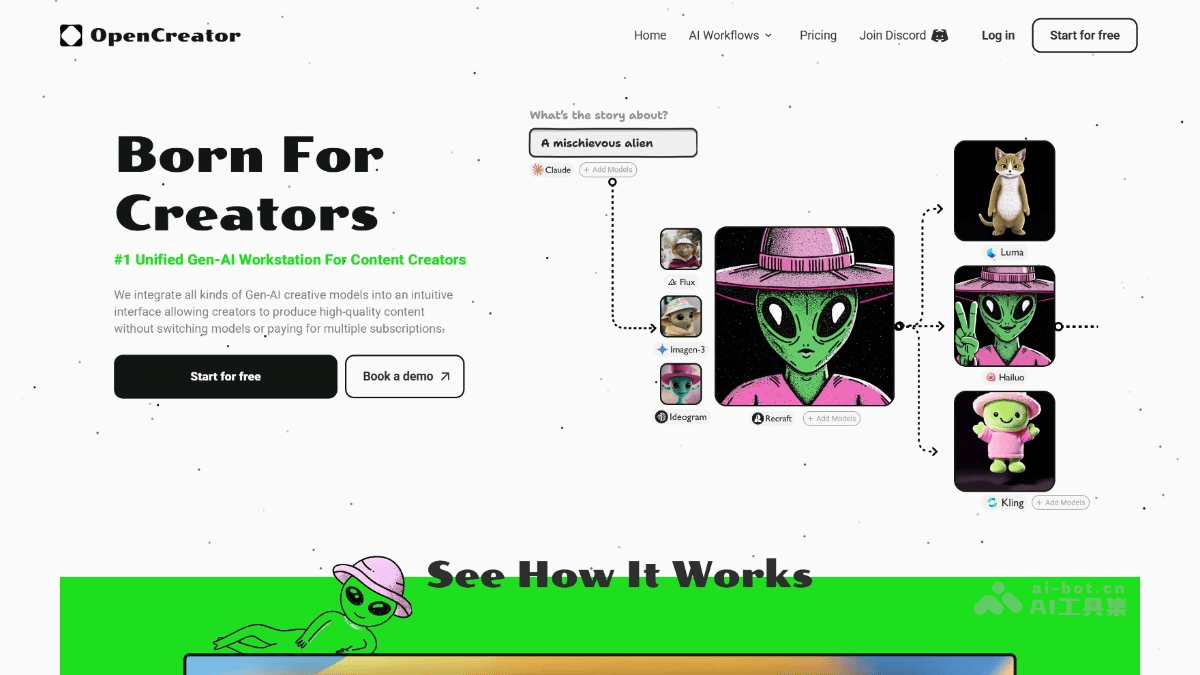
OpenCreator's Main Features
- Script Generation: Input an idea or theme, and AI automatically generates a detailed script, including dialogue, scene descriptions, etc.
- Storyboard Design: Automatically generates a storyboard script based on the script, helping creators quickly plan the video structure.
- Video Generation: Converts the script and storyboard into actual video footage, supporting multiple styles and scenes.
- Voiceover and Music: Provides intelligent voiceover functionality, generating natural and smooth voice narration; also supports one-click addition of background music to match the video style.
- Video Editing: Built-in powerful editing tools, supporting fine editing without switching to other software, maintaining creative continuity.
- Integration of Multiple AI Models: Integrates over 20 top Gen-AI models, covering text generation, image generation, video generation, etc.
- One-Click Comparison: Users can quickly compare generation results from different models, choose the most suitable option, and improve creation efficiency.
- Inspiration Expansion: Starting from a core idea, AI can generate various derivative content, such as scripts, posters, peripheral designs, etc.
- Batch Generation: Supports one-click generation of multiple versions of videos, meeting different scenarios and needs, greatly improving creation efficiency.
- Pay-as-You-Go: Users only pay for the models actually used, with no subscription fees and no markups.
How to Use OpenCreator
- Register and Log In: Visit the OpenCreator official website:https://opencreator.io/,完成账号注册并登录。
- Choose a Template or Create a New Project: Choose a preset template to get started quickly, or click “New Project” to create a project from scratch.
- Select Blocks and Connect Them: Select blocks on the left side of the canvas, click and drag them onto the canvas, and connect the blocks through connection points.
- Compare & Run: Select multiple models in a block to compare results, and click “Global Run” for global execution or “Single-Block Run” for single-block execution.
- Select & Continue: Choose the best one from multiple generated results, and click the “Select & Continue” button to pass it to the next block.
- Find Your Assets: Click the “Assets” button on the homepage to view and manage previously generated output results at any time.
- Export and Share: After completing the editing, click “Export” to export the video, share it on social media, or save it locally.
OpenCreator's Application Scenarios
- Self-Media and Bloggers: Quickly generate high-quality video content, including scripts, visuals, voiceovers, and music, improving creative efficiency, suitable for platforms such as Douyin and Bilibili.
- Advertising Production: From creative conception to finished video, complete the production of advertising videos in one stop, suitable for brand promotion and product publicity.
- Educational Videos: Provide educators with tools to quickly generate instructional videos, including animations, explanatory voiceovers, and more, enhancing the learning experience.
- Corporate Promotional Videos: Quickly generate corporate introduction videos for scenarios such as official websites and exhibitions, enhancing corporate image.
- Product Demonstrations: Generate product demonstration videos to help customers better understand product features and advantages, improving sales conversion rates.