
What's still hot lately is still the lobster🦞.
Even though it's this hot, there are still many friends who are still at the stage of getting the lobster🦞, let alone raising the lobster🦞.
Tencent even rolled out on-site free installation of OpenClaw at the entrance of its campus. Providing a one-stop OpenClaw service from "installing" to "playing".

The ages of those deploying on-site ranged from 2 to 60 years old, and OpenClaw founder Peter even reposted Tencent's event.
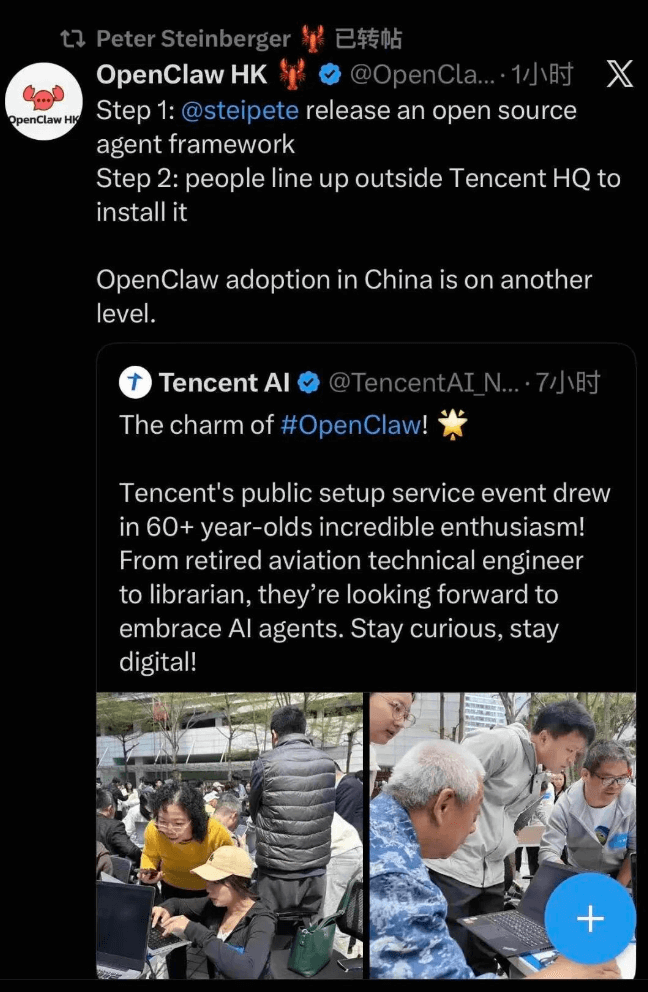
In a few hours, hundreds of lobsters were successfully born.

During my own deployment process, I really ran into a lot of blockers, which drove me crazy. It seems there is still some technical threshold needed, or rather, the requirements for the system/permissions during the installation process are something ordinary beginners can't understand, which causes the problem.
Below are the installation steps after consulting a technical expert, absolutely suitable for beginners.
If you still have questions, you can follow the official account and reply with the keyword: "OpenClaw", to join the communication group for installation, deployment, and usage discussions.

01. Environment Check and Installation
Mac System
Check and Install Node.js
If you have installed Node.js before, enter the following command in the terminal to check the version. It must meet version 22 or above.
node -v
If it is not installed, open the official website to download and install it:https://nodejs.org/zh-cn/download
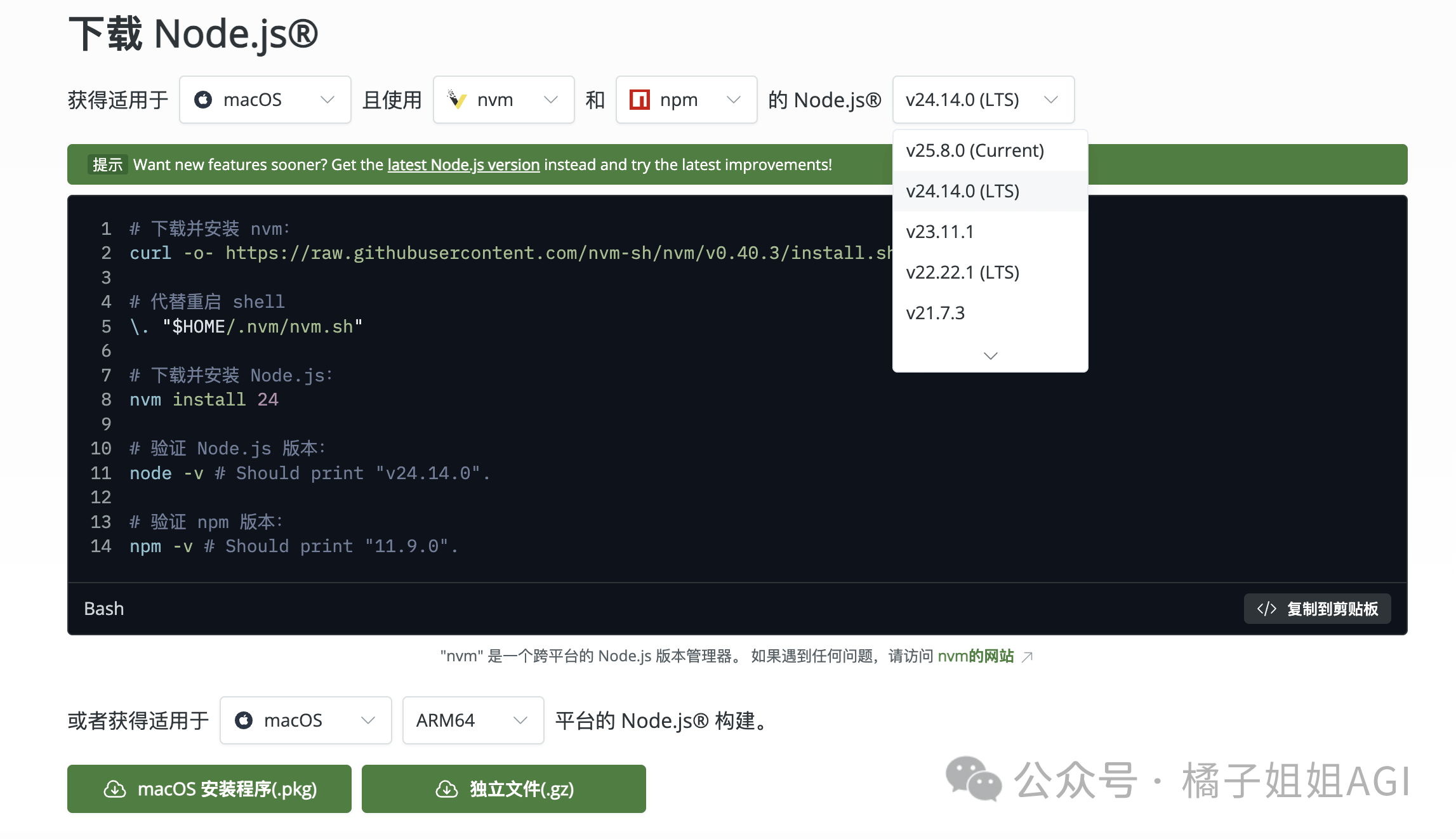
Then enter the above command again to check the version.
Check and Install Homebrew
Enter the check command
brew --version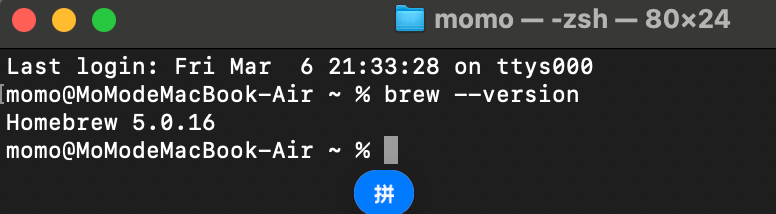
If a version number is displayed, it means it is already installed,
If it displays command not found: brew, it means it is not installed.
Then enter the following installation command: (directly use the domestic mirror, faster, and automatically configures environment variables)
/bin/zsh -c "$(curl -fsSL https://gitee.com/cunkai/HomebrewCN/raw/master/Homebrew.sh)"Press Enter, and it will prompt you to enter your Mac password (it is normal that it is not displayed while typing).
Choose a mirror as prompted; you can directly enter 1/2, and wait for the script to automatically complete all steps.
Then enter the above check command again to verify the Homebrew installation status. If the version number is output, the installation is successful.
Win System
Install WSL
Why install WSL?
Because OpenClaw itself does not support the Win system; installing WSL is equivalent to setting up a Linux system for you.
Search for PowerShell, right-click and select Run as administrator.
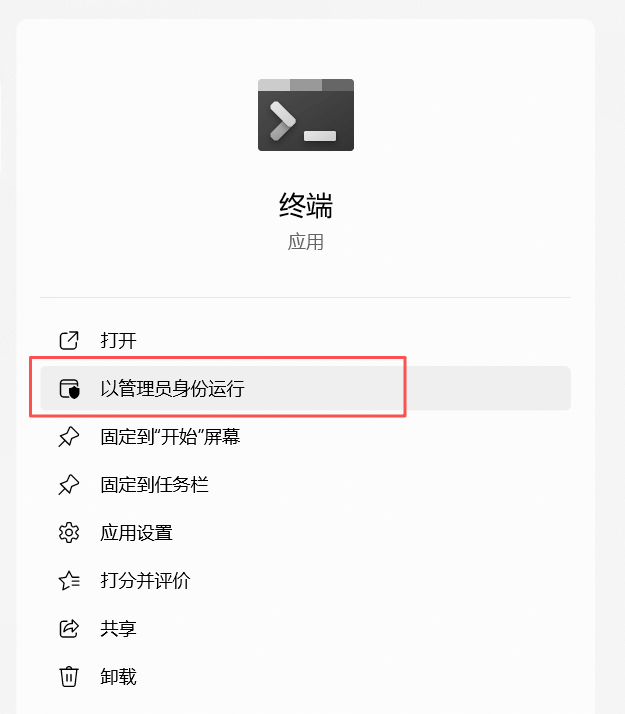
When a prompt pops up asking to allow the app to make changes to your device, select: Yes.
Enter the installation command
wsl --install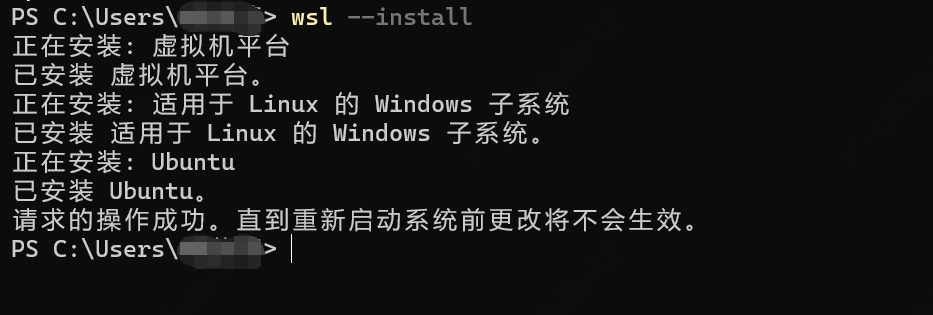
It will automatically download and install WSL2 and Ubuntu (a Linux system),Note⚠️After installation, you need to restart your computer.
After restarting the computer, a window for setting up Ubuntu will automatically pop up. Just set a simple username and password that you can remember.
If the window looks like this, it is correct.
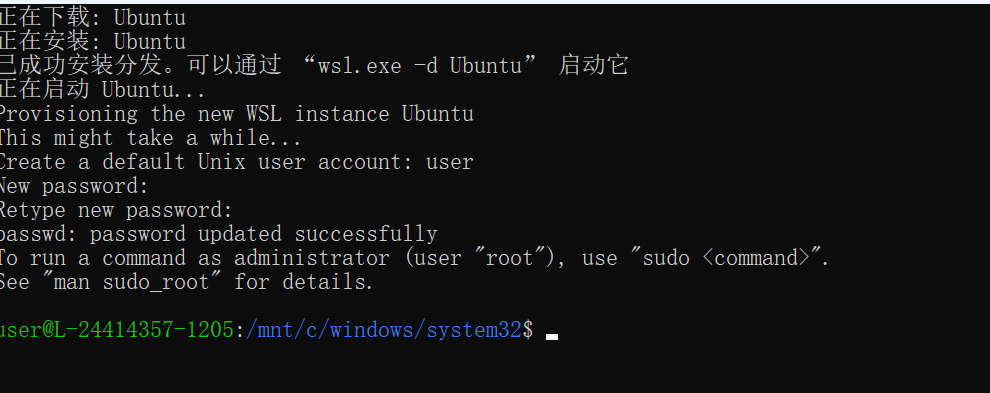
Then search for Ubuntu and open it; subsequent command interactions will be performed here.
Install Node.js
Here you need to install Node.js in WSL. The one installed before will most likely not take effect here.
Download the installation package from the official website.
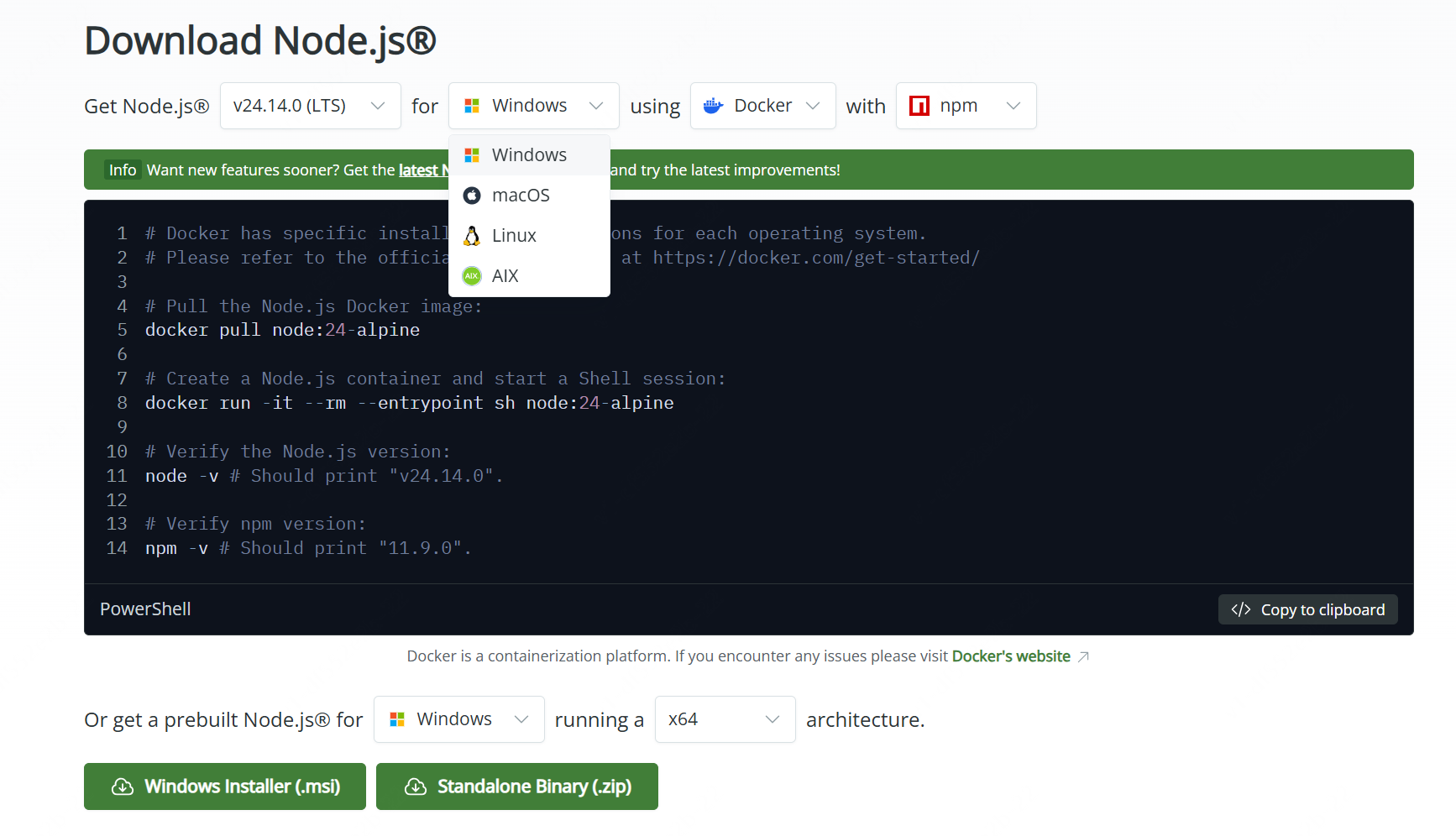
Then enter the commands in Ubuntu one by one
sudo apt updatecurl -fsSL https://deb.nodesource.com/setup_22.x | sudo -E bash -sudo apt install -y nodejsAfter completion, enter the command to verify the installation status
node -vIf you see the version number, it means it was successful.

Once the above is ready, you can start installing OpenClaw.
02. Install OpenClaw
Installation Command
MacOS:
Enter the officially recommended command:
curl -fsSL https://openclaw.ai/install.sh | bash
If you encounter the same insufficient permissions issue as I did below during installation
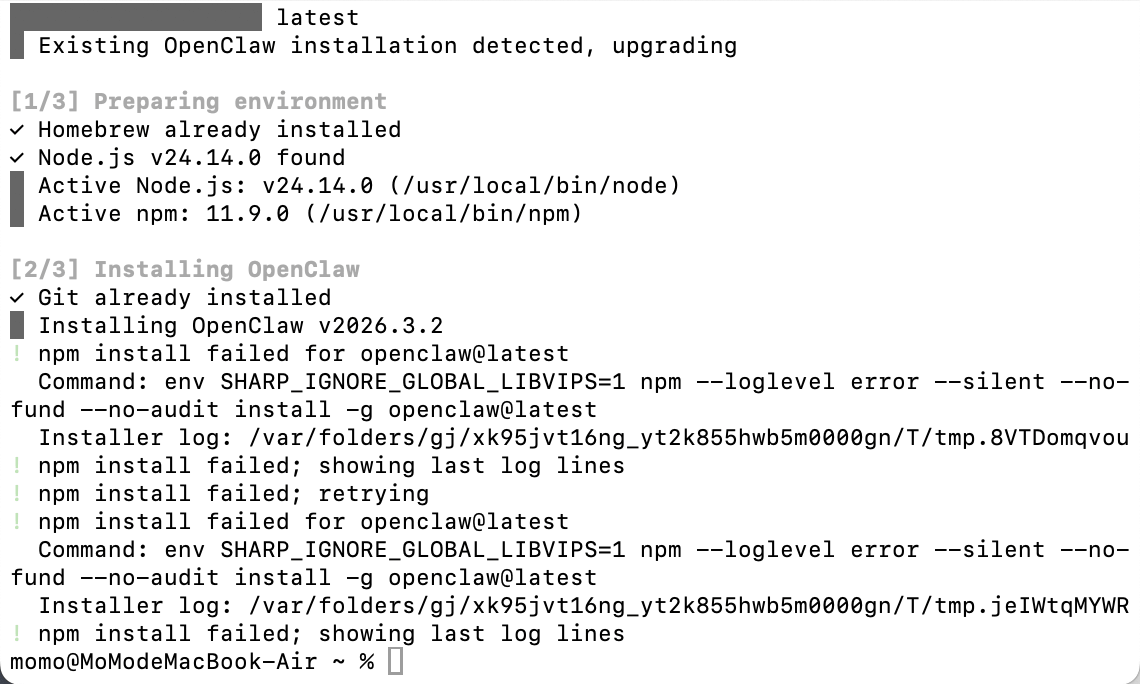
You can solve it by entering the commands below, execute them in order, then run the installation command.
sudo chown -R $(whoami) /usr/local/lib/node_modulessudo chown -R $(whoami) /usr/local/binsudo chown -R 501:20 "/Users/换成你的用户名/.npm"If it still doesn't work, here's another recommended method: first install nvm and manage it with nvmnpm, then run the installation command.
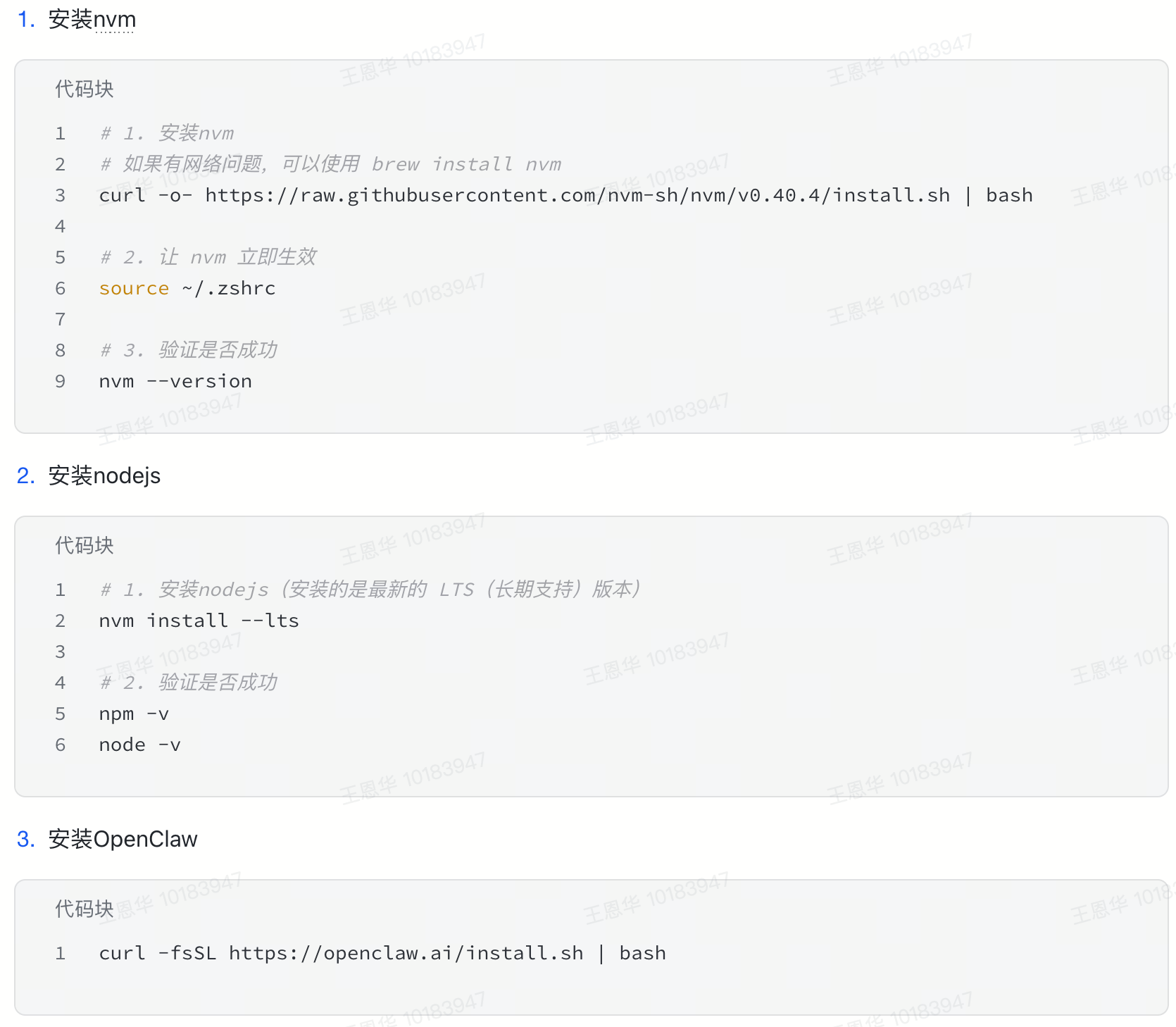
Windows:
Enter the officially recommended command:
iwr -useb https://openclaw.ai/install.ps1 | iexAfter successful installation, the configuration wizard will open automatically. The choices in the configuration wizard don't differ by system; they're universal.
Configuration choices
If you see this page, the installation was successful. Continue selecting the configuration.
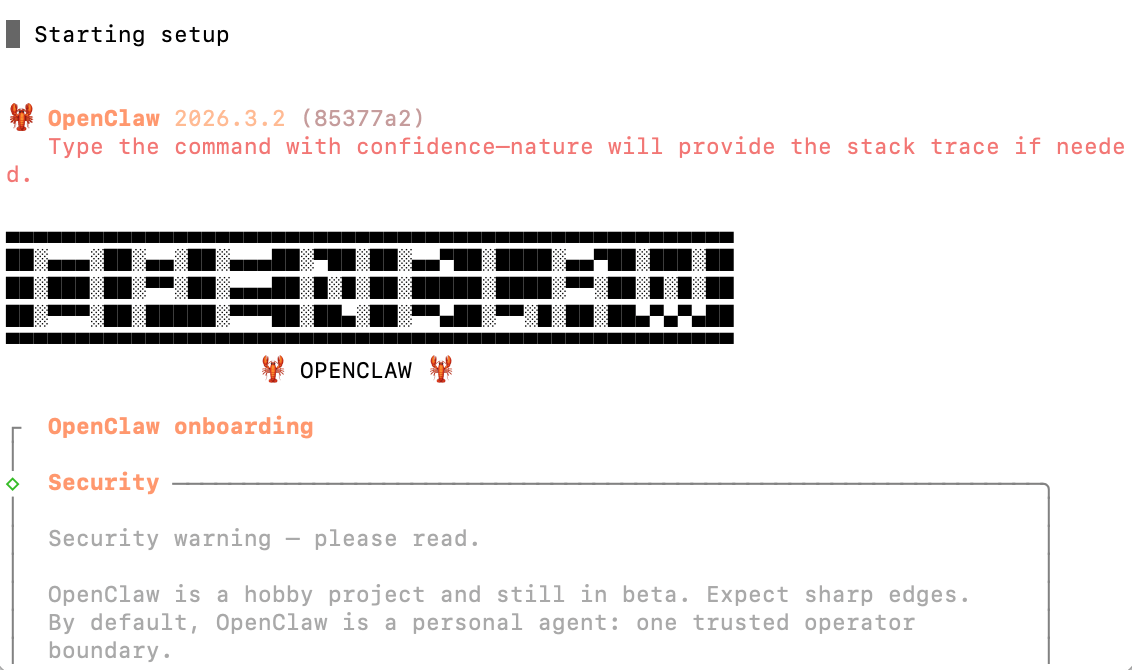
Next:
1.Choose: Yes

2.Choose: QuickStart
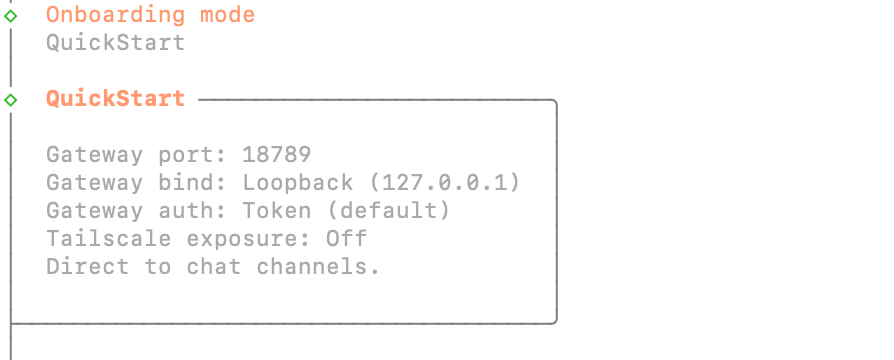
3.Model API configuration: choose the provider for which you have a model API, or you can choose Skip to skip it. Later you can reconfigure by entering the command openclaw onboard, or modify it in the local json file.
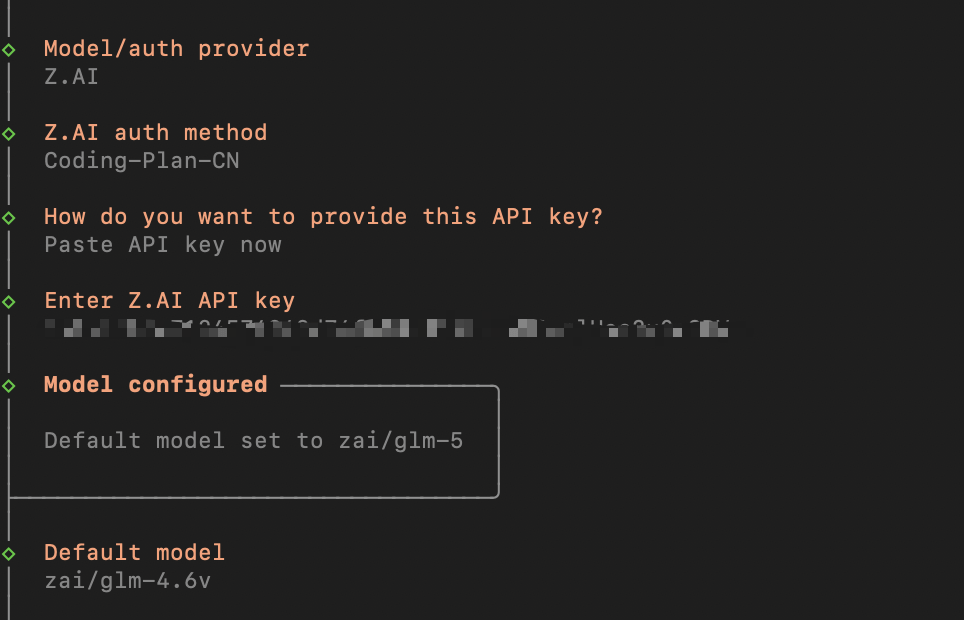
4.Configure chat channel: Feishu is recommended now. If you're not sure, you can skip it for now. After installation you can reconfigure via openclaw channels add. You can also have Lobster help you connect it.
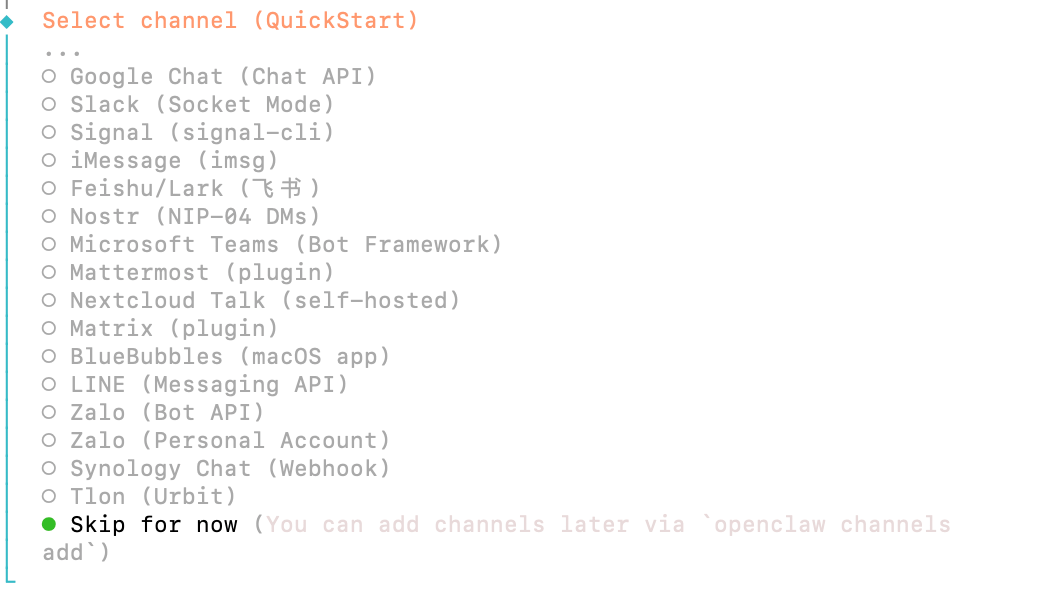
5.Skills configuration: choose Yes, then press Enter, use space to select skip, then press Enter again.
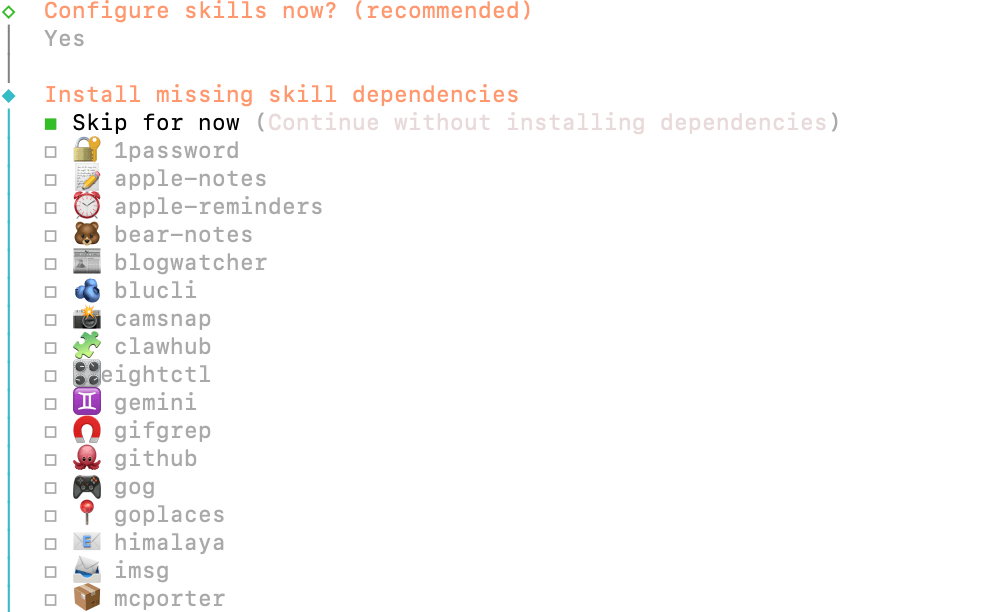
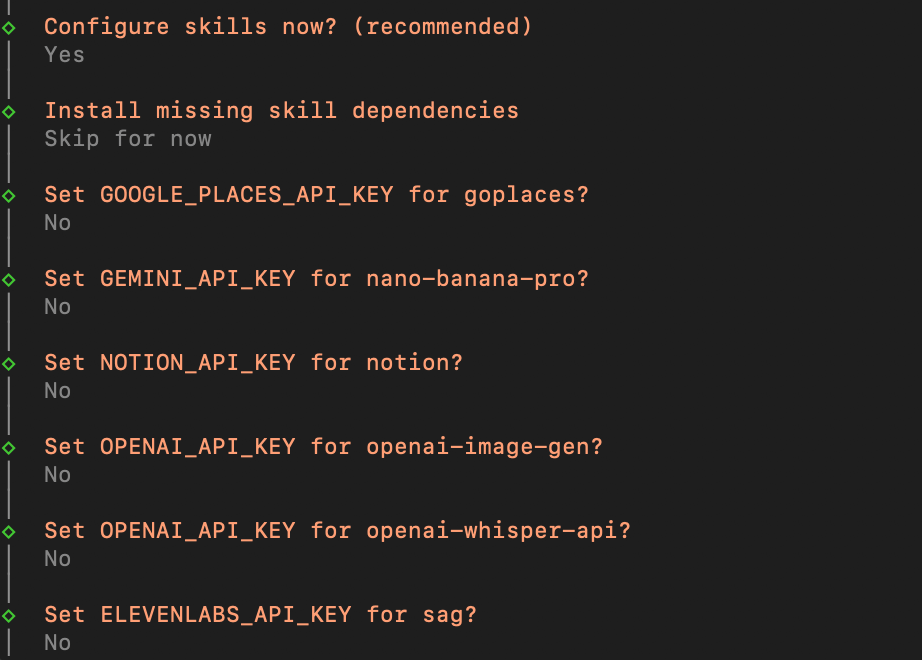
6.For the rest, choose No or skip.
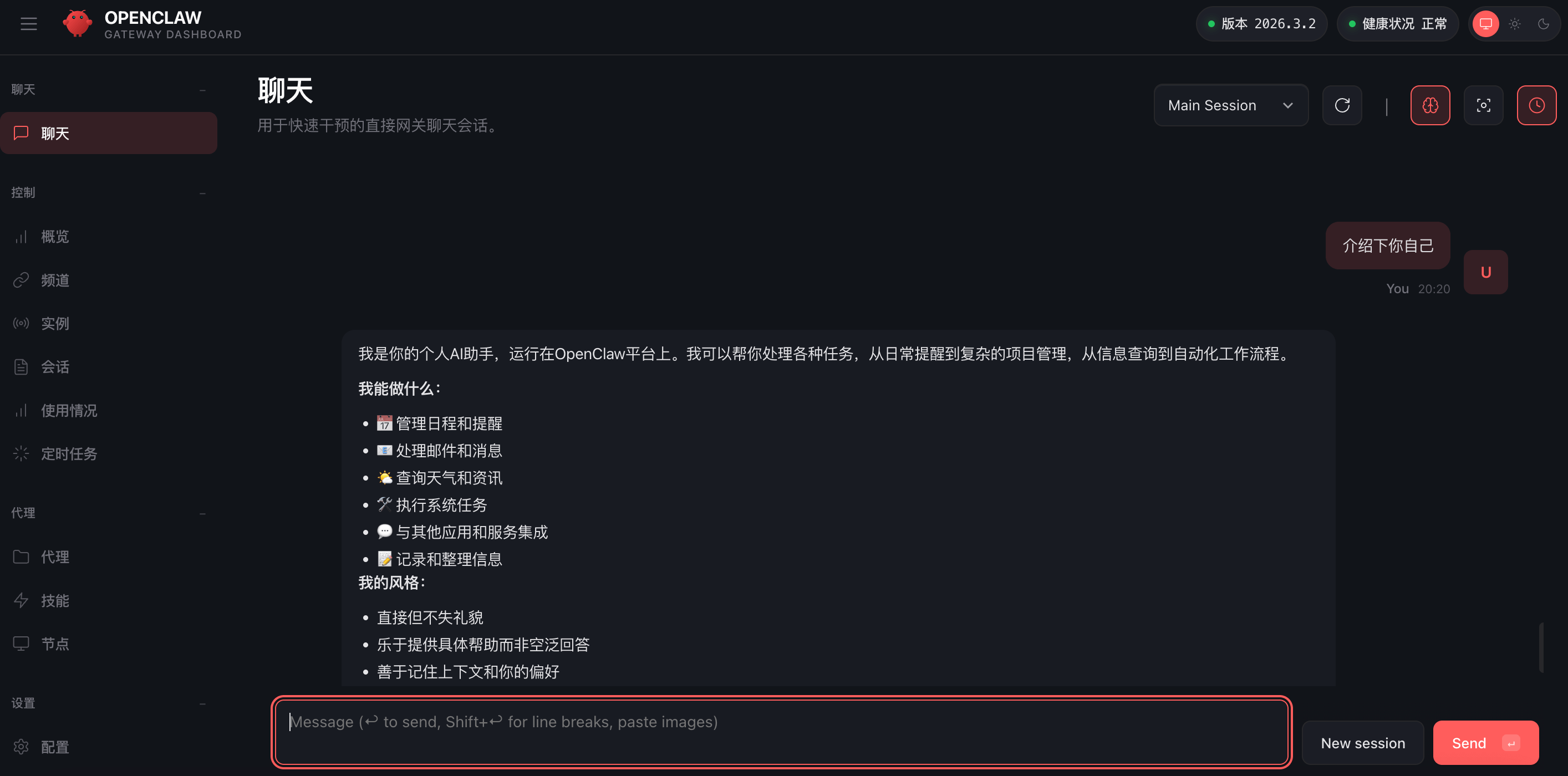
7.Installation complete. Choose the second option to automatically open the Web UI page.
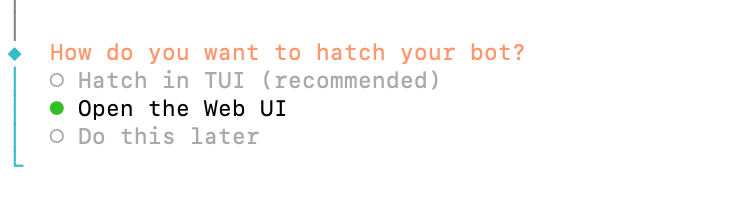
You can send a message to test it: "Introduce yourself". If you get a reply, it proves it's ok.
03. Connect Feishu
If you chose Skip when configuring the chat channel above, you can now enter the command below to reconfigure
openclaw channels addChoose Yes, choose the Feishu channel, choose download and install.
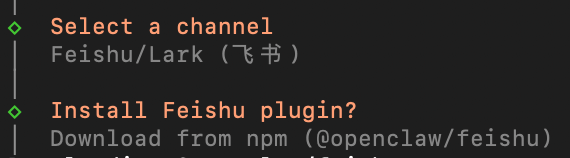
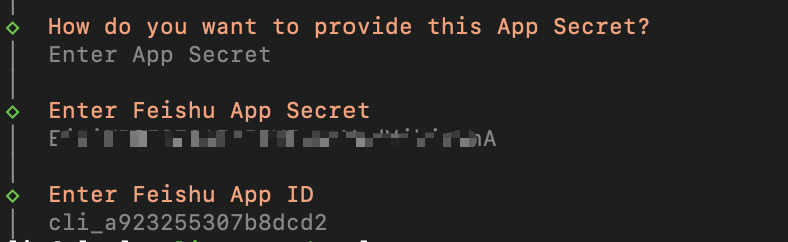
At Enter App Secret this step, pause. You need to create a Feishu bot first.
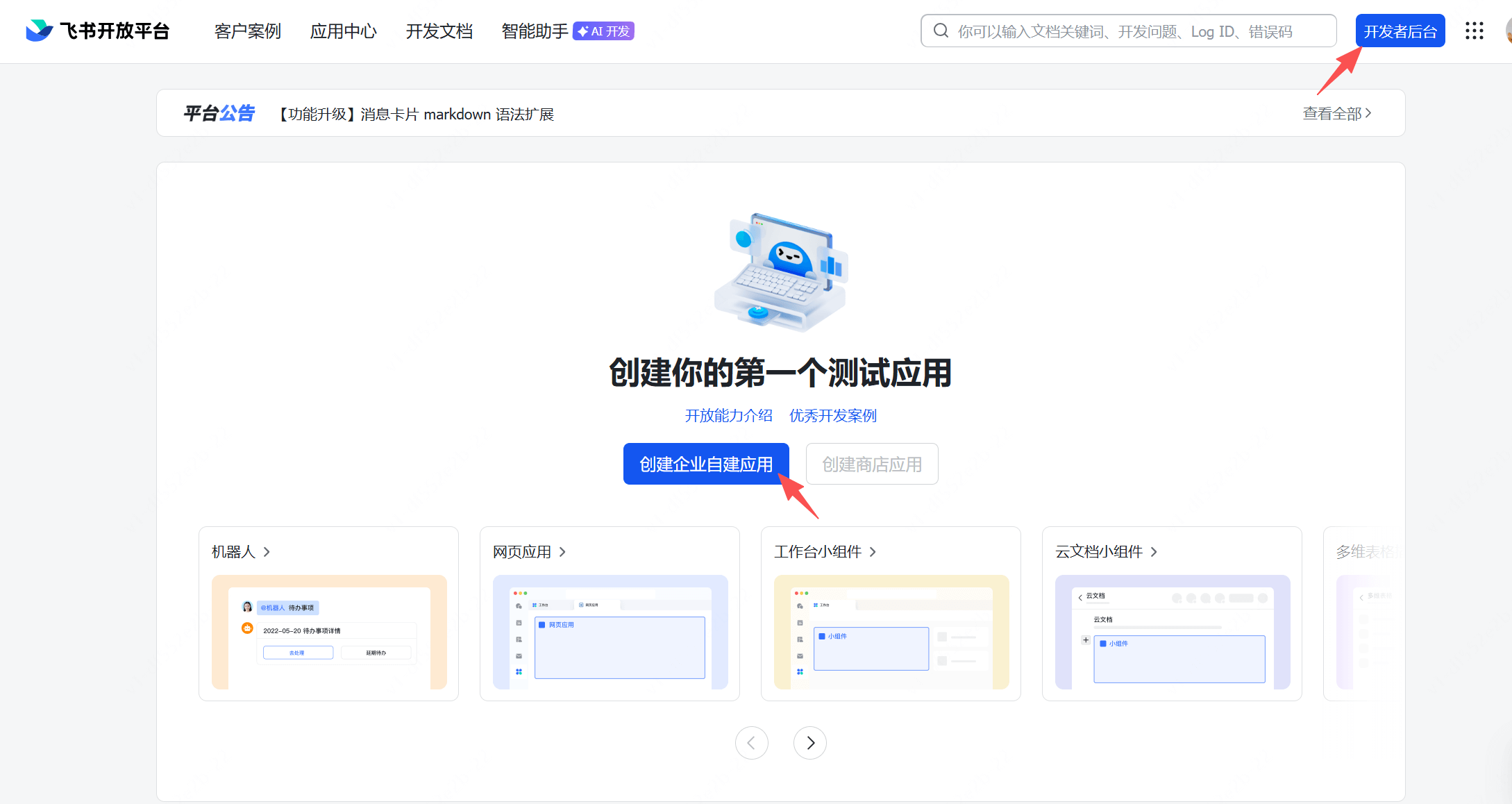
Let's open the Feishu Open Platform official website:https://open.feishu.cn/?lang=zh-CN
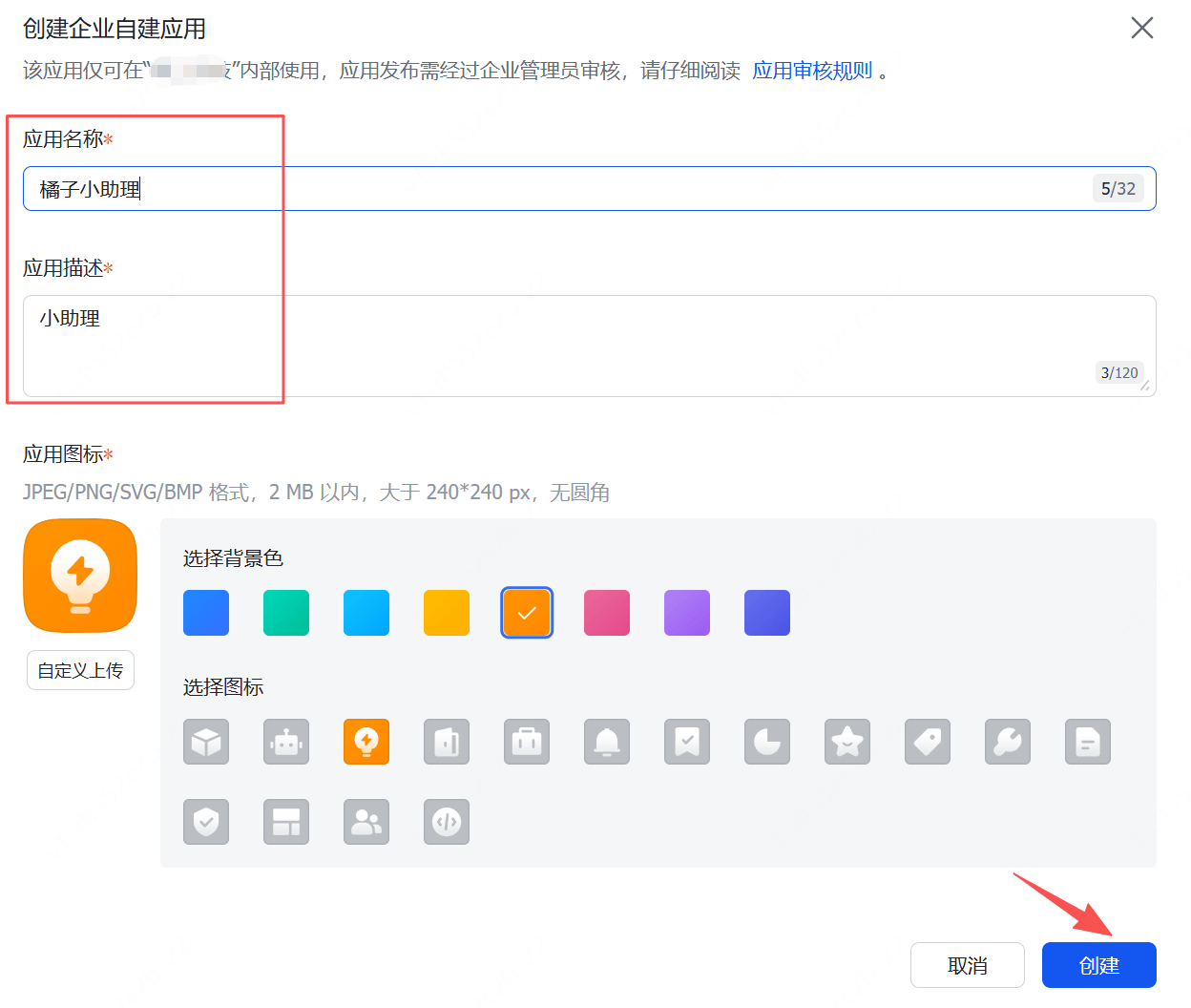
Choose Developer Console, click Create Enterprise Self-built App, enter the app name, choose an avatar, and click Create.
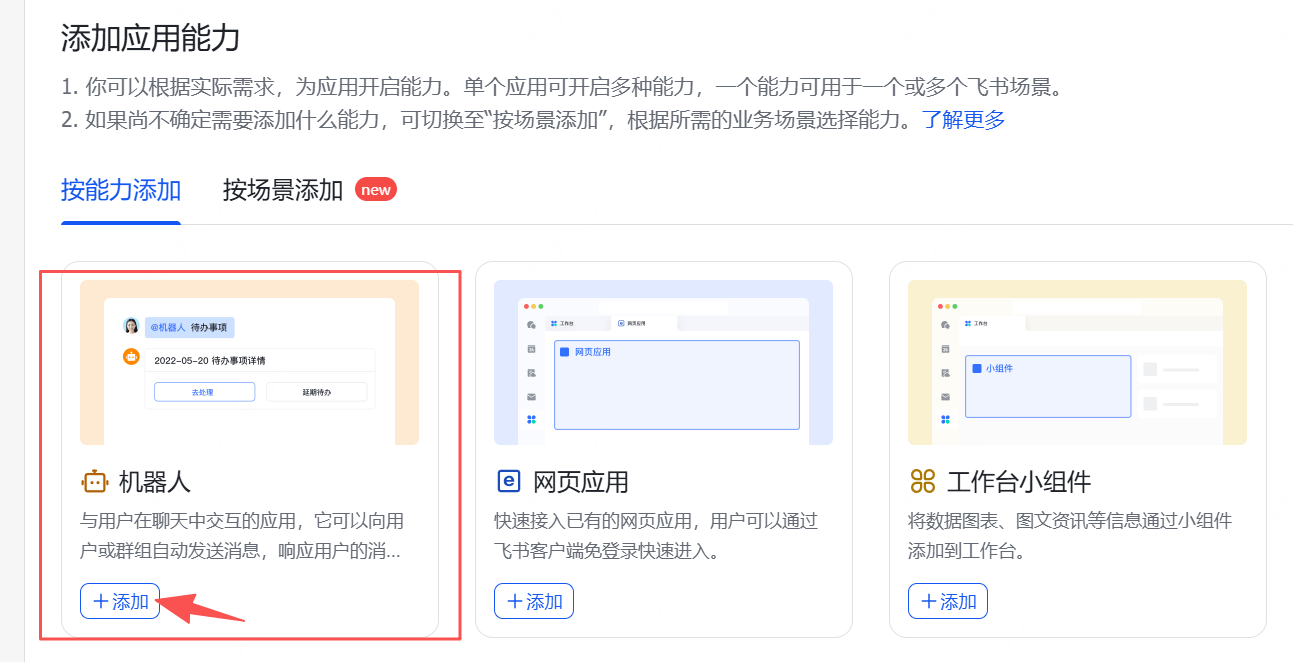
Add app capability, choose Bot and add it
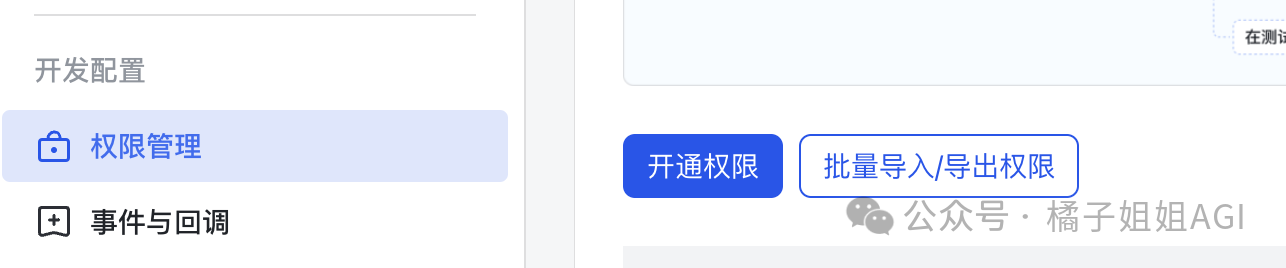
Choose Permission Management, click Batch Import Permissions, copy the json content below, and apply to configure permissions.
{
“scopes”: {
“tenant”: [
“contact:contact.base:readonly”,
“contact:user.base:readonly”,
“im:message”,
“im:message.group_at_msg:readonly”,
“im:message.group_msg”,
“im:message.p2p_msg:readonly”,
“im:message.reactions:read”,
“im:message:readonly”,
“im:message:recall”,
“im:message:send_as_bot”,
“im:message:update”,
“im:resource”
],
“user”: [
“docx:document:readonly”
]
}
}
Publish the app, choose Create Version, enter the version number and description, click Save, and apply to publish online.
ChooseCredentials and Basic Information, get App ID and App Secret 。

Return to the command line interface and enter them into the terminal in order
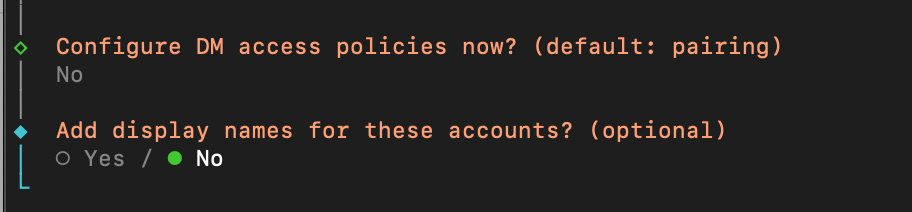
For the following choices, see the images below
Then go to Feishu and chooseConfigure Event Subscription, chooseLong Connection, and save.
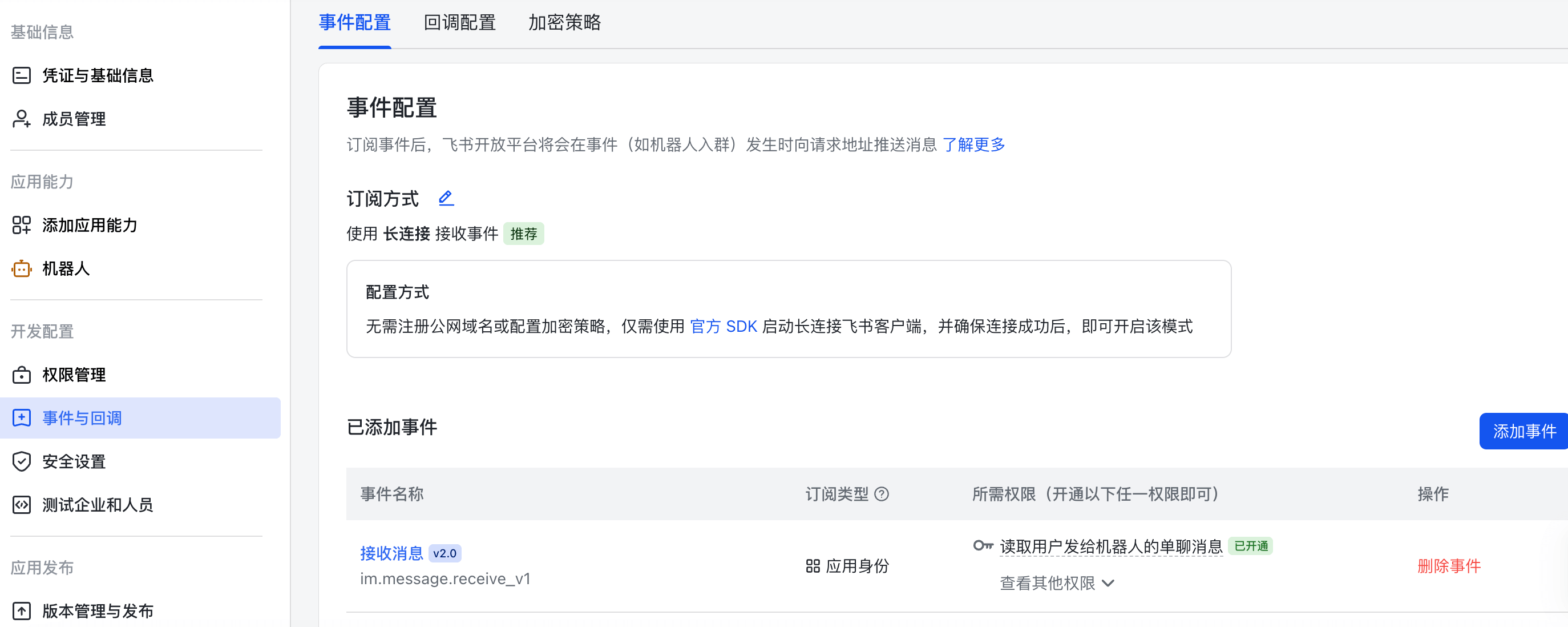
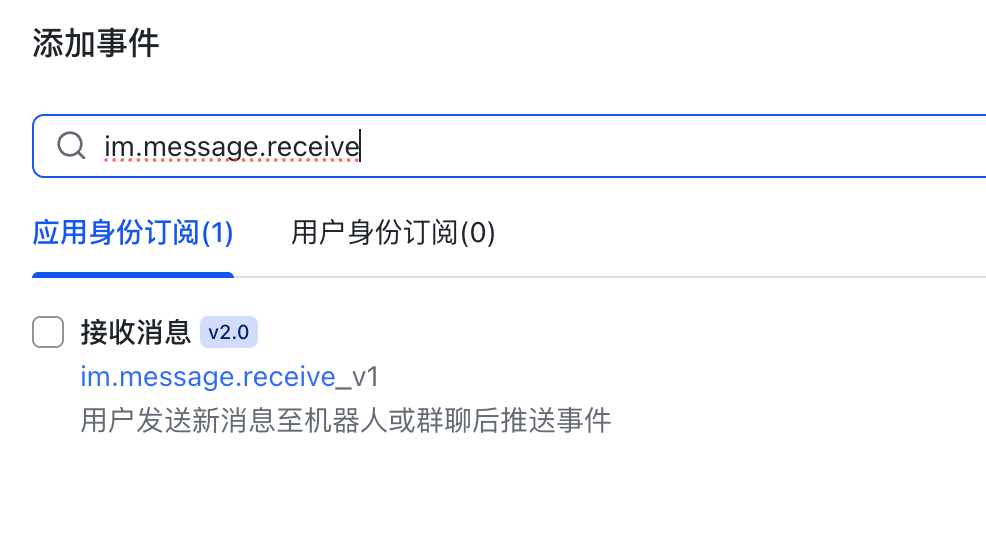
Click Add Event, search im.message.receive_v1 and check it to add.
Create a version again and publish it online.
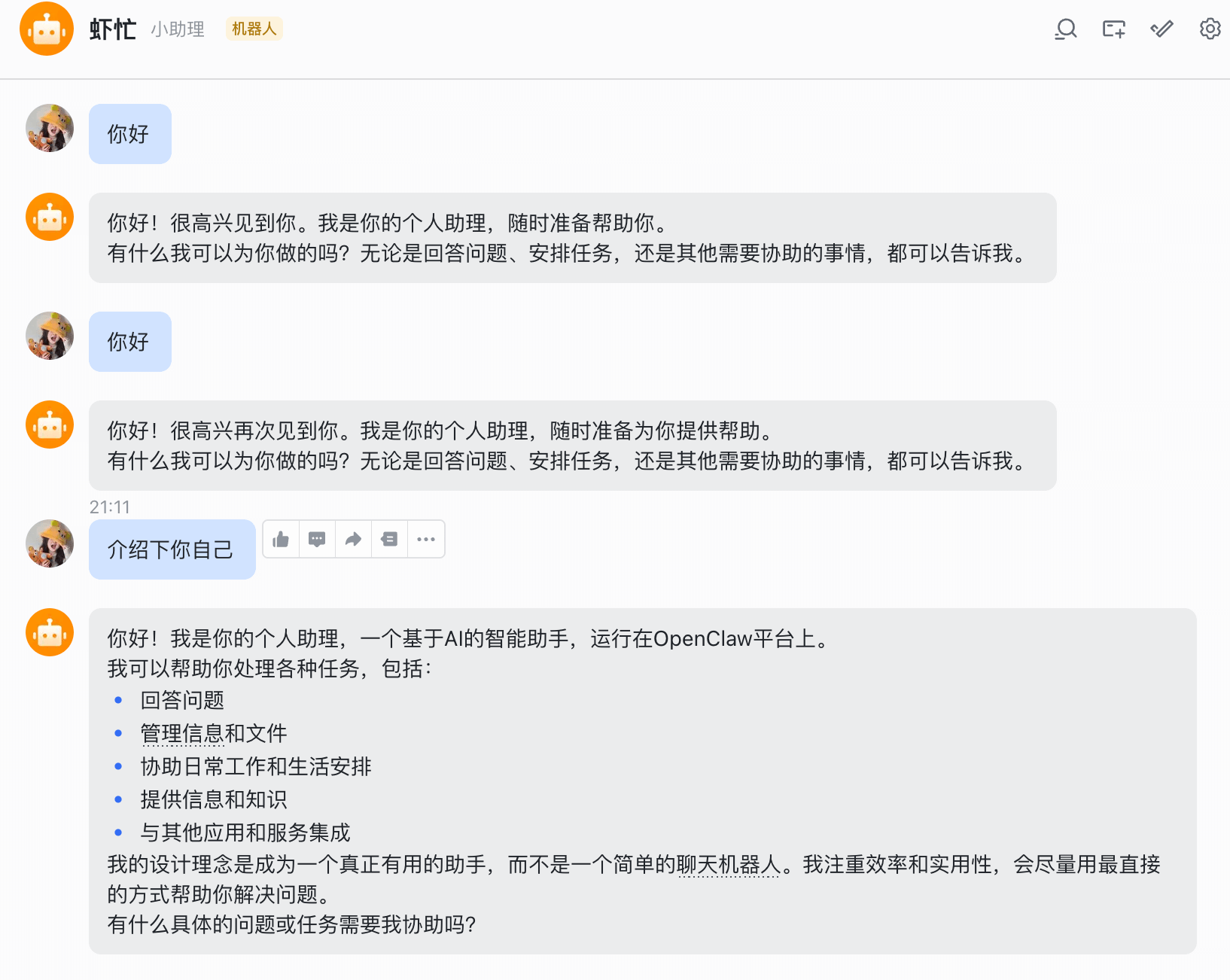
Open Feishu, in the Developer Assistant, choose to open the app, send a message to the bot, and if you get a reply, it's successful.
04. Final Thoughts
Regarding the recent changes in AI, I feel a rather vivid metaphor can be used.
I think it's very much like:
Ten months of pregnancy 🫄👉birth 🐣👉nurturing 🧑🍼👉learning to express and speak👉able to ask back and think👉solving problems on your own👉learning skills (walking, running, riding a bike, going to school, learning life skills, social skills... etc.)👉then the next step is finding a job, earning money, and surviving.
Looking back at AI, it matches perfectly.
The deployment of large models like GPT and DeepSeek is like the birth of a baby. On this foundation, they continuously consume data, upgrade and iterate, add capabilities, and then move on to Agents… and reach their current stage of capability.
Sometimes you shouldn't view AI as a robot; you can treat it as another product of life. It is evolving by simulating the ways humans evolve, survive, and learn, yet at the same time it transcends human evolution, survival, and learning.
The emergence and application of OpenClaw can be understood as being like the process of parents and children getting along. It is a two-way mirror. When you tell a child how to do things, or what they must not do, the result is not necessarily what you expect. It may also give you something to reflect on, or it may prompt you to correct things in time.
Rather than saying you are raising shrimp, it's more like you are guiding your next generation.
In the end, the student surpasses the master.
Original link:OpenClaw super detailed tutorial, complete Mac/Win installation and deployment guide