
What is onewebot2
oneWebot2 is a one-click run software package for a WeChat AI robot. After users download the exe file, they can start it by double-clicking, without complex Python environment configuration. It has a graphical interface that simplifies the configuration process, allowing non-technical users to easily set up and run a WeChat robot. oneWebot2 supports integration with the coze API and allows users to extend the robot's functions, such as automatic replies and message management. The software is suitable for users who need to implement automated services on WeChat; individuals and enterprises can create intelligent assistants through oneWebot2.
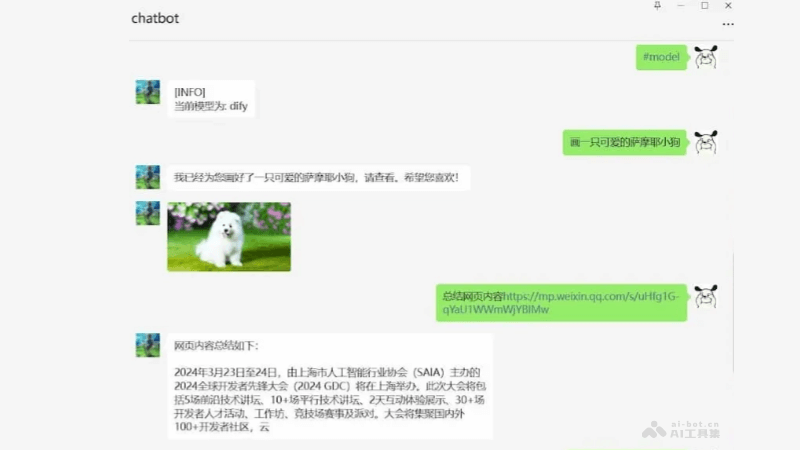
Main features of onewebot2
- Graphical interface: Provides an intuitive graphical interface, allowing users to configure and run the WeChat robot through simple operations.
- coze API integration: Supports integration with the coze API, making it convenient for users to extend the robot's capabilities based on the functions of the coze platform.
- One-click run: The software is packaged as an exe file, and users can use it directly after downloading, without complex environment configuration.
- Windows support: Tested on Windows 11 to ensure stability on the operating system.
Technical principles of onewebot2
- Based on secondary development of dify-on-wechat: Developed based on an existing WeChat robot framework.
- Independent Python environment: Packaged as an exe file, users do not need to configure a Python environment separately.
- coze platform support: Register through coze.cn and obtain a botid and token for use.
- Open-source project: The code is open source, and users can customize and extend functions.
Project address of onewebot2
- GitHub repository:https://github.com/ImGoodBai/onewebot2
How to use onewebot2
- Download the one-click package: Can be downloaded from the GitHub release page.
- Extract the downloaded zip package: Double-click to run
app-ui.exe。 - Enter Botid: Fill in the botid and token of the coze platform in the input box. This information needs to be obtained after the user registers and configures in advance on coze.cn.
- Use WeChat to scan and log in: The words "Web WeChat logged in" will be displayed at the top of the mobile WeChat, indicating that the configuration is complete.
Application scenarios of onewebot2
- Personal assistant: oneWebot2 serves as a personal assistant, helping users manage daily tasks, such as schedule reminders, weather queries, news summaries, etc.
- Enterprise customer service: In an enterprise environment, oneWebot2 serves as a customer service robot, automatically answering user inquiries, providing instant customer support, and reducing the workload of customer service staff.
- Intelligent group management: oneWebot2 is integrated into WeChat groups to help manage group chats, automatically reply to common questions, and maintain group order.
- Educational assistance: As an educational assistance tool, it helps answer students' questions, provide learning materials, and tutoring.
- Entertainment interaction: oneWebot2 is used in entertainment scenarios, such as a chat robot, providing humorous conversations and interactive games.
- Information query: Users query various information through oneWebot2, such as stock prices, flight information, hotel bookings, etc.