
What is Omnitool
Omnitool is an open-source AI desktop environment that provides users with a unified interactive interface, enabling quick access to and use of multiple AI models. Omnitool supports local operation and can be installed on Mac, Windows, or Linux devices, with data stored locally to ensure privacy and security. Built on integration with OpenAI,Stable Diffusion、Hugging Faceand other mainstream AI platforms, users can quickly generate images, translate text, create audio, and more without complex configuration or learning API documentation. Omnitool is highly extensible, supporting the addition of new features or integration of third-party tools based on client-side and server-side scripts, suitable for a wide range of users from beginners to experienced developers.
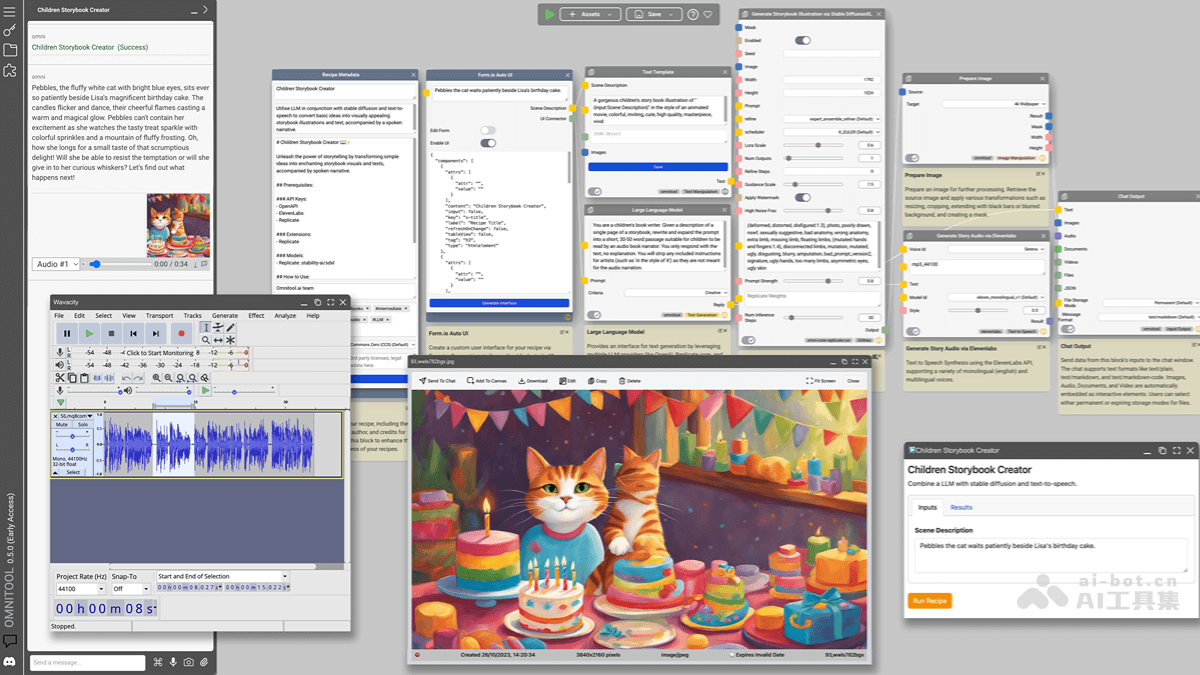
Main Features of Omnitool
- Unified Interactive Interface: Provides a single interface that integrates multiple AI models and services.
- Local Operation and Data Security: As locally self-hosted software, it runs on the user's device (such as Mac, Windows, Linux), with data stored locally, ensuring privacy and security.
- Quick AI Access: Supports multiple mainstream AI platforms (such as OpenAI, Stable Diffusion, Hugging Face, Google, etc.), enabling quick use of AI features without complex environment configuration or hardware adaptation.
- High Extensibility: Supports extending functionality through client-side and server-side scripts, custom UI extensions, integration of third-party tools, and more.
- Multimodal AI Support: Covers multiple AI capabilities such as image generation, text processing, audio generation, and translation.
Technical Principles of Omnitool
- Client-Server Architecture: Omnitool is based on an architecture with separate client and server. The client provides the user interface, while the server handles interaction with AI models and data management.
- Modular Design: Omnitool is based on a modular architecture, supporting developers in writing simple scripts or extensions to quickly add new AI features or integrate third-party tools.
- Extension Mechanisms: Supports multiple extension methods, including client-side extensions (such as integrating web applications), server-side extensions (such as adding new API modules), and complex data operations through data processing tools like JSONATA.
Omnitool Project Address
- GitHub Repository:https://github.com/omnitool-ai/omnitool
Application Scenarios of Omnitool
- Artistic Creation: Generates images and illustrations, supports multiple styles, and improves creative efficiency.
- Copywriting Generation: Quickly generates articles and copy, supports multilingual translation and polishing.
- Speech Synthesis: Converts text into natural speech for audiobooks or voice assistants.
- Education and Learning: Provides an AI experimentation platform to help users learn and practice AI technology.
- Enterprise Development: Quickly builds AI application prototypes and supports customized solutions.