
What is OK Computer
OK Computer is Kimi's brand-new Agent mode, trained end-to-endKimi K2model, further enhancing the agent and tool-calling capabilities and improving the interactive experience between users and AI. Through multi-turn reasoning and tool calls, OK Computer can automate the completion of complex tasks. Users only need to describe their needs in natural language, and Kimi can complete the entire process from requirement research to product delivery, including website development, data analysis and visualization, high-quality presentation creation, and more. OK Computer has mastered the use of various tools and can handle more task scenarios. OK Computer is currently in gray-scale testing, and users who have previously given Kimi tips and encouragement can get priority access to the experience.
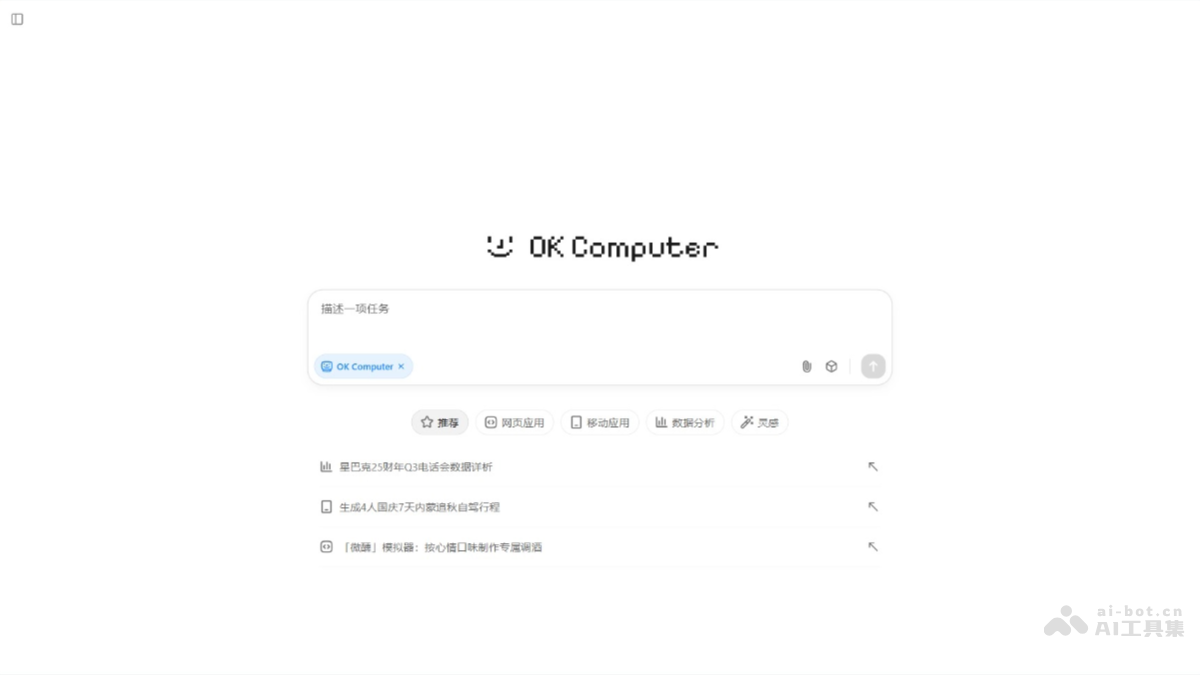
OK Computer's main features
-
Multi-page website development: Generate website prototypes based on user needs, support multi-turn dialogue adjustments, and complete the entire process from design to deployment.
-
Data analysis and visualization: Analyze massive amounts of data, generate interactive visualization reports, and support real-time data search and risk/reward analysis.
-
High-quality presentation creation: Automatically find accompanying images, generate structured PPTs with a consistent style, and support online editing and downloading.
-
Multi-tool integration: Master various tools such as file systems, code writing, and image generation, and independently complete complex tasks.
-
Write proposals: Automatically generate structured and professional business proposals, helping users clearly express project goals and plans.
-
Plan pricing: Provide pricing strategy suggestions, helping users set reasonable prices based on market and cost factors.
-
Create user interfaces: Design intuitive and easy-to-use user interfaces, improving the product's user experience and appeal.
- Process data: Can process up to one million rows of data at once, improving the efficiency and accuracy of data analysis.
- Generate charts: Automatically generate charts based on analyzed data, helping users understand and present data more intuitively.
- Dashboard: Provide feature-rich dashboards for real-time monitoring and analysis of content performance and user engagement.
How to use OK Computer
- Access the platform: Visit the web versionKimiofficial website.
- Launch OK Computer: Find it in the lower left corner of the dialog box, and click the "OK Computer" button to enter.
- Describe the task: In the input box, describe in detail the task you need OK Computer to help complete.
- Select a feature: According to the task requirements, select the corresponding feature tab, such as "Recommendations", "Web Apps", "Mobile Apps", "Data Analysis", or "Inspiration".
- Execute the task: OK Computer analyzes the task requirements and begins execution.
- Monitor progress: During execution, monitor the task's progress and status in the dialog box and execution page.
- Get the results: After the task is completed, view or download them in the dialog box.
- Feedback and adjustments: If needed, provide feedback, and OK Computer will make adjustments and optimize the results based on the feedback.
- Export or apply the results: Depending on the task, export the results as a local file or use them directly in the application.
OK Computer's application scenarios
-
Business proposals: Automatically write business proposals containing key elements, helping companies clearly present the project's advantages and expected outcomes.
-
Product pricing: By analyzing market competition and cost structure, assist companies in formulating reasonable product pricing strategies to attract customers and maintain profitability.
-
User interface design: Provide user interface design suggestions, create interfaces that are both aesthetically pleasing and practical, and enhance user satisfaction and the product's market competitiveness.
-
Website development: Support the entire process from planning to coding, helping companies build multi-page websites that meet specific business needs.
-
Data analysis: OK Computer can process and analyze large amounts of data, provide in-depth insights for companies, and support data-based decision-making.