
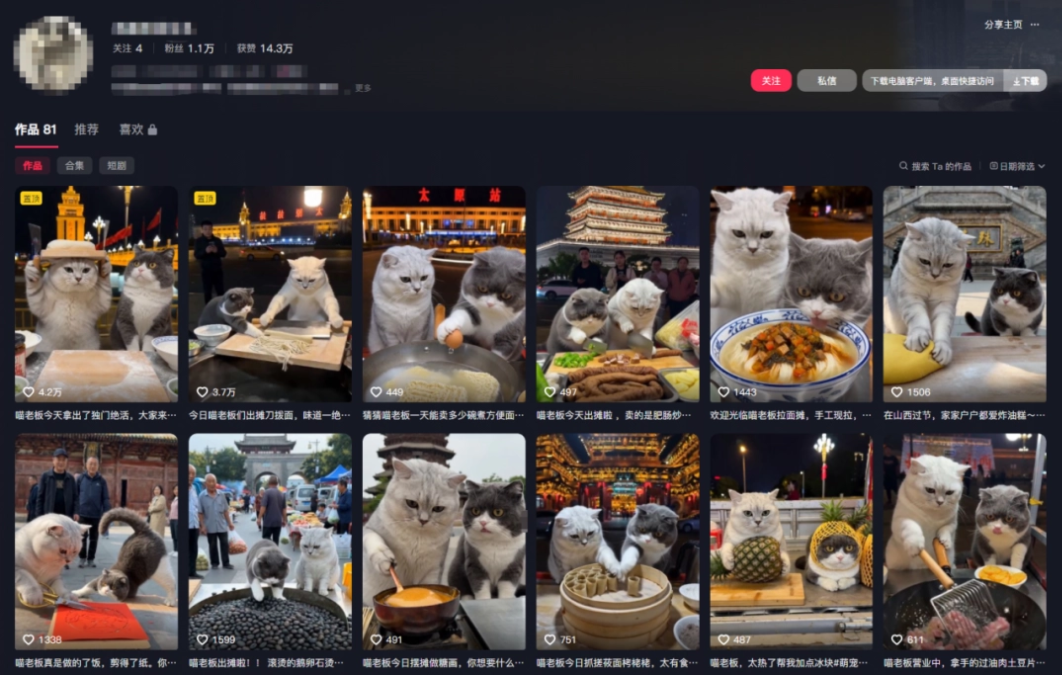
Recently I've been seeing a lot of videos of street cats cooking, and the more I watch, the more addicted I get.
Two little cats bustle around a roadside stall, one working seriously, the other playfully causing mischief but being especially cute. The videos are also very popular.
Many self-media bloggers who want to make cute pet short videos have found that with many tools, to generate a satisfactory shot, they have to wrestle with complex prompts, switch between different models and platforms to roll for results...
I found a tool that lets ordinary people quickly get started making AI videos, and that is OiiOii。
Recently OiiOii also upgraded to version 2.0, releasing three major new features: Smart Canvas, Film Breakdown Replication, and Skill Library。
As long as we have an idea or something we want to learn from, we can quickly create pretty good AI works.
Without further ado, let's dive right in.
01. AI Smart Canvas, let the Agent help you make videos
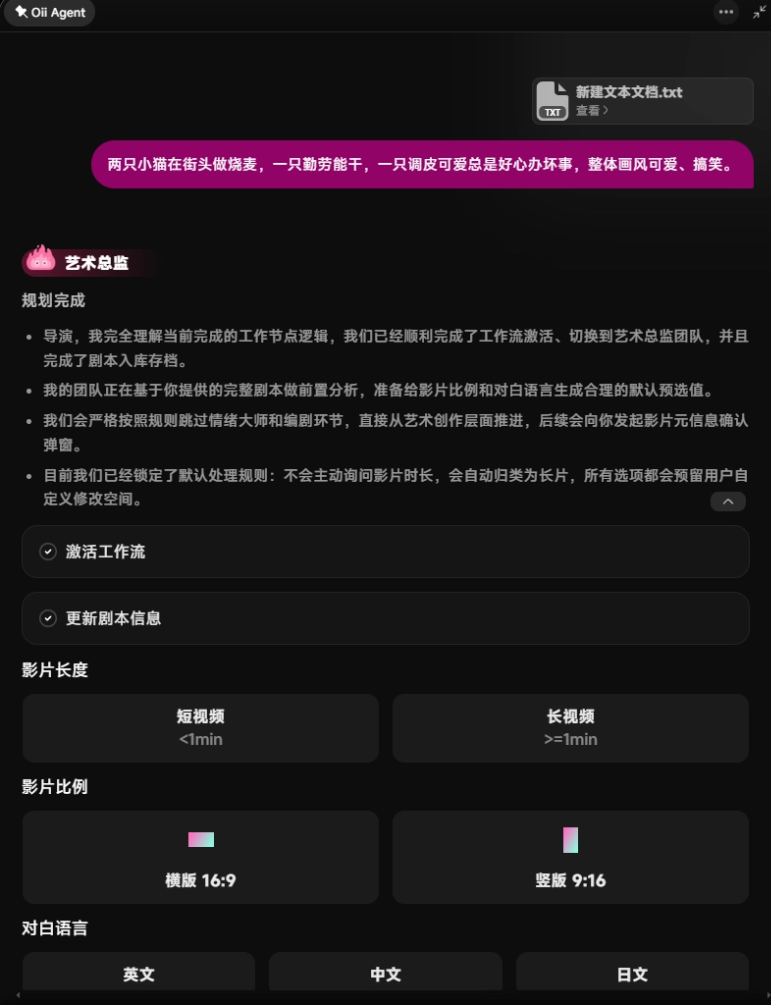
We open OiiOii and create a new project,select StoryAnimation mode, and enter my production requirements and a short script (you can also skip uploading it; the Agent will automatically write a script for us).
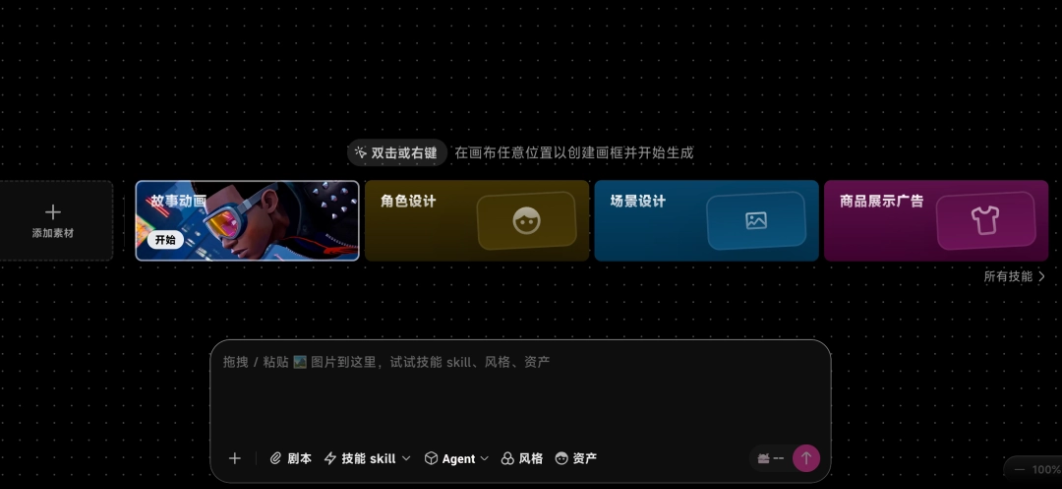
Two little cats making shumai on the street, one hardworking and capable, the other playful and cute but always meaning well and messing up. The overall art style is cute and funny.
After submitting, OiiOii will first summon the Art Director Agent to confirm the video direction with us.
Here I chose: short video, vertical screen, Chinese.
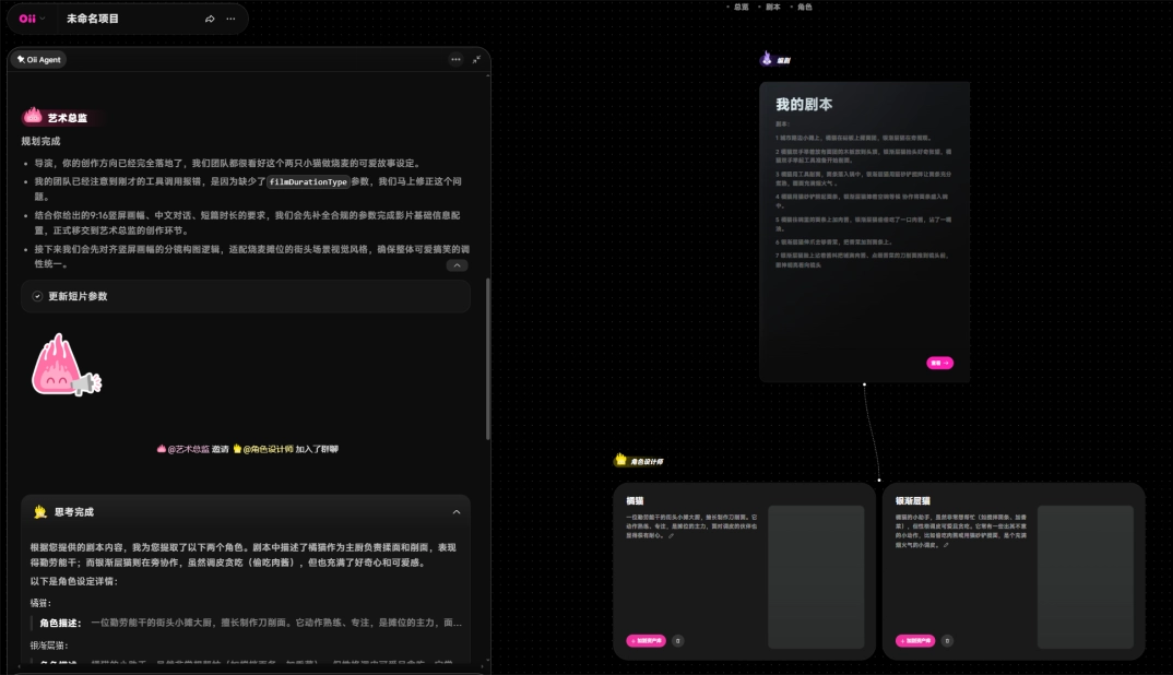
After confirming the direction, the Art Director Agent directly brought in the Character Designer Agent, who designed an orange cat and a silver shaded cat based on the script.
In the canvas on the right, a character design node will also be automatically generated, with the prompt already filled in, so we don't need to figure it out ourselves。
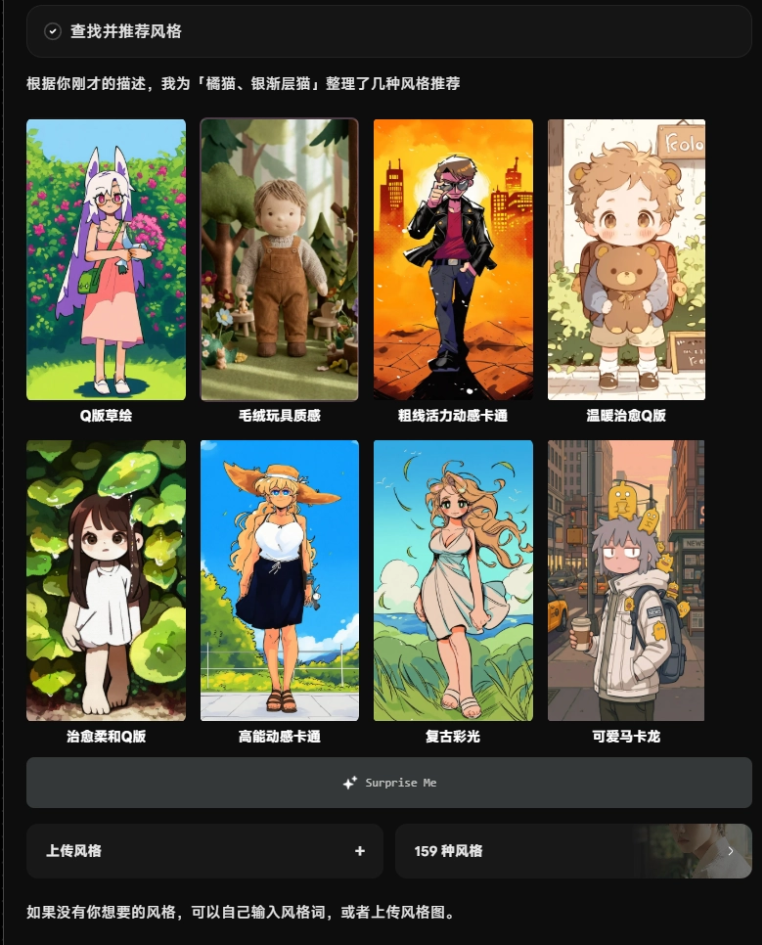
The Character Designer Agent provided several styles for us to choose from.
OiiOii has 159 built-in styles, and also supports us uploading style images.
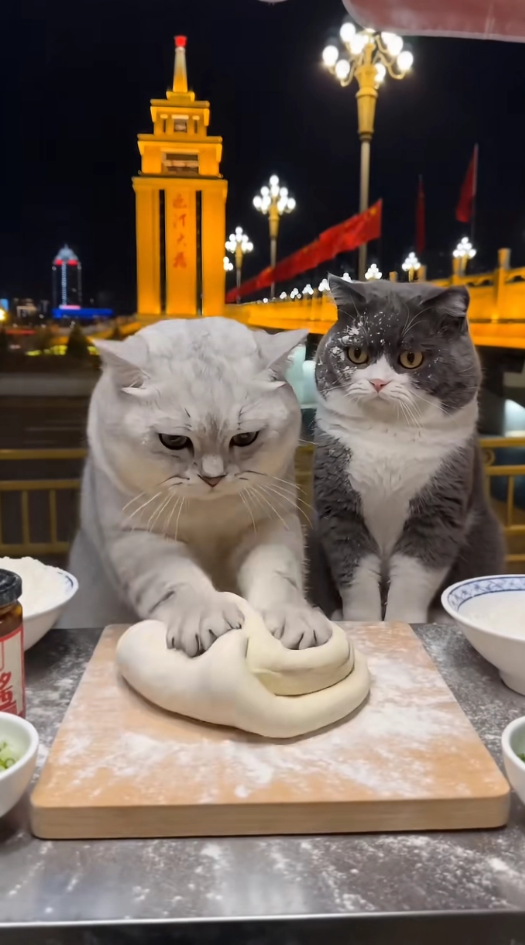
What I wanted was a feel that leans toward realistic animals but is also suitable for an animated short, so I directly uploaded a video screenshot as a style reference.
The orange cat and silver shaded cat that were ultimately generated are not completely realistic, but they are good enough for making cute short videos.
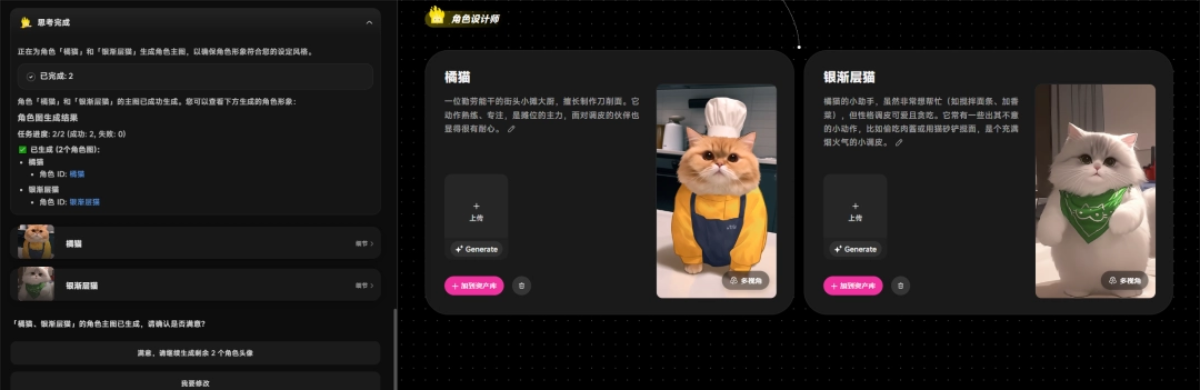
After confirming the characters, the Character Designer Agent invited the Scene Designer Agent to continue generating the stall scene according to the style image I uploaded.
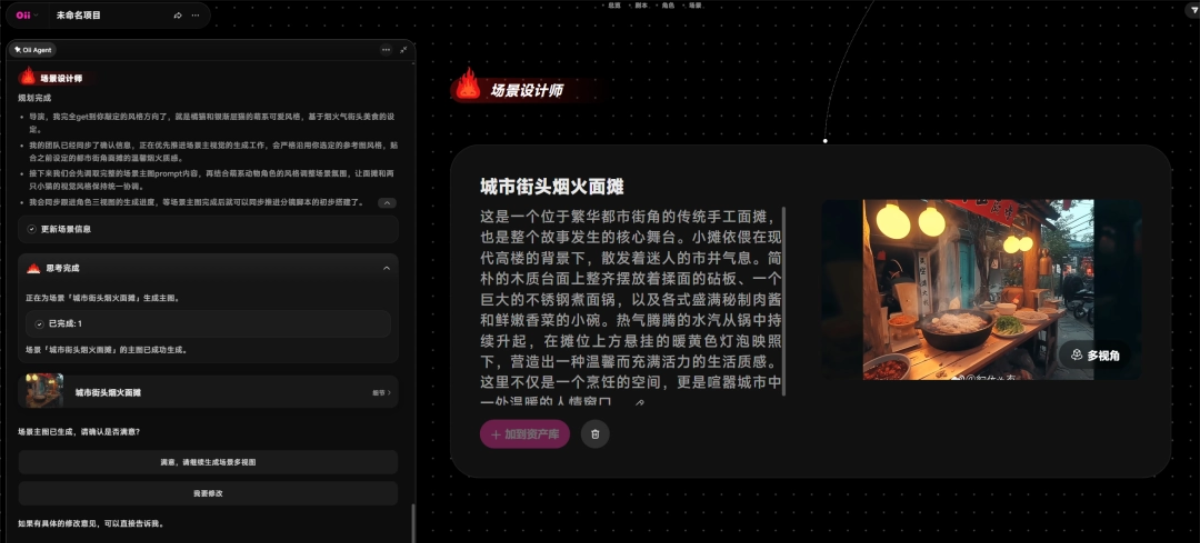
The first scene that came out was a bit too Japanese-style, not a good match for a Chinese knife-cut noodle stall. We select the scene image in the canvas, switch back to Agent mode, and enter the revision request:
Chinese-style street stall.
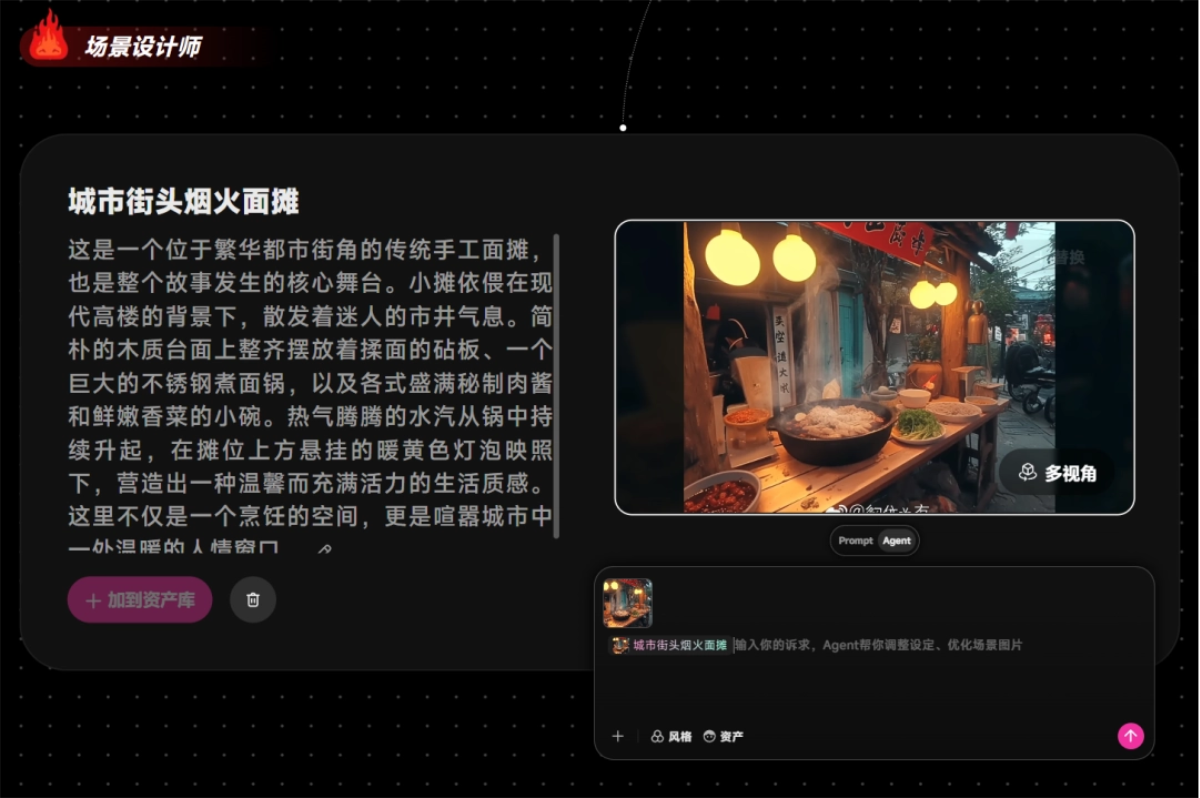
The Scene Designer Agent will rethink and update the scene information. Don't be afraid to make changes; AI videos inherently require back-and-forth calibration.
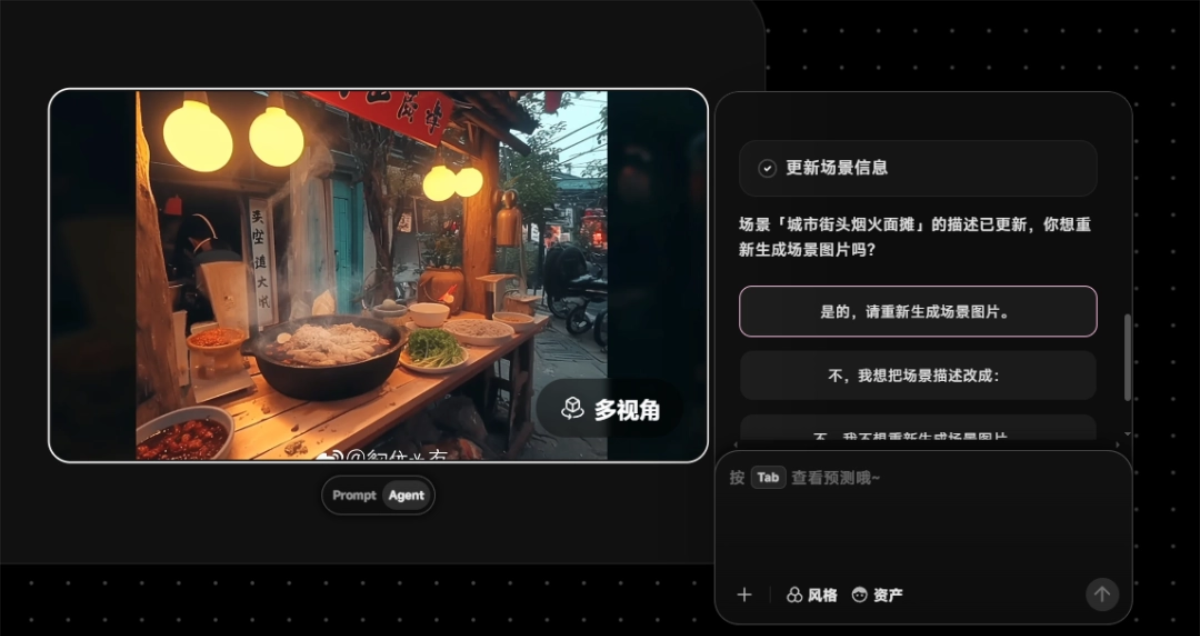
The second version of the stall is obviously closer, but there are extra people in the image. We continue to give revision requests:
I want to modify it: only the stall and the scene, no people. Put the pot on the tabletop, in the lower middle part of the image! Change the noodles to the wide noodles like knife-cut noodles.
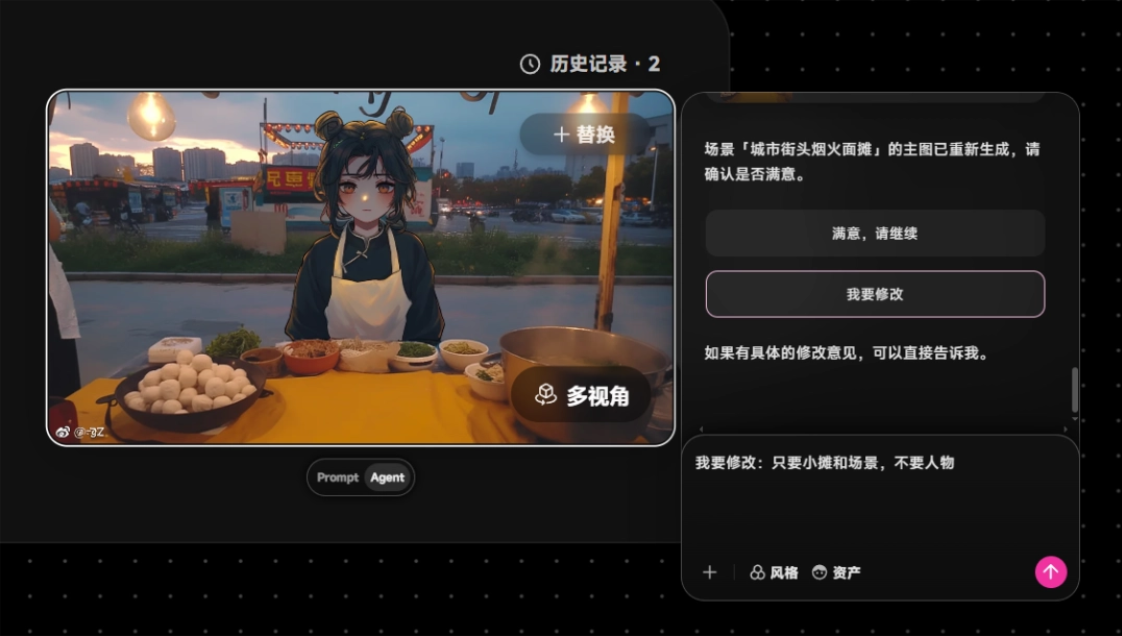
Once we've adjusted it to what we think fits, it's fine.
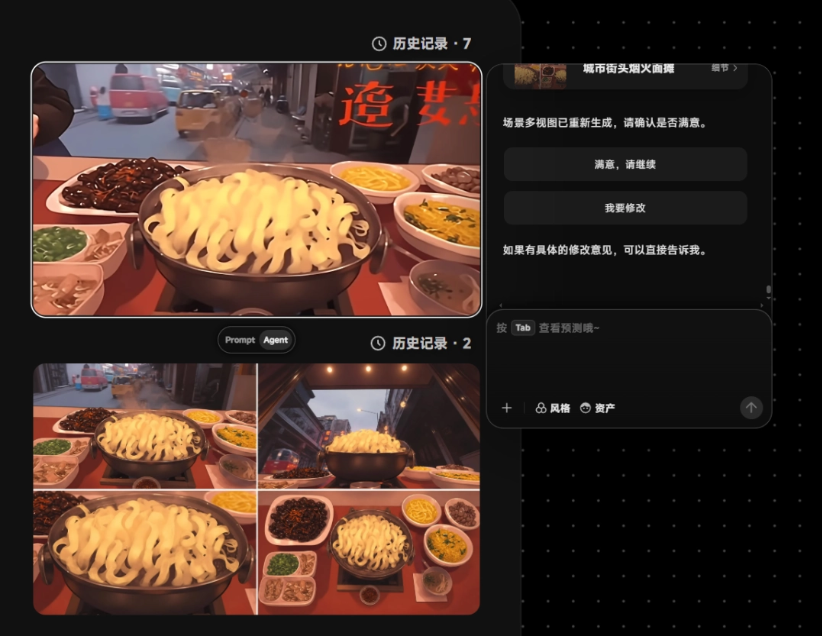
Reply: I'm satisfied with the choice, please continue. The Scene Designer Agent will then advance to the next step on its own and generate multi-perspective scene images.
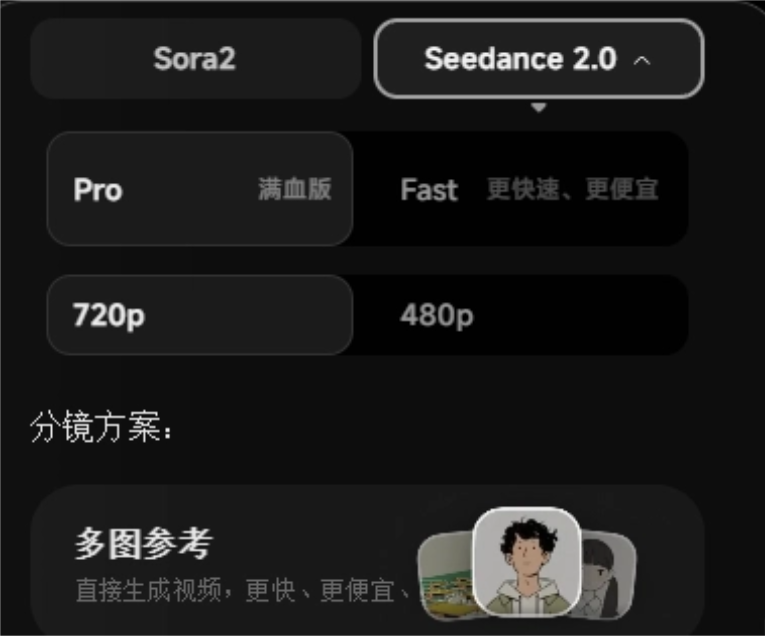
We choose the Seedance 2.0 model. For the storyboard plan, it's recommended to start from a grid image, which is more controllable and higher quality than directly using multiple image references to produce a video.。
Look at the storyboard image first. If something is wrong, fix the image first. No need to consume video credits right away.
The storyboard artist Agent immediately planned 7 storyboards for us based on the script. We click generate, and we can get all the storyboard images in batch.
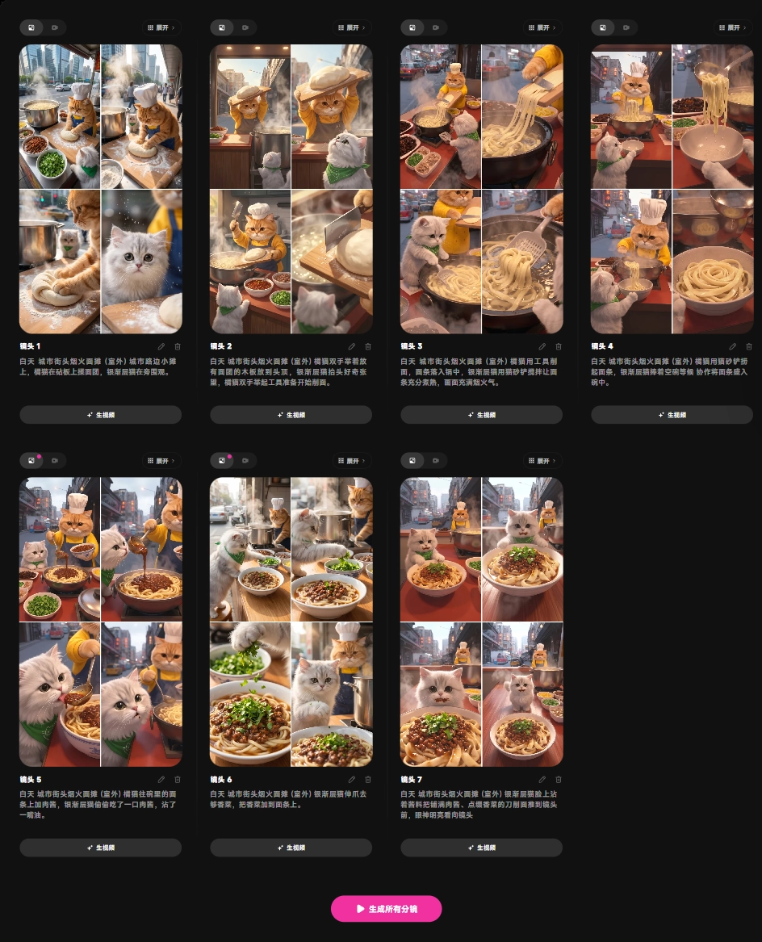
If a storyboard character's action is wrong, the prop is wrong, or the scene is unsuitable, we can all directly modify it by chatting with the Agent.。
After all are confirmed, generate all storyboard videos in batch with one click.
We click to edit, delete some useless shots and meaningless clips, and keep only the effective shots:
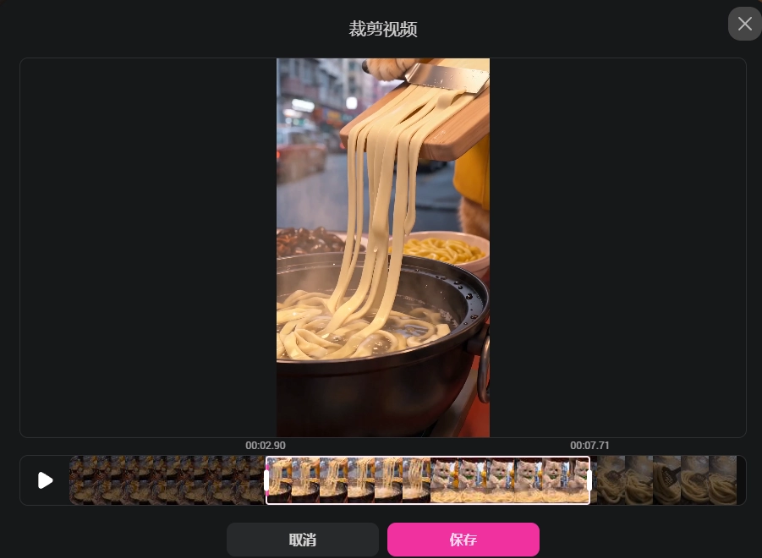
Let's take a look at the final result together:
The two kittens working together are very cute, the art style is stable, the character consistency is also maintained very well, and the story is very coherent~
OiiOii uses its built-in Agent to help us automatically connect the steps of making a video, so that we only do quality control, and beginners no longer have to get stuck on prompts and complex node connections all the time.
02. One-Click Smart Film Analysis and Replication
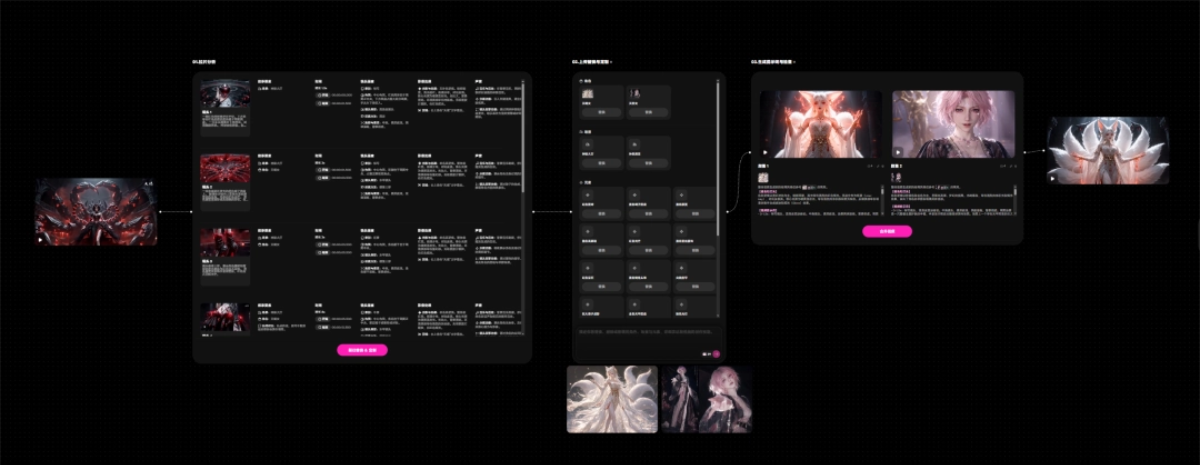
In addition to making short films from scratch, OiiOii has also updated a heavyweight and useful feature this time—film analysis and replication.
Film analysis is the best way for directors to improve their aesthetics and thinking and to grow quickly, and now OiiOii's Agents have learned it too.。
We upload a reference short film on the canvas and choose film analysis and replication.
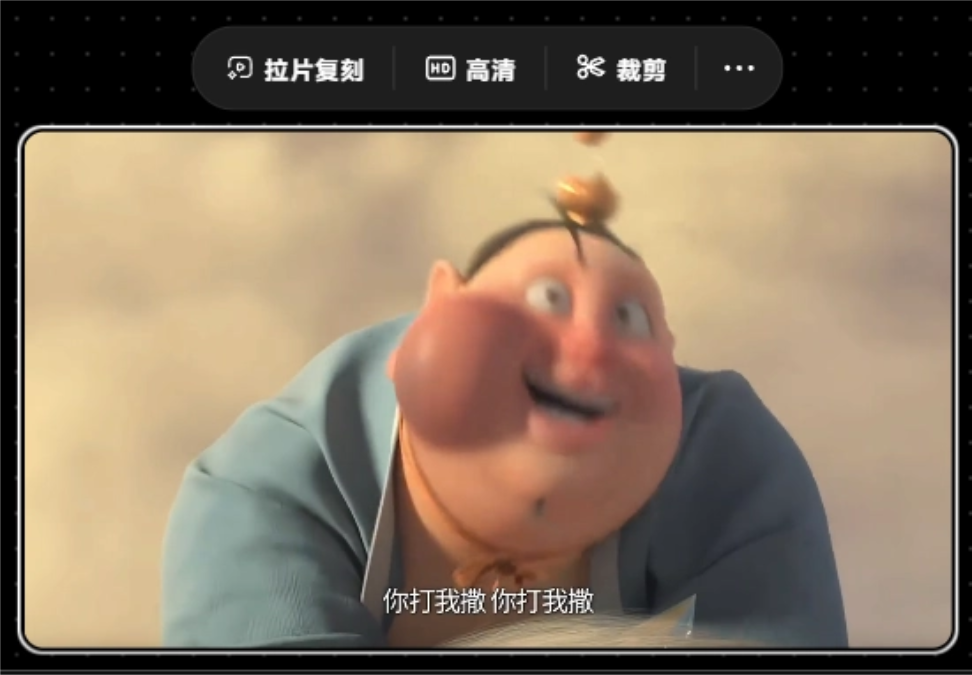
The Agent will automatically break down this video: what characters, scenes, narrative rhythm, camera language, image processing, sound, and sound effects are in it.。
It can break down up to 18 different dimensions.。
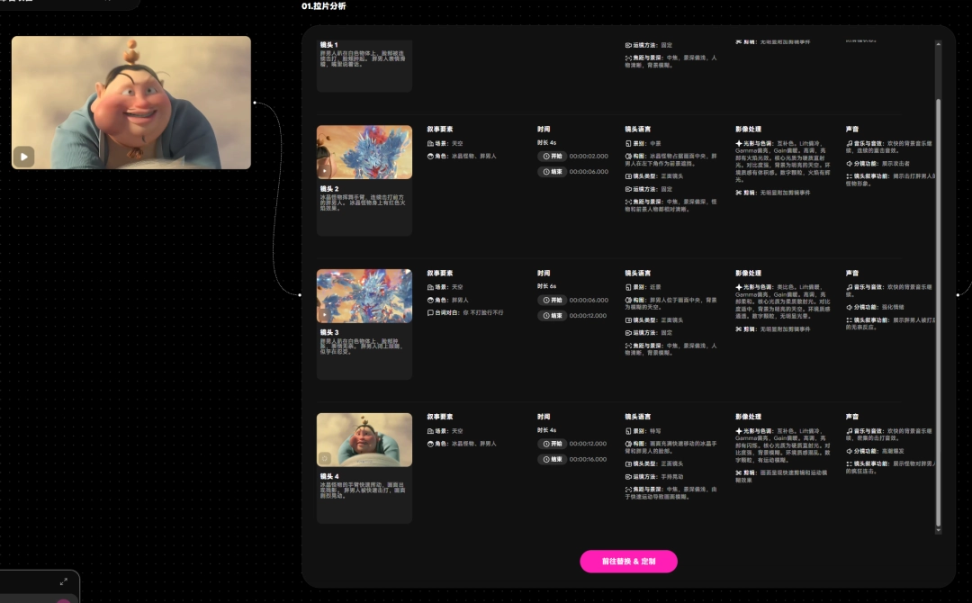
After the breakdown, we can replace the characters, scenes, and elements in the original film with our own materials.
For example, I replaced the fat man in the original film with an anthropomorphic little rabbit, and replaced the ice crystal monster with an alien giant beast. After uploading the images, OiiOii will automatically generate the corresponding prompts, and after confirmation, videos can be generated in batch.
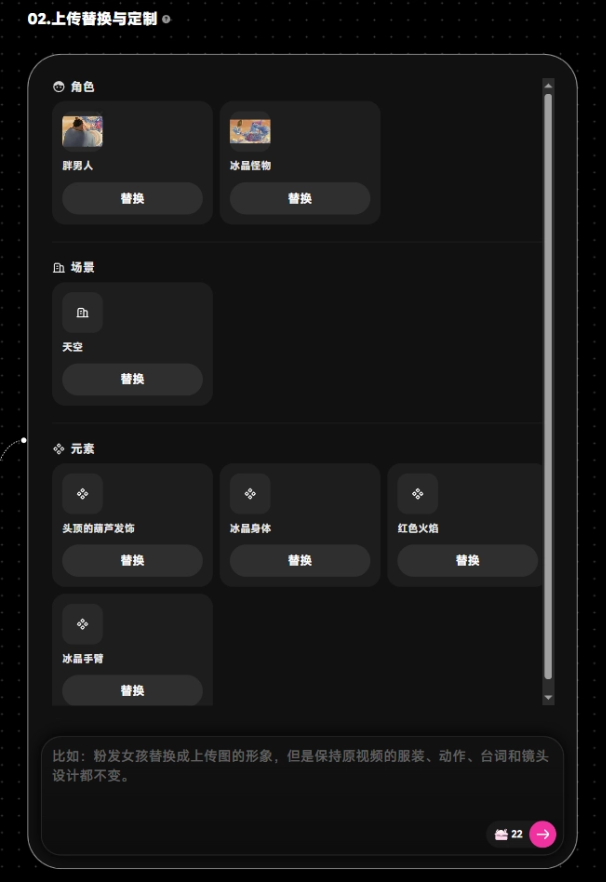
OiiOii will automatically generate video prompts, and they can also be modified freely:
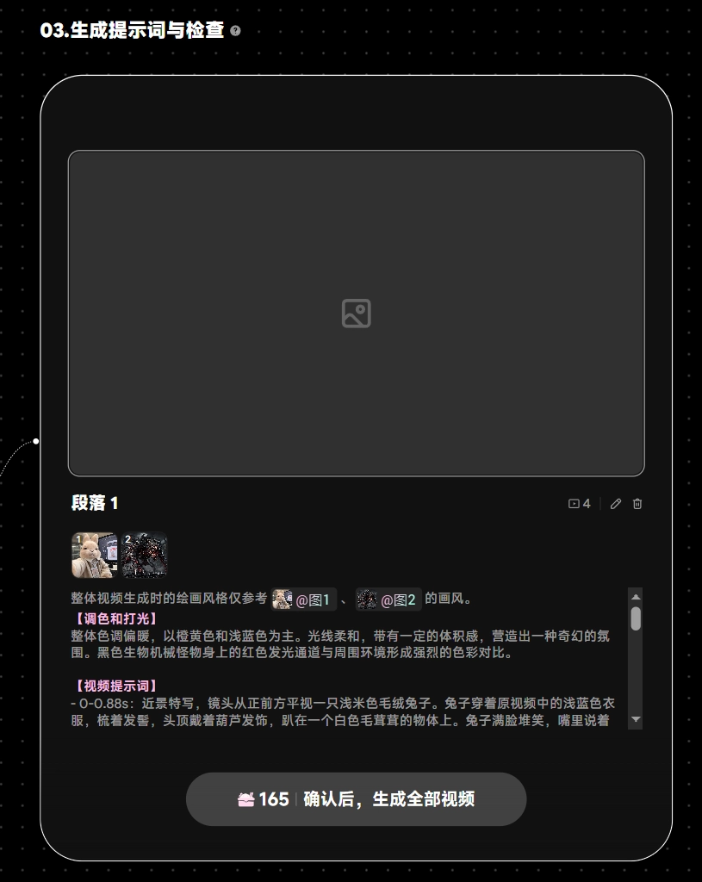
We click confirm, and OiiOii will automatically generate all the videos.
The little rabbit's provocative expression is really a perfect recreation... It cracks me up!
Recently I came across a super cool twelve zodiac sign transformation video, let's try replicating it.
We upload two character images to replace the original characters.
The final generated video looks like this:
The details of the character transformation are almost exactly the same, and the scene also restores the original film very well, with very high quality.
From the experience, film analysis and replication is not only a new way to play, but also quite practical in actual creation. There are mainly the following details:
- Extremely wide replacement range: It is not just simply changing a character or scene; props, clothing, and even subtle logos in the original film can all be replaced by uploading images or using assets within the site, making detail changes quite flexible.
- Agent smart adjustment: Input creative ideas, and the Agent will automatically match prompts and modify and generate in batch.
- Highly restores the essence: Accurately restores the plot, visual content, camera language (including shot size, shot type, camera movement, etc.), UI layout, color grading and lighting, dialogue and sound effects, etc.
- High degree of freedom for adjustment: Although the Agent will automatically help us match prompts and storyboard reference images, all prompts are public, and we can freely adjust them according to our own ideas.
In the past, when learning popular videos on your own and figuring out model selection and prompts by yourself, you might have been overwhelmed and still unable to put it together. OiiOii replicated high-energy shots in less than 5 minutes. It can be called a hot-topic-tracking tool for self-media, and beginners can also replicate viral hits with one click.
03. Some Sharing
This OiiOii upgrade is essentially about reducing the burden on creators. The three biggest headaches for beginners making videos—prompts, storyboards, and planning video structure—OiiOii has provided solutions for all of them.
If you usually make social media short videos, AI story shorts, or trend-inspired videos, a canvas Agent like OiiOii will save you quite a bit of time.
Of course, OiiOii isn't completely brainless one-click either. Character realism, scene details, and storyboard actions still require us to manually pick through and revise, choosing the version that looks best to continue with.
If you usually have needs for making social media videos or story videos, OiiOii is worth trying.
Currently the official team has some good trial offers, which I'll share with everyone here: during June, the generation unit price for Seedance 2.0 can be as low as 0.38 yuan/second.
Recently, recharging any amount also lets you participate in a lucky draw, with a chance to win up to 100,000 bento points.
Original link:OiiOii 2.0 enters the era of the intelligent canvas, and AI video finally no longer requires frantic gacha pulls