
What is Offer Frog
Offer Frog is designed specifically for interviewees,AI interview assistant, helping users easily handle various questions during interviews, improve interview performance, and successfully secure offers. Through powerful AI technology, it can recognize interviewer questions in real time via voice, and quickly generate high-quality, logically clear, and naturally fluent answers. It combines a high-frequency interview question bank and resume information to generate expert-level answers, and supports adaptation across multiple platforms, such as Tencent Meeting, Feishu Meeting, DingTalk, Teams, etc. Offer Frog prioritizes user privacy protection and has undergone security optimization to ensure the process is safe and discreet.
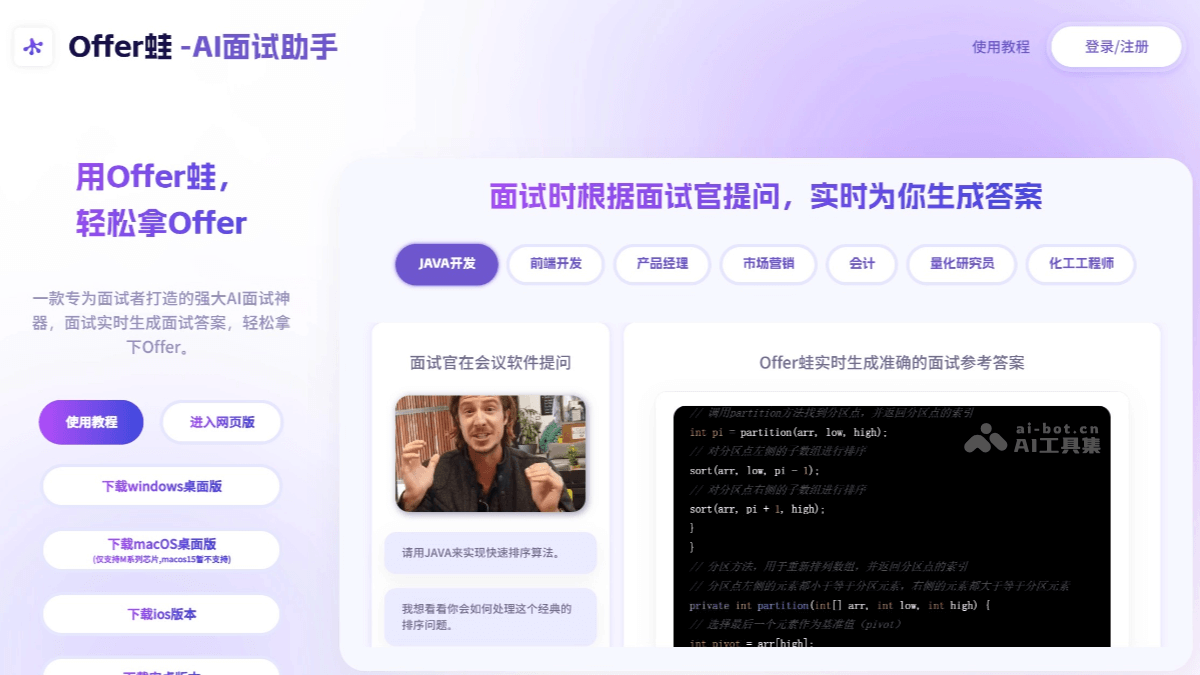
Main Features of Offer Frog
- Real-Time Voice Recognition: It can accurately recognize the interviewer's voice questions and identify common interview keywords, with an accuracy rate of up to 95%.
- AI-Generated Interview Answers: After recognizing the interviewer's question, based on a powerful AI model, it combines a high-frequency interview question bank and resume information to generate expert-level answers.
- Targeted Optimization for Coding Questions: For the internet industry and some positions involving code, it incorporates common coding question banks from various companies for enhanced generation. When handling common interview coding questions, the answer accuracy is extremely high.
- Multi-Platform Adaptation: Supports mainstream interview software such as Tencent Meeting, Feishu Meeting, DingTalk, Teams, etc.
- Privacy Protection: Security optimization for interview scenarios ensures the process is safe and discreet.
- Mock Interview Feedback: After a mock interview, Offer Frog provides detailed feedback and improvement suggestions to help interviewees improve the quality of their answers.
How to Use Offer Frog
- Visit the Platform: Visit Offer Frog'sofficial websiteand use the web version.
- Download and Install: Visit Offer Frog'sofficial app store, and according to the device model, choose to download the mobile app or desktop version.
- Register and Log In: Open the platform and register or log in.
- Enter Job Information: Enter the homepage and input the position you are applying for.
- Upload Resume: Upload your personal resume, and Offer Frog will generate more fitting answers based on the resume content.
- Position the Devices: Make the interview platform a small window and place it on one side of the screen, and place the Offer Frog interview window on the other side.
- Enable Audio Sharing: Depending on the interview platform, choose system audio sharing or web audio sharing.
- Wait for Questions: After the interview begins, Offer Frog will recognize the interviewer's questions in real time.
- Generate Answers: Click to generate an answer, and the AI will retrieve relevant information and generate an answer within one second.
Application Scenarios of Offer Frog
- Technical Interviews: For coding questions, Offer Frog can provide clear code examples and explanations to help interviewees better understand and answer the questions.
- Online Interviews: After the interviewer asks a question, Offer Frog can generate high-quality answers in a short time, helping interviewees quickly organize their thoughts and avoid going blank due to nervousness.
- Quick Response: When the interviewer asks challenging questions, Offer Frog can quickly generate answers, helping interviewees respond quickly and reducing nervousness.
- Enhance professional image: The generated answers are logically clear and fluently expressed, helping interviewees present a professional image in remote interviews.