
What is Notion Email
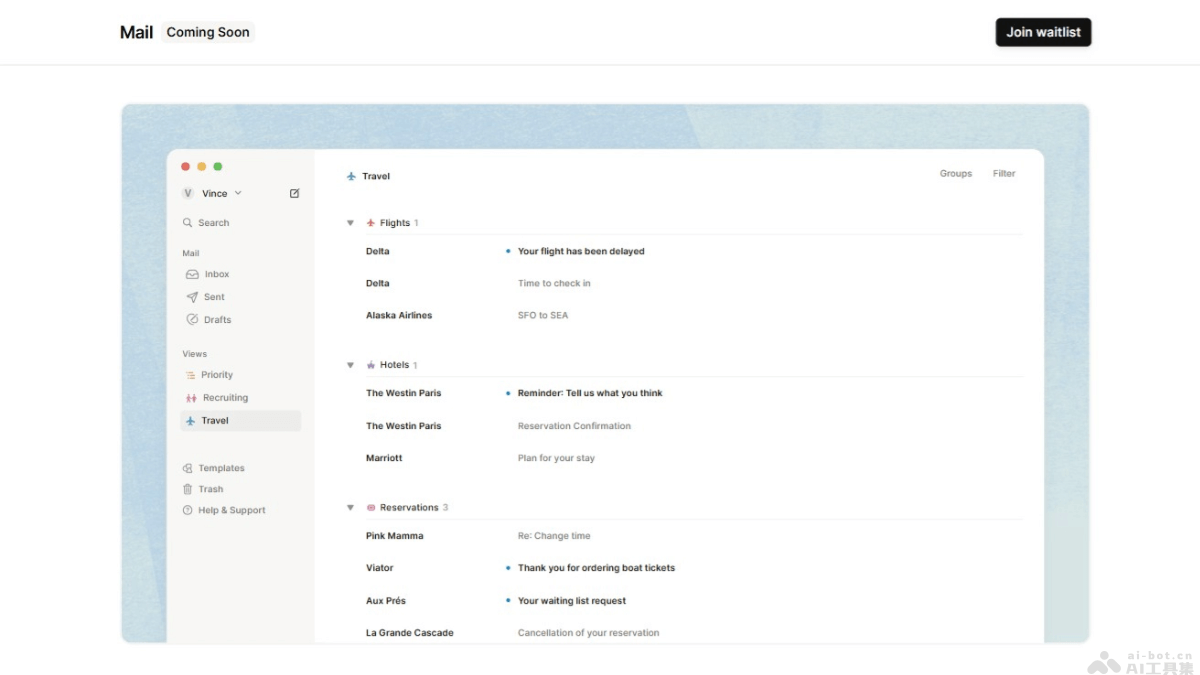
Notion Mail is a customizable email client launched by Notion, continuing Notion's design style and focusing on workflow automation. Notion Mail uses AI technology to help users automatically organize their inbox, automatically reply to emails, and collaboratively draft emails, improving email processing efficiency. Notion Mail is planned for official release in early 2025, offering Android and iOS versions. Initially, it supports integration with Google and Gmail accounts, allowing users to automate email content and workflows for more efficient email management.
Main features of Notion Email
- Automatically organize inbox (Autopilot): Users can set simple prompts to let AI automatically organize, archive, or draft emails, reducing inbox clutter.
- Auto-reply: Uses AI to handle scheduling and follow-up actions, reducing the time and effort users spend on email exchanges.
- AI collaborative email writing: When drafting emails, AI automatically completes content, improving efficiency and ensuring no conflicts with scheduling in Notion Calendar.
- Fast email processing: Notion Mail emphasizes speed, providing a faster email processing experience than traditional email clients.
- Integrated with Notion Calendar: Easily schedule meetings with Notion Calendar and avoid date conflicts.
Notion Email's product official website
- Product official website:notion.com/product/mail(join the waitlist)
Notion Email use cases
- Project management: Automatically categorize and integrate project-related emails into Notion pages, making it easy for team members to track project progress and task assignments.
- Customer support: Automatically convert customer inquiries and support requests from emails into a ticket system in Notion, making it easier for the customer service team to manage and respond.
- Meeting scheduling: Use Notion Email's AI-assisted features to automatically schedule meeting times, sync schedules to Notion Calendar, and avoid time conflicts.
- Team collaboration: Team members use Notion Email to share email content and collaboratively edit email drafts, improving communication efficiency.
- Personal task management: Individual users use Notion Email to convert emails into to-do items and integrate them into their personal Notion task management pages.