
What is NoteGen
NoteGen is an open-source cross-platform AI note-taking app focused on efficient recording and intelligent organization. Developed based on Tauri and ChatGPT, it supports multiple recording methods, including screenshot recording, clipboard monitoring, and text input. Through OCR and AI technology, NoteGen can quickly organize fragmented information into structured notes, saved in Markdown format. It has a built-in Markdown editor and supports advanced writing features such as outline generation, formula editing, and flowchart drawing, providing AI-assisted writing, translation, and optimization. NoteGen supports multi-device synchronization, managing notes and image hosting through private GitHub repositories, ensuring data security.
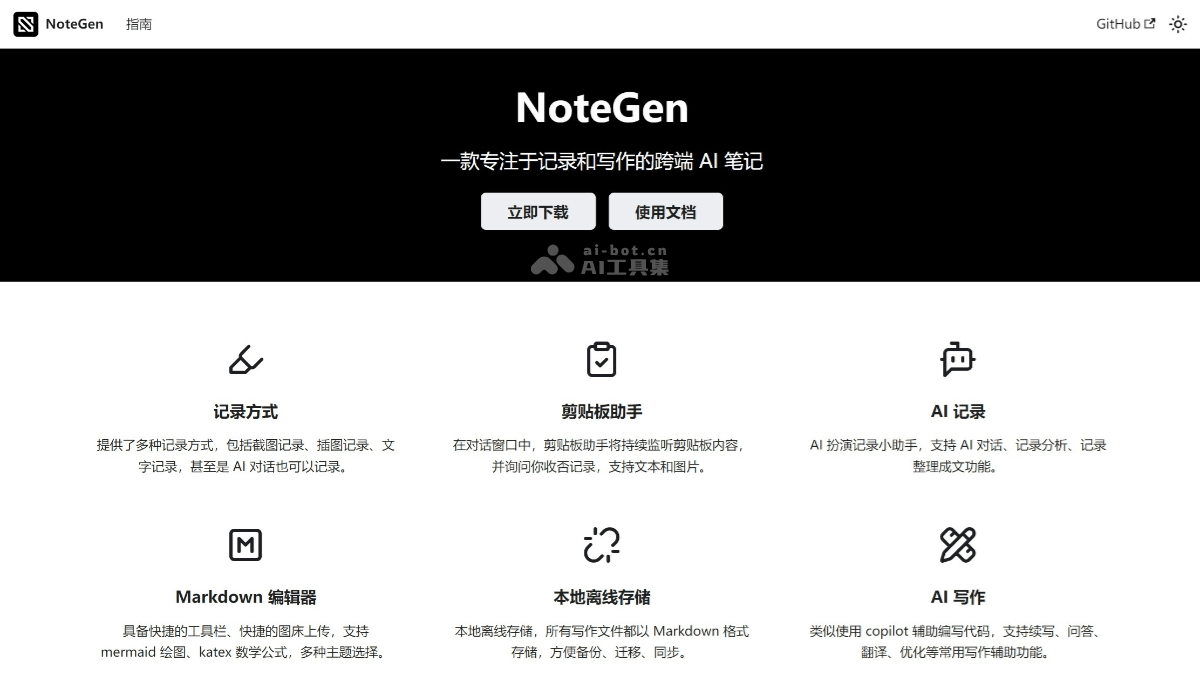
NoteGen's main features
- Recording Features
- Screenshot recording: Supports screenshots and automatically recognizes text in images (OCR), extracting key information through ChatGPT and generating concise notes.
- Clipboard monitoring: Automatically monitors clipboard content, supports text and image recording, making it convenient for users to quickly save important information.
- Text recording: Supports direct text input for recording study notes, meeting points, or fragments of inspiration.
- Intelligent Organization
- AI note organization: Organizes fragmented information into structured notes through ChatGPT, supports multilingual processing, and users can specify key points and control length.
- Multiple organization passes: Users can organize the same note multiple times to generate different versions, meeting diverse needs.
- Markdown format saving: Organized notes are stored as Markdown files, making subsequent editing and sharing convenient.
- Assisted Writing
- Markdown editor: Built-in powerful Markdown editor, supporting list outlines, mathematical formulas, charts, and flowchart drawing.
- AI writing assistant: Provides Q&A, continuation, optimization, and translation functions, helping users quickly generate high-quality content.
- Writing templates: Supports custom writing templates, making it convenient for users to start writing quickly.
- Synchronization and Backup: Achieves note synchronization and image hosting management through private GitHub repositories, supports multi-device use, and supports local backup functionality to ensure data will not be lost.
- Multi-platform support: Supports Windows, Mac, and Linux platforms, with plans to expand to iOS and Android in the future.
- Personalization settings: Supports dark mode and multiple theme choices, allowing users to adjust the interface according to their preferences.
- Global search: Supports full-text search, making it convenient for users to quickly find notes.
- Voice and voice input: Supports voice input functionality, making it convenient for users to record content when typing is inconvenient. Create to-do items or record important information through voice commands.
- Image hosting support: Supports uploading screenshots or images to image hosting, making it convenient to insert images into notes.
How to use NoteGen
- Download and install: You can visit NoteGen'sofficial websiteor GitHub project page, and download the corresponding installation package according to your operating system (Windows, Mac, or Linux).
- Configure ChatGPT API Key: After installation, you need to configure the API Key to use AI features.
- Sync and Image Hosting: If you need the sync feature, configure a private GitHub repository by creating a private repository on GitHub. Enter the GitHub repository address and access token (Personal Access Token) in the NoteGen settings. After configuration is complete, notes will automatically sync to the GitHub repository.
- Start Recording: Open the NoteGen app, choose a recording method, click the screenshot button, and after selecting an area, the app will automatically recognize the text and generate a note. After copying text or an image, the app will automatically monitor it and prompt whether to record it. Enter text directly in the app to record a note.
NoteGen Use Cases
- Knowledge Management and Organization: NoteGen can help users record scattered knowledge points and organize them into systematic notes through AI, building a personal knowledge base.
- Learning and Research: During the learning process, users can record important content, and NoteGen will automatically generate clear notes. Through the AI chat feature, it can assist in answering related questions.
- Writing and Creation: NoteGen is suitable for scenarios such as writing technical articles, novels, or papers. The built-in Markdown editor and AI writing assistant can provide efficient support, helping users optimize text, continue writing content, or translate.
- Team Collaboration and Document Management: With the GitHub sync feature, team members can easily share notes and documents, enabling efficient collaboration.
- Meeting and Call Records: NoteGen can quickly capture and summarize important points from business meetings or calls, helping users efficiently organize meeting content.