
What is Niu Xuezhang
Niu Xuezhang is an intelligent multimedia processing software platform that improves users' digital content processing experience based on AI technology. Niu Xuezhang provides AI creative tools including video restoration, image restoration, intelligent cutout, and image eraser. Niu Xuezhang products use leading AI technology to improve video and image quality and enhance the user experience, and are widely used in fields such as self-media, e-commerce, and training.
Main Features of Niu Xuezhang
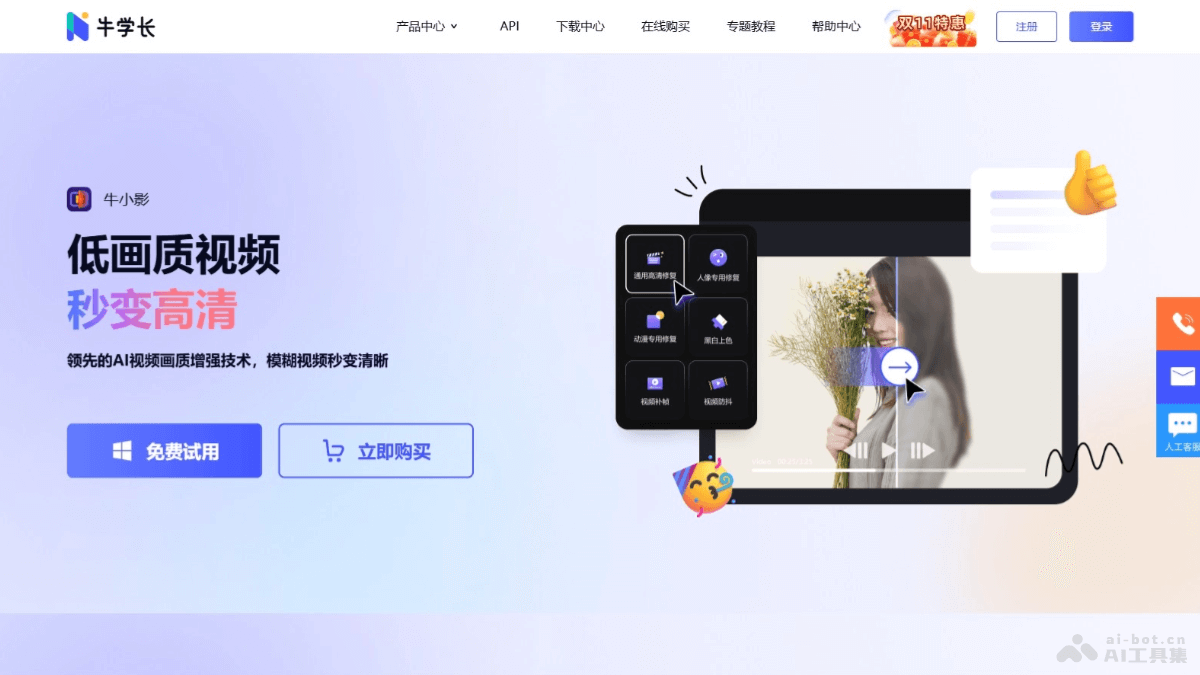
- Video Restoration and Enhancement: Provides Niu Xiaoying (formerly known as: Niu Xuezhang Video Restoration Tool), which upgrades low-quality videos to high definition, enhances video quality, reduces noise, and fixes video lag and shaking.
- Image Restoration: The Niu Xuezhang image restoration tool automatically enhances image quality and resolution with one click, making blurry images clear.
- Intelligent Cutout: The Niu Xuezhang intelligent cutout tool is based on AI technology and quickly cuts out people or objects from images to achieve background replacement.
- Image Erasing: The Niu Xuezhang image eraser easily removes unwanted objects from images and quickly erases image backgrounds.
- AI Digital Humantechnology: Supports multiple languages and digital human templates, restoring real-person appearance and vocal expressiveness to the greatest extent.
How to Use Niu Xuezhang
- Steps for Using Niu Xiaoying (Video Restoration Tool)
- Download and Install: Visit the Niu Xuezhangofficial websiteto download the Niu Xiaoying software, and complete the installation by following the prompts.
- Import Video: Open the software and select the video file that needs to be restored.
- Choose Restoration Mode: According to the specific condition of the video, choose an appropriate restoration mode, such as denoising, resolution enhancement, etc.
- Start Restoration: Click the "Start Restoration" button, and the software will automatically process the video.
- Preview and Save: After restoration is complete, preview the restoration effect, and once satisfied, click "Save" or "Export" to save the video to your device.
- Steps for Using the Niu Xuezhang Image Restoration Tool
- Download and Install: Visit the Niu Xuezhangofficial websiteto download and install the Niu Xuezhang image restoration tool, and complete the installation by following the prompts.
- Import Image: Open the software and select the image file that needs to be restored.
- Choose Restoration Function: According to your needs, choose functions such as image enhancement, deblurring, etc.
- Apply Restoration: Click to start restoring the image, and the software will automatically process the image.
- Save Result: After processing is complete, preview the effect, and once satisfied, save the restored image.
- Steps for Using the Niu Xuezhang Intelligent Cutout Tool
- Download and Install: Visit the Niu Xuezhangofficial websiteto download and install the Niu Xuezhang intelligent cutout tool.
- Import Image: Open the software and import the image that needs cutout.
- Select Cutout Area: Select the area that needs cutout.
- Keying: Click Keying, and the software will automatically perform keying.
- Change Background: If needed, select or upload a new background image in the software.
- Save Result: After keying and background replacement are complete, save the final image.
Niu Xuezhang's Product Pricing
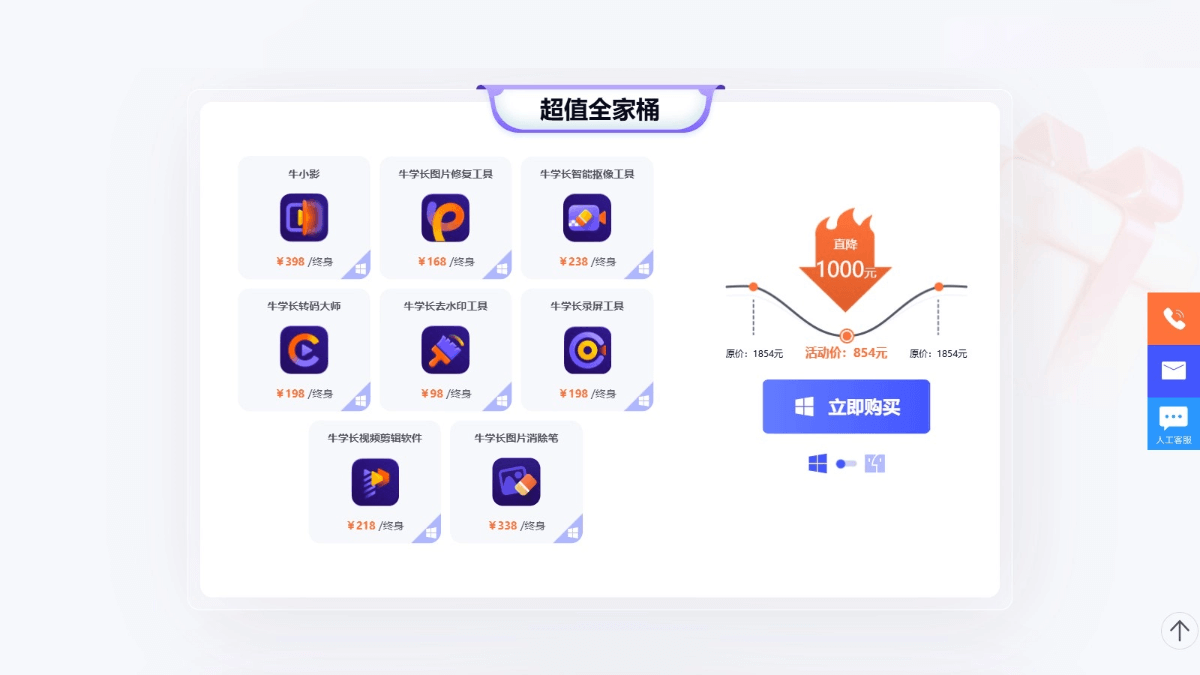
- Super Value Family Bucket: 854 yuan. Includes all software tools provided by Niu Xuezhang
- Video Combo Toolkit: 525 yuan. A software combo for video processing, including Niu Xiaoying (video repair tool), Niu Xuezhang Smart Keying Tool, Niu Xuezhang Video Editing Software, and Niu Xuezhang Screen Recording Tool.
- Image Combo Toolkit: 401 yuan. A software combo for image processing, including Niu Xuezhang Image Repair Tool, Niu Xuezhang Transcoding Master, Niu Xuezhang Watermark Removal Tool, and Niu Xuezhang Image Eraser.
Niu Xuezhang's Application Scenarios
- Video Content Creation:Video bloggers and content creators use Niu Xuezhang's video repair tool to improve video quality and enhance the audience's viewing experience.
- Image Editing:Photographers and designers repair and enhance photos to improve the professionalism of their work.
- Digital Human Production:Create virtual anchors, virtual customer service agents, or virtual instructors for education and training.
- Self-Media Operations:Self-media operators improve the quality of video and image content to attract more fans and viewers.
- E-Commerce Display:E-commerce platforms optimize product images and videos to improve product appeal and conversion rates.