
What is Niuma AI
Niuma AI is a localized AI personal productivity client, built around the human-AI collaboration concept of "letting AI work like an ox and horse." The tool supports fully offline operation and can freely connect to OpenRouter, Kimi, DeepSeek, and many other APIs as well as local models. It features a built-in "Niuma Shed" skill marketplace, providing automated task orchestration for document parsing, data analysis, content creation, and more. Niuma AI can integrate with local applications such as Jianying and Photoshop to achieve a seamless workflow from generation to processing. It is an efficiency tool for the AI era, aimed at lawyers, developers, self-media creators, and other groups.
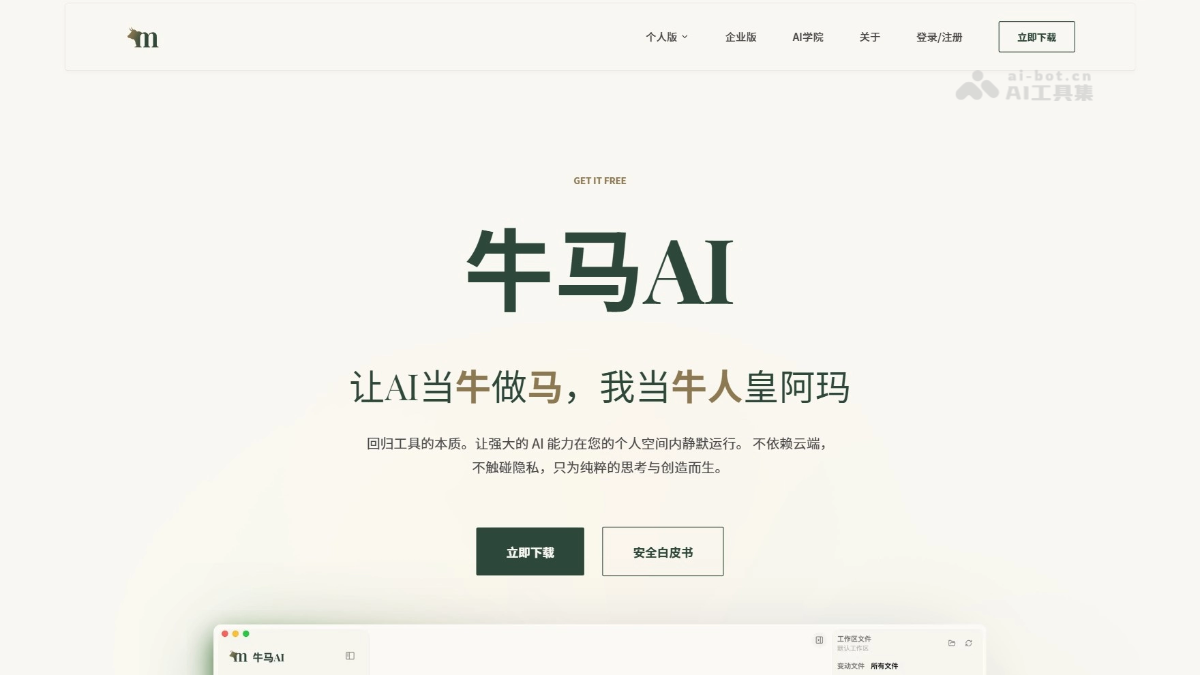
Main features of Niuma AI
-
Free access to multiple models: Supports mainstream cloud models such as GPT, Kimi, DeepSeek, Gemini, Qwen, and Zhipu, and is compatible with third-party APIs such as OpenRouter and local model services. Users can freely switch according to task requirements, and it supports fully offline operation, so it can be used normally even in a physically disconnected network environment.
-
Niuma Shed skill marketplace: Built in with a rich set of preset Skills, covering scenarios such as document processing, data analysis, content creation, information retrieval, and audio/video parsing. Users can quickly invoke them through the dialog box, and can also customize Skills to solidify commonly used workflows and avoid repeated tuning.
-
All-format knowledge parsing: Seamlessly parses PDF, Excel, PPT, Word, and various audio/video files, turning local materials into knowledge sources that AI can understand, helping users build their own private knowledge base.
-
Automated task orchestration: AI can understand complex instructions and automatically break down execution steps. It supports scheduled tasks or event-triggered tasks, and after task completion, notifications can be pushed in real time via Feishu, WeCom Webhook, or custom bots.
-
Local application integration: Generated copy, images, audio/video, and other materials can be connected with one click to local applications such as Jianying, Photoshop, and Figma, enabling an integrated workflow from content generation to post-processing.
-
Data privacy protection: Uses an end-to-end local encrypted storage architecture. All conversations and file processing are completed on the device, with no private data reported to the cloud, physically eliminating the risk of sensitive information leakage.
How to use Niuma AI
- Download and install: Visit the official website https://niuma.limyai.com/ to download the version for the corresponding system (macOS requires an Apple M1/M2/M3/M4 chip, Windows requires 10 64-bit or higher). After installation, register and log in with an invitation code.
- Configure API: Open settings and go to model configuration, select a service provider (recommendedOpenRouter), go toOpenRouterofficial website to register and create an API Key, copy the model name and fill it into the corresponding position to complete the connection test.
- Personalized settings: In settings, add the global prompt "answer in Chinese," and fill in the work description according to the actual work scenario (such as self-media, programmer, lawyer, etc.).
- Create a workspace: Create a new workspace on the homepage as a project folder, and develop the habit of organizing conversations based on specific tasks.
- Hire Niuma Skills: Enter the "Niuma Shed" skill marketplace in the sidebar, browse or search for the required Skill (such as document processing, data analysis, content creation), and complete hiring.
- Start chatting and using: After creating a new conversation, enter "/" in the dialog box or click the small house icon in the lower left corner to invoke hired Skills, and execute specific tasks based on preset workflows.
Niuma AI's official website address
- Official website address:https://niuma.limyai.com/
Niuma AI's application scenarios
- Privacy-sensitive industries: Lawyers, doctors, finance professionals, and corporate managers handling confidential data such as contracts, medical records, and financial reports; the tool runs entirely offline to eliminate leakage risks.
- Super individual creation: Independent developers, freelancers, self-media creators, and entrepreneurs use AI to write proposals, conduct research, analyze data, and generate reports, with one person doing the work of a team.
- Automation of repetitive work: Supports tedious tasks such as daily and weekly reports, data organization, format conversion, and email replies, executing automatically after setup and completing on schedule, saying goodbye to meaningless overtime.
- Knowledge management and literature processing: Graduate students and researchers can parse dozens of papers at once, automatically extract key viewpoints to generate a review, and build a personal knowledge base.