
What is NextChat
NextChat is an open-source project based on Next.js and Vercel that allows users to integrate AI large models such as ChatGPT into their own web applications. NextChat not only provides a ready-made codebase, but also supports one-click deployment, so anyone with basic programming knowledge can quickly build their own chatbot website. It supports deployment on multiple platforms, including Web, PWA, Linux, Windows, and MacOS, and provides cross-platform clients that are extremely small, at only about 5MB. NextChat also has complete Markdown support, including LaTeX formulas, Mermaid flowcharts, and code highlighting.
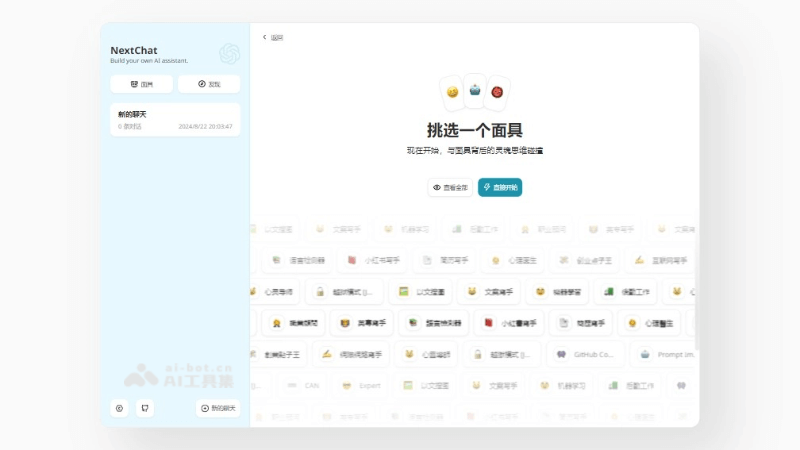
Main features of NextChat
- AI integration: The biggest highlight of NextChat is that it integrates the ChatGPT AI model using an OpenAI key; it has a variety of built-in scenario prompts, and can serve as your internet writer, copywriter, image search by text, and more.
- Cross-platform support: Suitable for Web, PWA, Linux, Windows, and MacOS, providing cross-platform clients.
- One-click deployment: Enables rapid deployment through platforms such as Vercel, simplifying the setup process.
- Multiple model access: Supports multiple AI models such as GPT-3, GPT-4, and Gemini Pro, so users can choose as needed.
- Personalized agents: Allows users to choose or create different AI agents for conversation.
- Markdown support: Provides complete Markdown editing capabilities, including LaTeX formulas, Mermaid flowcharts, and code highlighting.
NextChat project address
- Project website:https://app.nextchat.dev/#/new-chat
- Github repository:https://github.com/ChatGPTNextWeb/ChatGPT-Next-Web
How to use NextChat
- Get NextChat:NextChat'sGitHub project page。According to the instructions on the page, clone or download NextChat's source code locally.
- Environment preparation:Make sure the necessary development environment is installed on your computer, such as Node.js and npm (Node package manager).
- Install dependencies:Open the command line or terminal in the root directory of the NextChat source code.Run
npm installoryarn installto install the dependencies required by the project. - Configure API key:Obtain the API key for the AI model you want to use, such as OpenAI's GPT model.Fill in your API key and the required model information in NextChat's configuration file.
- Run locally:Run in the command line or terminal
npm run devoryarn devto start NextChat's local development server.Visit the specified local server address (usuallyhttp://localhost:3000) to view the NextChat interface. - Personalized settings:In the NextChat interface, personalize settings according to your preferences, such as choosing theme colors, font size, and more.
- Use agents:Choose or create different AI agents for conversation.
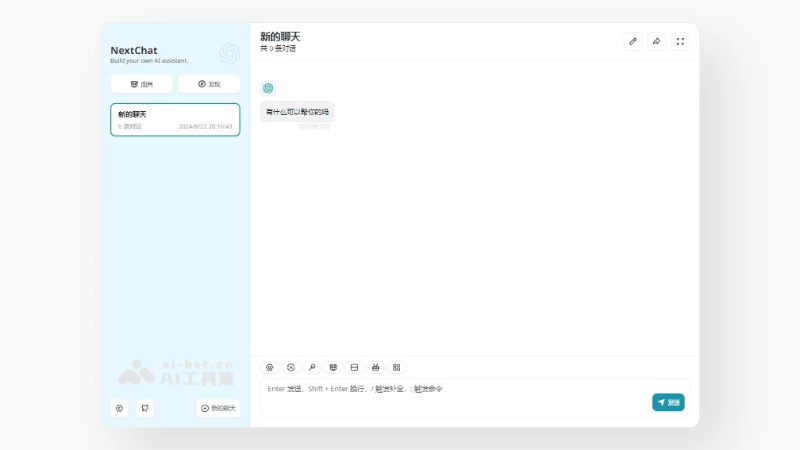
- Have a conversation:Enter questions or instructions in the chat interface, and NextChat will generate answers based on the configured AI model.
NextChat application scenarios
- Personal assistant: As a personal virtual assistant, it helps users manage schedules, answer questions, provide information summaries, and more.
- Customer service: As a customer service representative in an enterprise, provide 24/7 automated customer support and consultation.
- Educational tutoring: As an online education tool, help students learn languages, answer academic questions, or provide programming guidance.
- Content creation: Assist writers, bloggers, and content creators in generating creative ideas, writing articles, or editing manuscripts.
- Technical support: Provide IT and technical support, help solve technical problems, or provide troubleshooting guidance.