
What is Neovate Code
Neovate Code is Ant Group's open sourceintelligent programming assistant, focused on improving development efficiency. The tool can deeply understand codebases, follow existing coding habits, and accurately complete tasks such as code generation, bug fixing, and refactoring. Through a conversational interface, it supports developers in describing requirements in natural language, and Neovate Code provides safe, controllable implementation solutions. The tool supports multiple popular models (such as OpenAI, Anthropic, etc.) and can flexibly extend functionality through a plugin system. It is currently provided as a CLI tool, and in the future will adapt to more client forms to meet the needs of different development scenarios.
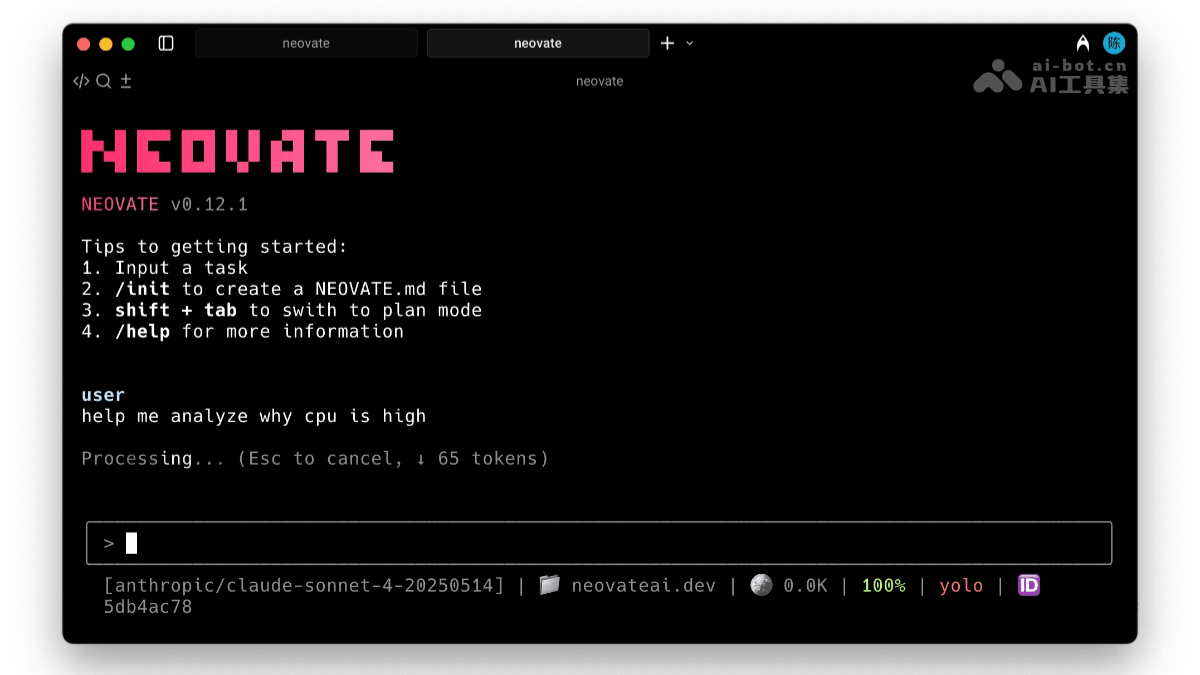
Main Features of Neovate Code
- Conversational development: Provides a natural conversation interface. Developers describe programming requirements in natural language, and Neovate Code understands and generates the corresponding code, making programming more intuitive and efficient.
- AGENTS.md rule file: Developers can create
AGENTS.mdfiles to define custom project rules and behaviors. Neovate Code generates code that meets project requirements according to the rules, ensuring consistent code style. - Session continuation and resumption: Supports continuing previous work across sessions. Developers do not need to re-enter instructions or context information, saving time and effort.
- Support for popular models and providers: Supports multiple mainstream AI models such as OpenAI, Anthropic, and Google. By configuring the API Key in environment variables, developers can quickly switch between and use different models.
- Slash commands: Provides slash commands (such as
/login、/model, etc.), used to quickly execute common operations, such as configuring the API Key or switching models. - Output styles: Developers can customize how code changes are presented. Neovate Code generates code output according to settings that match developers' habits, improving code readability.
- Plan mode: Provides an implementation plan for developers to review and execute only after confirmation, ensuring the accuracy and safety of code generation.
- Headless mode: Supports headless mode, which can automate workflows without interactive prompts, suitable for automation scenarios such as CI/CD.
- Plugin system: Provides a plugin system. Developers can write plugins to extend functionality, such as adding new modules, integrating tools, or adapting to development environments.
- MCP (Model Context Protocol): Supports MCP, an enhanced integrated model context protocol used to share context information across different models, ensuring consistency and coherence in code generation.
- Git workflow: Seamlessly integrates with Git workflows, supports intelligent commit messages and branch management. Developers can directly generate commit messages and manage code branches in Neovate Code.
How to use Neovate Code
-
Install Neovate Code:
-
Open a terminal or command line tool.
-
Enter the following command to install:
npm install -g @neovate/code
-
- Start Neovate Code: After installation is complete, enter the following command to start Neovate Code:
neovate - Configure API Key:
- If the API Key in the environment variables has not yet been set, it needs to be configured first.
- In the Neovate Code interface, enter
/login。 - Follow the prompts to select the target model provider (such as OpenAI, Anthropic, etc.).
- Visit the corresponding website to log in or sign up, and create and fill in an API Key.
-
Select a model:
-
After completing the API Key configuration, enter
/model。 -
Select an available model under that provider.
-
-
Get started:
-
Describe the development requirement in the command line, for example:
-
"Add error handling to the user authentication function."
-
"Refactor this component to use TypeScript."
-
"Create unit tests for the payment service."
-
-
-
Use other features:
-
If you need to continue previous work, use the session continue and resume features.
-
Use slash commands (such as
/help) to get help or perform other actions. -
Customize the output style or define project rules through the
AGENTS.mdfile. -
Turn on plan mode to review the implementation plan, or enable headless mode to automate workflows.
-
Neovate Code project address
- Project website:https://neovateai.dev/
- GitHub repository:https://github.com/neovateai/neovate-code
Neovate Code use cases
- Feature development: Developers quickly describe requirements through a conversational interface, and Neovate Code automatically generates code implementations, accelerating the feature development process.
- Bug fixing: Neovate Code can identify potential issues in code and provide fixes, helping developers quickly locate and resolve bugs.
- Code refactoring: Developers can ask Neovate Code to optimize or refactor existing code, improving code quality and maintainability.
- Test code generation: Generate test code based on requirements, helping developers quickly complete the writing of unit tests or integration tests.
- Database optimization: Developers can optimize database query statements to improve the performance of database operations.