
What is Curator
Curator is a lightweight RAG (Retrieval-Augmented Generation) knowledge base AI Q&A assistant that provides users with knowledge organization and query services in the form of a browser extension. It supports importing local files (such as PDF, Word, TXT, etc.), web content, or browser bookmarks into the knowledge base, and quickly provides precise answers through semantic search and AI analysis. All of Curator's content is stored only locally, with no cloud servers, ensuring user privacy. It supports offline use, allowing knowledge base queries without an internet connection, making it suitable for users with high requirements for data security and privacy. Curator supports Chinese and English search, and provides unlimited document import functionality, with the upper limit depending on the user's device storage capacity.
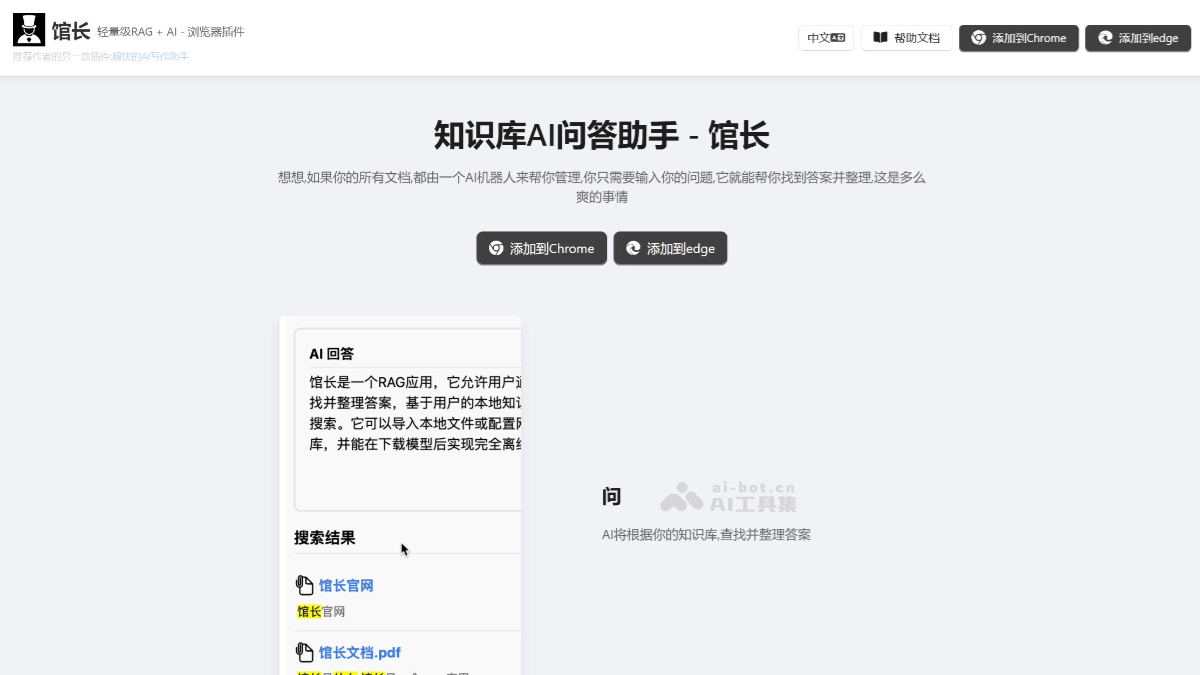
Main Features of Curator
- Knowledge Base Management: Supports importing local files (such as PDF, Word, TXT, PPT, etc.). Web content can be crawled through URLs to enrich the knowledge base. Supports importing browser bookmarks to integrate commonly used information resources.
- Intelligent Q&A: After the user enters a question, Curator provides precise answers based on the knowledge base content through semantic search. AI can analyze documents to extract key information, helping users quickly obtain the content they need.
- Data Security and Privacy: All data is stored only on the local computer, with no cloud servers, ensuring data security. Supports offline use, and no internet connection is required after downloading the model.
- Convenient Features: Supports an unlimited number of documents, with the upper limit depending on the user's computer storage capacity. >Provides Chinese and English search, with optimized Chinese search capabilities.
- Integration with Other Tools: Supports integration with tools such as Notion, Gmail, and Google Drive to further expand knowledge base content.
- Personalized Settings: Users can adjust query statements or regenerate answers according to their needs. Supports custom knowledge base structures for easy classification and management.
How to Use Curator
- Download and Installation: Visit Curator'sofficial websiteto download and install the Curator extension.
- Initial Setup: After the first launch, complete the initialization as prompted, select the language, and set the knowledge base storage path.
- Import Knowledge Base: Click "Import Knowledge Base," select local files (PDF, Word, etc.), web links, or browser bookmarks, and import the content into the knowledge base.
- Q&A Operation: Enter a question in the search box, click search or press Enter, and Curator will generate an answer based on the knowledge base content. Users can view cited sources or regenerate the answer.
- Offline and Data Management: Curator supports offline use, and data is stored only locally. Users can delete or update knowledge base content at any time.
- Advanced Features: Can be integrated with tools such as Notion and Gmail, supports Chinese and English search, and optimizes the Chinese experience.
Curator's Application Scenarios
- Personal Knowledge Management: Users can import personal documents (such as PDF, Word, etc.) into the knowledge base to quickly find and organize study notes, work materials, and more.
- Enterprise Internal Knowledge Base: In an enterprise environment, Curator can be used to build an internal knowledge base, making it convenient for employees to query project materials, technical documents, etc., and improving team collaboration efficiency.
- Online Learning Assistance: Students and teachers can import course materials and academic literature into the knowledge base, and quickly obtain learning resources and answers to academic questions through intelligent Q&A.
- Library Services: Library directors can use it in library management systems to provide services such as book search, borrowing guides, and intelligent recommendations.