
What is Muse Image
Muse Image is the first self-developed AI image generationmodel launched by Meta Superintelligence Labs. It adopts an Agent architecture and collaborates with Muse Spark for multi-step planning and self-refinement. The model supports text-to-image, smart editing, background erasure, text rendering, and multi-asset fusion, and ranks second globally on the Arena AI leaderboard. The model is deeply integrated with Meta's social ecosystem, including Instagram and WhatsApp, allowing users to create quickly through conversational prompts or preset templates.
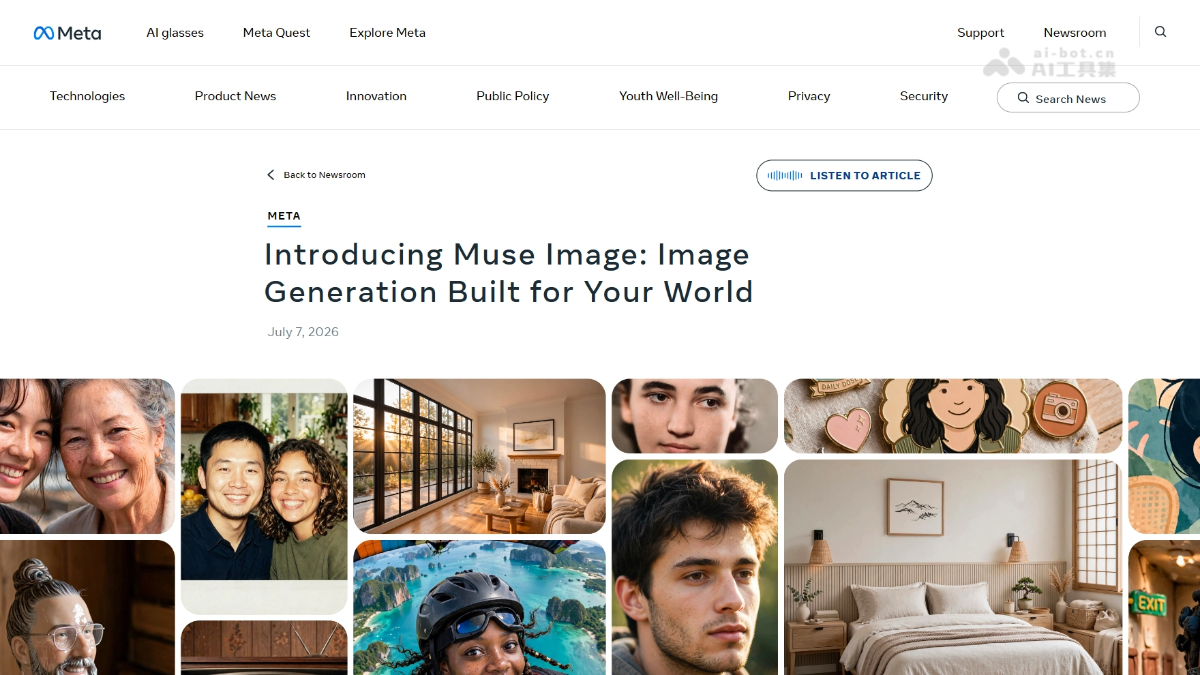
Muse Image's main features
-
Text-to-image generation: Users describe their needs through conversational language, and the model can generate high-quality images.
-
Smart image editing: Supports background erasure, single-image modification, and multi-image fusion creation, while preserving the full conversational context.
-
Text rendering: Can clearly generate text within images, used for creating operation guides or themed infographics.
-
Social integration: Supports @mentioning Instagram accounts to incorporate public photos into image creation, and can be turned off at any time.
-
Circle and annotate: Click the mark icon to directly circle, sketch, or annotate on the image for local edits.
-
AI effect filters: Provides more than 30 customizable AI effects and filters for Instagram Stories.
-
Preset prompt panel: Built-in preset creative templates such as one-click old photo restoration, hairstyle simulation, and clay animation conversion.
Muse Image's technical principles
-
Agent proxy architecture: Muse Image operates in agent mode rather than direct prompt-to-image, and can call tools, self-optimize, and improve through extended test-time compute.
-
Multi-step planning collaboration: Paired with Muse Spark, it performs reasoning, layout arrangement, real-time web search, and intelligent planning before generation, improving first-attempt success rates.
-
Self-refinement mechanism: Through test-time self-refinement, the quality of text-to-image, single-image editing, and multi-image editing is significantly better than versions without refinement.
-
Social context learning: Draws social context from Instagram to enhance understanding of scenes, styles, and popular trends.
How to use Muse Image
- Enter the creation interface: Visit Meta AI apporweb version, and enter the Muse Image creation interface.
- Describe needs or choose a template: Enter a conversational prompt to describe image needs, or select a preset creative template from the preset panel.
- Incorporate social assets: If you need to reference social content, @mention an Instagram account to incorporate public photos into image creation.
- Circle and annotate modifications: After generating an image, click the mark icon to make local editing adjustments such as circling, sketching, or annotating.
- Cross-platform sharing and publishing: After completing creation, you can directly share and use it in Instagram Stories, WhatsApp, or Facebook.
Muse Image's core advantages
-
High first-attempt success rate: The Agent pre-planning mechanism allows users to achieve ideal results on their first attempt.
-
Precise instruction following: Faithfully follow user instructions for precise image editing and element addition/removal.
-
Multi-reference intelligent fusion: Supports intelligently combining multiple reference materials to create images with a unified style.
-
Deep social integration: Seamlessly embedded in the Meta social ecosystem such as Instagram, WhatsApp, and Facebook.
-
Business closed-loop capability: Integrated with Facebook Marketplace, supporting e-commerce scenarios such as room redesign.
Muse Image project address
- Project official website:https://about.fb.com/news/2026/07/introducing-muse-image-meta-ai/
Comparison of Muse Image with similar competitors
| Comparison dimension | Muse Image | Google Nano Banana 2 |
|---|---|---|
| Development team | Meta Superintelligence Labs | Google DeepMind |
| Arena ranking | 2nd place (1280 points) | 4th place (1270 points) |
| Architecture features | Agent proxy mode, multi-step planning and self-refinement | Direct text-to-image, emphasizing high fidelity and detail restoration |
| Social integration | Deeply embedded in Instagram / WhatsApp / Facebook | Mainly integrates Google Search and Workspace ecosystem |
| Editing capabilities | Supports circle annotation, multi-image fusion, context memory, and background erasure | Mainly text-to-image and basic image editing |
| Text rendering | Supports clear text rendering, can generate infographics and QR codes | Strong text rendering capability, supports complex layouts |
| Business applications | Supports Facebook Marketplace and Advantage+ ads | Integrates Google Ads and Vertex AI enterprise solutions |
Application scenarios of Muse Image
-
Social media content: Generate personalized images and filter content with AI effects for Instagram Stories.
-
E-commerce visual design: Combine with Facebook Marketplace for room redesign and virtual display of furniture products.
-
Marketing infographics: Use text rendering capabilities to quickly create brand operation guides and themed infographics.
-
Old photo restoration: One-click restoration through preset prompts, enhancing historical photos and converting them into creative styles.
-
Ad creative generation: Advertisers use Advantage+ creative to call the model to generate ad materials in batches.