
What is Motionshop
Motionshop is an AI character animation framework launched by the Alibaba Institute for Intelligent Computing (XR Lab and TIDE 3D Rendering Team). It can replace the human characters in a video with 3D avatars while not changing other scenes and people in the video. The framework uses a variety of technologies such as video processing, character detection/segmentation/tracking, pose analysis, model extraction, and animation rendering, enabling the protagonist in a dynamic video to easily cross the boundary between reality and virtuality and transform into an interesting 3D character model with one click.
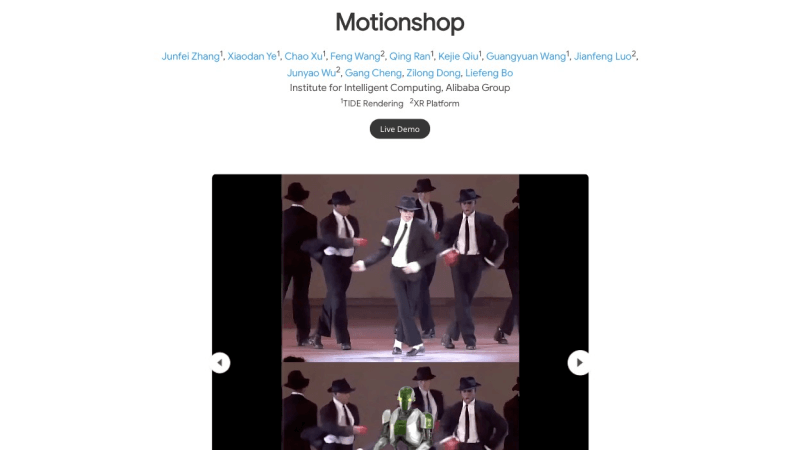
Official project homepage:https://aigc3d.github.io/motionshop/
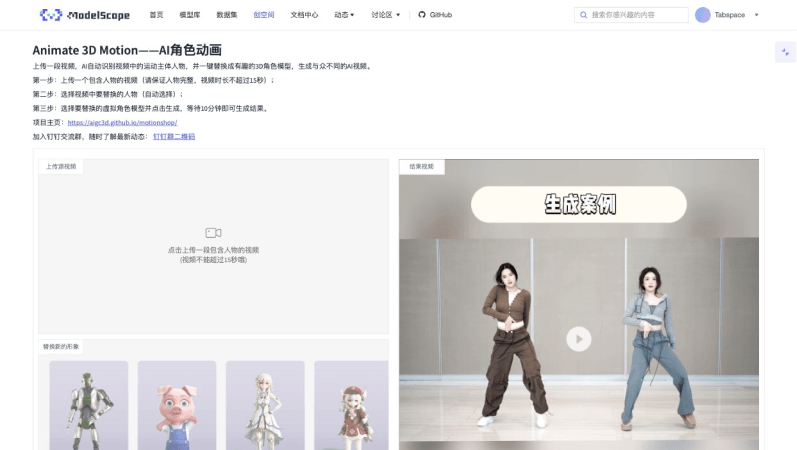
Online experience entry:https://www.modelscope.cn/studios/Damo_XR_Lab/motionshop/summary
Motionshop's features
- Replacing people in videos with 3D avatars: Users only need to upload a video, and the AI can intelligently identify the main character in the video and seamlessly convert them into a vivid 3D character model.
- Motion synchronization and realism: Motionshop not only replaces the person, but also accurately replicates the motion details of the person in the original video, ensuring that the 3D character's movements are smooth and natural and providing a highly realistic visual effect.
- Seamless integration of reality and virtuality: Through Motionshop, people in the real world and 3D virtual characters can be perfectly integrated, creating a brand-new experience that crosses the boundary between reality and virtuality and adding unlimited possibilities to video content.
Motionshop's working principle
The Motionshop framework consists of two parts: one is a video processing pipeline used to extract and repair the background video sequence, and the other is a pose estimation and rendering pipeline used to generate the 3D virtual character video sequence. By running the two pipelines in parallel and using the high-performance ray tracing renderer TIDE, the entire video replacement process can be completed within a few minutes.
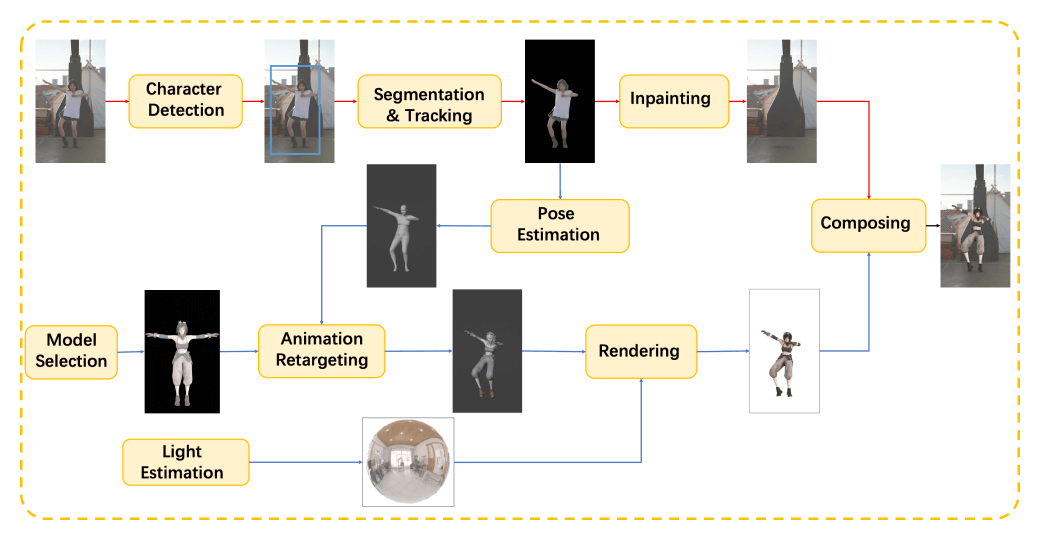
The specific technologies are as follows:
- Character detection: First, Motionshop uses advanced algorithms to accurately identify characters in the video, ensuring the accuracy of subsequent processing.
- Video object segmentation and tracking: Based on character detection, the system further performs pixel-level segmentation and tracking of video objects, preparing for subsequent repair and replacement.
- Video repair: Advanced video repair technology is used to repair flaws and imperfections in the background video sequence
- Pose estimation: By applying high-precision pose estimation methods such as CVFFS, the system can stably capture the character's motion poses, laying the foundation for animation retargeting
- Animation mapping: After estimating the character's poses, Motionshop remaps these poses onto the selected 3D model, enabling the new model to naturally simulate the original character's movements
- Lighting estimation: To ensure that the new model is consistent with the lighting and shadow effects of the original video, the system performs fine lighting estimation to achieve seamless visual integration.
- 3D rendering: Using the TIDE rendering engine, Motionshop renders the 3D model into a realistic image sequence, while combining motion blur, temporal anti-aliasing, and other algorithms to improve rendering quality
- Video compositing: Finally, the newly generated 3D rendered images are composited with the repaired video background to create a brand-new video sequence that seamlessly connects with the original video.
How to use Motionshop
- Visit the ModelScope Mofan Community Demo experience address for Motionshop:https://www.modelscope.cn/studios/Damo_XR_Lab/motionshop/summary
- Prepare a video, ensuring that the main person in the video is complete and that the video duration does not exceed 15 seconds.
- After uploading the video, the system will automatically select the person in the video
- Select the virtual character model you want to use for replacement
- Finally, click the Generate Video button and wait a moment for the result to be generated