
What is Magic Design
Magic Design is an efficient and convenient online design platform, dedicated to providing users with one-stop design solutions. It integrates a rich library of copyrighted materials and powerful online editing features, covering a variety of design templates such as posters, exhibition boards, invitations, PPT, and more, meeting design needs for different scenarios. The platform has a massive collection of licensed images, illustrations, artistic text, and other materials, so users don't need to worry about copyright issues and can confidently use them for commercial purposes. Magic Design is also equipped with AI smart tools,AI Cutout、AI PPT Generationand other functions, to quickly complete high-quality design works.
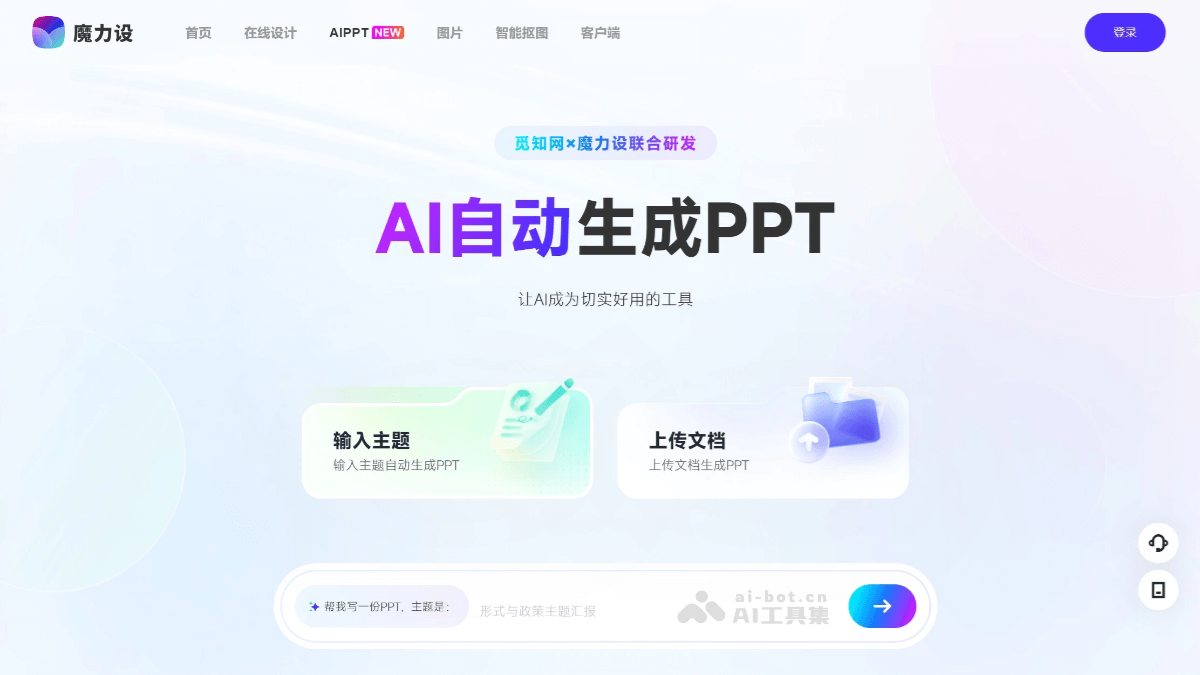
Main Features of Magic Design
- Massive Design Templates: Provides over 200,000 design templates, covering posters, exhibition boards, invitations, PPT, main images, covers, and many other scenarios, meeting the design needs of different industries.
- Copyrighted Material Library: Has 500,000+ licensed images, illustrations, PNG transparent elements, artistic text, and other materials, which users can use for free for commercial purposes without worrying about copyright issues.
- Online Design Features: Supports online editing without installing professional software. Users can directly perform design operations in the browser, including image cropping, text editing, color adjustment, and more.
- AI Smart Cutout: Input a topic or upload a document, and AI automatically generates a PPT.
- AI PPT Generation: Supports uploading JPG and JPEG images within 15M. Products, elements, and portraits can be cut out with one click, helping users quickly complete complex design tasks.
- Multi-Format Export: Supports export in multiple formats such as JPG, PNG, PDF, and more, meeting various purposes such as printing and online sharing.
How to Use Magic Design
- Visit the Official Website: Visit Magic Design'sofficial website。
- Choose a Template or Material: On the homepage, you can choose design templates (such as posters, PPT, exhibition boards, etc.) or materials (such as images, illustrations, artistic text, etc.) according to your needs. Magic Design provides rich categories for quick searching.
- Use AI Tools: Use AI smart features, such as AI cutout or AI PPT generation, to quickly complete complex tasks.
- Save and Export: After completing the design, click the "Save" button to save the work, or select the "Export" button to export the design work in JPG, PNG, PDF, and other formats for printing or sharing.
Application Scenarios of Magic Design
- Business Office: Suitable for creating business report PPTs, product introductions, work plans, and more. Entrepreneurs and salespeople can use Magic Design to quickly generate professional and attractive PPTs, improving the effectiveness of business communication.
- Education and Training: Educators can use Magic Design to automatically generate teaching PPTs, combining animations and interactive elements to make classes more lively and interesting.
- Marketing: Used to design posters, exhibition boards, invitations, brochures, and other marketing materials. Magic Design provides a rich template and material library to meet the needs of different marketing scenarios.
- Social Media and Content Creation: Can create social media covers, Douyin video covers, WeChat official account images, and more, helping content creators quickly generate design works that meet platform requirements.