
What is MoiAI
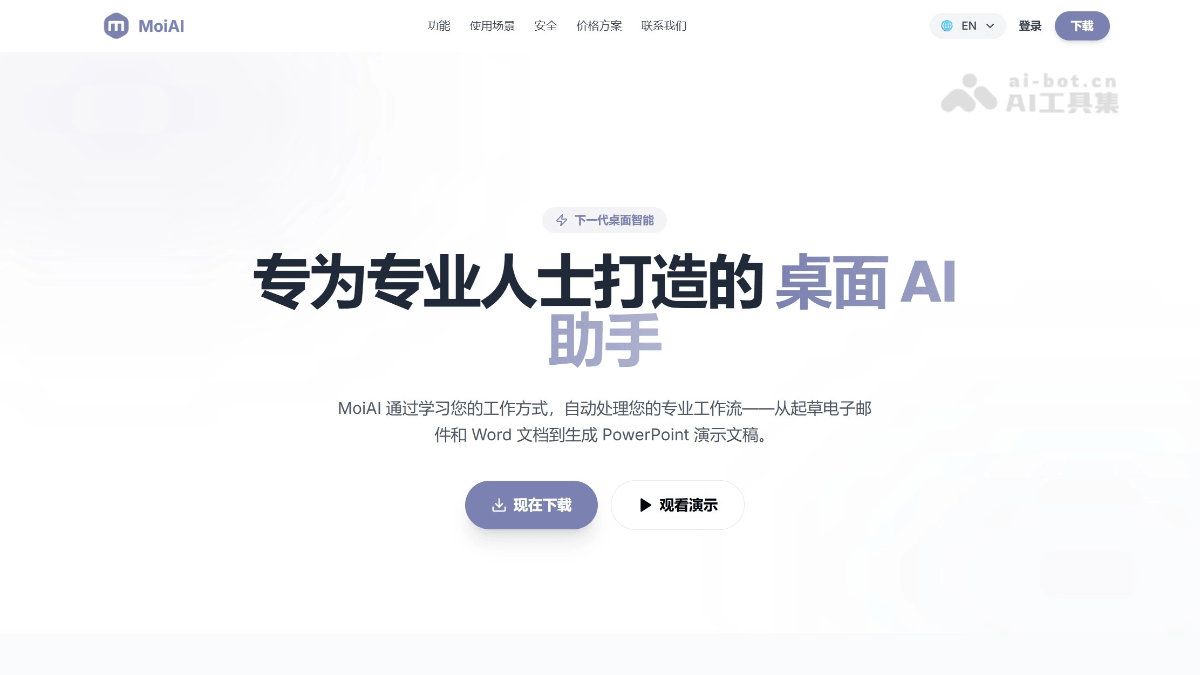
MoiAI is a next-generation desktop intelligent agent for professionals, featuring a privacy-first architecture. In the enterprise edition, all data processing is completed on local servers, achieving zero cloud residency. MoiAI can automate daily office tasks such as email drafting and sending, Word document writing, and PPT presentation generation, and can learn users' unique work styles for personalized output. It supports multi-model switching (GPT-4, Claude, or purely local models), cross-application workflow chaining, and voice and multimodal interaction.
MoiAI's Main Features
-
Intelligent Email Agent: Automatically drafts, proofreads, and sends emails based on the user's unique communication style, supporting context-aware drafting, tone matching, and automatic follow-ups.
-
Intelligent Document Writing: Directly generates professional Word documents and reports from prompts, supporting complex contract drafting, risk identification, and long document summarization.
-
Automatic Presentation Generation: Transforms rough notes or data into professional PPTs, automatically designing layouts, suggesting visual elements, and building narrative structures.
-
Local File Semantic Management: Indexes and semantically searches the entire local file system.
-
Native Tool Calling: Performs real actions—sending emails, creating calendar events, editing documents.
-
Cross-Application Workflows: Chains tasks across applications such as Outlook, Word, Excel, and Slack, supporting complex logic triggers.
-
Voice Interaction: Natural conversation through advanced speech-to-text and speech synthesis technology.
-
Multimodal Interaction: Supports multiple interaction methods such as text, voice, and images.
-
Multi-Model Switching: Can switch between leading models such as GPT-4 and Claude, or run lightweight models 100% locally.
-
Agent Marketplace: Download professional skills and pre-built agents to meet specialized professional needs.
MoiAI's Key Information and Usage Requirements
-
Product Positioning: A next-generation desktop intelligent agent for professionals, automating workflows such as email, documents, and PPTs.
-
Developer:Haiclaud Technology Limited。
-
Core Architecture: Privacy-first; all data in the enterprise edition is processed locally, with zero cloud residency.
-
Supported Models: GPT-4, Claude, and local lightweight models can be switched.
-
New User Benefits: Receive 300 free credits upon registration.
-
Compliance Certifications: SOC2 & HIPAA compliant, meeting strict data regulations.
-
System Requirements: Requires downloading and installing the desktop application; the enterprise edition requires deployment to a local server.
-
Account Authorization: Requires linking an email account (such as Outlook) to enable email automation features.
-
File Authorization: Requires authorization to access the local file system to build a semantic retrieval library.
-
Credit Consumption: Complex tasks (such as generating a complete PPT or long report) consume credits; when used up, they can be recharged ($25 for 1,080 credits).
-
Network Requirements: Basic features require an internet connection; the enterprise edition can run offline after local deployment.
-
Subscription Method: Personal/Professional versions have no long-term contract and support one-click cancellation.
MoiAI's Core Advantages
-
Privacy-first architecture: Enterprise edition application data is fully retained on the user's servers, with all processing completed locally to ensure absolute security.
-
Localized deployment: Zero cloud residency; all memory and file processing are performed on the enterprise's dedicated servers.
-
SOC2 & HIPAA Compliance: Meets the strictest data regulatory requirements.
-
Regional low latency: Optimized low-latency local nodes for North America and other regions.
-
Style adaptation: AI learns the user's unique way of working and generates output that matches personal habits.
How to Use MoiAI
- Registration and login: Visit the official website https://moi-ai.com/ to complete registration.
-
Initial setup: New users automatically receive 300 free credits, which can be used for document generation, PPT creation, and other tasks. Download and install the MoiAI desktop application. Enterprise edition users deploy it to local servers to ensure zero cloud upload of data.
- Basic feature usage
-
Email processing: Authorize email accounts such as Outlook. MoiAI automatically learns communication style and supports context-aware drafting, tone-matched replies, and automatic follow-ups.
-
Document writing: Enter prompts in the application to directly generate professional Word documents or contracts, with support for risk identification and long-document summarization.
-
PPT generation: Provide rough notes or data and convert them into professional presentations with branded layouts in one click.
-
- Advanced feature configuration
-
Model switching: Select GPT-4, Claude, or switch to running a 100% local lightweight model in settings.
-
Local file indexing: Authorize access to the local file system to build a semantic retrieval library.
-
Agent marketplace: Browse and download professional skill packs and prebuilt agents to extend domain-specific capabilities.
-
Cross-application workflows: Configure automated task chains across applications such as Outlook, Word, Excel, and Slack.
-
MoiAI Application Scenarios
- Executive assistant (email communication): Automate high-priority business email correspondence. AI learns personal tone and style, intelligently drafts context-aware replies, automatically prioritizes the inbox, and intelligently schedules appointments.
- Presentation creation: Quickly convert rough notes or raw data into professional PPTs, automatically match brand visual guidelines, unify layout, intelligently suggest visual elements, and build narrative logic.
- Legal compliance and document processing: Intelligent drafting and review of complex contract clauses, automatic identification of potential risk points and missing clauses in documents, and second-level summarization and extraction of long legal documents.
- Market research and intelligence analysis: Continuously monitor industry trends and competitor developments, integrate internal data to generate comprehensive market analysis reports, and automate competitor tracking and intelligence collection.
- Cross-department collaboration processes: Connect multi-application tasks such as Outlook, Word, Excel, Slack, and more, configure automated workflows with complex logic trigger conditions, and support multimodal interaction methods including voice, text, and images.
MoiAI Frequently Asked Questions FAQ
Q: Is my data really only stored on my machine?
A:For enterprise edition applications, your private documents, emails, and credentials never leave your hardware. Processing is carried out through a local encryption layer.
Q:How do the 300 free credits work?
A:After registration, we provide your local agent with 300 free credits. These can be used for complex tasks, such as generating a complete presentation or drafting a long report.
Q:Can I cancel my subscription at any time?
A:Of course. The Personal and Professional plans have no long-term contracts. You can cancel with one click from the MoiAI website.
Q:Can I purchase additional credits separately?
A:Yes, if you run out of credits, you can purchase top-up packs directly in the MoiAI desktop app, starting at $25 for 1,080 credits.