
What is Modao AIPPT
Modao AIPPT is anAI PPT creation tool, which significantly simplifies the PPT creation process based on intelligent technology. Users only need to enter a topic or import relevant documents, and AI can automatically generate a structurally complete, consistently designed, and content-rich PPT. The tool features intelligent copy matching, one-click chart generation, automatic theme color adaptation, and supports real-time multi-user collaboration and version management. Modao AIPPT provides a massive collection of templates across all industries, can quickly switch styles, adapts to different presentation scenarios, and helps users efficiently complete PPT creation, saving time and effort while enhancing professionalism.
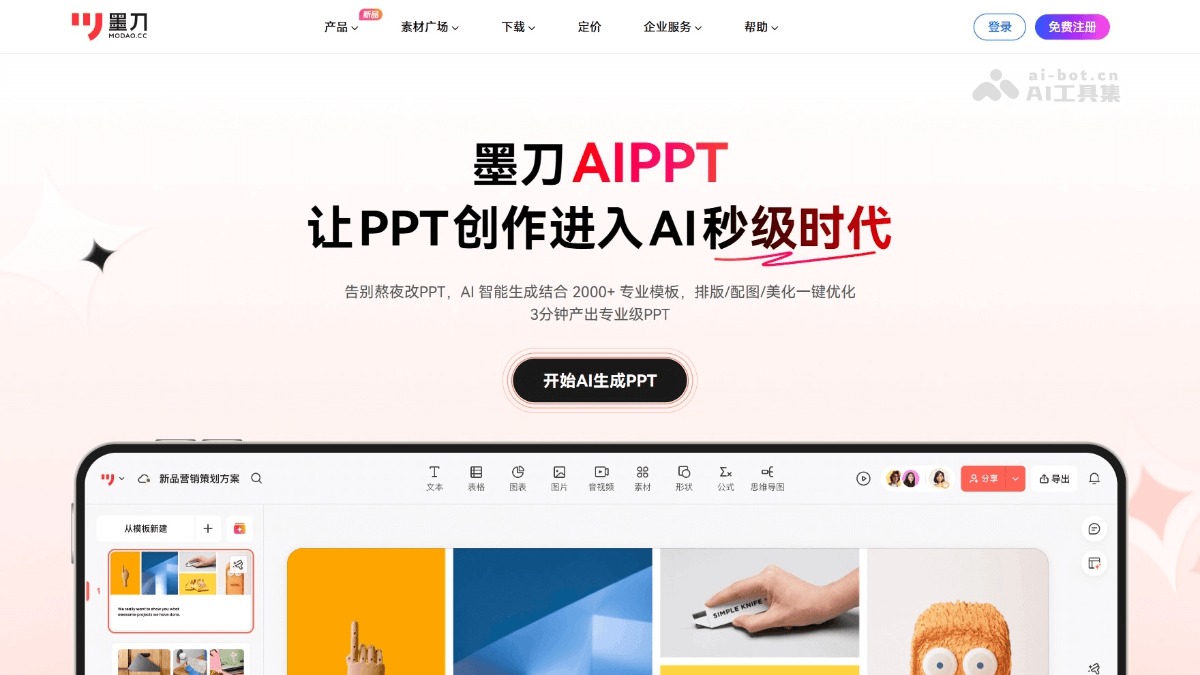
Main features of Modao AIPPT
- Automatically generate PPT: Enter a topic or import a document, and AI quickly generates a complete PPT, including the cover, table of contents, copy, and images.
- Intelligent copy matching: AI automatically generates copy, provides writing ideas, and saves writing time.
- Images and templates: Automatically matches templates and materials that fit the topic, switches styles with one click, and seamlessly adapts content.
- Intelligent chart generation: Generates multiple chart types with one click, automatically analyzes data relationships, and adapts chart colors to the PPT's main color scheme.
- Collaboration features: Supports real-time multi-user collaboration, closed-loop comment management, and version management with anytime rollback.
- All-scenario templates: Covers multiple scenarios, and AI recommends matching templates and styles. Modao AIPPT
How to use Modao AIPPT
- Register and log in: VisitModao AI, click the product and select Modao AIPPT; or directly visit the official website:https://modao.cc/feature/aippt。按要求完成注册和登录。
- Create a new project: After logging in, click the "New Project" button, enter the project name, and select the project type (such as business report, academic presentation, etc.).
- Enter a topic: In the new project interface, enter the PPT topic, for example, "2025 First Half Product Review Plan".
- Generate a draft: Click the "Generate PPT" button, and AI generates a PPT draft within seconds that includes the cover, table of contents, section subtitles, and accompanying copy ideas.
- Import a file: If you have an existing document (such as Word, PDF, TXT, Markdown, etc.), click the "Import Document" button and select the file to upload.
- Automatic parsing: AI automatically recognizes the document's title hierarchy and content logic, generates a clear outline structure, and creates a PPT draft.
- Edit content: Based on the generated PPT, revise and optimize the copy and adjust the level of detail in the content.
- Adjust the design: Choose different template styles, and AI automatically adapts the content to ensure a consistent design style on every page. Or manually adjust the layout, colors, fonts, etc.
- Add charts: In the editing interface, find the "Charts" feature and click the "Add Chart" button.
- Enter data: Enter or import table data, and AI will automatically generate commonly used charts such as bar charts, pie charts, and line charts, and automatically adapt them to the PPT's main color scheme.
- Share the PPT: After completing the PPT, click the "Share" button to generate a sharing link and share the PPT with others for viewing or downloading.
- Export and share: Click the "Export" button, select the export format (such as PPTX, PDF, etc.), and download it locally. Or click the "Share" button to share the PPT with others for viewing or downloading.
Application Scenarios of MockingBot AIPPT
- Business Reporting: Quickly generate well-structured and beautifully designed presentation PPTs to improve communication efficiency and professionalism.
- Academic Presentation: Generate teaching or thesis presentation PPTs with one click, unify the teaching style, and enhance classroom appeal.
- Party and Government Publicity: Match official-style templates with one click to ensure standardized content and authoritative expression, saving formatting time.
- Product Launch: Automatically generate data charts and match theme colors to strengthen data interpretation capabilities and improve presentation effectiveness.
- Personal Project Showcase: Enter the project theme to quickly generate a showcase PPT, highlighting the core value and innovative points.