
What is Midlibrary
Midlibrary was established by foreign artist Andrei KovalevMidjourneya prompt resource website that includes 5,505 styles, art movements, techniques, and artist keywords, providing rich references for AI image creation. It includes three major sections: Styles, Features, and Categories, as well as MIDGUIDE (Drawing Guide). Users can use these resource libraries to spark creative inspiration.
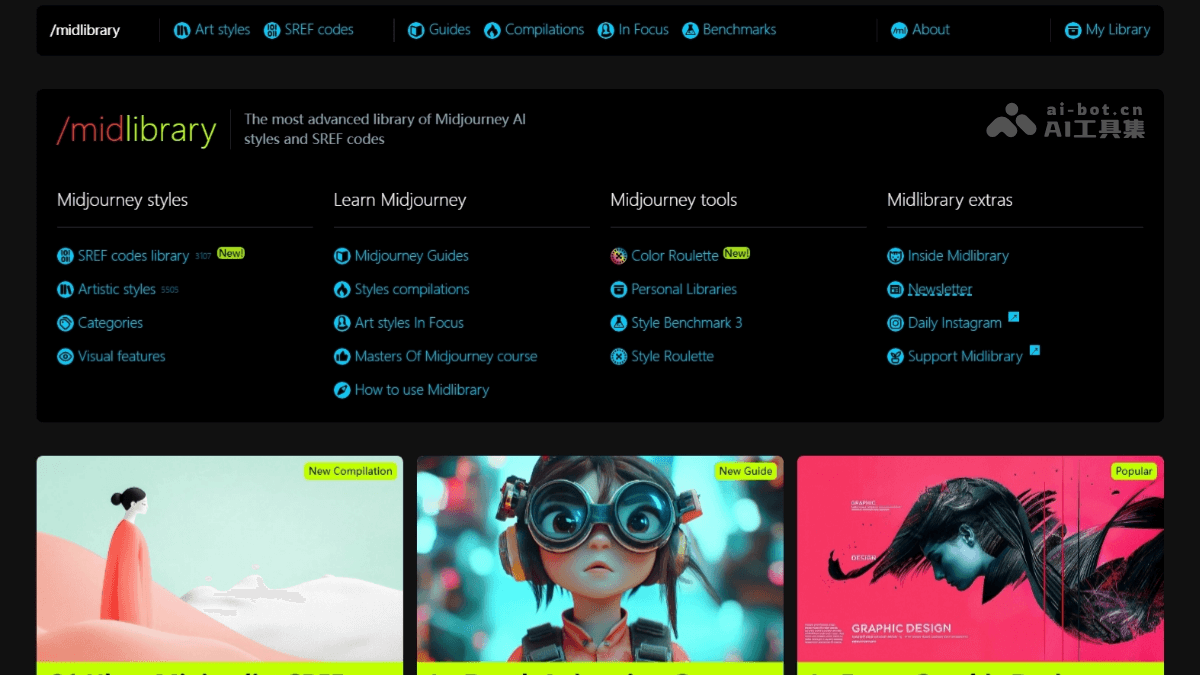
Main Features of Midlibrary
- Styles: Displays over 5,300 art styles, genres, techniques, and artist keywords in tag form. Users can directly click tags to view the corresponding image generation effects and compare the differences between different models (such as v3, v4, v5, and Niji).
- Features: Classifies keywords by broader concepts, such as painting style features (black and white, classical, cute, etc.), subjects (people, animals, landscapes, etc.), colors, and character skin tones. For example, the "Pastel Colors" category contains more than 30 related keywords.
- Categories: Includes 13 major categories, such as art genres and movements, art techniques, Japanese anime, architects, graphic designers, fashion designers, film, illustrators, painters, photographers, printmakers, sculptors + decorative artists, street artists, etc.
- MIDGUIDE (Drawing Guide): Provides style analysis for the V4, V5, and Niji models, as well as recommended keyword collections for popular themes, helping users learn more in-depth Midjourney drawing knowledge and advanced prompt writing techniques.
- Boosts Efficient Creation: Users can refer to the gallery resources to save time creating from scratch and improve creation efficiency.
- Sparks Innovative Inspiration: With the help of different artist styles and techniques, it helps users generate more innovative AI images.
- Supports Multi-Scenario Applications: Suitable for various creative fields such as architectural design, fashion design, and illustration creation, meeting different needs.
How to Use Midlibrary
- Visit the Website: Visit Midlibrary'sofficial website。
- Browse the Style Library: View the various style libraries provided by the website, including architecture, art genres, design techniques, etc.
- Search for Specific Styles: Use the search function to enter keywords and quickly find the desired style.
- Refer to Prompts: Find the corresponding prompts in the style library, copy them, and use them for Midjourney AI creation.
- Use with Midjourney AI: Enter the prompts into Midjourney AI to generate AI images.
- Feedback and Communication: If you have questions or suggestions, you can communicate with the developers through the website's feedback channels.
Application Scenarios of Midlibrary
- Architectural Design: Architects can refer to the architectural style library in Midlibrary, such as Gothic, Baroque, etc., and use Midjourney AI to generate architectural proposals with specific styles, quickly presenting design concepts.
- Fashion Design: Fashion designers can refer to fashion design elements, such as Pop Art, retro style, etc., and use AI to generate unique fashion designs and explore new fashion trends.
- Illustration and Comic Creation: Illustrators and cartoonists can refer to the artist style library, such as Van Gogh style, comic style, etc., to create illustrations and cartoon works in different styles.
- Advertising and Marketing: Advertising designers can use the creative elements in Midlibrary to generate attractive advertising images, enhancing the visual effect and creativity of advertisements.
- Game Design: Game developers can refer to the game style library, such as cyberpunk, fantasy style, etc., to quickly generate game scenes and character designs.
- Education: Teachers and students can use Midlibrary's resource library to explore different art styles for teaching and learning, inspiring creativity and imagination.