
What is Meitu ID Photo
Meitu ID Photo is an ID photo creation app launched by Meitu Xiuxiu. It provides hundreds of photo specifications to meet the needs of various life occasions. Users upload a selfie with one tap and, based on AI technology, enjoy features such as intelligent cutout and cropping, ultra-clear beauty enhancement, and AI outfit changing, making it easy to create ideal ID photos and obtain professional results without going out.
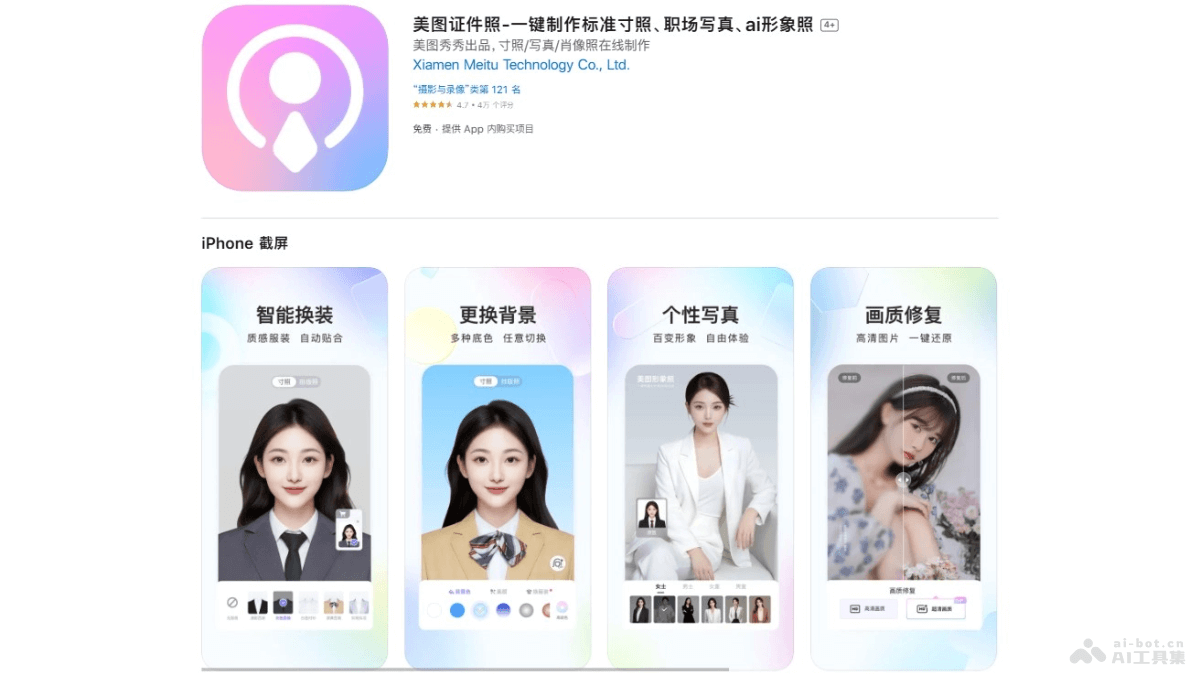
Main features of Meitu ID Photo
- Specification selection: Provides hundreds of ID photo specifications to meet the needs of different occasions, such as 1-inch, 2-inch, small 1-inch, small 2-inch, etc.
- Intelligent cutout and cropping: After uploading a selfie, the system automatically performs intelligent cutout and cropping to ensure the position and proportion of the portrait in the ID photo are correct.
- Background color selection: Provides standard background colors such as red, white, and blue, as well as premium background color options such as clear mountain blue and Dali stone gray.
- AI outfit changing: Users can choose different clothing styles, such as urban beauty, workplace commute, handsome suit, etc., to customize exclusive portrait photos online.
- AI retouching: Intelligent AI retouching features recognize and freely switch hairstyles, makeup styling, and backgrounds, generating a retouched half-body ID photo with one tap.
How to use Meitu ID Photo
- Download and installation: iOS users visitApple App Store, Android users visit their phone's app store, and complete the download and installation.
- Open the app: Open the Meitu ID Photo app. The main interface has options for various ID photo specifications.
- Select a specification: Select the correct ID photo specification as needed, such as 1-inch, 2-inch, etc., or select by purpose, such as visa, ID card, driver's license, etc.
- Upload a photo: Choose "Take Photo" or "Select from Album" to upload a photo that meets the requirements. It is recommended to use a front-facing, clear photo with even lighting.
- Intelligent cutout and cropping: The app automatically performs intelligent cutout and cropping to ensure the portrait meets ID photo requirements. Make manual adjustments if needed.
- Change background color: If needed, select a suitable background color, such as red, white, or blue.
- AI outfit changing and retouching: If you need to change clothing or make more detailed adjustments, use the AI outfit changing feature, or use retouching tools to adjust hairstyle, makeup, etc.
- Preview and adjust: Preview the ID photo effect in the app and make fine adjustments as needed until you are satisfied.
- Save and print: After confirming everything is correct, save the electronic ID photo. If you need a paper version, choose the printing service and fill in the delivery address.
Meitu ID Photo product pricing
- Meitu Color Diamond VIP continuous weekly:¥15.00
- Meitu Color Diamond VIP continuous monthly:¥30.00
- Meitu Color Diamond VIP continuous quarterly:¥70.00
- Meitu Color Diamond VIP continuous yearly:¥159.00
Application scenarios of Meitu ID Photo
- Personal identification documents: Renewal or application of official documents such as ID cards, passports, driver's licenses, and social security cards.
- Education and examinations: Registration for various examinations, such as the college entrance examination, graduate entrance examination, CET-4 and CET-6, computer rank examination, etc.
- Professional qualifications: Applications for professional qualification certificates such as teacher qualification certificates, accounting qualification certificates, and tour guide certificates.
- Resume: Resume photos, used in job applications to enhance personal image.
- Social Media: Profile photos used on social media platforms such as LinkedIn and Facebook.