
What is MeDo
MeDo is a no-codeAI application development platform,Miaodaoverseas version launched by Baidu. It helps users quickly create various applications without writing code. Through its visual interface and rich component library, users can easily build a variety of projects, from games to e-commerce websites, from education platforms to utility applications. For example, you can create a "Pixel Monster Hunter" game, or build an e-commerce page that displays product details. MeDo provides a variety of preset templates and supports one-click deployment, allowing users to quickly turn ideas into actual applications.
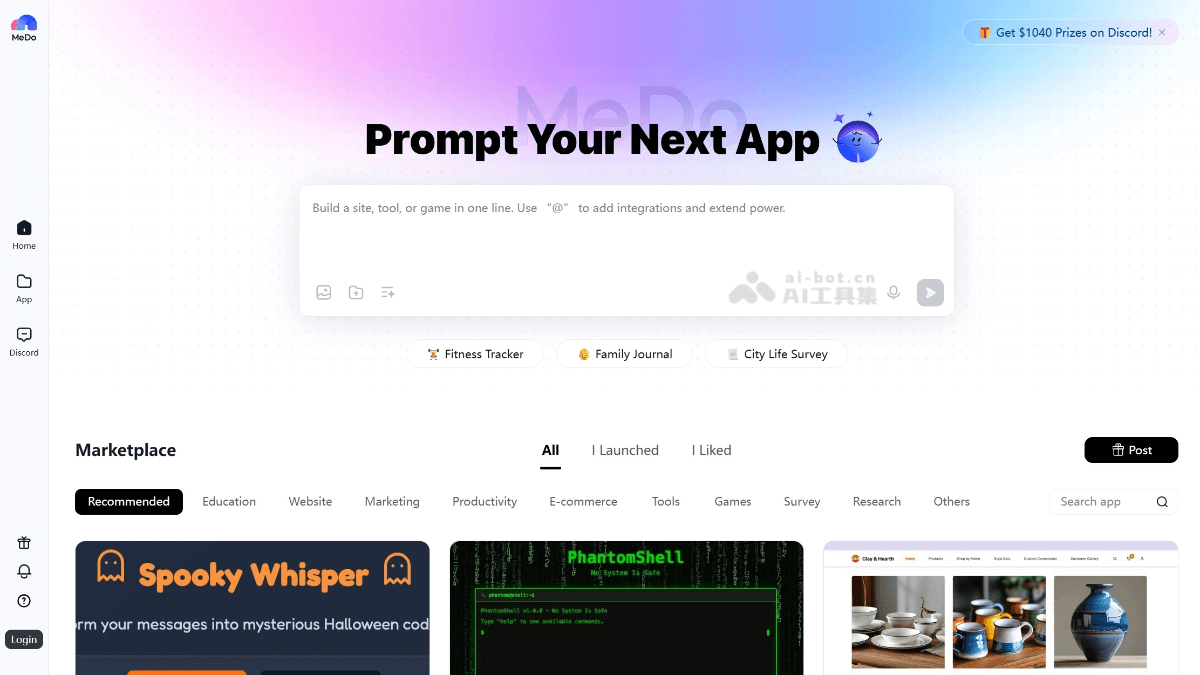
MeDo's main features
- No-code development: Through a visual interface and drag-and-drop operations, users can create applications without writing code, lowering the development threshold and making it suitable for users without a technical background.
- Rich templates and components: The platform provides a variety of preset templates and components, covering multiple scenarios such as games, e-commerce, education, and utilities, making it convenient for users to quickly build applications.
- Visual editing: Users can edit and adjust the application layout in real time in the visual interface, view the effects instantly, and ensure the application matches the intended design.
- One-click deployment: Created applications can be quickly deployed and launched, with cloud hosting support, simplifying the publishing process.
- Multi-scenario support: Suitable for a variety of application scenarios, including but not limited to game development, e-commerce websites, education platforms, utility applications, and interactive experiences.
- Flexible customization: Users can customize applications according to their own needs, satisfying different business and creative requirements.
How to use MeDo
-
Register and log in: Visit the MeDo official website https://medo.dev/ or download the app, then register and log in to your account.
-
Choose a project type: On MeDo, choose the type of application you want to create, such as a website, game, or WeChat Mini Program.
-
Enter a text prompt: Use natural language to describe your application requirements, or provide reference screenshots to help the platform understand your idea.
-
Generate the application framework: MeDo will automatically generate the basic framework of the application based on your description, without the need to manually write code.
-
Visual editing: Adjust the application's layout and functionality through the visual interface, and view the effects in real time.
-
Add components and features: Select and add the required functional modules from the component library, such as buttons, forms, images, etc.。
-
Test and optimize: Test the generated application to ensure it functions properly. Further optimize the interface and interactions as needed.
-
One-click deployment: After completing application development, click the deploy button to publish the application to the cloud or a specified platform.
MeDo's application scenarios
-
E-commerce platform: Create modules such as product display pages, shopping cart functionality, and order management to meet e-commerce operational needs.
-
Marketing and promotion: Design promotional campaign pages, membership management systems, data analysis dashboards, etc., to support enterprise marketing and customer management.
-
Role-playing games: Build complex character systems, quest systems, and combat mechanics, suitable for indie game developers.
-
Online Course Platform: Build course display pages, learning management systems, online exam modules, etc., supporting the digitization of educational content.
-
Productivity Tools: Create tools such as "Task Manager" and "Time Tracker" to improve the work efficiency of individuals and teams.
-
Data Analysis Tools: Generate data visualization dashboards, supporting real-time data analysis and report generation.